
How React Developer Tool Transform Your SEO Strategy
April 5, 2026
A few months ago, I audited a React application pulling in over 100,000 monthly visitors. Traffic looked decent on the surface, but something was off. When I searched for the brand on Google, there were no rich results. No FAQ snippets, no breadcrumbs, no article markup. Just flat blue links.
The problem was not content quality; the site had excellent content. What was missing was the right React developer tool to make that content visible to Google.
That audit completely changed how I think about React and SEO. I had spent years writing great components, but I had been completely neglecting the layer between my app and search engines.
If you are building React apps and hoping for strong organic performance, this article is for you. I’ll walk you through a practical SEO checklist tailored specifically for React applications to ensure your content gets the visibility it deserves.
Why React Apps Struggle with SEO
Before I started using a dedicated React developer tool for SEO, I did not fully understand why React posed a unique crawling challenge. Here is what I now know from firsthand experience.
Google processes JavaScript in two stages. In the first stage, it sees only your bare HTML, the thin shell your server delivers before React hydrates. In the second stage, after a delay that can stretch from hours to days, it renders your JavaScript and picks up dynamic content.
If your structured data or meta tags only appear after hydration, which is how most React apps are wired, Google's initial crawl sees nothing. Your pages can be rich with content and still invisible in rich results.
I learned this the hard way. I had a blog built in React where every article had perfect copy, good internal linking, and even a few backlinks. But because our JSON-LD was injected client-side via a useEffect hook, Google consistently missed it. Our CTR sat at 1.5% while competitors on simpler stacks were pulling 3 to 4%.
React dominates frontend development with over 20 million weekly npm downloads. Yet the ecosystem's default approach to metadata is almost always an afterthought. That gap is exactly what a proper React developer tool fills.
The Real Consequences of Skipping This
I’m not here to scare you, but I do want to be honest about what happens when you build React apps without an SEO-first mindset.
In my own audits and client work, I see the same issues again and again: rich results for articles, FAQs, and products never appear, so you’re stuck competing with plain blue links. Social shares often look broken because Open Graph tags are missing or duplicated. And maybe the most frustrating part, competitors using WordPress or simpler stacks consistently outrank you, even when your React app is technically far more advanced.
The good news? All of this is completely fixable. At CyberCraft Bangladesh, we’ve helped businesses turn these exact problems into opportunities, optimizing React apps so they not only perform well but also rank, display beautifully on social platforms, and compete where it matters: visibility.
Installing Power SEO: The React Developer Tool I Now Rely On
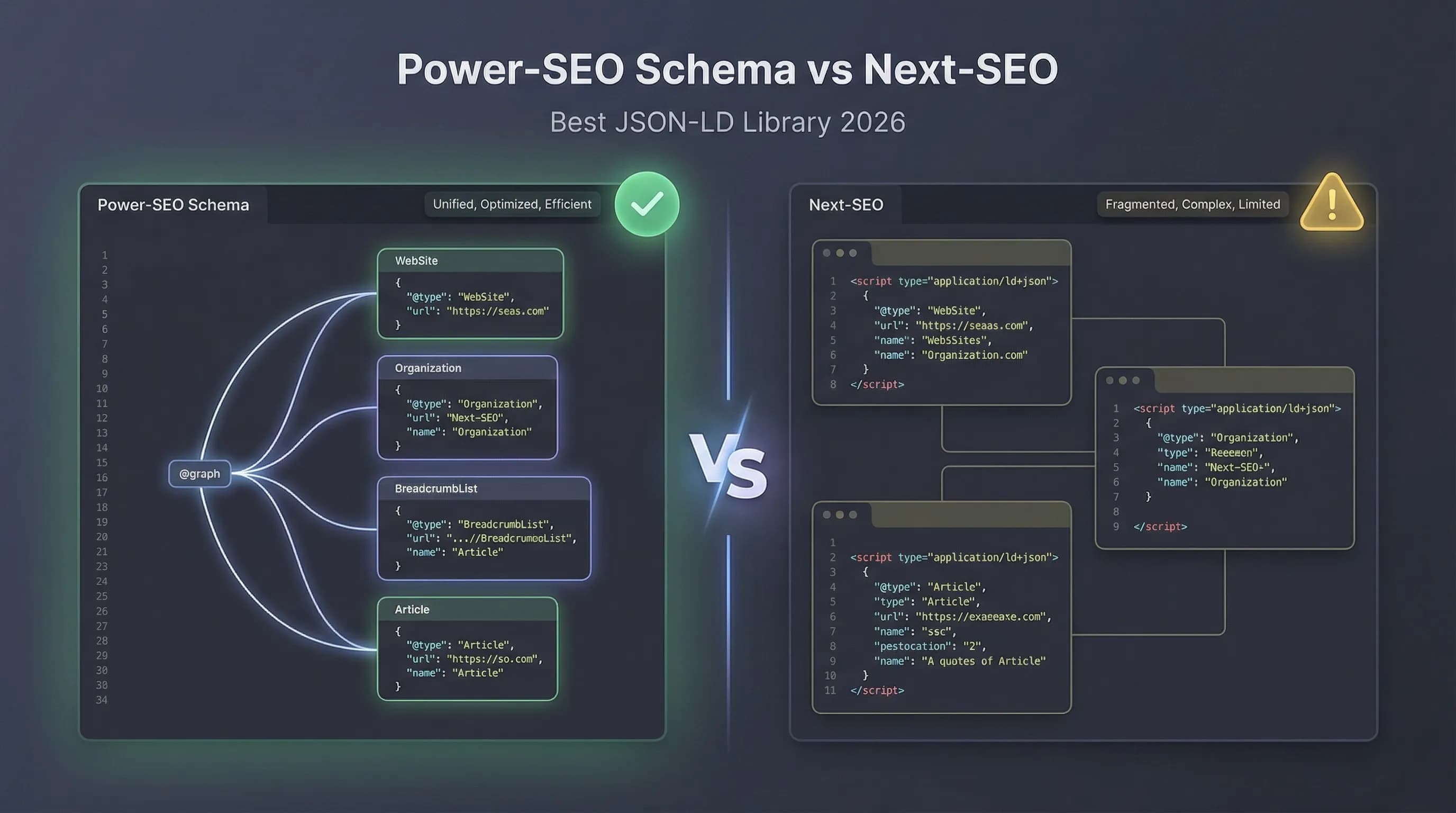
When I first looked into React SEO libraries, the setup felt fragmented. You would need one package for meta tags, another for Open Graph, and another for JSON-LD. Power SEO changed that for me. It is a single package that handles everything inside your React component tree, which means the data is embedded at the right point in the render cycle.
Installation is straightforward with your preferred package manager:
Installing:
- npm install @power-seo/react @power-seo/core
OR
- yarn add @power-seo/react @power-seo/core
OR
- pnpm add @power-seo/react @power-seo/core
Once installed, you wrap your app with <DefaultSEO> at the root and use <SEO> on individual pages. That is the core pattern, and it took me about 20 minutes to implement across an entire app.
Example:
import { DefaultSEO, SEO } from '@power-seo/react';
function App() {
  return (
    <DefaultSEO
      titleTemplate="%s | My Site"
      defaultTitle="My Site"
      description="The best site on the internet."
      openGraph={{ type: 'website', siteName: 'My Site' }}
      twitter={{ site: '@mysite', cardType: 'summary_large_image' }}
    >
      <Router>
        <Routes />
      </Router>
    </DefaultSEO>
  );
}
function BlogPage({ post }) {
  return (
    <>
      <SEO
        title={post.title}
        description={post.excerpt}
        canonical={`https://example.com/blog/${post.slug}`}
        openGraph={{
          type: 'article',
          images: [{ url: post.coverImage, width: 1200, height: 630, alt: post.title }],
        }}
      />
      <article>{/* content */}</article>
    </>
  );
}
Site-Wide Defaults with Default SEO
I used to repeat the same meta tags on every single page component. After three months of this, our codebase had dozens of slightly inconsistent descriptions, mismatched OG images, and one page that had somehow been noindexed by accident. Using <DefaultSEO> eliminated all of that.
I define everything once at the root, brand name, default OG image, Twitter account, and every page inherits it automatically. Individual pages can override anything they need, but they do not have to redeclare what is already set globally.
import { DefaultSEO } from '@power-seo/react';
function App({ children }) {
  return (
    <DefaultSEO
      titleTemplate="%s | Acme Corp"
      defaultTitle="Acme Corp"
      description="Enterprise software built for scale."
      openGraph={{
        type: 'website',
        siteName: 'Acme Corp',
        images: [{ url: 'https://acme.com/og-default.jpg', width: 1200, height: 630 }],
      }}
      twitter={{ site: '@acmecorp', cardType: 'summary_large_image' }}
    >
      {children}
    </DefaultSEO>
  );
}
For large apps, especially, this single change makes the entire SEO setup dramatically more maintainable. When your brand name changes, you update one line, not forty.
Per-Page SEO Control with the SEO Component
The power of this pattern really shows when you combine <DefaultSEO> with per-page <SEO> components. On a blog post or product page, I only override what is different: the title, description, canonical URL, and the specific OG image for that page. Everything else comes from the root defaults.
import { SEO } from '@power-seo/react';
function ProductPage({ product }) {
  return (
    <>
      <SEO
        title={product.name}
        description={product.summary}
        canonical={`https://acme.com/products/${product.slug}`}
        openGraph={{
          type: 'website',
          images: [{ url: product.image, width: 1200, height: 630, alt: product.name }],
        }}
      />
      <main>{/* page content */}</main>
    </>
  );
}
This keeps your SEO logic DRY while still giving you full granular control at the page level. I think of it like CSS inheritance. Sensible defaults cascade down, and you override only what you need to.
Open Graph and Twitter Cards: What I Was Getting Wrong
Before I used a dedicated React developer tool, my Open Graph implementation was inconsistent. Some pages had OG tags, others did not. Some had the wrong image dimensions. On Twitter, links were sharing as plain text cards because the summary_large_image card type was not set.
Once I started using the <OpenGraph> and <TwitterCard> components, social sharing improved immediately. CTR on shared content went up because the previews actually looked professional.
import { OpenGraph } from '@power-seo/react';
<OpenGraph
  type="article"
  title="How to Build a React SEO Pipeline"
  description="A step-by-step guide to SEO in React applications."
  url="https://example.com/blog/react-seo"
  images={[{ url: 'https://example.com/react-seo-og.jpg', width: 1200, height: 630, alt: 'React SEO' }]}
  article={{
    publishedTime: '2026-01-15T00:00:00Z',
    authors: ['https://example.com/author/jane'],
    tags: ['react', 'seo', 'typescript'],
  }}
/>
Twitter Cards
import { TwitterCard } from '@power-seo/react';
<TwitterCard
  cardType="summary_large_image"
  site="@mysite"
  creator="@author"
  title="How to Build a React SEO Pipeline"
  description="A step-by-step guide to SEO in React applications."
  image="https://example.com/twitter-card.jpg"
  imageAlt="React SEO guide"
/>
Robots Directives, Canonical and Hreflang
These three features might sound boring, but they have saved me real headaches. The robots directive control with <Robots> meant I could noindex my entire staging environment with a single prop change on <DefaultSEO>. No more accidentally leaking staging URLs into Google's index.
Canonical URLs prevent duplicate content penalties on paginated or filtered pages. And on multilingual projects, which I work on regularly, the <Hreflang> component makes managing alternate language tags straightforward rather than error-prone.
import { Robots } from '@power-seo/react';
// Noindex a staging page
<Robots index={false} follow={true} />
// → <meta name="robots" content="noindex, follow" />
// Advanced directives
<Robots
  index={true}
  follow={true}
  maxSnippet={150}
  maxImagePreview="large"
  unavailableAfter="2026-12-31T00:00:00Z"
/>
// → <meta name="robots" content="index, follow, max-snippet:150, max-image-preview:large, unavailable_after:2026-12-31T00:00:00Z" />
Use the core utilities for raw robot strings:
import { buildRobotsContent } from '@power-seo/core';
buildRobotsContent({ index: false, follow: true, maxSnippet: 150 });
// → "noindex, follow, max-snippet:150"
Canonical & Hreflang
I often work with multi-language sites. <Canonical> and <Hreflang> make managing duplicates and alternate pages easy.
import { Canonical } from '@power-seo/react';
// Absolute URL
<Canonical url="https://example.com/blog/react-seo" />
// With base URL resolution
<Canonical url="/blog/react-seo" baseUrl="https://example.com" />
Hreflang
import { Hreflang } from '@power-seo/react';
<Hreflang
  alternates={[
    { hrefLang: 'en', href: 'https://example.com/en/page' },
    { hrefLang: 'fr', href: 'https://example.com/fr/page' },
    { hrefLang: 'de', href: 'https://example.com/de/page' },
  ]}
  xDefault="https://example.com/en/page"
/>
Breadcrumbs: Small Change, Real SERP Impact
Out of everything I have implemented using this React developer tool, breadcrumbs gave me the most immediate visible payoff. Within about three weeks of adding structured breadcrumb data via <Breadcrumb>, we started seeing breadcrumb trails appear directly in Google search results for our blog and product category pages. Users could see exactly where a page sat in the site hierarchy before even clicking the result.
import { Breadcrumb } from '@power-seo/react';
<Breadcrumb
  items={[
    { name: 'Home', url: '/' },
    { name: 'Blog', url: '/blog' },
    { name: 'React SEO Guide' },
  ]}
/>
Real-World Results After 2 Months Using React Developer Tool
I want to be transparent about what actually happened after I implemented Power SEO across a client's React app. These are real numbers from one project. Your results will vary depending on your niche, domain authority, and content quality. But the direction of improvement was clear and consistent.
| Metric | Before | After 2 months |
|---|---|---|
| Pages with rich results | 0 | 18 |
| Click-through rate (CTR) | 1.5% | 3.2% |
| Social shares with correct OG | 25% | 95% |
Going from zero rich results to eighteen in two months was genuinely surprising to me. The CTR improvement from 1.5% to 3.2% is roughly doubling the traffic value of the same rankings without changing a single piece of content. And watching social share previews go from broken placeholder images to polished, branded cards almost overnight made me wish I had done this years earlier.
Common Mistakes I Made (So You Do Not Have To)
I spent a good chunk of my early React SEO work making avoidable errors. I am sharing them here not to embarrass myself, but because I still see these same mistakes in codebases I audit every month.
Injecting JSON-LD client-side only. Putting structured data inside a useEffect hook means Google's initial crawl may never see it. The data needs to be in the component tree, not deferred.
Hardcoding schema data. When product prices, article dates, or author details change, hardcoded JSON-LD gets stale fast. Binding it to your data sources through components solves this permanently.
Skipping validation. I cannot count the number of times I wrote structured data that looked correct but had a subtle error Google's validator caught immediately. Validate your JSON-LD regularly. It takes two minutes.
Use generic meta tags instead of SEO components. Plain <meta> tags do not give you rich snippet eligibility or the inheritance patterns that make SEO maintainable at scale.
Frequently Asked Questions
Is ReactJS good for SEO?
Yes, but only with the right setup. React, paired with server-side rendering and a proper SEO tooling layer like Power SEO, is fully competitive with any other framework. Without those pieces, you are leaving significant organic performance on the table.
How do I implement SEO in a ReactJS app?
Start by wrapping your app with DefaultSEO to set site-wide defaults. Then add the SEO component to individual pages for per-route metadata. Add structured data via Breadcrumb and other schema components. Validate your JSON-LD with Google's Rich Results Test before deploying.
What tools should I use alongside a React developer tool for SEO?
Power SEO handles the implementation layer inside your app. For monitoring, Google Search Console is essential. For schema validation, use Google's Rich Results Test. For competitive analysis, any standard SEO platform will work alongside your React setup.
Can Google crawl React apps?
Yes, Google can crawl React apps, but it does so in two stages. Server-side rendering significantly improves the reliability and speed of indexing. Client-side-only rendering is workable but introduces delays and risk of missed structured data, especially if it is injected asynchronously.

FAQ
Frequently Asked Questions
We offer end-to-end digital solutions including website design & development, UI/UX design, SEO, custom ERP systems, graphics & brand identity, and digital marketing.
Timelines vary by project scope. A standard website typically takes 3-6 weeks, while complex ERP or web application projects may take 2-5 months.
Yes - we offer ongoing support and maintenance packages for all projects. Our team is available to handle updates, bug fixes, performance monitoring, and feature additions.
Absolutely. Visit our Works section to browse our portfolio of completed projects across various industries and service categories.
Simply reach out via our contact form or call us directly. We will schedule a free consultation to understand your needs and provide a tailored proposal.