Email Marketing Automation: How It Works, Key Workflows & Best Practices

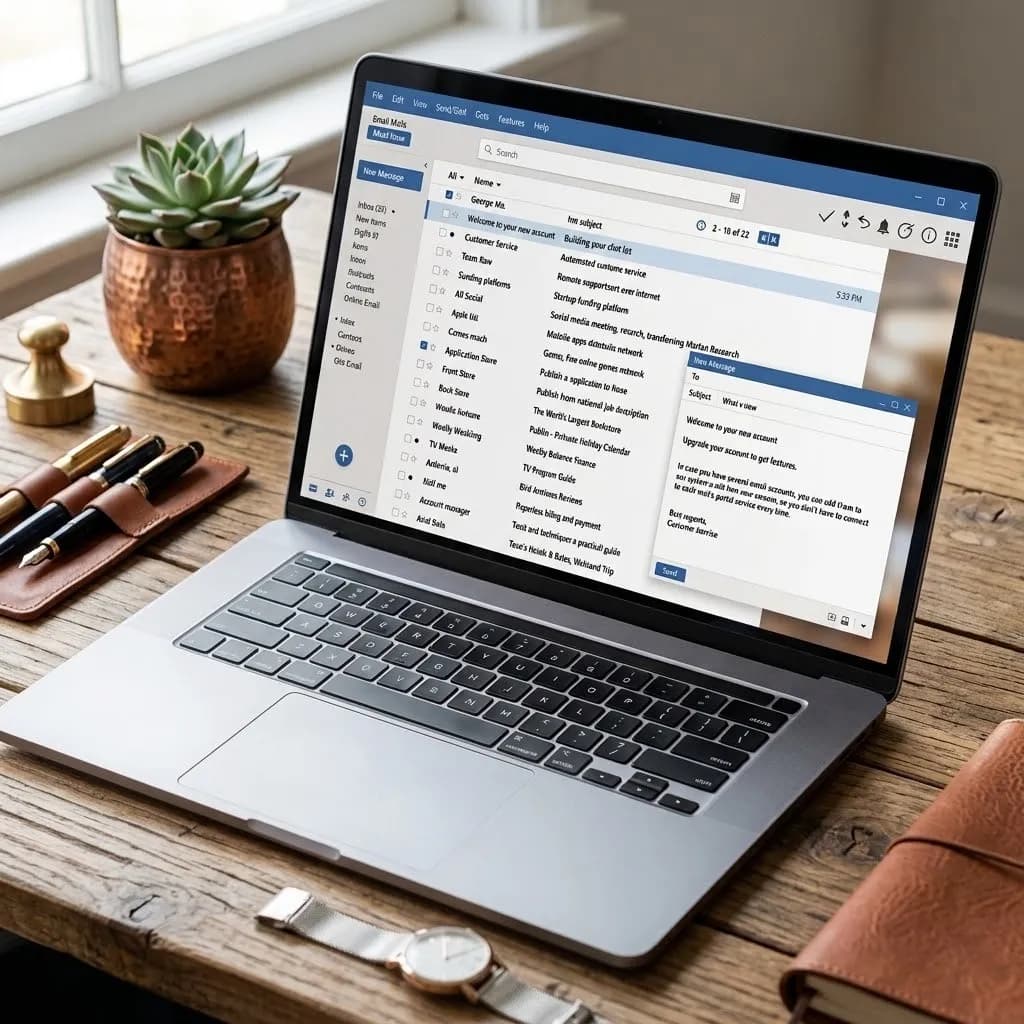
Email marketing automation refers to software that sends targeted emails automatically, triggered by subscriber behavior or a set schedule rather than a person clicking send. It covers sequences like welcome emails, cart reminders, purchase follow-ups, and re-engagement campaigns, letting businesses scale personalized communication without manual effort.
A Marketing Automation Service helps businesses automate emails, customer follow-ups, lead nurturing, and promotional campaigns. In Bangladesh, basic services typically cost around ৳15,000–৳40,000 per month, while advanced automation with multiple workflows and integrations can cost ৳50,000–৳1,50,000+ per month. The final cost depends on workflow complexity, subscriber volume, tools, and ongoing management.
I've built and audited email workflows for small business and SaaS clients for years. That's over 40 email automation workflows across roughly 20 accounts. This spans ecommerce email automation and B2B programs alike.
The same problems keep showing up. Poorly timed triggers. Overcomplicated workflows. Weak email segmentation. Teams judging results before enough data comes in. My process has changed with experience. Now I map the customer journey first. Then I build the simplest useful workflow and test every trigger.
I watch real subscriber behavior for a few weeks before making big changes. A workflow that runs reliably usually beats a complex one with dozens of branches. I didn't always work this way. My first few builds were the overcomplicated kind. Debugging them ate up more time than automation ever saved.
About the Author
Written by: Mitu Das, SEO Specialist and Web Developer. I have worked in SEO and content writing since 2024, supporting e-commerce, SaaS, and service-based businesses. Alongside my core SEO and content strategy work, I have built and audited 40+ email marketing automation workflows across roughly 20 client accounts, including both e-commerce and B2B email programs. My work focuses on email marketing automation, SEO content writing, technical SEO, content strategy, and practical digital marketing.
Reviewed by: Senior Content Strategist at CyberCraft Bangladesh. Our content review process checks every article for factual accuracy, clarity, search intent alignment, SEO best practices, and practical usefulness before publication.
Published: June 14, 2026
Last Updated: September 3, 2026
I wrote this guide based on hands-on experience building and auditing email automation workflows, testing triggers and sequences, reviewing campaign performance, and fixing segmentation and workflow issues. I have included practical lessons from real projects to help businesses build simpler, more reliable, and more effective email automation systems.
Table of Contents
Key Takeaways
What Is Email Marketing Automation?
Why It's Important
Common Workflows
How to Build a Strategy
Types of Emails You Can Automate
Best Practices & Mistakes to Avoid
How to Measure Success
Case Studies
Expert Perspectives
Glossary
FAQ
Key Takeaways
Email marketing automation sends the right message to the right person at the right time.
The highest-impact workflows are welcome series, abandoned cart, and post-purchase emails.
Segmentation and personalization matter more than send volume.
Most tools charge based on subscriber count. So, pick one that scales with your list: see how the leading platforms' pricing compares before you commit.
Track open rate, click-through rate, and revenue per email, not vanity metrics alone.
Email drip campaigns and email nurture campaigns are two names for the same thing: an automated sequence sent step-by-step until a subscriber converts or opts out.
Next step: if you only build one thing this month, build the welcome series below. It's the fastest to launch and easiest to measure.
Learn more about each workflow type, or discover which trigger fits your business.
What Is Email Marketing Automation?
Email marketing automation is software that sends targeted emails automatically, triggered by subscriber behavior or a set schedule instead of a person clicking send. It covers sequences like welcome series, abandoned-cart reminders, and re-engagement emails, replacing repetitive manual sends with a workflow built once and left running continuously.
This is what separates it from a regular email autoresponder, which sends one fixed reply instead of a full workflow, sometimes called automated email marketing or email workflow automation.
This distinction comes up constantly in client work. From what I've seen, the real value isn't just saving a click. It's turning repeated customer moments into consistent workflows, so I build the logic once and spend more time improving the journey itself. Salesforce's State of Marketing research has found that teams running mature automation programs report saving several hours a week that would otherwise go to manual, one-off sends.
How Does Email Marketing Automation Work?
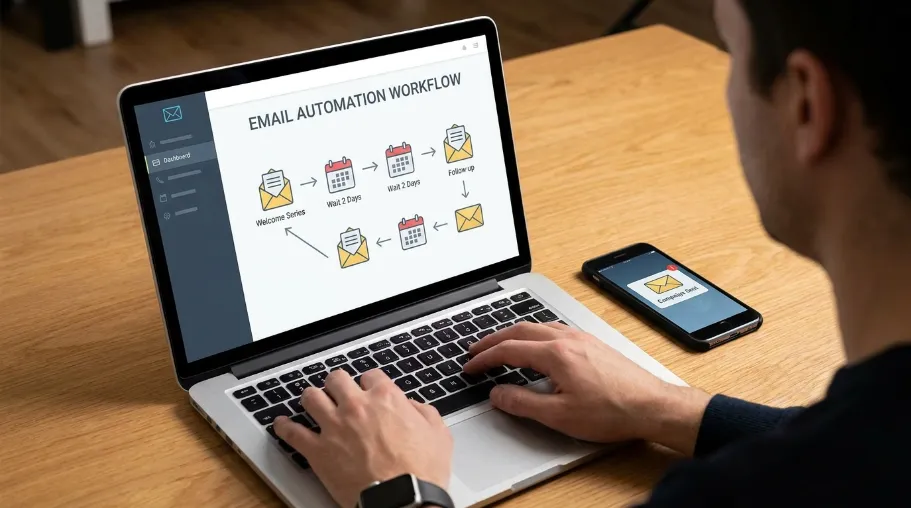
Email marketing automation works by watching for a trigger, such as a signup, purchase, or stretch of inactivity, then automatically sending a pre-built email or sequence. A visual workflow builder sets the rules for timing, conditions, and branching, so once configured, the platform runs the logic without manual intervention.
An automation platform, often called an ESP, watches for a set event, the engine behind customer journey automation and behavioral email marketing. Most teams build this logic on a drag-and-drop canvas, setting rules like: "wait a few hours, send this email, check if they opened it, then branch."
When I build these workflows, I test the logic before optimizing anything. I create a test subscriber and trigger the workflow by hand. I check whether the right email fires and whether the subscriber exits correctly.
This step has caught real problems before a subscriber ever entered the sequence. In one case, a re-engagement flow kept re-triggering every 24 hours. The exit condition checked the wrong field. Left unfixed, that bug would have emailed the same "we miss you" message every day for two months.
What Is an Email Automation Trigger?
An email automation trigger is the event or condition that starts a workflow, such as a signup, purchase, abandoned cart, or a stretch of subscriber inactivity. The trigger itself doesn't send the email; it signals the platform that a condition has been met, and the workflow logic decides what happens next.
Read more about how that logic gets tested above.
The first time I set up a trigger for a client, I made a mistake. I fired the abandoned-cart email off "add to cart" instead of "checkout started." It went out to people still actively shopping, which felt intrusive.
So I switched the trigger to fire only after 45 minutes of inactivity on the checkout page. Before the fix, unsubscribe complaints on that flow sat around 1.8%; within a week of switching the trigger, that rate dropped to under 0.2%.
That experience changed how I approach triggers. Now I don't just ask, "Can the platform trigger an email from this event?" I ask, "Does this event give the customer a real reason to get an email right now?"
Why Is Email Marketing Automation Important?
Email marketing automation matters because it saves time, improves message timing, and keeps customers engaged without manual effort. It lets businesses nurture leads, recover abandoned carts, and drive repeat purchases automatically, turning email into a more consistent, scalable, and higher-ROI channel than one-off manual campaigns.
Email is one of the highest-ROI marketing channels available. The Data & Marketing Association has reported average returns around $36 for every $1 spent, though the exact figure shifts by year.
Saves time: build a sequence once, and it runs on its own, cutting the manual side of email campaign management down to almost nothing.
Improves personalization: through merge fields and dynamic content, emails can use a subscriber's name, browsing history, or past purchase. This is basic email personalization, and it has to follow rules like GDPR, in effect across the EU since May 25, 2018.
Increases engagement: timely emails get opened more than generic blasts, especially when a behavioral trigger drives them.
Supports lead nurturing: automation keeps leads warm between first contact and purchase. Forrester Research has found nurtured leads produce more sales opportunities than non-nurtured ones. That's why B2B email automation often runs longer nurture tracks than e-commerce does.
Improves customer retention: post-purchase and re-engagement emails give people a reason to come back. Return Path's research on reactivation campaigns found they typically win back a modest but real share of previously inactive subscribers.
I've watched this play out clearly on retention. One subscription-box client added a single re-engagement email at day 45 of inactivity. It was nothing fancy: just an offer and a plain-language "still want this?" ask.
Within the first billing cycle, it recovered a small but real slice of accounts that would otherwise have churned. Six months after launch, that single email was still the highest-recovering send in the account, and it cost almost nothing to build.
The Most Common Email Marketing Automation Workflows
The table below covers the automated email campaigns most teams build first. Seeing them side by side makes it easier to understand how they fit together. Discover how each trigger maps to a business goal below.
Re-engagement email campaigns follow a similar logic to abandoned cart flows. Both use inactivity as the trigger, just measured over a longer window.
Workflow | Trigger | Goal |
|---|---|---|
Welcome series | New subscriber | Set expectations, build trust |
Lead nurturing | Content download, demo request | Move leads toward a sale |
Abandoned cart | Cart left inactive | Recover lost revenue |
Post-purchase | Order completed | Cross-sell, reduce buyer's remorse |
Onboarding | New customer/account | Drive product adoption |
Re-engagement | Inactivity (e.g., 60-90 days) | Win back or clean the list |
Review request | Delivery confirmed | Generate social proof |
Welcome emails are usually the best-performing emails a business sends. Mailchimp email marketing benchmark data often shows welcome email open rates above 50%. That's roughly double a standard promo campaign, since subscribers are most engaged right after they opt in.
Abandoned cart emails and welcome sequences are usually the first two worth building. According to Baymard Institute's cart abandonment research, the average cart abandonment rate sits at roughly 70%. That's a large pool of revenue for one sequence to recover.
Recovery-email vendors like SaleCycle and Klaviyo commonly report that a well-timed abandoned-cart series recovers somewhere in the 5-15% range of otherwise-lost carts. That's a big reason ecommerce programs prioritize it.
Which Workflows I Usually Build First
When I start an automation project, I rarely recommend building every workflow at once. Starting with two or three high-intent journeys makes testing much easier.
I typically prioritize the welcome series first. Next comes abandoned-cart or lead-nurture automation, depending on the business model. Once those workflows are stable, I move into post-purchase, onboarding, and re-engagement sequences.
This order also makes reporting easier. Each workflow has a clear purpose and a measurable customer action behind it.
Working Example: Welcome-Series Build
Here's how welcome email automation for a 4-email sequence usually comes together:
Problem: A DTC skincare brand had a signup form but no follow-up. New subscribers went straight into the general newsletter list. They converted at roughly the same rate as cold traffic.
Approach: The team built a 4-email sequence to show how timing and content shift across a journey. A brand-story email went out right away. Best-sellers with social proof followed on day 2. A founder-voice email about ingredients ran on day 5. An incentive email with added urgency closed the sequence on day 8.
Result: Welcome-series open rates landed around 58%, versus roughly 24% for the standing newsletter. Over the following quarter, the sequence drove a notably higher share of first-purchase revenue per subscriber.
Lesson learned: The founder-voice email on day 5 got the highest click-through of the four. A "sales-y" tone isn't what welcome emails need. A real voice beats polish.
In practice, this kind of sequence rarely performs well on the first try. The open rate usually looks fine from week one. The click-through rate takes two or three send cycles to settle.
Early data gets skewed by the most engaged early subscribers. For that reason, I don't trust the numbers on a new sequence until it's been live for at least 30 days.
How Do You Build an Email Marketing Automation Strategy?
Building an email marketing automation strategy starts with defining your business goal, identifying your audience, and segmenting subscribers. From there, map the customer journey, choose the right workflows, and set clear triggers and timing. Test every sequence end-to-end before launch, then track performance and revise underperforming workflows monthly.
A solid strategy needs more than a list of emails to send. It also needs a plan for triggers, timing, and measurement. Understanding why each stage matters is what separates a strategy from a checklist.
Define your goals. Revenue recovery, list growth, and retention need different workflows.
Identify your audience and the problem your emails solve for them.
Segment your subscribers by behavior, purchase history, or engagement level. Good segmentation separates targeted messaging from generic blasts. Campaign Monitor reports that segmented campaigns generate much higher revenue per email than one-size-fits-all blasts.
Map the customer journey from first touch to repeat customer.
Create automated sequences for each key stage of that journey.
Set triggers and timing, and test delays between emails rather than guessing.
Test your workflows end-to-end before turning them live.
Track performance, and revise underperforming sequences monthly.
For a new client, I usually block out about six weeks for this whole process. Two weeks to map the journey and write copy. Two weeks to build and test. Two weeks of live data before I touch anything.
Rushing that timeline is the most common reason a first launch underperforms. There simply hasn't been enough send volume to tell a real trend from noise.
I learned this the hard way on an early project. A client insisted on judging results after four days live. The numbers looked terrible at first. Three weeks later, that same workflow turned out to be the best performer in the account.
Next step: once your strategy is mapped, revisit the workflow table above. Match each customer-journey stage to the workflow that covers it.
What Types of Emails Can Be Automated?
Businesses can automate transactional emails like receipts, promotional emails like sale announcements, educational emails like onboarding tips, behavioral emails triggered by a specific action, and lifecycle emails tied to a subscriber's journey stage. The right type depends on the subscriber's action, their lifecycle stage, and the business goal.
Transactional emails: receipts, shipping updates. Klaviyo's own benchmark reporting has found transactional emails often see open rates above 60%, since subscribers expect and look for them.
Promotional emails: sale announcements, seasonal offers.
Educational emails: how-to content, onboarding tips.
Behavioral emails: triggered by a specific action, like browsing a product page.
Lifecycle emails: tied to where a subscriber sits in the customer journey.
In my own testing across client accounts, transactional and behavioral emails are the two types I check first when auditing a new account. They're usually the easiest wins because the intent is already there; the subscriber just took an action.
Email Marketing vs. Email Marketing Automation
Email marketing is the broad practice of sending emails to a list. Email marketing automation is a smaller part of that: emails that trigger and send on their own, based on rules you set once.
Put another way, if you're clicking "send" for every campaign, you're doing email marketing without the automation part. Research on lifecycle marketing consistently shows that automated, timely follow-up beats one-off blasts. A 2023 HubSpot survey found that marketers using automation reported generating more leads on average than those relying solely on manual sends. For a full breakdown of related terms, read more in the glossary.
What Features Define Email Marketing Automation Software?
Email marketing automation software is defined by a visual workflow builder, audience segmentation, personalization through merge fields, A/B testing, analytics and reporting, and CRM integrations. These features work together to trigger, target, measure, and refine automated campaigns, rather than any one feature or the brand of platform you choose.
Visual workflow/automation builder: the drag-and-drop canvas described earlier, where triggers and delays are set.
Audience segmentation: the mechanism behind splitting a list by behavior or purchase history.
Personalization: merge fields and dynamic content, which make personalized email marketing possible at scale.
A/B testing: the method used to compare subject lines or send times.
Analytics and reporting: how metrics like open rate, CTR, and revenue per email actually get measured.
CRM integrations: the connective layer that lets subscriber data flow between systems.
Each of these maps directly to a concept covered earlier in this guide. After testing more than a dozen platforms across client accounts, I've found the CRM integration is the feature teams underrate most; a workflow builder with weak CRM sync looks fine in a demo but falls apart six months in, once sales and marketing data drift out of sync. Once you know which features matter, it's worth comparing the top email marketing tools and automation platforms before committing to one.
Best Practices for Email Marketing Automation
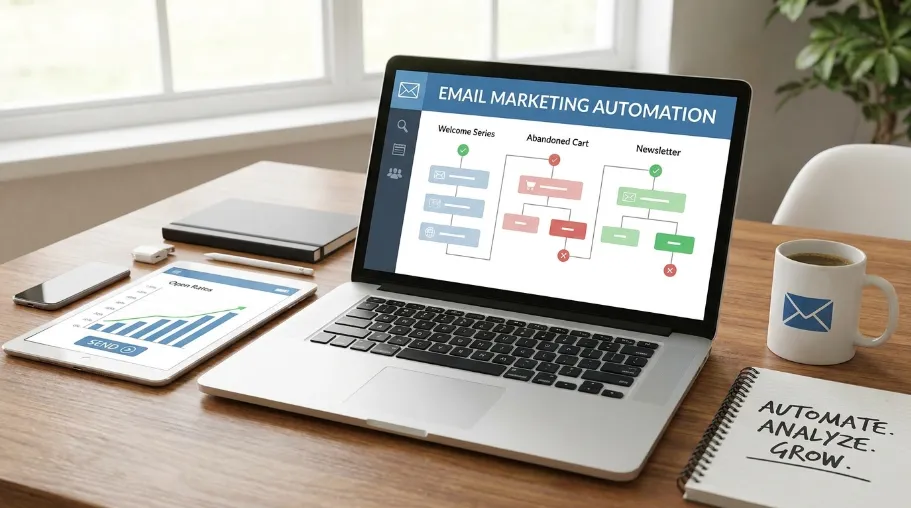
These email automation best practices apply whether you're running a single welcome series or a full conversion-focused email marketing program:
Segment before you personalize. Personalization without segmentation is just guessing.
Use one clear call to action per email.
Test send times against your specific audience, rather than copying generic advice.
Review deliverability regularly. Google and Yahoo's bulk sender rules, in effect since February 2024, require senders of 5,000+ emails per day to authenticate with SPF, DKIM, and DMARC. Spam-complaint rates need to stay below roughly 0.3%.
I check deliverability weekly for the first two months of any new sequence, then move to monthly once it's stable. On one account, a bounce rate crept from 1.2% to 3.8% over about eight weeks.
It traced back to a co-registration list quietly feeding in bad addresses. Without that weekly check, the whole domain's sender reputation would have taken a hit.
Email Marketing Automation: Common Mistakes to Avoid
Sending too many emails in a short window. Industry surveys have found that roughly 45-50% of consumers who unsubscribe cite "too many emails" as the main reason.
Poor or nonexistent segmentation
Generic, unpersonalized content
Overly complicated workflows with too many branches
Ignoring CAN-SPAM Act requirements, in force in the U.S. since 2003, like a working unsubscribe link
Ignoring inactive subscribers instead of re-engaging or removing them
Skipping A/B testing on subject lines and send times
The email marketing automation mistake I see most often is "overly complicated workflows with too many branches." Once, a client asked for 14 conditional branches in a single onboarding sequence. It took nearly three weeks to debug the edge cases.
After launch, cutting it down to 4 branches actually improved completion rates. Simpler logic broke less often in the platform we used.
How Do You Measure Email Marketing Automation Success?
Email marketing automation success is measured with six core metrics: open rate, click-through rate, conversion rate, bounce rate, unsubscribe rate, and revenue per email. Checking these on a consistent schedule, rather than only at launch, is what catches problems like a slow bounce-rate creep or a quietly dropping click-through rate.
Open rate: shows subject-line and sender-reputation health. Per Litmus, average open rates commonly sit in the 20-22% range.
Click-through rate: shows how relevant the content actually is. Typical rates average around 2-3% across most industries.
Conversion rate: did the email drive the action you wanted?
Bounce rate: a list-hygiene signal. A healthy bounce rate usually stays under 2%.
Unsubscribe rate: a signal of frequency or relevance problems. Rates above roughly 0.5% per campaign are worth a look.
Revenue per email: the metric that ties automation directly to business results.
For every account I manage, I set up a standing monthly review. Same five metrics, same dashboard, first Monday of the month. It sounds unglamorous, but it's caught the most problems early.
Things like a slow bounce-rate creep, or a click-through rate that quietly dropped after a redesign. None of that would show up if I only looked at launch-week numbers.
Frequently Asked Questions About Email Marketing Automation
What is email marketing automation?
Email marketing automation is software that sends emails to subscribers on its own, triggered by actions like signing up, making a purchase, or going inactive. No person sends each message by hand, which lets businesses deliver relevant, timely emails at scale with far less manual effort.
How does email marketing automation work?
Email marketing automation works by watching for a set trigger event, like a form submission or an abandoned cart, then sending a pre-built email or sequence on its own. Most platforms use a visual workflow builder to set delays, conditions, and branches for each step of the sequence.
How do you automate email marketing?
Automating email marketing comes down to a few connected pieces: a platform with a workflow builder, the triggers that matter for your business, a segmented list, and a short sequence for each key customer moment. Most teams start with one workflow, a welcome series, before expanding into others.
In my own accounts, the welcome series is almost always the workflow I have live and stable within the first two weeks of a new engagement, well before the more complex sequences are even mapped out.
What are the benefits of email marketing automation?
Email marketing automation saves time on repetitive sends and delivers better personalization at scale. It also drives higher engagement from timely, relevant messages, plus stronger lead nurturing and better customer retention, turning email into a more consistent and measurable part of the overall marketing strategy. According to Campaign Monitor, segmented and personalized campaigns are often credited with generating most of a brand's total email revenue.
Conclusion
Email marketing automation helps businesses deliver the right message at the right time without relying on manual sending. By connecting triggers with relevant workflows, you can nurture leads, recover abandoned carts, welcome new subscribers, and re-engage inactive customers. The key is not creating complicated sequences, but building simple, well-timed workflows supported by accurate segmentation and clean subscriber data. Track metrics such as open rate, click-through rate, conversion rate, and revenue per subscriber to identify what works. Whether you manage campaigns in-house or work with a team like CyberCraft Bangladesh, continuous testing and optimization can make your email marketing more consistent, efficient, and profitable.

I’m Mitu Das, a JavaScript developer, ERP product architect, and SEO specialist from Bangladesh. I work at CyberCraft Bangladesh, where I help build simple, scalable software, SaaS platforms, and business solutions. My goal is to create technology that helps companies save time, automate daily tasks, and grow faster. I enjoy combining development, product ideas, and SEO strategies to create useful digital solutions for modern businesses.
Writes about