ERP Implementation: Step-by-Step Guide for 2026

Mitu Das
super admin

I've talked to dozens of business owners who said the same thing after their ERP project went sideways: "Nobody told us it would be this hard."
Here's the truth, ERP implementation is not just an IT project. It is a business transformation. And if you go in without a clear plan, you will waste months and burn through your budget without getting the results you need.
But the good news? When done right, ERP implementation can cut your operational costs, eliminate data silos, and give you real-time visibility into every part of your business.
In this guide, I'll walk you through every step, from picking the right system to going live, in plain, practical language. Whether you're exploring a custom ERP system or an off-the-shelf solution, this guide will help you make smarter decisions in 2026.
What Is ERP Implementation
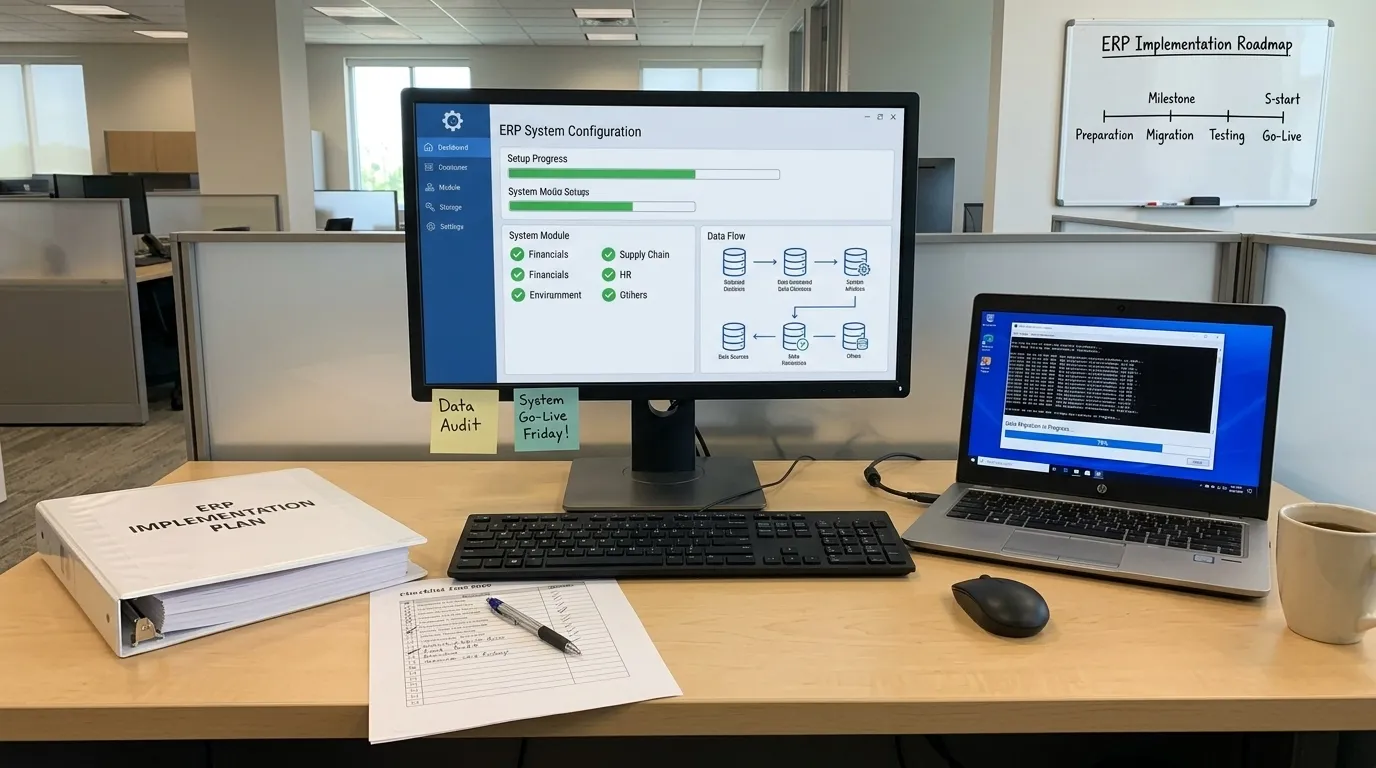
ERP implementation is the end-to-end process of deploying an Enterprise Resource Planning system inside your organization. It covers everything from initial planning and process mapping to software configuration, data migration, user training, and going live.
ERP Enterprise Resource Planning is software that unifies your business functions (finance, HR, procurement, inventory, sales, supply chain) into one connected system with a single source of truth.
Done right, ERP implementation eliminates data silos, reduces manual work, and gives leadership real-time visibility across the entire organization. Done poorly, it becomes one of the most expensive, disruptive projects a business can undertake.
Who this guide is for: Operations directors, CFOs, IT managers, and business owners who are evaluating, planning, or currently running an ERP implementation project and need a clear, experience-backed roadmap.
ERP Implementation Phases Overview
A successful ERP implementation moves through these core phases:
| Phase | What Happens |
|---|---|
| 1. Discovery & Goal Setting | Define business problems, success metrics, and scope |
| 2. Software Selection | Choose between custom ERP development and off-the-shelf ERP |
| 3. Team Formation | Assign executive sponsor, PM, and departmental champions |
| 4. Process Mapping | Document current workflows and design future-state processes |
| 5. Configuration / Development | Build or configure the system to match your processes |
| 6. Data Migration | Clean, transfer, and validate data from legacy systems |
| 7. Testing | Unit, integration, and user acceptance testing |
| 8. Training & Change Management | Role-specific training and organizational change preparation |
| 9. Go-Live | Cutover from old system to new ERP |
| 10. Post-Go-Live Support | Active monitoring, optimization, and issue resolution |
Each phase requires defined ownership, budget, and time. Skipping or rushing any single phase creates compounding problems downstream.
Step 1 Define Your Business Goals Before You Pick Any Software
The most common and costliest ERP implementation mistake is jumping straight to vendor selection without first documenting what you are actually trying to fix.
Before evaluating a single platform, answer these questions in writing:
- What specific operational problems are we solving? (e.g., "Inventory counts are inaccurate by 15–20%")
- What does success look like in measurable terms? (e.g., "Month-end close time reduced from 5 days to 1 day")
- Which departments are in scope for Phase 1?
- What compliance, reporting, or integration requirements are non-negotiable?
This documentation becomes your ERP requirements document and it is the filter through which every vendor demo, proposal, and configuration decision should be evaluated.
Expert Insight: I have seen teams reach implementation month four only to realize the software they selected does not address the actual bottleneck in their business. A few hours invested in requirements documentation at the start saves hundreds of thousands of dollars later.
Step 2 Custom ERP Development vs. Off-the-Shelf ERP: How to Decide
This is the most consequential decision in your entire ERP project. It determines your budget, your timeline, your flexibility, and your total cost of ownership over the next five to ten years.
Off-the-Shelf ERP Solutions
Platforms like SAP S/4HANA, Oracle NetSuite, Microsoft Dynamics 365, and Odoo are pre-built solutions designed for common business processes across multiple industries.
Strengths:
- Faster deployment (3–12 months depending on scope)
- Lower upfront investment
- Built-in best practices and compliance frameworks
- Established vendor support ecosystems
Limitations:
- You adapt your processes to fit the software not the reverse
- Annual licensing fees range from $20,000 to $200,000+ per year
- Customization is expensive, often fragile, and can break with platform upgrades
- Competitive-differentiating workflows often get "flattened" to fit standard modules
Custom ERP Systems
Custom ERP development means building a system architected specifically around your business processes, data structure, and integrations.
Strengths:
- Exact fit to your workflows no compromises
- No recurring licensing fees
- Full ownership of the codebase
- Competitive processes remain intact, not standardized away
- More cost-effective over 5–7 years when licensing fees are factored in
Limitations:
- Higher upfront investment ($40,000–$400,000+)
- Longer development timeline (adds 2–6 months)
- Requires selecting a capable development partner
Decision Framework
Answer these three questions honestly:
- Are our core workflows genuinely different from standard industry practice?
- Will we outgrow or require significant customization of an off-the-shelf platform within three years?
- Do we have unique compliance, integration, or reporting requirements that standard platforms handle poorly?
If you answered yes to two or more, custom ERP development deserves serious financial modeling not just a reflexive preference for the familiar brand names.
Real-world context: Most off-the-shelf ERP failures I have investigated share a common cause organizations with genuinely differentiated processes tried to force them into rigid, module-based software. The result was a system their team worked around rather than worked with.
Step 3 Build the Right ERP Implementation Team
Your implementation team is more important than your software choice. A well-configured ERP on a disorganized team fails. A mid-tier ERP with a focused, empowered team succeeds.
Three Essential Roles
Executive Sponsor: A C-suite or senior VP who owns the project at the highest level. This person makes final decisions, removes organizational roadblocks, and communicates the project's strategic importance across the business. Without genuine executive sponsorship, timelines slip and decisions stall.
Project Manager: Owns the project plan, vendor relationships, timeline, budget tracking, and cross-department communication. This is not an administrative role this is a critical execution role. In mid-market implementations, the PM alone is the difference between on-time delivery and a 12-month delay.
Departmental Champions (one per key function): These are the subject matter experts from finance, operations, sales, HR, and any other in-scope department. They document workflows, participate in configuration reviews, lead UAT in their area, and train their colleagues post-launch. They are your bridge between business reality and software configuration.
Working with an ERP Implementation Partner
If you are working with an external ERP consultant or implementation partner, establish a direct communication channel between the partner's project lead and your executive sponsor. Every major issue needs that escalation path to be short and clear.
Check references specifically from clients in your industry and of similar business complexity. A partner with deep experience in retail ERP may not be the right fit for a complex manufacturing environment.
Step 4: Map Your Processes Before Configuring Anything
Process mapping is the phase most organizations underinvest in. It is also the phase that most directly determines whether your ERP implementation succeeds or fails.
Process mapping means documenting, step by step, how your business actually operates today and how you want it to operate after go-live.
For every key workflow (order-to-cash, procure-to-pay, hire-to-retire, inventory management, financial close), document:
- Every step in the current process
- Who owns each step (role, not individual name)
- What data is input and output at each step
- What system or tool currently handles each step
- Where the bottlenecks, errors, and manual workarounds exist
At each step, ask the most important question in process improvement: "Why do we do it this way?"
You will uncover manual steps that exist because of a legacy system limitation that no longer applies. You will find redundancies nobody has questioned in years. You will find compliance gaps that need to be designed into the new system before configuration starts.
This is also where you define user roles and access controls who can approve a purchase order, who can view payroll data, who can override inventory adjustments. Getting this right in process mapping prevents expensive rework after go-live.
Warning: Automating a broken process through ERP does not fix it. It makes it faster and more expensive to run incorrectly. Process mapping is the time to redesign not after go-live.
Step 5 Data Migration: Where ERP Projects Quietly Break Down
Data migration is the most technically underestimated phase of ERP implementation. It is also the phase most responsible for post-go-live failures.
The reality is straightforward: your legacy data is almost certainly messier than you think. Years of duplicate customer records. Inconsistent product naming conventions across spreadsheets. Missing required fields. Historical entries nobody has reviewed since 2019.
Dirty data flowing into a new ERP system does not become clean automatically. It contaminates your reports, erodes team confidence in the system, and creates a data remediation project on top of an implementation project.
Data Migration Cost Benchmarks
Depending on the complexity of your legacy systems and data volume, data migration costs typically run $12,000 to $75,000 as a standalone line item separate from configuration and training costs.
Three Rules of Data Migration
Rule 1: Clean before you migrate: Conduct a full data audit before any migration begins. Remove duplicates. Standardize naming conventions and formats. Fill required fields. Fix errors. This work takes time, but it is the only way to ensure your new system starts with trustworthy data.
Rule 2: Migrate in stages: Start with your most critical master data customers, vendors, chart of accounts, product catalog. Validate it in the new environment before migrating historical transaction data. Staged migration isolates problems and prevents a single data error from contaminating the entire import.
Rule 3: Test the migrated data against your old system: Run parallel reports in both systems using migrated data. Compare totals, record counts, and key metrics. Investigate every discrepancy before go-live. A variance you cannot explain before launch becomes a crisis you cannot explain after it.
Step 6 Testing Strategy That Prevents Go-Live Disasters
Testing is the gap between a smooth go-live and an emergency. Every hour invested in structured testing before launch saves multiple hours of firefighting after it.
Three Levels of Testing Your ERP Needs
Unit Testing: Each module is tested in isolation. Does the invoicing module calculate tax and discounts correctly across all edge cases? Does the inventory module update in real time when a goods receipt is posted? Unit testing is your first line of defense and is typically owned by the implementation team.
Integration Testing: Modules are tested as a connected system. When a sales order is placed in the CRM, does inventory automatically allocate stock? When an invoice is approved, does the general ledger entry post correctly and immediately? Integration testing is where configuration errors and missing data mappings surface.
User Acceptance Testing (UAT): Your departmental champions use the fully configured system as they will post-launch. They execute their real day-to-day tasks. They try edge cases. They document everything that does not work as expected or does not make sense to the actual user.
UAT is your final filter before go-live and it should run for a minimum of two weeks, ideally four, for mid-market implementations.
Hard truth: I have seen companies skip UAT to hit a deadline. Every one of them spent the following three months resolving issues in production that two weeks of user testing would have caught. The "time saved" in testing was spent tenfold in post-launch remediation.
Step 7: Training and Change Management
Research consistently shows that user resistance is the leading cause of ERP implementation failure responsible for up to 70% of projects that underdeliver or collapse entirely.
You can deploy flawless software and still fail completely if your team does not adopt it, does not trust it, or was never adequately prepared to use it.
Change Management Starts on Day One
Do not announce the ERP project on go-live day. From the moment the project is approved, communicate:
- What is changing and why
- How it will make each team's work easier (with specific, role-relevant examples)
- What the timeline looks like
- How employee input will be incorporated (process mapping workshops are an excellent mechanism)
People who feel consulted rather than surprised adopt new systems faster and with fewer compliance issues.
Build a Role-Specific Training Program
Finance training is different from warehouse operations training. Procurement training is different from HR training. A generic "ERP overview" session does not prepare anyone to do their actual job in the new system.
Build training modules that:
- Are specific to the role's daily tasks
- Are hands-on in a training environment (not slide-based lectures)
- Cover edge cases and error handling, not just the happy path
- Include a go-live reference guide for each role
Create Super Users in Every Department
Identify and invest in one or two "super users" per department employees who receive deeper training and become the first point of contact for their colleagues post-launch. This model reduces IT support burden, accelerates peer-to-peer adoption, and builds lasting internal ERP expertise in your organization.
Step 8: Go-Live and Post-Launch Monitoring
Go-live is not the finish line. It is the moment accountability shifts from the implementation team to the business and the moment when issues that survived testing surface in real-world conditions.
Run Parallel Systems for 2–4 Weeks
Keep your legacy system accessible and operational in parallel with the new ERP for a minimum of two to four weeks post-launch. This parallel-run period gives you a safety net: if the new system produces unexpected results, you have your old data as a cross-reference and fallback.
Parallel running adds operational burden your team is effectively running two systems but it is far less costly than discovering a critical calculation error six weeks after the legacy system has been decommissioned.
Staff a Dedicated Go-Live Support Desk
On go-live day and for the first two weeks, staff a dedicated support channel whether that is a Slack channel, a shared inbox, or a physical help desk specifically for ERP issues. Your team will have a high volume of questions during this period. Response time matters for adoption.
Track KPIs From Week One
Define your success metrics before go-live and start measuring from day one:
- Invoice processing time (before vs. after)
- Inventory accuracy rate
- Month-end close duration
- Purchase order cycle time
- Report generation time
Data tells you whether your ERP is delivering on its business case and gives you an objective foundation for post-launch optimization.
ERP Implementation Costs in 2026

ERP implementation cost is one of the most searched and most misunderstood aspects of these projects. Here is an honest breakdown.
Off-the-Shelf ERP Total Cost of Ownership
| Cost Component | Typical Range |
|---|---|
| Software licensing (Year 1) | $20,000 – $200,000 |
| Implementation consulting | $30,000 – $250,000 |
| Data migration | $12,000 – $75,000 |
| Training | $10,000 – $40,000 |
| Infrastructure / hosting | $5,000 – $30,000 |
| Year 1 Total | $77,000 – $595,000 |
| Ongoing annual licensing | $20,000 – $200,000/year |
Custom ERP Development Total Cost of Ownership
| Cost Component | Typical Range |
|---|---|
| Development (design, build, QA) | $40,000 – $400,000+ |
| Data migration | $12,000 – $75,000 |
| Training | $10,000 – $40,000 |
| Infrastructure / hosting | $5,000 – $30,000 |
| Year 1 Total | $67,000 – $545,000 |
| Ongoing licensing fees | $0 (you own the system) |
| Annual maintenance / enhancements | $15,000 – $60,000/year |
Budget Reality: Research consistently shows that companies underestimate ERP implementation costs by 30–50%. Always include a contingency budget of at least 20% on your initial estimate. The contingency is not pessimism it is professional risk management.
ERP Implementation Timeline by Business Size
| Business Size | Off-the-Shelf ERP | Custom ERP Development |
|---|---|---|
| Small (under 50 users) | 3–6 months | 5–10 months |
| Mid-market (50–500 users) | 6–12 months | 9–18 months |
| Enterprise (500+ users) | 12–24 months | 18–30 months |
Timelines assume a well-resourced, focused implementation team. Scope creep, delayed decision-making, or inadequate internal resourcing are the top three factors that extend these timelines sometimes by 50–100%.
Most Common ERP Implementation Mistakes

These are not edge cases. They occur in the majority of ERP projects that underdeliver.
1. Skipping the Requirements Document: Teams that skip formal requirements documentation spend months configuring a system for the wrong problems. Invest two to four weeks upfront defining your requirements with input from every in-scope department.
2. Scope Creep: Adding features and modules mid-project inflates budgets by 20–50% and extends timelines by 30% on average. Establish a formal change control process. Any new requirement goes into a "parking lot" and is evaluated after go-live not added to the active project.
3. Underestimating Data Migration Complexity: Data migration is almost always harder and more expensive than initial estimates suggest. Audit your legacy data before signing any contract. The state of your data is one of the most important inputs into your project budget and timeline.
4. Choosing the Wrong Implementation Partner: Your ERP consultant's track record matters more than their sales presentation. Ask for three to five client references in your specific industry. Ask those references specifically about how the partner handled problems because problems always occur.
5. Neglecting Change Management: Change management is not an afterthought or a "soft" nice-to-have. It is a core project deliverable. Budget for it, assign ownership to it, and start it on day one.
6. Treating Go-Live as the Finish Line: The three to six months post-go-live are often the most critical period of an ERP implementation. Plan for active support, user coaching, and continuous optimization during this window. Budget for it. Staff for it.
What a Successful ERP Implementation Actually Requires
ERP implementation is one of the highest-stakes operational decisions your organization will make. When it succeeds, it compounds improving efficiency, data quality, and decision-making for years. When it fails, it costs far more than money.
The organizations that execute ERP implementations successfully share common traits: they invest in requirements definition before software selection, they treat change management as a core project discipline rather than an afterthought, they assemble a team where every member has genuine authority and accountability, and they plan financially and operationally for the unexpected.
The organizations that struggle share different traits: they underestimated scope, rushed data migration, skipped user testing to meet a deadline, or selected a vendor on price rather than industry experience.
Your next steps, in order:
- Document your specific business problems and define measurable success criteria
- Audit your legacy data before engaging any vendor
- Decide between custom ERP development and off-the-shelf based on your actual workflows not just upfront cost
- Select your implementation partner based on verified references in your industry
- Build a realistic budget with a 20% contingency from the start
If you are in the evaluation phase and want an independent assessment of whether custom ERP development or an off-the-shelf platform is the better fit for your business, speak with an experienced ERP consultant who has implemented systems in your specific industry. That conversation ideally before any contracts are signed is one of the highest-ROI investments you can make.
Frequently Asked Questions About ERP Implementation
How much does ERP implementation cost in 2026?
ERP implementation costs range from approximately $75,000 to $500,000+ for off-the-shelf platforms, and $67,000 to $545,000+ for custom ERP development, when all costs are included (licensing or development, consulting, data migration, training, and infrastructure). Most organizations underestimate by 30–50%, so budget a contingency of at least 20% above your initial estimate.
How long does ERP implementation take?
Small businesses (under 50 users) typically require 3–6 months for off-the-shelf ERP and 5–10 months for custom ERP. Mid-market organizations should plan 6–12 months or 9–18 months respectively. Enterprise implementations run 12–24 months to 18–30 months. Scope creep and internal resource constraints are the most common reasons projects run long.
What is the difference between ERP development and ERP implementation?
ERP development is the process of building the software writing code, designing modules, creating API integrations, and engineering the database structure. ERP implementation is the process of deploying and configuring that software inside your organization. With off-the-shelf ERP, you skip development and move directly to implementation. With custom ERP, development and implementation happen in sequence and often overlap.
Why do ERP implementations fail?
The most common causes are: lack of genuine executive sponsorship, poor data quality entering the new system, inadequate or generic user training, scope creep that inflates costs and extends timelines, and choosing the wrong implementation partner. Notably, ERP software itself is rarely the primary cause of failure people, process, and planning are.
Do I need an ERP consultant?
For most mid-size and enterprise organizations, yes. An experienced ERP consultant reduces project risk, manages vendor relationships, enforces change management discipline, and brings implementation experience that your internal team is unlikely to have. For small businesses with simple processes, a strong internal project manager paired with vendor support may be sufficient provided that project manager has dedicated bandwidth for the implementation.
Is cloud ERP better than on-premise ERP in 2026?
For the majority of mid-market businesses, cloud ERP delivers 30–50% lower total cost of ownership over five years compared to on-premise, primarily by eliminating hardware capital expenditure and reducing internal IT staffing requirements. Cloud ERP is also faster to deploy and easier to keep current. On-premise ERP may still be warranted for organizations with strict data sovereignty requirements, highly specialized infrastructure, or regulated industries with specific data residency rules.
What is the biggest hidden cost in ERP implementation?
In our experience, the biggest hidden costs are internal staff time (your team's hours spent on implementation are real costs even if they do not appear on an invoice), post-go-live support and optimization, and data migration remediation when legacy data quality problems are discovered mid-project. These three categories regularly add 20–40% to the total project cost when not planned for.
FAQ
Frequently Asked Questions
We offer end-to-end digital solutions including website design & development, UI/UX design, SEO, custom ERP systems, graphics & brand identity, and digital marketing.
Timelines vary by project scope. A standard website typically takes 3-6 weeks, while complex ERP or web application projects may take 2-5 months.
Yes - we offer ongoing support and maintenance packages for all projects. Our team is available to handle updates, bug fixes, performance monitoring, and feature additions.
Absolutely. Visit our Works section to browse our portfolio of completed projects across various industries and service categories.
Simply reach out via our contact form or call us directly. We will schedule a free consultation to understand your needs and provide a tailored proposal.