
10 Costly SEO Mistakes Killing Your Rankings (And How to Fix Them)

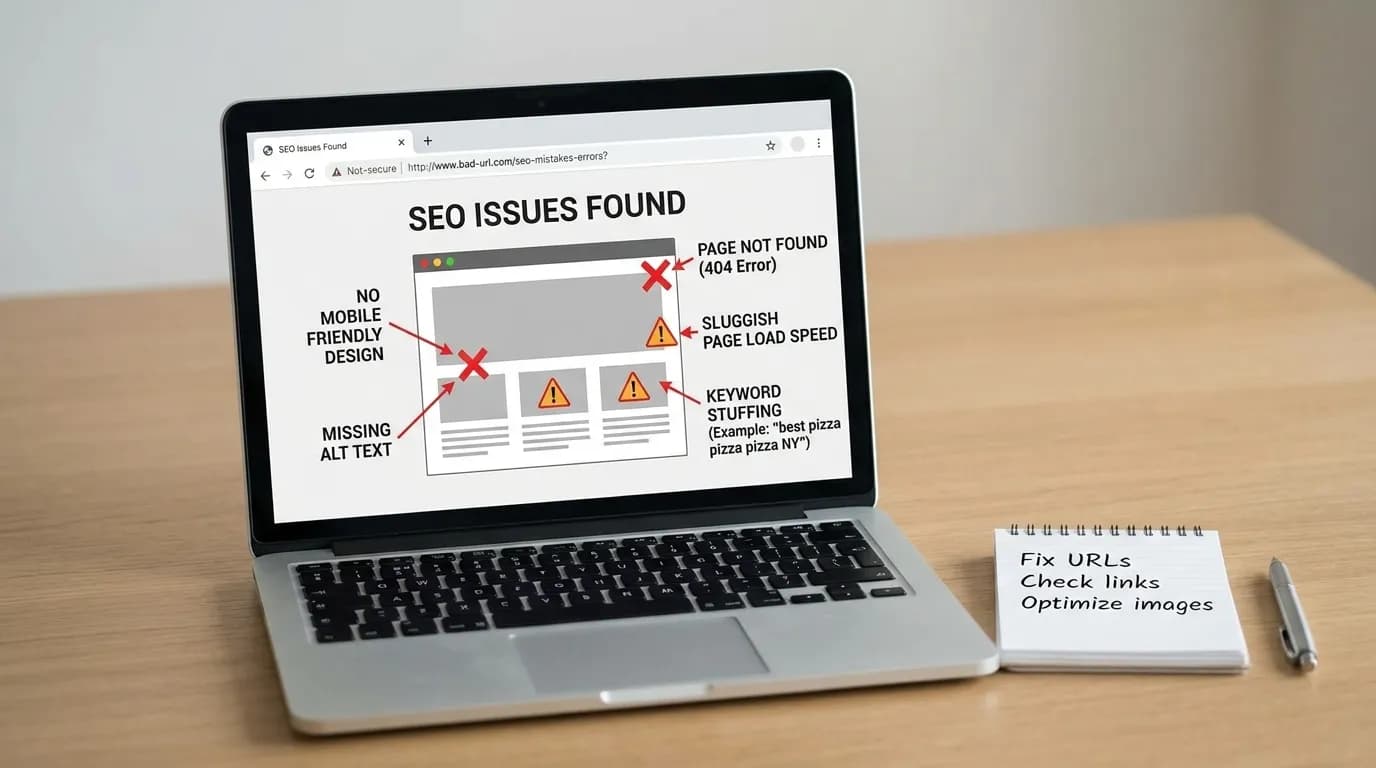
SEO mistakes refers to the technical, content, and structural errors, such as broken crawlability, missing meta tags, misaligned keyword intent, duplicate content, or missing structured data, that stop an otherwise well-built page from ranking in search results. This guide covers the ten most common ones, plus a dedicated section on React and JavaScript SEO mistakes, with code-level fixes for each.
Key Takeaway
10 recurring SEO mistakes cause most ranking failures: crawlability, meta tags, keyword intent, thin content, duplicate content, slow images, orphan pages, mobile UX, missing structured data, and unmeasured results.
React and JS-rendered sites fail in specific extra ways. SSR gaps and hydration delays can hide content from crawlers even when pages look fine to users.
Fix technical issues first. Content and keyword fixes are wasted if Google can't crawl the page in the first place.
Keyword stuffing is as damaging as poor keyword research. Aim for 0.5-2.5% density with natural placement, not a target number.
Measure everything. Audit scores mean nothing without Search Console data proving your fixes actually moved traffic.
AI Overviews now appear on more than 25% of Google queries, which makes clean, well-structured content even more important for staying visible.
Table of Contents
Ignoring Technical SEO and Poor Crawlability
Neglecting Meta Tags and SERP Presentation
Poor Keyword Research and Over-Optimization
Poor Content Quality and Stale Content
Duplicate Content and Missing Canonical Tags
Slow Page Load Times and Image SEO
Poor Internal Linking and Orphan Pages
Ignoring Mobile-First Indexing and UX
Missing Structured Data and Local SEO
Not Measuring What Actually Matters
React SEO Mistakes Checklist
Next Steps
FAQ
References
How I Evaluated These Fixes
These recommendations come from auditing sites using standard technical SEO tools, including Google Search Console, Lighthouse, and site crawlers like Screaming Frog, alongside code libraries and open-source SEO tools shown throughout this guide. Evaluation criteria include crawl error rate, Core Web Vitals scores, and indexed-page ratio. Scope: this article focuses mainly on JavaScript-rendered sites (React, Remix, Next.js) and may not fully apply to static or WordPress-based sites, where some of these failure modes do not occur in the same way.
I've audited many sites over the years, and one thing holds up every time: SEO mistakes rarely show up alone. Poor crawlability leads to orphan pages. Orphan pages compound duplicate content problems. Duplicate content dilutes the authority that could have fixed your keyword targeting. Understanding how these mistakes connect, and how React SEO problems fit into that chain, is what separates a one-time fix from a lasting one.
Here's an example. A common pattern I see: an e-commerce site ranks in the top 5 for "best running shoes" but gets almost no conversions. In most cases, that's a search-intent mismatch. The query signals a comparison or review intent, but the page is a single-product listing. Fixing the ranking wasn't the problem. Matching the content to what the searcher actually wanted was.
Whether you're running a Next.js app, a Remix site, a headless CMS, or a CI/CD pipeline, the fixes below are code-level and testable. Think of this as a JavaScript SEO checklist and React SEO checklist you can put to use today.
What are SEO mistakes?
SEO mistakes are errors that can prevent a website from being crawled, indexed, understood, or ranked properly by search engines. Common SEO mistakes include poor crawlability, missing meta tags, incorrect search intent, thin or outdated content, duplicate pages, slow images, orphan pages, weak mobile UX, missing structured data, and failing to measure SEO performance.
Mistake 1: Ignoring Technical SEO and Poor Crawlability

Technical SEO is the foundation everything else sits on. So when you skip it, your other work becomes irrelevant fast. Poor crawlability, broken canonical tags, and missing structured data can make excellent content invisible to search engines. Because of this, the first step for any site is always the same: fix crawl errors and technical issues before touching anything else.
Why Is Poor Crawlability One of the Most Common SEO Mistakes?
Poor crawlability occurs when Googlebot cannot discover or access important pages because of broken sitemaps, restrictive robots.txt rules, weak internal links, or technical errors. Since crawling happens before indexing and ranking, unresolved crawlability problems can prevent otherwise valuable pages from appearing in search results. Check these issues before optimizing content.
If Googlebot can't find your pages, they don't rank. A missing or malformed XML sitemap is one of the most common causes of lost traffic. This happens often on React apps, since routes are frequently generated client-side and never become static URLs Google can find.
The fix: Use @power-seo/sitemap, part of Power SEO open-source SEO tools, to generate a standards-compliant sitemap automatically.
import { generateSitemap } from '@power-seo/sitemap';

const xml = generateSitemap({
  hostname: 'https://example.com',
  urls: [
    { loc: '/', lastmod: '2026-01-01', changefreq: 'daily', priority: 1.0 },
    { loc: '/blog/react-seo-guide', lastmod: '2026-01-15', priority: 0.8 },
    { loc: '/products/widget', changefreq: 'weekly', priority: 0.7 },
  ],
});
Google's sitemap protocol caps each file at 50,000 URLs, a limit that catches large e-commerce and programmatic sites off guard until sitemap indexing quietly breaks. For catalogs over that limit, splitSitemap() handles automatic chunking and builds a sitemap index file, so nothing needs manual management.
Broken or Inconsistent Redirect Rules
Redirect chains and missing 301s bleed link equity during site migrations. This mistake shows up a lot when teams define redirects in several places at once: next.config.js, a CMS, and a CDN config, for example. That creates inconsistencies that are hard to audit. So if you're not checking for broken links regularly, you're flying blind.
The fix: Define your rules once with @power-seo/redirects and apply them to every framework from a single source of truth.
import { createRedirectEngine } from '@power-seo/redirects';

const engine = createRedirectEngine({
  rules: [
    { source: '/old-about', destination: '/about', statusCode: 301 },
    { source: '/blog/:slug', destination: '/articles/:slug', statusCode: 301 },
  ],
});

// Test in CI before deploying
const match = engine.match('/old-about');
// { resolvedDestination: '/about', statusCode: 301 }
The same rule array exports to Next.js (toNextRedirects), Remix (createRemixRedirectHandler), and Express (createExpressRedirectMiddleware). As a result, there's no divergence across environments.
Mistake 2: Neglecting Meta Tags and SERP Presentation
Skipping meta tags feels minor until you see how much it costs you. A page with no meta description, a title that gets cut off in search results, or an Open Graph image with the wrong size will underperform even when it ranks well. These are signals to both search engines and real users deciding whether to click.
Why Do Short Meta Descriptions Hurt SEO?
Short or poorly written meta descriptions can make search results less informative and reduce their ability to encourage clicks. When a useful description is missing, Google may generate a different snippet from the page. Write a clear, relevant description that reflects the search intent and accurately explains what users will find.
The fix: Use @power-seo/meta to generate framework-correct meta tags from one unified config.
// Next.js App Router
import { createMetadata } from '@power-seo/meta';

export const metadata = createMetadata({
  title: 'React SEO Best Practices — 2026 Guide',
  description:
    'Learn the most common SEO mistakes in React apps and how to fix them with structured data, meta tags, and Core Web Vitals improvements.',
  canonical: 'https://example.com/blog/react-seo',
  robots: { index: true, follow: true, maxSnippet: 150, maxImagePreview: 'large' },
  openGraph: {
    type: 'article',
    images: [{ url: 'https://example.com/og/react-seo.jpg', width: 1200, height: 630 }],
  },
});
The same SeoConfig object works for Remix (createMetaDescriptors) and generic SSR (createHeadTags). In other words, you write the configuration once and get correct output for every framework, a direct fix for React meta tags SEO and broader JavaScript SEO issues.
SERP Title Truncation
A title that goes past Google's roughly 580-pixel display width gets cut off, losing both your keyword and your brand. Character count alone isn't reliable, because different letters take up different amounts of space.
Worth noting: featured snippets earn about 8.6% of all clicks, and 58-62% of Google searches now end without any click at all. Winning the snippet position is one of the few ways left to counter that trend.
The fix: Use @power-seo/preview to validate pixel-accurate truncation before publishing.
import { generateSerpPreview } from '@power-seo/preview';

const serp = generateSerpPreview({
  title: 'How to Fix Every Major SEO Mistake in 2026',
  description: 'A practical guide to auditing and correcting the most damaging SEO errors.',
  url: 'https://example.com/blog/seo-mistakes',
  siteTitle: 'Power SEO',
});

console.log(serp.titleTruncated); // false - safe to publish
console.log(serp.displayUrl);     // 'example.com › blog › seo-mistakes'
Mistake 3: Poor Keyword Research, Keyword Stuffing, and Over-Optimization
Poor keyword research is where a lot of SEO efforts fall apart before they even start. Failing to research the right keywords means you end up targeting the wrong ones, ranking for irrelevant terms that bounce immediately, or skipping search intent altogether. When choosing open-source SEO tools, developers can look for tools that support keyword analysis, technical audits, content checks, and other SEO workflows.
On the other end of the spectrum, once someone does find the right keywords, over-correction into keyword stuffing is common. That's an active ranking penalty, and it's just as serious a mistake as under-optimizing. The goal is balance: the right keywords, used naturally, on pages built around genuine intent.
What Happens When Content Doesn't Match Search Intent?
When content does not match search intent, visitors may leave quickly because the page does not provide what they expected from the query. Common signs include high bounce rates, low engagement, poor conversions, and a mismatch between the title and content. Review the searcher's intended task before changing keywords or rankings. Common signs a page has misaligned intent include:
A high bounce rate despite ranking well
Low time-on-page relative to content length
Traffic that doesn't convert or engage
A mismatch between the title's promise and the page's actual content
AI-Assisted Meta-Generation
When you're managing hundreds of programmatic pages, writing unique, intent-aligned meta descriptions by hand isn't realistic. LLM-generated suggestions, reviewed before publishing, solve this at scale and stop the same description from being reused across hundreds of URLs.
The fix: Use @power-seo/ai to build provider-agnostic prompts and parse structured results.
import { buildMetaDescriptionPrompt, parseMetaDescriptionResponse } from '@power-seo/ai';
import Anthropic from '@anthropic-ai/sdk';

const prompt = buildMetaDescriptionPrompt({
  title: 'Best Running Shoes for Beginners',
  content: 'Full article text...',
  focusKeyphrase: 'running shoes for beginners',
});

const anthropic = new Anthropic({ apiKey: process.env.ANTHROPIC_API_KEY });
const response = await anthropic.messages.create({
  model: 'claude-opus-4-6',
  system: prompt.system,
  messages: [{ role: 'user', content: prompt.user }],
  max_tokens: prompt.maxTokens,
});

const result = parseMetaDescriptionResponse(
  response.content[0].type === 'text' ? response.content[0].text : '',
);

console.log(`"${result.description}" — ${result.charCount} chars`);
console.log(`Valid: ${result.isValid}`);
The same prompt builders work with OpenAI, Google Gemini, Mistral, or any other provider, with no bundled SDK required.
Mistake 4: Poor Content Quality, Thin Pages, and Ignoring Content Updates
Word count alone doesn't make content valuable. But pages under 300 words rarely satisfy the depth behind most search queries, in most cases. This mistake is common because thin content is quick to publish and easy to forget about. Worse is content that technically covers a topic but scores poorly on keyphrase distribution, heading structure, and readability.
Publishing isn't the finish line, either. Skipping content updates is a slow bleed that compounds over time. Pages that ranked well a year ago can drop sharply if the content hasn't been refreshed, especially in fast-moving industries. Evidence suggests this connects directly to E-E-A-T (Experience, Expertise, Authoritativeness, and Trustworthiness); your content needs to show real depth and currency, or it signals the opposite.
How Do You Audit Content Quality Programmatically?
You can audit content quality programmatically by checking keyphrase usage, distribution, title and meta description length, heading structure, word count, image alt text, and internal or external links. Power SEO's @power-seo/content-analysis package runs these checks and returns structured results that can help identify content issues before publishing.
The fix: Use @power-seo/content-analysis for a full content quality score, comparable to Yoast SEO but available as a TypeScript library that works anywhere.
import { analyzeContent } from '@power-seo/content-analysis';

const output = analyzeContent({
  title: 'SEO Mistakes Every Developer Should Fix',
  metaDescription:
    'A developer-focused guide to the most common SEO errors and how to fix them with code.',
  focusKeyphrase: 'seo mistakes',
  content: pageHtml,
});

console.log(output.score);    // e.g. 42
console.log(output.maxScore); // e.g. 55

const failures = output.results.filter((r) => r.status === 'poor');
failures.forEach((r) => console.error(`✗ ${r.description}`));
This runs 13 checks, including:
Keyphrase density
Keyphrase distribution across headings and intro
Title and meta description presence and length
Heading hierarchy
Word count
Image alt text
Internal and external link presence
Readability: When Content Is Too Complex for Your Audience
Content written at a college reading level, when your audience expects plain English, will generate high bounce rates, especially on mobile, where long sentences are harder to read. This is also a user experience problem, and Google increasingly penalizes weak UX through engagement signals.
The fix: Use @power-seo/readability to score content across five algorithms.
import { analyzeReadability } from '@power-seo/readability';

const result = analyzeReadability({ text: articleHtml });

console.log(result.fleschReadingEase.score);  // Target: 60-70 for web content
console.log(result.overall.status);           // 'good' | 'improvement' | 'error'

if (result.overall.status === 'error') {
  console.error('Content is too complex:', result.overall.message);
  process.exit(1); // Block deploy in CI
}
Mistake 5: Duplicate Content and Missing Canonical Tags
Duplicate content quietly dilutes everything you've built. When the same content appears at multiple URLs (with and without trailing slashes, HTTP vs. HTTPS, www vs. non-www, or through pagination), search engines split ranking signals across those URLs instead of consolidating them. React canonical tag mistakes are a frequent cause here, since client-rendered pages often ship no canonical tag at all until JavaScript runs.
The fix: A canonical tag tells Google which URL is authoritative, in other words, which version of a duplicated page should get the ranking credit. Use @power-seo/core to validate and build canonical URLs correctly.
import { resolveCanonical, validateTitle, validateMetaDescription } from '@power-seo/core';

// Normalize all variations to a single canonical
const canonical = resolveCanonical('https://example.com', '/blog/seo-guide');
// 'https://example.com/blog/seo-guide'

// Validate pixel-accurate SERP display before publishing
const titleCheck = validateTitle('SEO Mistakes: Fixed Using the Power SEO Toolkit');
console.log(titleCheck.valid);      // true
console.log(titleCheck.pixelWidth); // ~382px - well under 580px limit

const metaCheck = validateMetaDescription(
  'Discover the most damaging SEO mistakes and how to fix them with real code examples.',
);
console.log(metaCheck.severity); // 'info' — passes all checks
Mistake 6: Slow Page Load Times and Ignoring Image SEO
Page speed is a confirmed Google ranking factor, so slow load times cost you twice: once in rankings, and once in real visitors leaving before they see your content. Each additional second of load time reduces conversions by an average of 7% and increases bounce rate by 11%, and the median load time of top-10 Google results is 1.65 seconds. So speed isn't a marginal factor. It's the difference between a visitor converting and a visitor leaving before your content loads.
Images are consistently among the top contributors to poor Core Web Vitals scores. A lazy-loaded hero image delays Largest Contentful Paint. Missing alt text hurts both accessibility and keyword relevance. And using JPEG when WebP is available inflates page weight for no reason.
How Do You Audit Image SEO Across an Entire Site?
The fix: Use @power-seo/images to audit alt text quality, lazy-loading correctness, and format optimization across every page.
import { analyzeAltText, auditLazyLoading, analyzeImageFormats } from '@power-seo/images';

const images = [
  { src: '/hero.jpg', alt: '', loading: 'lazy', isAboveFold: true, width: 1200, height: 630 },
  { src: '/product.png', alt: 'IMG_4821', loading: undefined, isAboveFold: false },
  { src: '/logo.webp', alt: 'Power SEO logo', loading: 'eager', isAboveFold: true },
];

// Catch missing alt text, filename-as-alt, and missing keyphrase
const altResult = analyzeAltText(images, 'seo tools');
altResult.issues.forEach((i) => console.log(`[${i.severity}] ${i.message}`));

// Flag hero images incorrectly marked lazy (LCP regression)
const lazyResult = auditLazyLoading(images);
// [error] /hero.jpg: Above-fold image has loading="lazy" - delays LCP

// Recommend WebP/AVIF conversion
const formatResult = analyzeImageFormats(images);
console.log(`Legacy formats: ${formatResult.legacyFormatCount}/${formatResult.totalImages}`);
The lazy-loading audit is aware of Core Web Vitals. It knows the difference between an above-the-fold image, which should load eagerly, and a below-the-fold one, which should stay lazy. Generic linters miss this distinction entirely.
Mistake 7: Poor Internal Linking, Orphan Pages, and Low Quality Backlinks
Poor internal linking and orphan pages are two sides of the same mistake, and they often come with a third: low-quality backlinks. Orphan pages (pages with no other page linking to them) are effectively invisible to crawlers working from the homepage outward. Meanwhile, chasing low-quality backlinks to compensate is something Google has gotten very good at discounting or penalizing outright.
How Do You Find Orphan Pages on a Website?
You can find orphan pages by building a directed internal-link graph and identifying URLs with zero inbound internal links. These pages may be difficult for both users and search engines to discover. Power SEO's @power-seo/links package provides findOrphanPages(graph) to identify orphan pages and support internal-link improvements.
The fix: Use @power-seo/links to build a complete link graph and surface orphan pages automatically.
import { buildLinkGraph, findOrphanPages, suggestLinks, analyzeLinkEquity } from '@power-seo/links';

const graph = buildLinkGraph([
  { url: 'https://example.com/', links: ['/blog', '/about', '/products'] },
  { url: 'https://example.com/blog', links: ['/', '/blog/post-1'] },
  { url: 'https://example.com/blog/post-1', links: ['/blog'] },
  { url: 'https://example.com/hidden-guide', links: [] }, // orphan
]);

const orphans = findOrphanPages(graph);
// [{ url: 'https://example.com/hidden-guide', outboundCount: 0 }]

// PageRank-style equity scoring
const equity = analyzeLinkEquity(graph);
equity.forEach(({ url, score }) => console.log(`${url}: ${score.toFixed(4)}`));

// Keyword-overlap-based link suggestions
const suggestions = suggestLinks(sitePages, { minRelevance: 0.2 });
suggestions.forEach(({ from, to, anchorText }) => {
  console.log(`Link from ${from} to ${to} using "${anchorText}"`);
});
Run this after every content publish in a headless CMS, so no new page goes live without at least one inbound internal link.
Mistake 8: Ignoring Mobile-First Indexing and User Experience
Ignoring mobile-first indexing in 2026 isn't a minor mistake, it's a fundamental misunderstanding of how Google works today. Google fully completed its transition to mobile-first indexing by July 5, 2024, making it the universal default for 100% of indexed websites, with no remaining desktop-only crawling exceptions. And mobile devices now account for 63.8% of all global web traffic, with desktop holding 38.1%. That gap keeps widening, not narrowing. So if your mobile experience is slow, broken, or stripped of content that only appears on desktop, you're being ranked on an inferior version of your own site.
This connects to a bigger issue: ignoring user experience overall. It's its own mistake, and it compounds the others. Slow mobile speed, text that's too small, buttons placed too close together, and layouts that break on smaller screens all send negative engagement signals. The same @power-seo/readability and @power-seo/images tools covered earlier are your first line of defense here.
Mistake 9: Missing Structured Data and Neglecting Local SEO

Missing structured data and skipping local SEO often get deprioritized, because their impact isn't immediately visible in rankings. Structured data (JSON-LD) is what unlocks rich results in Google Search: FAQ accordions, product star ratings, recipe cards, HowTo steps, and article carousels. Pages without it compete for basic blue links only.
A Milestone Research study analyzing 4.5 million searches found users are 41.5% more likely to click on rich results compared to standard search results, a 58% click-through rate for rich results versus 41% for standard listings. FAQ rich results performed best of all, with an average click-through rate around 87%. That's the direct payoff of getting structured data right.
React structured data mistakes are common here, since JSON-LD is often injected client-side and never appears in the document Googlebot fetches initially.
How Do You Validate Structured Data Before Publishing?
The fix: Use @power-seo/schema for 23 type-safe schema builders and a CI-ready validation function.
import { article, faqPage, breadcrumbList, schemaGraph, validateSchema, toJsonLdString } from '@power-seo/schema';

const graph = schemaGraph([
  article({
    headline: 'SEO Mistakes: Fixed Using the Power SEO Toolkit',
    description: 'A practical guide to auditing and correcting common SEO errors.',
    datePublished: '2026-04-21',
    author: { name: 'Power SEO Team', url: 'https://example.com/about' },
    image: { url: 'https://example.com/og/seo-mistakes.jpg', width: 1200, height: 630 },
  }),
  faqPage([
    { question: 'What is the biggest SEO mistake?', answer: 'Ignoring technical foundations like sitemaps, canonical tags, and structured data.' },
    { question: 'How do I fix orphan pages?', answer: 'Use a link graph tool to detect pages with zero inbound links and add contextual internal links.' },
  ]),
  breadcrumbList([
    { name: 'Home', url: 'https://example.com' },
    { name: 'Blog', url: 'https://example.com/blog' },
    { name: 'SEO Mistakes' },
  ]),
]);

// Validate before deployment
const validation = validateSchema(graph);
if (!validation.valid) {
  validation.issues.filter(i => i.severity === 'error').forEach(i =>
    console.error(`✗ [${i.field}] ${i.message}`)
  );
  process.exit(1);
}

// Safe to render
const jsonLd = toJsonLdString(graph);
Mistake 10: Not Measuring What Actually Matters
Many teams run SEO audits in isolation from actual traffic data, and that's its own serious mistake. A page can score perfectly on an audit and still get no clicks, either because it ranks for keywords nobody searches, or because its SERP presentation doesn't drive clicks even when it appears. Without measurement, there's no way to know whether your fixes are moving the needle.
The fix: Use @power-seo/analytics to merge Google Search Console data with audit results.
import { mergeGscWithAudit, correlateScoreAndTraffic, buildDashboardData } from '@power-seo/analytics';

const dashboard = buildDashboardData({
  gscPages: [
    { url: '/blog/seo-mistakes', clicks: 1240, impressions: 18500, ctr: 0.067, position: 4.2 },
    { url: '/blog/meta-tags', clicks: 380, impressions: 9200, ctr: 0.041, position: 8.7 },
  ],
  gscQueries: [
    { query: 'seo mistakes to avoid', clicks: 820, impressions: 9400, ctr: 0.087, position: 3.1 },
  ],
  auditResults: [
    { url: '/blog/seo-mistakes', score: 88, issues: [] },
    { url: '/blog/meta-tags', score: 44, issues: [] },
  ],
});

console.log(dashboard.overview.totalClicks);       // 1620
console.log(dashboard.overview.averageAuditScore); // 66

// Pearson correlation: does higher audit score lead to more traffic?
const insights = mergeGscWithAudit(dashboard.gscPages, dashboard.auditResults);
const correlation = correlateScoreAndTraffic(insights);
console.log(`Correlation: ${correlation.correlation.toFixed(3)}`); // e.g. 0.741
React SEO Mistakes: A Dedicated Checklist
Because so many teams ship JavaScript-rendered sites today, React and SPA-specific mistakes deserve their own checklist. These don't map cleanly onto traditional SEO advice.
What Are the Most Common React SEO Mistakes?
React SSR SEO mistakes: shipping a client-only bundle where Googlebot receives an empty
<div id="root">instead of rendered content. A proper React SEO checklist audits server-rendered output specifically, not the post-hydration DOM in devtools.React SPA SEO mistakes: client-side routing that never produces real, crawlable URLs for each view. This quietly recreates the orphan-page problem from Mistake 7.
React indexing problems: pages that render fine for users but return a blank shell to crawlers, due to hydration delays. This is the root of most React rendering SEO failures.
React robots.txt mistakes: build tooling that accidentally disallows asset paths crawlers need to render the page, or a staging
robots.txtthat ships to production and blocks the whole site.React canonical tag mistakes, React meta tags SEO, and React structured data mistakes: all three share the same root cause, metadata injected only after JavaScript executes (covered in Mistakes 2, 5, and 9).
React page speed SEO issues: large client bundles delaying Largest Contentful Paint, which compounds the image issues from Mistake 6.
For teams on modern frameworks, client-side rendering problems are hard to catch manually. Crawlers see an empty div where your content should be, so rankings quietly stall even though the page looks fine in a browser. @power-seo/audit's SSR-aware crawler diffs pre-hydration and post-hydration HTML specifically to catch these mistakes before they ship.
npm install @power-seo/audit @power-seo/schema @power-seo/links @power-seo/images
Next Steps
Run a full technical audit of your site before making content changes.
Fix crawlability and indexing issues first: sitemap,
robots.txt, redirects.Re-check meta tags and structured data for accuracy.
Re-audit content against search intent, not just keyword density.
Set up ongoing measurement against Search Console data.
If you'd rather hand this off, CyberCraft Bangladesh offers technical SEO and web development support to help fix these issues for you.
Frequently Asked Questions About SEO Mistakes
What is the single biggest SEO mistake most websites make?
One of the biggest SEO mistakes is ignoring technical SEO and crawlability. If Googlebot cannot crawl important pages, discover them through internal links or a sitemap, or follow redirects correctly, strong content may not perform well. Fix crawlability, indexing, redirects, and other technical issues before investing heavily in content optimization.
What are the most common React SEO mistakes specifically?
The most common React SEO mistakes include rendering empty HTML before JavaScript loads, creating client-side routes that crawlers cannot reliably access, and injecting important metadata only after hydration. These issues can prevent search engines from discovering or understanding otherwise valuable content. Server-side rendering, crawlable routes, and server-accessible metadata help reduce these risks.
How do I find orphan pages on my site?
You can find orphan pages by building a directed internal-link graph and identifying URLs with zero inbound internal links. These pages may remain difficult for users and search engines to discover. With Power SEO, the @power-seo/links package provides findOrphanPages(graph) to identify orphan pages without requiring an external crawler.
Does keyword density still matter in 2026?
Keyword density can still be used as a basic content-quality check, but it should not be treated as a ranking target. Focus on natural keyword placement, clear topical coverage, and helpful content instead of repeating the same phrase. A practical range such as 0.5–2.5% can be used as a diagnostic signal, not a strict SEO rule.
How do I know if my structured data is valid before publishing?
You can validate structured data before publishing by checking whether the schema follows the expected structure and required properties. With Power SEO, validateSchema() from @power-seo/schema returns a structured { valid, issues } result. This makes it useful for identifying schema problems during development and automated CI checks.
What is the fastest way to audit a site for SEO mistakes?
The fastest approach is to run an automated SEO audit that checks technical, content, crawlability, and JavaScript-related issues together. Power SEO's auditSite() provides a 0–100 aggregate score with category-level results and an SSR-aware crawl. This can help developers identify SEO mistakes before manually reviewing individual pages.
What does it mean to focus on E-E-A-T?
E-E-A-T stands for Experience, Expertise, Authoritativeness, and Trustworthiness. It is a framework Google uses in its Search Quality Rater Guidelines to describe qualities associated with helpful, trustworthy content. To strengthen these signals, clearly identify authors, demonstrate relevant experience or expertise, cite reliable sources, and provide accurate, transparent information.
References
Mobile site and mobile-first indexing best practices, Google Search Central
Consolidate duplicate URLs with canonical link annotations, Google Search Central
Structured data markup that Google Search supports, Google Search Central
Prepare for mobile-first indexing, Google Search Central Blog
Technical SEO Statistics 2026: Core Web Vitals, Page Speed & Indexing, Searchlab, compiled from Google, HTTP Archive, and Ahrefs data
Search Engine Statistics 2026: Market Share, Volume & AI, Colorlib
Google SERP Study: Which Rich Results Get the Most Clicks?, Search Engine Journal, reporting on Milestone Research's analysis of 4.5 million queries
Rich Results and Structured Data CTR Research, Lumar, citing the same Milestone Research study
Mobile Search Statistics 2026, The Stacc, on mobile traffic share and device-based search behavior
RFC 6596, The Canonical Link Relation, IETF, the technical standard behind the
rel="canonical"tag

I’m Mitu Das, a JavaScript developer, ERP product architect, and SEO specialist from Bangladesh. I work at CyberCraft Bangladesh, where I help build simple, scalable software, SaaS platforms, and business solutions. My goal is to create technology that helps companies save time, automate daily tasks, and grow faster. I enjoy combining development, product ideas, and SEO strategies to create useful digital solutions for modern businesses.
Writes about