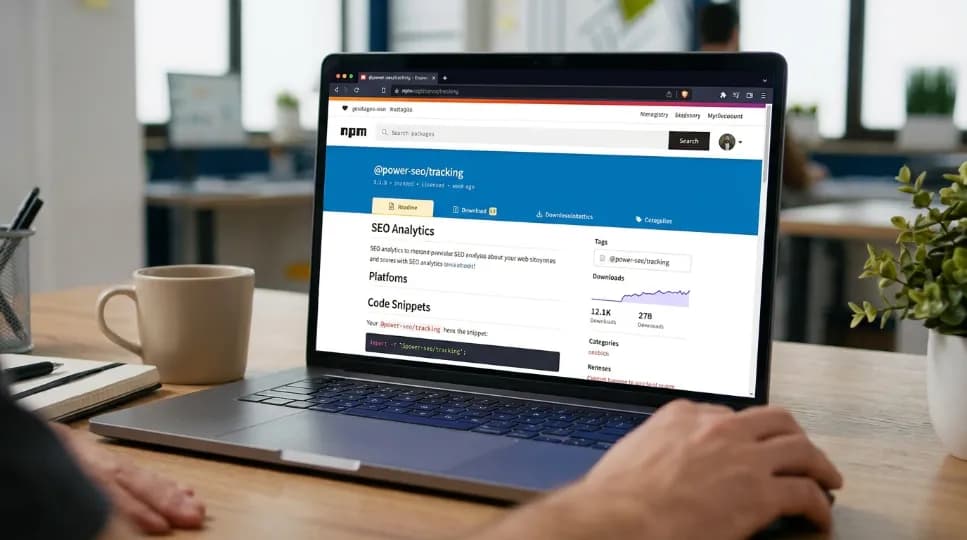
TypeScript SEO Content Checker You're Probably Not Using Yet

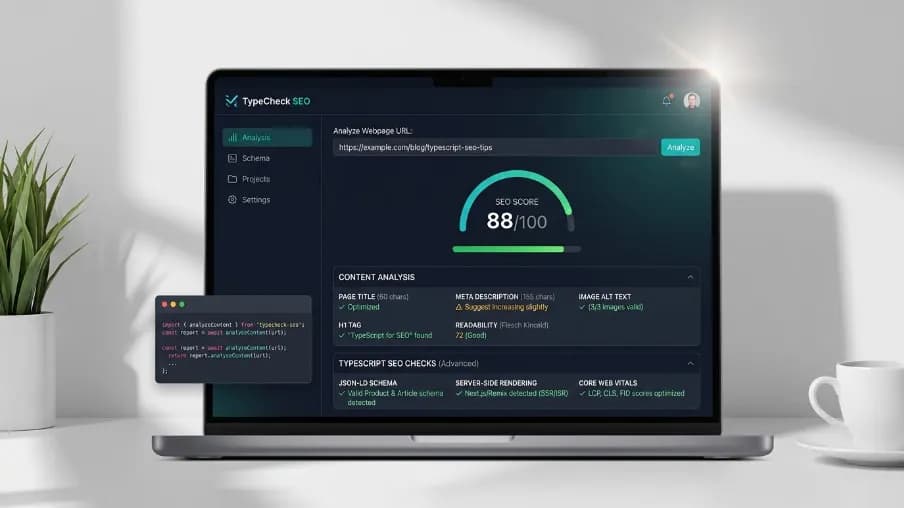
I've spent months manually checking whether my blog posts had the right keyword density. I'd open a spreadsheet, count words, squint at meta descriptions, and still miss things. It was exhausting. And the worst part? I was building web apps in TypeScript the whole time and never thought to solve this problem in code.
Then I found a TypeScript SEO content checker that changed how I think about content quality. It runs the same checks Yoast SEO does but programmatically. In your codebase. Without WordPress.
In this article, I'll show you exactly how it works, why it matters, and how you can drop it into your Next.js app, Remix project, or CI pipeline today.
Why Developers Need a TypeScript SEO Content Checker
Let me ask you something. You spend hours writing clean TypeScript, adding unit tests, setting up lint rules. But when it comes to SEO do you just hope the content is good enough?
Most teams do. And it shows in their rankings.
The problem is clear. SEO checks are either locked inside WordPress plugins like Yoast, or they live in expensive SaaS dashboards that editors never open. There's a huge gap for developers who build headless CMS platforms, Next.js blogs, or content-heavy SaaS products.
That gap is exactly where a TypeScript SEO content checker fits. You get programmatic control. You get type safety. And you get the same quality signals, keyphrase density, heading structure, image alt text, meta length that the big plugins check. No WordPress required.
What Is @power-seo/content-analysis
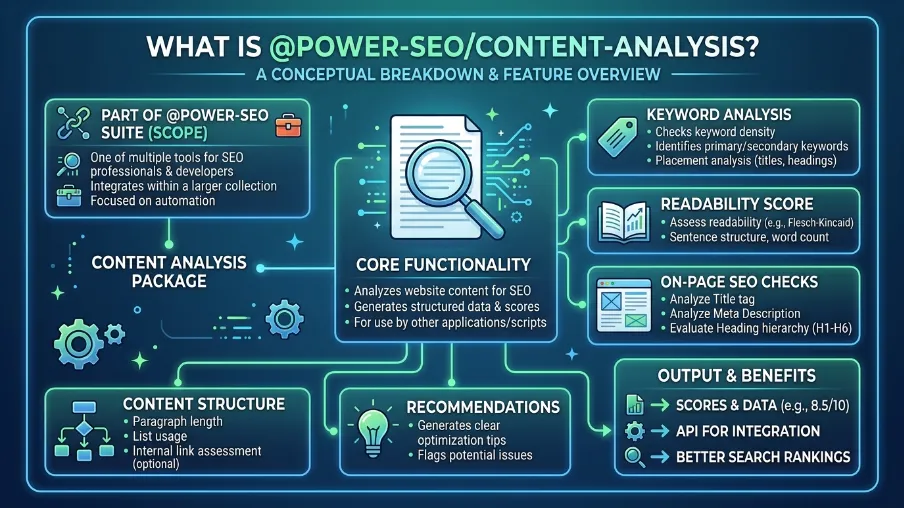
@power-seo/content-analysis is an npm package that gives you a full SEO scoring pipeline all in TypeScript. Think of it as Yoast SEO, but for any JavaScript environment.
You feed it a page title, meta description, body HTML, focus keyphrase, images, and links. It gives back a structured score with per-check results each labeled good, ok, or poor.
It runs 13 built-in checks:
- Keyphrase density (targets 0.5–2.5% frequency)
- Keyphrase distribution across intro, headings, slug, and image alt
- Title presence and keyphrase match
- Meta description length (120–160 characters) and keyphrase match
- Heading structure H1 presence, hierarchy, keyphrase in subheadings
- Word count flags pages under 300 words
- Image alt text presence
- Image keyphrase in alt text
- Internal and external link presence
Every check returns a score and maxScore. You get a clear number to track over time. No more guessing.
The package has zero external runtime dependencies. It ships as both ESM and CJS. It's tree-shakeable, fully typed, and safe for SSR, Vercel Edge, and Cloudflare Workers.
How to Install and Run Your First SEO Check
Let's get hands-on. Installation takes ten seconds.
npm install @power-seo/content-analysis
Then run a full analysis like this:
import { analyzeContent } from '@power-seo/content-analysis';

const result = analyzeContent({
  title: 'Best Running Shoes for Beginners',
  metaDescription: 'Discover the best running shoes for beginners with our expert guide.',
  focusKeyphrase: 'running shoes for beginners',
  content: '<h1>Best Running Shoes</h1><p>Finding the right running shoes for beginners...</p>',
});

console.log(result.score);     // e.g. 38
console.log(result.maxScore);  // e.g. 55
console.log(result.results);
// [{ id: 'title-presence', status: 'good', score: 5, maxScore: 5 }, ...]
That's it. You get a score, a max score, and a full breakdown per check. Each result also has a description a human-readable message telling you exactly what to fix.
Running Individual Checks
Sometimes you only care about a few things. Maybe you're building a title validator widget. Or you just want to check meta descriptions in a bulk import script.
The package exports individual check functions for exactly this:
import {
  checkTitle,
  checkMetaDescription,
  checkKeyphraseUsage,
  checkHeadings,
  checkWordCount,
  checkImages,
  checkLinks,
} from '@power-seo/content-analysis';

const titleResults = checkTitle({
  content: '',
  title: 'React SEO Guide',
  focusKeyphrase: 'react seo',
});
// Returns: title-presence check + title-keyphrase check
Note there's no separate title-length check ID. Length validation lives inside the title-presence check. If your title exists but falls outside the 50–60 character range, you get status: 'ok' instead of 'good'. Clean and predictable.
Use It in Next.js Real-Time SEO Scores in Your CMS
This is where it gets really useful for me. I run this check server-side in a Next.js admin dashboard. As an editor saves a draft, the score updates live.
Here's a simplified server component pattern:
// app/admin/posts/[slug]/page.tsx
import { analyzeContent } from '@power-seo/content-analysis';

export default async function PostEditor({ params }) {
  const post = await getPost(params.slug);

  const seoResult = analyzeContent({
    title: post.title,
    metaDescription: post.metaDescription,
    focusKeyphrase: post.focusKeyphrase,
    content: post.bodyHtml,
    images: post.images,
    internalLinks: post.internalLinks,
    externalLinks: post.externalLinks,
  });

  return <SeoScorePanel result={seoResult} />;
}
You get the full result object on the server. Pass it as props to your client component. Zero client-side API calls. Works perfectly with React Server Components.
Add a React SEO Score UI in Minutes
The package ships with pre-built React components. Import from /react to get a score panel and checklist out of the box:
import { ContentAnalyzer, ScorePanel, CheckList } from '@power-seo/content-analysis/react';
import { analyzeContent } from '@power-seo/content-analysis';

function SeoPanel({ input }) {
  const result = analyzeContent(input);
  return (
    <>
      <ScorePanel score={result.score} maxScore={result.maxScore} />
      <CheckList results={result.results} />
    </>
  );
}
ScorePanel shows the aggregate score. CheckList renders every check with its status badge green for good, yellow for ok, red for poor. You can also use ContentAnalyzer as an all-in-one component if you want everything in one shot.
Block Bad Content in CI The Content Quality Gate
Here's a pattern I love. You can add this TypeScript SEO content checker directly to your deployment pipeline. If SEO checks fail, the deploy stops.
import { analyzeContent } from '@power-seo/content-analysis';

const output = analyzeContent({ title, metaDescription, focusKeyphrase, content });

const failures = output.results.filter((r) => r.status === 'poor');

if (failures.length > 0) {
  console.error('SEO checks failed:');
  failures.forEach((r) => console.error(' ✗', r.description));
  process.exit(1);
}
This is powerful. Your eCommerce product team can't accidentally publish a page with no meta description. Your blog writers get a hard stop before a post goes live without an H1. You enforce quality automatically without relying on anyone remembering to check.
Disabling Checks You Don't Need
Not every check makes sense for every project. An internal knowledge base doesn't need external links. A landing page might not need image keyphrase checks.
You can skip specific checks with disabledChecks:
const output = analyzeContent(input, {
  disabledChecks: ['image-alt', 'image-keyphrase', 'external-links'],
});
Disabled checks are filtered from output.results and excluded from score and maxScore totals. Invalid check IDs are silently ignored. It's clean no errors, no surprises.
How It Compares to Yoast and Other Tools
Let me put this plainly. Yoast SEO is excellent inside WordPress. But if you're building a Next.js app, a Remix site, a headless CMS, or a Node.js content pipeline, Yoast doesn't exist for you.
Here's how @power-seo/content-analysis stacks up:
| Feature | @power-seo/content-analysis | Yoast SEO | next-seo |
|---|---|---|---|
| Keyphrase density | ✅ | ✅ | ❌ |
| Heading structure check | ✅ | ✅ | ❌ |
| Image alt + keyphrase | ✅ | ✅ | ❌ |
| Aggregate SEO score | ✅ | ✅ | ❌ |
| Works outside WordPress | ✅ | ❌ | ✅ |
| TypeScript-first | ✅ | ❌ | Partial |
| Tree-shakeable | ✅ | ❌ | Partial |
| CI / Node.js usage | ✅ | ❌ | ❌ |
| Zero runtime dependencies | ✅ | ❌ | ❌ |
The short version: if you're outside WordPress, this is the only tool that gives you Yoast-level checks in a framework-agnostic, TypeScript-first package.
Real-World Use Cases Worth Knowing
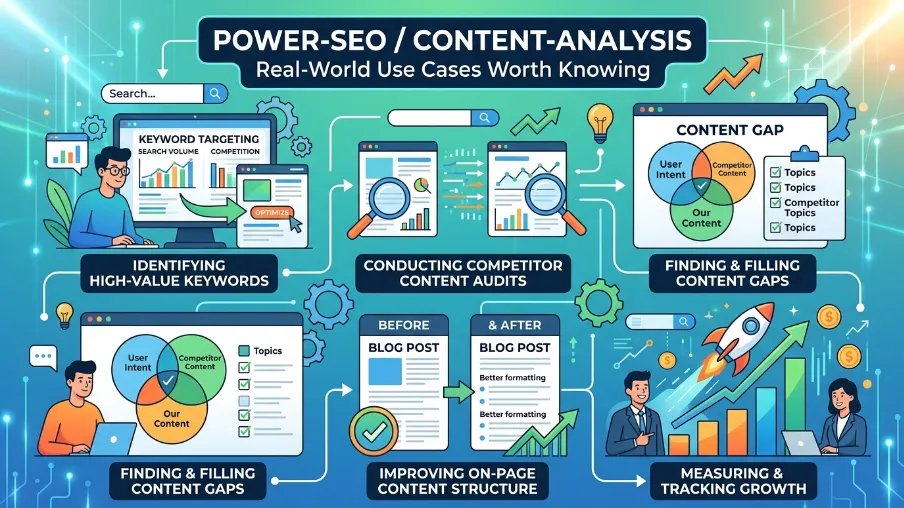
Here's where I see this TypeScript SEO content checker being used by real teams:
Headless CMS platforms score content as editors write, before publishing. Same experience as Yoast but in your own admin UI.
SaaS marketing pages enforce SEO quality across all landing pages programmatically. No more manually auditing 50 pages every quarter.
eCommerce product pages validate product titles, descriptions, and image alt text at scale. Run it in a Node.js script against your entire catalog.
Blog platforms give writers real-time Yoast-style feedback inside your custom post editor. No WordPress dependency.
CI/CD content gates block deploys when SEO checks fail. Make content quality a hard requirement, not a suggestion.
Stop Checking SEO Manually
I've been there. The spreadsheet. The manual keyword count. The guessing.
If you're building anything in TypeScript a Next.js blog, a headless CMS, an eCommerce platform, or a SaaS product, you now have a real option.
A TypeScript SEO content checker that runs 13 Yoast-level checks directly in your own codebase. Fully typed. Zero dependencies. Works everywhere JavaScript runs.
Analyze content quality, keyword usage, readability, metadata, internal linking, and even optimize for local SEO strategies without relying on external plugins or platforms.
Build SEO validation directly into your workflow and ship content with confidence.
Install it in five minutes:
npm install @power-seo/content-analysis
Start with analyzeContent(). Add it to your CMS editor. Then wire it into your CI pipeline. Your content quality will improve automatically and consistently, without anyone having to remember.
That's the kind of SEO I want to write about.
Frequently Asked Questions About TypeScript SEO Content Checker
Q: Does this work with Remix and Gatsby too?
Yes. The core analyzeContent() function is framework-agnostic. It runs in any JavaScript environment Node.js, Bun, Deno, Vercel Edge, Cloudflare Workers, and all major React meta-frameworks including Remix, Gatsby, and Astro. It uses no Node.js-specific APIs.
Q: What's the difference between keyphrase density and keyphrase distribution?
Density checks how often your focus keyphrase appears in the body text the target range is 0.5% to 2.5%. Distribution checks where it appears: in the intro paragraph, in subheadings, in the URL slug, and in image alt text. Both matter for rankings, and they measure different things.
Q: Can I use this in a client-side React editor?
Absolutely. The package ships as ESM and is tree-shakeable, so you can run analyzeContent() directly in the browser. There are no server-only APIs. For React specifically, the pre-built ContentAnalyzer, ScorePanel, and CheckList components from @power-seo/content-analysis/react make it easy to build a live SEO editor.
Q: Is it safe to use in production? Any supply chain risks?
The package has no install scripts (postinstall, preinstall), no runtime network access, and no eval or dynamic code execution. Builds are CI-signed via a verified GitHub workflow. It's safe for SSR, Edge, and server environments.
Q: What does the status: 'ok' mean exactly?
Each check returns one of three statuses: good means the check fully passes, ok means it partially passes (for example, a title that exists but is slightly too long or too short), and poor means the check fails entirely. In your scoring logic, ok still earns partial points.

I’m Mitu Das, a JavaScript developer, ERP product architect, and SEO specialist from Bangladesh. I work at CyberCraft Bangladesh, where I help build simple, scalable software, SaaS platforms, and business solutions. My goal is to create technology that helps companies save time, automate daily tasks, and grow faster. I enjoy combining development, product ideas, and SEO strategies to create useful digital solutions for modern businesses.
Writes about
Want this done for you?
Our team builds and ships exactly what this article describes. Send a message and we will reply with a scope.