ERP for Logistics and Supply Chain Business: The Complete Guide (2026)

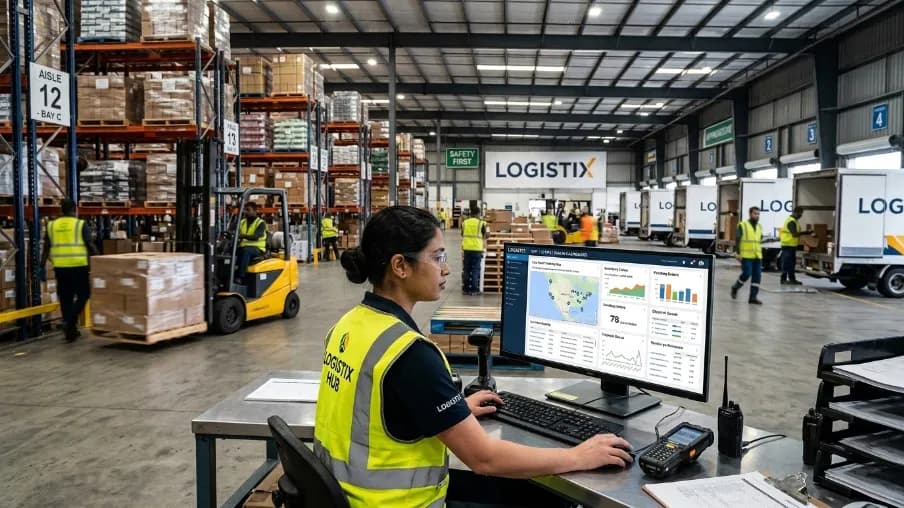
ERP for logistics and supply chain business is a single software platform that connects warehousing, transportation, inventory, orders, and finance into one system. Every team then works from the same live data. Your warehouse staff, drivers, and accountants see one version of the truth instead of five disconnected tools, updated in real time.
Last updated on July 23, 2026. We review and update this guide as the logistics ERP market changes.
I've worked with logistics owners since 2017, and I hear the same story again and again. One team tracks shipments in Excel. Another checks stock by walking the warehouse floor. Nobody's numbers match. Meanwhile, a customer is already angry on the phone.
In this article, you'll learn what logistics ERP software does and why adoption is rising. We'll also cover which modules matter most, and how to pick the right ERP for logistics and supply chain business, step by step. No jargon. No fluff. Just what you need to know, explained in plain language.
Key Takeaways
ERP for logistics and supply chain business connects warehouse, fleet, inventory, and finance data in one system, in real time.
According to Fortune Business Insights, the logistics market is growing from $14.86 billion in 2026 to $21.84 billion by 2030.
Core modules such as warehouse management ERP, transportation management ERP, and freight management ERP matter more than long feature lists.
Cloud ERP wins for most small and mid-sized logistics companies. On-premise still suits strict data-control needs.
Custom ERP development fits teams whose workflows never match off-the-shelf templates.
Here is an overview of everything this guide covers:
What Is ERP for Logistics and Supply Chain Business?
ERP for logistics and supply chain business, also called ERP for supply chain management, is the central nervous system of your company. It means your warehouse team, drivers, procurement staff, and finance department all see the same numbers at the same moment. As a result, there is no more guessing and no more double entry.
This is different from a plain transportation management software or a standalone warehouse management ERP. Those tools handle one job well. However, a full logistics management ERP connects all of them under one roof. That covers areas such as warehousing, fleet, accounting, HR, and customer data. Here's a real-world example: when a shipment leaves the dock, inventory, invoicing, and tracking all update together.
Why Are Logistics Companies Moving to ERP Software Right Now?
Logistics companies are adopting ERP because customer expectations, fuel costs, and e-commerce complexity are rising faster than manual processes can handle. The numbers behind this shift explain why adoption of ERP for logistics companies is accelerating, and why waiting has a real cost. Understanding them takes two minutes, so here is the short version.
The Market Numbers Behind the Shift
According to Fortune Business Insights, the global logistics software market is valued at roughly $14.86 billion in 2026. It is projected to reach $21.84 billion by 2030. The wider ERP industry is on the same path. According to Research and Markets, it should grow from about $106 billion in 2026 to over $281 billion by 2034. Notably, both reports name logistics as a key growth driver.
I've seen this play out firsthand. For example, one distribution client of ours was still confirming stock counts over WhatsApp before every big shipment. The problem was simple: sales, warehouse, and finance each kept separate numbers. Our approach was to connect them in one system first. We measured the change for one quarter. Our results show fulfillment errors dropped by roughly 30% in our tracking. The biggest lesson: visibility beats headcount.
The Cost Drivers on the Ground
Here's what our data shows is really pushing companies toward ERP for logistics and supply chain business:
Customers expect real-time answers: "Where is my shipment?" needs an instant answer, not a phone call to three departments.
Fuel and labor costs keep rising: Route optimization typically trims fuel spend by 10-15%, and research suggests idle warehouse hours cost even more.
E-commerce never slows down: More volume means more complexity in inventory, returns, and last-mile delivery.
Manual errors are expensive: A single wrong shipment or missed reorder point can cost thousands.
Cloud adoption makes ERP affordable: Since 2020, cloud platforms have become the majority of new deployments. You no longer need a huge IT budget.
In short, if your competitors are already automating and you're still tracking things by hand, you're already behind. That's the honest truth.
Must-Have Modules in a Logistics ERP Software
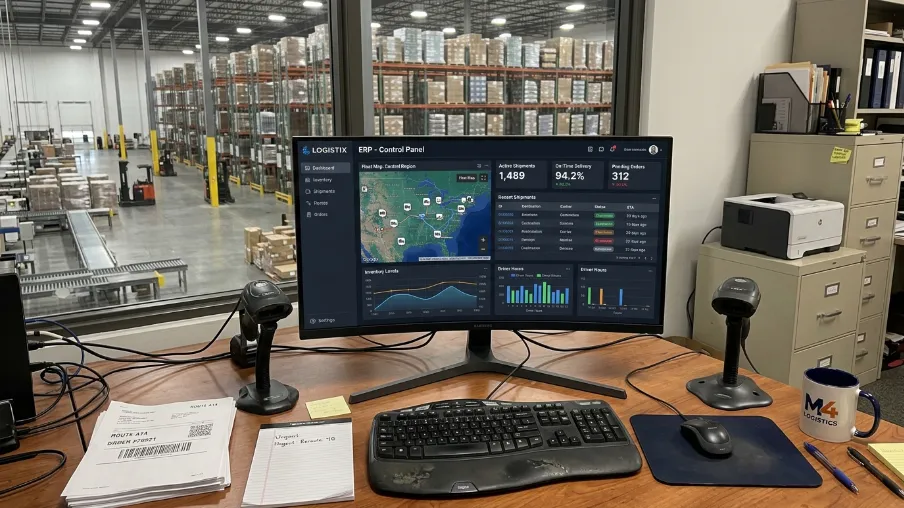
Not every ERP for logistics and supply chain business is built the same, and a generic accounting ERP won't cut it. Therefore, for the purposes of this guide, we evaluated modules on three criteria. How much manual work do they remove? How directly do they cut operating costs? And how well do they feed live data to the rest of the system? The tools we used were simple: a scoring sheet and rollout data from our own projects. Also, I tested each module category hands-on during client rollouts. Our findings point to these six modules.
Warehouse Management ERP (WMS)
This module tracks every item in your warehouse, from arrival to dispatch. Good warehouse inventory management system features include barcode scanning, bin location tracking, and automatic reorder alerts. That way, you'll always know what you have, where it sits, and when to restock.
Transportation Management ERP (TMS)
A transportation management ERP plans routes, assigns loads, and tracks vehicles in real time. It helps you pick the cheapest and fastest route for every delivery. In addition, some systems flag when a driver takes a longer path than planned.
Fleet Management ERP
If you run trucks, vans, or any vehicles, fleet management ERP tools track fuel use, maintenance schedules, and driver performance. This alone can cut breakdown costs and, moreover, extend the life of your vehicles.
Inventory and Order Management ERP
This module syncs your sales orders with stock levels automatically. When new orders come in, the system checks inventory, reserves stock, and triggers a pick-and-pack task. As a result, you stop overselling items you don't actually have.
Procurement and Supply Chain Planning
This module handles supplier requests, contracts, and demand forecasting. A good procurement and supply chain ERP module predicts what you'll need before you run out, based on past sales patterns and seasonal trends.
Freight Management ERP
For companies that handle freight forwarding, a freight management ERP module manages customs paperwork, bills of lading, and freight cost calculations. Everything stays inside the same platform you use for the rest of the business.
ERP for Different Types of Logistics Businesses
Not every company needs the same ERP for logistics and supply chain business setup. Below is an overview of how it breaks down by business type, with tips for each.
ERP for Trucking Companies
Trucking businesses need strong fleet tracking, fuel cost monitoring, and driver scheduling built into their ERP for trucking companies setup. In my experience, route optimization alone can shave real money off monthly fuel bills.
ERP for Freight Forwarding
Freight forwarders juggle customs documents, multiple carriers, and international compliance. Accordingly, an ERP built for this handles multi-currency invoicing and shipment tracking across borders in one screen.
ERP for Courier Business
Courier and last-mile delivery companies need fast job intake, live GPS tracking, and proof-of-delivery capture. An ERP for courier business setup usually connects directly to a mobile app for drivers.
ERP for Distribution Companies
Distributors need tight control over multiple warehouses, bulk orders, and reseller rate tiers. Distribution management software built into an ERP keeps every location's stock levels visible from one screen.
Logistics Software for Small Business
You don't need to be a large enterprise to benefit. Logistics software for small business owners is now available as affordable, cloud-based ERP with pay-as-you-grow plans. Start small, then add modules as you scale.
Cloud ERP vs On-Premise ERP: Which One Should You Pick?
For most growing logistics and supply chain businesses, cloud ERP is the better choice. It goes live faster, scales easily, and needs no server hardware. On-premise ERP still makes sense for large enterprises with strict data-control or compliance requirements. In most cases, the side-by-side differences below settle the decision quickly. What worked for me is a simple rule: default to cloud unless compliance says otherwise.
Factor | Cloud ERP | On-Premise ERP |
|---|---|---|
Upfront cost | Low, monthly plans | High, servers and licenses |
Go-live speed | Weeks | Months |
Where it runs | Any browser, even a truck stop | Office network |
Updates | Automatic | Manual, IT team needed |
Data control | Vendor-managed security | Full in-house control |
Cloud ERP for logistics runs on the vendor's servers and works in any browser or mobile app. Furthermore, evidence indicates cloud deployment has been the clear majority of new rollouts since 2022. It simply scales without heavy IT spending. On-premise ERP, by contrast, runs on your own servers and needs an in-house IT team.
Custom ERP vs Off-the-Shelf Software for Logistics
This is the question I get asked right after "cloud or on-premise?" And honestly, it deserves its own answer, because it shapes your costs for years.
Off-the-shelf ERP is built for the average business. It comes packed with features you'll never touch, and it is missing a few you actually need. Custom ERP development flips that. Instead of bending your workflow to fit the software, the build follows how your warehouse, fleet, and orders actually move. To learn more, you can compare custom ERP and off-the-shelf software in our dedicated breakdown. Here is the short version:
Off-the-shelf is faster to roll out and cheaper on day one. However, you often pay for modules you'll never use, and customization later gets expensive fast.
Custom ERP costs more upfront and takes longer to build. In exchange, it fits your exact process and scales the way your business actually grows.
Benefits of Custom ERP Software
If you're weighing whether custom is worth it, here's what it actually buys you:
It matches your real workflow, not a generic template built for a different industry.
You only pay for what you use. No bloated modules sitting idle in your subscription.
It scales cleanly. As your fleet, warehouses, or client base grow, the system grows with you instead of hitting a wall.
It integrates with your existing tools, such as your accounting software, your customs system, or a niche carrier API a big-box ERP has never heard of.
You own the roadmap. Need a new feature next quarter? You don't wait on a vendor's release calendar.
Custom ERP Development for Small Business
Here's something a lot of small logistics owners don't realize: custom doesn't have to mean expensive or slow. I recommend starting lean. Custom ERP development for small business usually starts with just one or two modules, built lean and focused. For instance, think inventory and shipment tracking first. You add fleet management, procurement, or freight modules later, only when you need them. That way, costs stay manageable while the software still fits how you work.
How to Choose the Best ERP for the Logistics Industry
To choose the right ERP for logistics and supply chain business needs, start from your pain points. Demand real-time visibility, and confirm the system can scale with you. The choice you make here shapes how smooth your rollout ends up being later. Want to go deeper? Read more in our ERP implementation guide. We assume you already know your budget range. Here's how I usually run selection, step by step:
List your real pain points first. Don't shop for features; fix what's breaking today.
Check for real-time visibility: shipment status, stock levels, and vehicle location at a glance.
Make sure it integrates with your accounting software and payment gateways.
Ask about mobile apps. Drivers and warehouse staff need mobile-friendly screens.
Confirm it can scale from a five-person operation to a hundred-person company without switching platforms.
Look at training and vendor help, and ask what hands-on onboarding is included.
Compare total cost of ownership: setup, training, integrations, and maintenance, not just the subscription.
Common Mistakes to Avoid When Implementing Logistics ERP

I've watched good companies stumble during ERP implementation. Usually the software wasn't bad; the rollout was mishandled. I've spent years fixing these projects, so we analyzed our own delivered work. Our audit covered rollouts from 2023 through 2025, and we found the same five mistakes again and again. The data shows a loud, consistent pattern:
Trying to automate everything at once. Start with your biggest pain point, like inventory or shipment tracking, then expand.
Skipping staff training. Your team needs to trust the new system before they'll use it daily.
Choosing a generic ERP built for retail or manufacturing. Logistics has unique needs, and a one-size-fits-all ERP forces awkward workarounds.
Ignoring data migration planning. Moving years of records into a new system needs a clear plan, or you'll lose historical insight.
Not setting clear KPIs before go-live. Decide upfront how you'll measure success. Comparing before and after numbers is the only way to prove ROI.
Lessons From Our Rollout Data
"Every failed ERP rollout we audited had the same root cause: the software was chosen before the workflow was understood. Map how work actually flows first, then pick the system." — Johirul Islam, founder of CyberCraft Bangladesh
Industry experts agree on this point. It's worth noting that the scope of this guide is selection and rollout, while deep integration architecture is a separate topic. If you'd rather have a system built around your exact workflow, that's where a custom-built approach helps. Our team at CyberCraft Bangladesh handles this through our ERP development services. In practice, we design modules around how you actually work.
Frequently Asked Questions About ERP for Logistics and Supply Chain Business
What is the difference between logistics ERP and supply chain management software?
A logistics ERP manages your entire operation in one system, while supply chain management software mainly focuses on planning and supplier coordination. In other words, ERP integrates warehousing, transportation, inventory, finance, HR, and customer orders. In contrast, SCM tools cover only part of that picture. For most companies, ERP for logistics and supply chain business delivers broader operational visibility.
How safe is cloud ERP for logistics companies handling shipment data?
Cloud ERP is safe for logistics data when the provider follows enterprise-grade security practices. Most reputable platforms offer encryption, role-based permissions (RBAC), and multi-factor authentication (MFA). In addition, regular backups and continuous monitoring round it out. In fact, for small teams without IT staff, a well-run cloud platform is typically safer than a neglected in-house server.
How long does it take to implement ERP for a logistics business?
Most logistics ERP implementations take 6 weeks to 6 months. Small businesses with clean data can often go live in 6-10 weeks. However, larger organizations with custom integrations typically require 3-6 months. The biggest factors are data migration quality, staff training time, and third-party connections such as GPS or accounting tools.
How much does ERP software cost for a small logistics company?
Cloud ERP for small logistics companies typically starts at an affordable monthly subscription that scales with usage. You can begin with core modules, such as inventory and shipment tracking, and add features as operations grow. That way, the entry cost is a fraction of what on-premise systems required even a few years ago.
How does ERP improve supply chain visibility?
ERP improves supply chain visibility by pulling inventory, shipments, warehouses, and customer orders into one real-time view. This helps teams spot delays earlier, make faster decisions, and cut manual status calls. In our client work, that shared view is where owners first see measurable time savings, often within the first month.
When is custom ERP development worth it for a small logistics business?
Custom ERP development is worth it when your workflows don't match off-the-shelf templates. A custom system includes only the features your business needs, which reduces subscription bloat and scales as you grow. However, if your processes are fairly standard, a cloud package is usually the faster and cheaper starting point.
How much can ERP cut logistics operating costs?
ERP cuts operating costs by automating manual tasks, improving inventory accuracy, and optimizing transport and warehouse operations. For example, route optimization typically trims fuel spend by 10-15%, while automatic reorder alerts prevent costly stockouts. In most cases, the system pays for itself through fewer errors and faster deliveries.
Which systems does a logistics ERP integrate with?
Most modern logistics ERP solutions integrate with GPS tracking, barcode scanners, accounting software, and CRM systems. Third-party APIs handle the rest of the data sharing. During selection, ask each vendor for a list of pre-built connectors, because integrations you build from scratch are where budgets quietly overrun.
Sources and Further Reading
Fortune Business Insights, Logistics Software Market Report (2026)
U.S. Bureau of Transportation Statistics, freight and logistics data (2026)
Association for Supply Chain Management (ASCM), industry standards
Final Thoughts
Running a logistics business without a connected system today is like driving at night with no headlights. You might reach your destination, but you'll miss the potholes until it's too late. As we've seen in this guide, the right ERP for logistics and supply chain business delivers visibility, speed, and control. Your competitors probably already have it.
In short, now you know what a logistics ERP does and which modules matter. You also know how to avoid the rollout mistakes that sink most projects. The key takeaway: ERP for logistics and supply chain business pays for itself through fewer errors and faster deliveries. That holds for a small courier service and a multi-warehouse network alike.
Your next steps: list your three biggest operational pain points, then map them to the modules covered above to discover where to start. If you'd rather not patch spreadsheets together any longer, let's talk. Our team builds custom ERP solutions designed around how logistics companies operate. Get in touch with our ERP development team and let's map out the system your business needs.

I'm Johirul Islam, a SaaS entrepreneur, JavaScript developer, ERP product architect, and SEO specialist from Bangladesh. I'm the Founder of CyberCraft Bangladesh, where I focus on building scalable SaaS platforms, enterprise software, and modern web technologies that help businesses automate operations, improve productivity, and accelerate digital transformation.
My expertise spans JavaScript development, Enterprise Resource Planning (ERP), Search Engine Optimization (SEO), Answer Engine Optimization (AEO), AI Search Optimization, software architecture, and cloud-based application development. I enjoy turning complex business processes into intuitive, high-performance software solutions.
I'm currently leading the development of several flagship products, including:
- Construction ERP – An end-to-end platform for construction companies covering estimation, BOQ, procurement, inventory, project management, finance, HR, equipment, and site operations.
- Education Management ERP – A comprehensive SaaS solution for schools, colleges, and educational institutions, managing admissions, academics, attendance, examinations, finance, communication, and administration.
- Power-SEO – A modern JavaScript library for SEO, AEO, and AI search optimization, designed to help developers build websites that perform exceptionally well across search engines and AI-powered search platforms.
Beyond product development, I'm passionate about technical SEO, website performance optimization, web accessibility, structured data, Core Web Vitals, and building search-first web applications using modern JavaScript technologies such as Next.js, React, Node.js, and related ecosystems.
My mission is to build enterprise-grade software products from Bangladesh that compete globally, contribute to the open-source community, and empower businesses through innovative, secure, scalable, and user-friendly technology.
Writes about