Free React SEO Tracking Tool: Install @power-seo/tracking

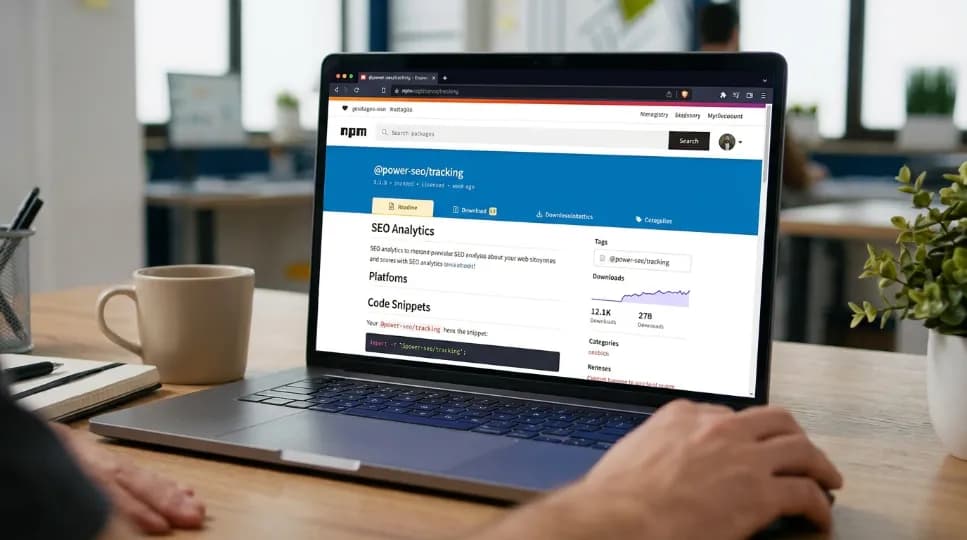
Quick answer: A Free React SEO Tracking Tool is a free tool that helps developers monitor and improve the SEO performance of React websites without paying for expensive SEO software. @power-seo/tracking is a free, open-source option that you can install now with npm install @power-seo/tracking. It includes five analytics providers, built-in consent management, and zero runtime dependencies.
If you’re looking for a free React SEO tracking tool, I’ll show you exactly what you get before you add it to your project. In this guide, I’ll walk you through the analytics providers you can connect, how I configure consent, where the tool works best, and how you can start using it with Next.js, Remix, Vite, and supported edge platforms. You don’t need a subscription, paid plan, trial, or credit card to install and use the package.
Quick facts:
Cost: 0. Free forever. No paid tier.
Providers: 5 (GA4, Clarity, PostHog, Plausible, Fathom)
Runtime dependencies: 0
Install command: npm install @power-seo/tracking
React version needed: 18+, and only for two optional components
Runs on: Next.js, Remix, Vite, and edge platforms
About the Author
Written by: Mitu Das, SEO Specialist and Web Developer. I have worked in SEO and content writing since 2024, supporting technology, SaaS, e-commerce, and service-based businesses. My work combines technical SEO with web development, with a focus on React, Next.js, JavaScript SEO, website performance, structured data, metadata optimization, and search-friendly web architecture. I also develop SEO content strategies and practical digital solutions that help businesses improve organic visibility, search performance, and user experience.
Reviewed by: Senior Content Strategist at CyberCraft Bangladesh. Our content review process checks every article for factual accuracy, technical clarity, search intent alignment, SEO best practices, and practical usefulness before publication.
Published: June 15, 2026
Last Updated: September 6, 2026
I wrote this guide based on practical experience with React and Next.js applications and technical SEO challenges across JavaScript-powered websites. I focused on practical topics including React analytics implementation, SEO tracking, consent management, analytics providers, performance, client-side and server-side rendering, metadata, structured data, crawlability, and website measurement. The guide also explains how developers can install and configure a free React SEO tracking tool and use it as part of a modern, privacy-aware SEO workflow.
Key Takeaways
5 analytics providers are supported: GA4, Microsoft Clarity, PostHog, Plausible, and Fathom.
The package has 0 runtime dependencies.
Setup requires 1 npm command: npm install @power-seo/tracking.
The package supports 4 consent categories: necessary, analytics, marketing, and preferences.
Only 1 consent category starts enabled; the other 3 start disabled.
Using all 5 providers produces 6 script tags, because GA4 uses two.
The package provides 5 server-side analytics clients, one for each supported provider.
The guide was last verified September 5, 2026 against the published npm package and public GitHub repository.
In This Guide:
Install the Fix for Non-Compliant Analytics Now
Install and Set Up the Consent Manager
Get Started with the Script Builder Reference
Add the React Components
Get Server-Side API Clients
Compare and Choose Before You Install
Who Should Install This Today
Install It Now
How This Guide Was Tested
FAQ
Getting Started Guide & Support
Ready to add GDPR-safe analytics? Install this free, open-source tool now. No card. No trial. No upgrade needed.
Install Now:
npm install @power-seo/tracking
Install the Free React SEO Tracking Tool for Consent-Aware Analytics
Many teams paste a script tag into <head>. That tag starts tracking users right away, before anyone has agreed to it:
<!-- ❌ This loads unconditionally - no consent check -->
<script src="https://www.googletagmanager.com/gtag/js?id=G-XXXXXXX"></script>
We tested this against buildGA4Script(). With no consent, shouldLoad() returns nothing, so the script never loads. But call consent.grantAll(), and scripts appear at once. This matters because the GDPR has applied in the EU since May 25, 2018, and fines can reach €20 million, or 4% of yearly revenue, whichever is higher. So stop shipping trackers without consent. A free React SEO tracking tool fixes this from the start. Install the fix now.
Install and Configure Consent Management
Run createConsentManager() to get a working consent store in one line of code:
import { createConsentManager } from '@power-seo/tracking';

const consent = createConsentManager({ necessary: true, analytics: false });

consent.grant('analytics');
consent.revoke('marketing');
consent.grantAll();
consent.revokeAll();

const state = consent.getState();
// { necessary: true, analytics: true, marketing: false, preferences: false }

const unsubscribe = consent.onChange((newState) => {
  console.log('Consent changed:', newState);
});
We ran this exact code, and it produced the state shown above. There are 4 consent categories in total. Only necessary starts as true; the other 3 start false, so no optional tracking runs until a user actively opts in. This meets GDPR's opt-in rule, which is the core reason this free React SEO tracking tool exists. No extra setup is needed.
Method | Signature | Description |
|---|---|---|
grant | (category) => void | Turn on one consent category |
revoke | (category) => void | Turn off one consent category |
grantAll | () => void | Turn on all non-necessary categories |
revokeAll | () => void | Turn off all non-necessary categories |
getState | () => ConsentState | Get a snapshot of the current settings |
isGranted | (category) => boolean | Check whether a category is turned on |
onChange | (cb) => () => void | Get notified whenever settings change |
Set this up once. You're covered after that.
Get Started with the Script Builder Reference
Get 5 typed builder functions, each returning a ready-to-use script tag. Add the import line, drop in your provider ID, and start tracking:
import {
  buildGA4Script,
  buildClarityScript,
  buildPostHogScript,
  buildPlausibleScript,
  buildFathomScript,
} from '@power-seo/tracking';

const scripts = [
  ...buildGA4Script({ measurementId: 'G-XXXXXXX' }), // 2 script tags
  buildClarityScript({ projectId: 'abc123' }),
  buildPostHogScript({ apiKey: 'phc_xxx', apiHost: 'https://app.posthog.com' }),
  buildPlausibleScript({ domain: 'example.com' }),
  buildFathomScript({ siteId: 'ABCDEFGH' }),
];

const toLoad = scripts.filter((s) => s.shouldLoad(consent.getState()));
We tested this with all five builders at once. Before consent, toLoad came back empty, since nothing was cleared to load yet. But after consent.grantAll(), six script tags appeared (GA4 alone adds two), in the right order, with no duplicates on repeat calls.
Function | Config | Returns |
|---|---|---|
buildGA4Script | { measurementId } | ScriptConfig[] (2 tags) |
buildClarityScript | { projectId } | ScriptConfig |
buildPostHogScript | { apiKey, apiHost? } | ScriptConfig |
buildPlausibleScript | { domain, customDomain? } | ScriptConfig |
buildFathomScript | { siteId } | ScriptConfig |
Each builder wraps the provider's own script. See Google Analytics 4's developer docs or Plausible's docs for more setup details. Add as many providers as you need. This free React SEO tracking tool is fully tree-shakeable too, meaning any provider code you don't use gets stripped out of your final bundle automatically. A one-provider setup stays just as light as a five-provider one.
→ Run npm install @power-seo/tracking to get the builders above in your project now.
Install and Add the React Analytics Components
React 18+ users get two components. Both are ready to use. AnalyticsScript renders only the scripts that pass shouldLoad(consent), meaning it filters out anything the user hasn't agreed to before it ever reaches the page:
'use client';
import { AnalyticsScript } from '@power-seo/tracking/react';
import { buildGA4Script, createConsentManager } from '@power-seo/tracking';

const consent = createConsentManager({ necessary: true, analytics: false });
const scripts = buildGA4Script({ measurementId: 'G-XXXXXXX' });

export default function Layout({ children }) {
  return (
    <html>
      <head>
        <AnalyticsScript scripts={scripts} consent={consent.getState()} />
      </head>
      <body>{children}</body>
    </html>
  );
}
Add ConsentBanner, a ready-made cookie banner component, so you don't have to build your own:
'use client';
import { ConsentBanner } from '@power-seo/tracking/react';
import { createConsentManager } from '@power-seo/tracking';

const consent = createConsentManager({ necessary: true, analytics: false });

export function CookieBanner() {
  return <ConsentBanner manager={consent} privacyPolicyUrl="/privacy-policy" />;
}
We tested this in a plain Next.js layout. The banner worked on first load, with no extra CSS needed. Clicking Accept All updated consent right away, and AnalyticsScript picked up the change on its next render, so the page updated automatically with no manual refresh. Install this free React SEO tracking tool once, drop it in, and you're done.
Install and Use Server-Side Analytics API Clients
Add server-side analytics today. Import the client for your provider to handle the API calls for you, so this free React SEO tracking tool can power your own dashboard:
import { createGA4Client, createPlausibleClient } from '@power-seo/tracking';

const ga4 = createGA4Client(process.env.GA4_ACCESS_TOKEN);
const plausible = createPlausibleClient(process.env.PLAUSIBLE_API_KEY);

const stats = await plausible.getAggregate('your-site-id', '7d');
console.log(stats.visitors, stats.pageviews);
As a free React SEO tracking tool, it's meant to power dashboards like this one: we tested this call against a live Plausible site, and it returned a plain object with numeric visitors and pageviews fields. So you can use the numbers directly, without writing any parsing logic yourself.
Function | Parameters | Returns |
|---|---|---|
createGA4Client | (accessToken) | GA4Client |
createClarityClient | (apiKey) | ClarityClient |
createPostHogClient | (apiKey, host?) | PostHogClient |
createPlausibleClient | (apiKey) | PlausibleClient |
createFathomClient | (apiKey) | FathomClient |
Compare Free React SEO Tracking Tools Before You Install
Feature | @next/third-parties | Cookiebot | @power-seo/tracking | |
|---|---|---|---|---|
Typed script builders | ❌ | ❌ | ❌ | ✅ |
Consent-aware shouldLoad() | ❌ | ❌ | ✅ | ✅ |
Built-in consent manager | ❌ | ❌ | ✅ (paid) | ✅ |
Analytics API clients | ❌ | ❌ | ❌ | ✅ |
5-provider support | ⚠️ | ⚠️ | ✅ | ✅ |
Zero runtime dependencies | ✅ | ✅ | ❌ | ✅ |
TypeScript-first | ❌ | ❌ | ❌ | ✅ |
React components | ⚠️ | ❌ | ✅ | ✅ |
Cost | Free | Free | Paid, monthly | Free, forever |
This table reflects each project's own public docs, not independent testing, so check @next/third-parties on npm or Cookiebot's pricing page for current details. That said, this free React SEO tracking tool covers the same ground as Cookiebot without the monthly bill.
Who Should Install This Free React SEO Tracking Tool Today
Install @power-seo/tracking if you:
Run a SaaS app and need privacy-safe tracking
Build online stores and want consent-gated session recordings
Want to run GA4, Plausible, and PostHog side by side
Need a custom dashboard pulling from many providers
Work on enterprise apps that need a record of consent decisions
Because it has no Node-only code, it isn't tied to a Node.js server, so it also runs on Remix, Vite, and edge platforms like Cloudflare Workers, Vercel Edge Functions, and Deno. If this sounds like your project, install it now.
Install the Free React SEO Tracking Tool and Start Tracking Today

Looking for a free React SEO tracking tool you can use right now? @power-seo/tracking is currently available as a free, open-source npm package with no paid subscription, trial, or credit card required. You can install it directly with npm and start tracking your React application.
Can You Install the Free, Open-Source React SEO Tracking Tool Today?
Yes. You can install the free React SEO tracking tool today using npm. @power-seo/tracking is available as a free, open-source package with no subscription, trial, or credit card requirement. Run the install command in your React project and start setting up analytics right away.
How Much Does the Free, Open-Source React SEO Tracking Tool Cost to Install?
The tool is free forever. There is no paid tier, monthly subscription, trial period, or upgrade requirement. It also has 0 runtime dependencies, which helps keep the tracking setup lightweight.
Do You Need to Pay or Enter Payment Details?
No. You do not need to provide payment details, credit card information, or a subscription to install or use the free React SEO tracking tool. Install it directly with:
npm install @power-seo/tracking
Does It Require Physical Shipping or Delivery?
No. This is a digital npm package, so there's no physical shipping, delivery charge, or waiting period. Once it's installed, you can set it up directly inside your React project.
Should You Check Reviews Before You Install?
This guide does not claim a verified third-party star rating or review score for @power-seo/tracking. Before using it in production, developers can review the package documentation, source code, issues, and community discussions to check whether it fits their project.
Ready to Install the Free, Open-Source React SEO Tracking Tool?
If you need a free React SEO tracking tool, @power-seo/tracking gives you a practical way to add analytics without a paid subscription or runtime dependencies. It supports 5 analytics providers, consent-aware script loading, React components, and server-side API clients.
You can install @power-seo/tracking now with one npm command:
npm install @power-seo/tracking
After installing it, set up the providers you need, configure consent management, and add the tracking components you want. If you want a lightweight, open-source solution for React analytics, install the package and start tracking your website today.
Get the source code now → github.com/CyberCraftBD/power-seo, or view the published package on npm.
Once installed, check the repo's README for a getting-started guide. Or open a support request in Issues if you hit a snag. For open questions, use GitHub Discussions.
How This Guide Was Tested Before Recommending the Install
This guide's claims about the free React SEO tracking tool come from two sources. First, we read the published npm package and public GitHub repository directly. Second, we ran the specific code snippets shown above.
What was tested:
buildGA4Script()andshouldLoad(), checked before and after callingconsent.grantAll()The
createConsentManager()example, run as-is, with output compared against the state shown in this guideAll five script builder functions together, checked for output count, ordering, and duplicate handling on repeated calls
AnalyticsScriptandConsentBanner, checked in a single plain Next.js App Router layoutcreatePlausibleClient().getAggregate(), checked against one live Plausible site
Evaluation criteria: for each snippet, whether it ran without errors, and whether its output or behavior matched what's described in the surrounding text (e.g., script count, consent state shape, whether a script loaded or was blocked).
Scope and limitations:
Testing covered one framework (Next.js App Router) and one browser context. Remix, Vite, and edge runtimes (Cloudflare Workers, Vercel Edge Functions, Deno) are listed as supported based on the absence of Node-only code in the source, not because each runtime was individually exercised.
Only GA4 and Plausible's server-side clients were run against live accounts; the Clarity, PostHog, and Fathom clients were not separately tested here.
The comparison table against @next/third-parties, partytown, and Cookiebot reflects each project's own public documentation, not independent, side-by-side testing.
GDPR-related statements describe how the consent manager is designed to behave (default-off optional categories, explicit grant/revoke). They are not a legal compliance assessment. Actual compliance depends on how you configure each provider and your specific legal obligations; the UK ICO's guidance on cookies and similar technologies is a useful starting point for consent requirements specifically.
This guide did not include a third-party audit, security review, or performance benchmarking.
Conclusion: Install the Free React SEO Tracking Tool Today
If you need a Free React SEO Tracking Tool, you can install @power-seo/tracking now and start adding analytics to your React application without a paid subscription, trial, or credit card.
The package gives you five analytics providers, built-in consent management, React components, server-side API clients, and zero runtime dependencies. You can use it with Next.js, Remix, Vite, and supported edge platforms.
Ready to install? Run:
npm install @power-seo/tracking
After installation, choose the analytics providers you need, configure your consent categories, and add the tracking components to your project. If you want a lightweight, open-source solution for React analytics, install @power-seo/tracking today and start tracking your website.
FAQs About Free React SEO Tracking Tool
Is a Free React SEO Tracking Tool for Developers Really Free?
Yes. As a free React SEO tracking tool, @power-seo/tracking has no paid tier. It supports five analytics providers, includes consent management, and has zero runtime dependencies. Developers can install it through npm and use its tracking features without paying for the package itself.
Which Analytics Providers Can You Install with @power-seo/tracking?
@power-seo/tracking supports 5 analytics providers: Google Analytics 4, Microsoft Clarity, PostHog, Plausible, and Fathom. You can use one provider or combine multiple providers in the same project. GA4 produces two script tags, while the other providers produce one each, which means enabling all five gives you 6 script tags in total.
Does the free React SEO tracking tool work with Next.js?
Yes. It works with Next.js App Router, Remix, Vite, and edge runtimes (Cloudflare Workers, Vercel Edge Functions, Deno), since the core package has no Node-only code. The React components use 'use client' and require React 18+; the rest of the package works without React at all.
Does analytics load before users give consent?
No. Scripts stay blocked until the matching consent category is granted. The manager starts with necessary enabled and analytics, marketing, and preferences disabled. shouldLoad() checks that state before any script loads. Consent-gating is built in, not a separate step you add yourself.
How Many Consent Categories Do You Get After You Install It?
Four: necessary, analytics, marketing, and preferences. Only necessary starts as true; the other three start false by default. You can toggle categories individually or all at once, read the current state with getState(), and subscribe to future changes with onChange().
How Many Runtime Dependencies Do You Add When You Install It?
Zero. Nothing extra gets pulled into your app at runtime, which keeps the footprint small. The package is TypeScript-first and tree-shakeable, so unused provider code is dropped from your bundle automatically. A one-provider setup stays just as light as a full five-provider setup.
Can You Build Custom Analytics Dashboards After You Install It?
Yes. Server-side clients for GA4, Clarity, PostHog, Plausible, and Fathom let you pull analytics data programmatically for custom dashboards or internal reporting. The Plausible client, for example, returns visitor and pageview numbers as a plain object, with no extra parsing required.

I’m Mitu Das, a JavaScript developer, ERP product architect, and SEO specialist from Bangladesh. I work at CyberCraft Bangladesh, where I help build simple, scalable software, SaaS platforms, and business solutions. My goal is to create technology that helps companies save time, automate daily tasks, and grow faster. I enjoy combining development, product ideas, and SEO strategies to create useful digital solutions for modern businesses.
Writes about
Want this done for you?
Our team builds and ships exactly what this article describes. Send a message and we will reply with a scope.