React SEO Guide: Boost Your App’s Search Visibility


React SEO is the practice of helping search engines find, index, and rank a React app. It works by serving complete HTML through SSR, SSG, or ISR. It also means adding correct meta tags, structured data, a sitemap, and fast images.
This guide walks you through a practical React SEO strategy. First, we cover meta tags. Then we move on to structured data and AI-powered content optimization. Along the way, I share a real React SEO checklist. You will see real code and real packages that work in production. By the end, you will know how to improve React SEO on your own site. Let's start at the beginning.
Key Takeaways
React SEO is about giving crawlers complete HTML, useful metadata, and fast pages.
Client-side rendering alone can delay or prevent indexing, so use SSR, SSG, or ISR.
Set unique titles, descriptions, canonical URLs, and Open Graph tags on every page.
React SEO best practices start with rendering. Then they cover React meta tags, React canonical tags, and React structured data.
Add JSON-LD structured data to qualify for rich results.
Run automated React SEO audits in CI and measure results in Google Search Console.
About This React SEO Guide
I wrote this guide from hands-on work on a React app that had almost nothing indexed. In Google Search Console, only 5 pages were indexed at first. I then fixed rendering, meta tags, structured data, and images one at a time. After each change, I re-checked Search Console. Everything below comes from that React SEO process.
My React SEO timeline:
Build: I spent months building the app and launched it without a React SEO plan.
Discovery: my first look at Search Console showed only 5 indexed pages.
Diagnosis: I found messy meta tags, broken Open Graph tags, and missing canonical tags. Image problems also hurt Core Web Vitals.
Fixes: I fixed the meta tags, added structured data, optimized the images, and improved Core Web Vitals.
Outcome: after the fixes went live, indexed pages rose from 5 to 120.
Why Does React SEO Feel Broken?
React SEO feels broken because React apps ship a nearly empty HTML shell by default. JavaScript fills in the content later. Crawlers that skip that script, or run it late, see almost nothing. As a result, pages index slowly or not at all, and metadata often goes missing.
Here is the core problem with React SEO. Traditional websites send finished HTML to the browser. As a result, crawlers read the content right away. React apps work differently. By default, they send a nearly empty HTML shell. Then JavaScript fills in the content. So crawlers sometimes find almost nothing useful.
For example, a React blog post with client-side rendering may return an empty <div id="root"></div> to Googlebot. The same post rendered with SSR returns the full article text, title, and meta tags. Google announced on May 7, 2019 that Googlebot runs an evergreen version of Chromium. It started with Chromium 74. So it can render modern JavaScript. But rendering happens in a separate step after crawling. This can delay indexing compared with pages that arrive as complete HTML.
Google's Search Central documentation on JavaScript SEO explains that Googlebot processes JavaScript pages in stages. This is why server-rendered HTML is often indexed more predictably. According to Google's Googlebot documentation, Googlebot crawls only the first 15 MB of an HTML file. A very large inline bundle can therefore push your content out of reach.
Mobile matters too. Google moved all remaining sites to mobile-first indexing by July 5, 2024, so it now indexes the mobile version of your pages. Speed matters as well. According to a 2016 Google study, 53% of mobile visits are abandoned when a page takes longer than 3 seconds to load.
This creates a chain of React SEO problems that many developers notice too late. First, meta tags become inconsistent across pages. Second, Open Graph images may not show up, or they may show the wrong size. Third, structured data is missing, so you cannot get rich results. Fourth, images lack alt text and load in the wrong order. This hurts your Core Web Vitals. Last, your sitemap may be missing pages, so Google cannot find all your content.
In most cases, each of these React SEO problems is a fixable engineering problem. You just need the right tools in the right order. For this, I use the power-seo ecosystem. It is a set of 17 independent TypeScript packages. The ecosystem includes 23 typed schema builders and 22 React JSON-LD components, all published at npmjs.com/org/power-seo. Below, I show how to use them to build a React SEO stack that works.
What Is @power-seo/core and How Do You Use It for React SEO?
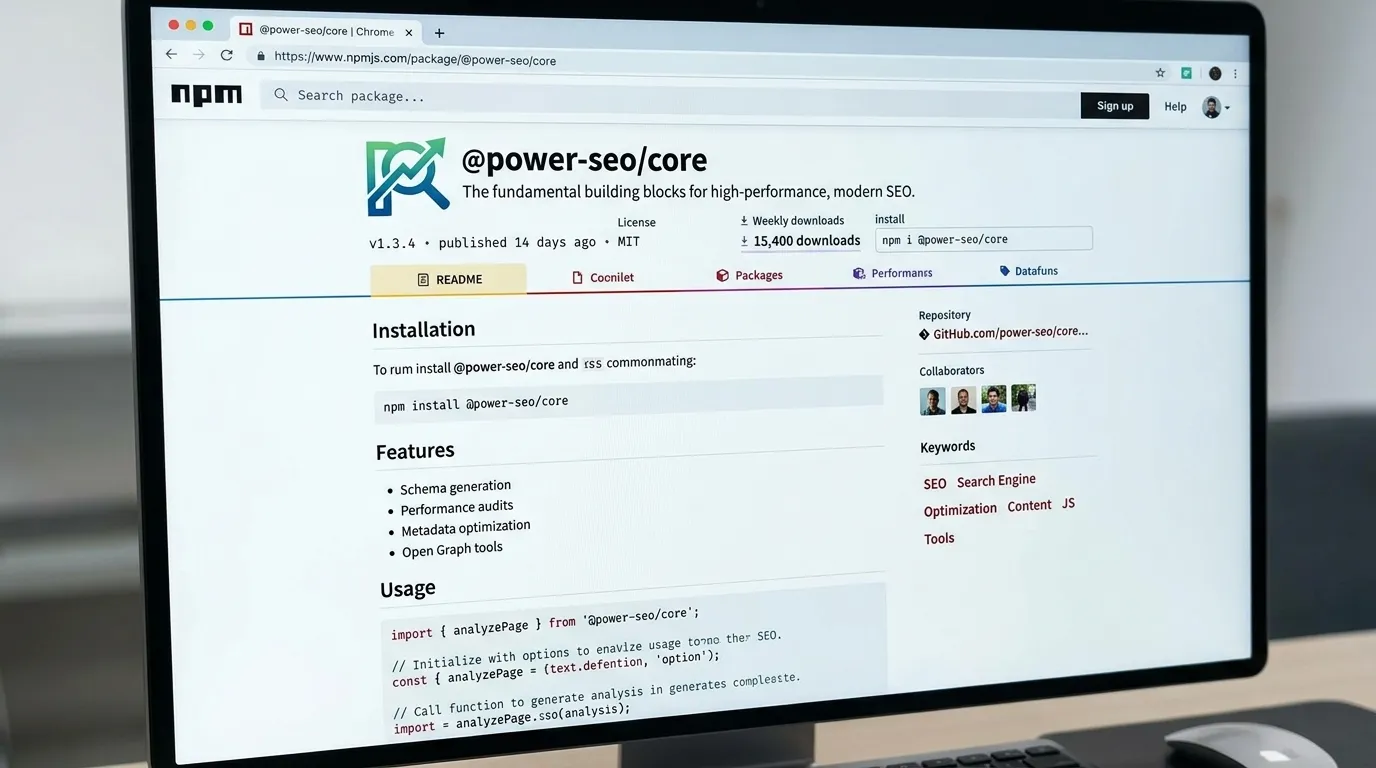
@power-seo/core is the shared base package of the @power-seo ecosystem. It bundles small React SEO tools into one zero-dependency TypeScript library, including meta tag building, URL cleanup, keyword density checks, text statistics, and robots directives. All 17 packages use it, and you can also install it on its own. Power SEO is an open-source SEO tool built to give developers modular, reusable SEO utilities without unnecessary dependencies.
Before we touch meta tags, let me introduce the package that powers everything else. @power-seo/core is the shared base of the whole ecosystem. All 17 packages use it internally. But you can also use it on its own. It is especially useful if you want to simplify React SEO tasks in your projects.
npm install @power-seo/core
Think of it as several small tools in one. It handles meta tag building, URL cleanup, keyword density, and text statistics. It also creates robots directives and limits request rates. Best of all, it has zero dependencies.
In my own projects, this is what I use most often for React SEO.
How Do You Validate Title and Meta Description Width?
Validate title and meta description width in pixels, not just characters. Google's snippet truncation appears to depend on pixel width, so character limits are only a rough guide. The validateTitle and validateMetaDescription functions return both counts. In the example below, a 46 character title measures about 316.8 pixels.
import { validateTitle, validateMetaDescription } from '@power-seo/core';
const title = validateTitle('Best Running Shoes for Beginners 2026 Guide');
// { valid: true, severity: 'info', charCount: 46, pixelWidth: 316.8 }
const meta = validateMetaDescription('Discover expert-reviewed running shoes for beginners.');
// { valid: true, severity: 'warning', charCount: 52, pixelWidth: 335.3 }
URL Utilities
import { resolveCanonical, toSlug, stripTrackingParams, extractSlug } from '@power-seo/core';
resolveCanonical('https://example.com', '/blog/post');
// => "https://example.com/blog/post"
toSlug('My Blog Post Title 2026');
// => "my-blog-post-title-2026"
stripTrackingParams('https://example.com/page?utm_source=twitter&id=123');
// => "https://example.com/page?id=123"
I use stripTrackingParams all the time. The reason is simple. UTM parameters create duplicate URLs in your analytics. So, clean your URLs before you compare them.
Keyword Density Analysis
import { calculateKeywordDensity, analyzeKeyphraseOccurrences } from '@power-seo/core';
const density = calculateKeywordDensity('react seo', bodyHtml);
// { keyword: 'react seo', count: 4, density: 1.8, totalWords: 450 }
Robots Directive Builder
import { buildRobotsContent } from '@power-seo/core';
buildRobotsContent({ index: false, follow: true, maxSnippet: 150, maxImagePreview: 'large' });
// => "noindex, follow, max-snippet:150, max-image-preview:large"
Use It as a CI Content Gate
The gate below fails a build in two cases. One is a page with fewer than 300 words. The other is keyword density outside 0.5% to 2.5%.
import { calculateKeywordDensity, getTextStatistics } from '@power-seo/core';
const stats = getTextStatistics(bodyHtml);
const density = calculateKeywordDensity(keyphrase, bodyHtml);
if (stats.wordCount < 300) {
  console.error(`✗ Word count too low: ${stats.wordCount} (minimum 300)`);
  process.exit(1);
}
if (density.density < 0.5 || density.density > 2.5) {
  console.error(`✗ Keyword density out of range: ${density.density}% (target 0.5–2.5%)`);
  process.exit(1);
}
It has no runtime dependencies. So it works in Next.js, Remix, Vite, Cloudflare Workers, Vercel Edge, and Deno without changes. In turn, every other package builds on it. Even so, you can use it alone whenever you need these basic React SEO tools.
How to Fix Meta Tags in React With @power-seo/meta
To fix meta tags in React, set a unique title, description, canonical URL, robots directive, and Open Graph tags on every page. The @power-seo/meta package does this with one config object. It outputs the right format for Next.js, Remix, and other SSR frameworks, so you avoid duplicate boilerplate.
Meta tags are the base of React SEO. React meta tags include the title, description, robots directive, Open Graph tags, and React canonical tags. So if you fix only one thing, fix these. Meta tags were my first fix. The messy tags were the most visible problem in my own app.
The challenge is that each framework wants a different format. For example, the Next.js App Router expects a Metadata object. Remix v2 expects a MetaDescriptor array. Generic SSR frameworks want an HTML string. As a result, developers often write different boilerplate for each one. The App Router became stable in Next.js 13.4 in May 2023. Remix v2 followed in September 2023. So both formats are now common.
@power-seo/meta solves this problem. You write one config object. Then it produces the correct output for each framework. Good metadata also covers social sharing. Facebook introduced the Open Graph protocol in 2010. Its sharing guidance recommends a 1200 by 630 pixel image. That is a ratio of about 1.91 to 1. That is the size used in the code below.
npm install @power-seo/meta
For a static Next.js page, it looks like this:
import { createMetadata } from '@power-seo/meta';
export const metadata = createMetadata({
  title: 'My Page',
  description: 'A page about something great.',
  canonical: 'https://example.com/my-page',
  robots: { index: true, follow: true, maxSnippet: 150 },
  openGraph: { type: 'website', images: [{ url: 'https://example.com/og.jpg' }] },
});
Dynamic pages need a different approach. Blog posts and product pages are good examples, because their content changes per route. For these, use generateMetadata:
import { createMetadata } from '@power-seo/meta';
import { getPost } from '@/lib/posts';
export async function generateMetadata({ params }: { params: { slug: string } }) {
  const post = await getPost(params.slug);
  return createMetadata({
    title: post.title,
    description: post.excerpt,
    canonical: `https://example.com/blog/${params.slug}`,
    openGraph: {
      type: 'article',
      images: [{ url: post.coverImage, width: 1200, height: 630 }],
      article: {
        publishedTime: post.publishedAt,
        modifiedTime: post.updatedAt,
        authors: [post.author.url],
        tags: post.tags,
      },
    },
    robots: { index: !post.isDraft, follow: true, maxSnippet: 160, maxImagePreview: 'large' },
  });
}
Notice the line index: !post.isDraft. This small detail matters for React SEO. Draft pages should not be indexed, and this line makes that rule clear.
For Remix, the same config approach works:
import { createMetaDescriptors } from '@power-seo/meta';
import type { MetaFunction } from '@remix-run/node';
export const meta: MetaFunction<typeof loader> = ({ data }) => {
  if (!data?.post) return [{ title: 'Post Not Found' }];
  return createMetaDescriptors({
    title: data.post.title,
    description: data.post.excerpt,
    canonical: `https://example.com/blog/${data.post.slug}`,
    openGraph: { type: 'article', images: [{ url: data.post.coverImage }] },
  });
};
In short, you use one mental model for three frameworks, with no duplicated boilerplate.
How to Add React SEO Components to a React App
To add React SEO components, install @power-seo/react and wrap your app in DefaultSEO. Set site-wide defaults once, such as the title template, Twitter card type, and default Open Graph data. Then add an SEO component to each page and override only what is unique. The components render straight to the DOM.
Some projects use the Pages Router or Vite. In that case, you need components that render straight to the DOM. You should not need a separate head management library for React SEO.
npm install @power-seo/react @power-seo/core
The pattern is simple. First, set site-wide defaults once at the app root with DefaultSEO. Then let each page override only what it needs.
import { DefaultSEO, SEO } from '@power-seo/react';
function App() {
  return (
    <DefaultSEO
      titleTemplate="%s | My Site"
      defaultTitle="My Site"
      description="The best site on the internet."
      openGraph={{ type: 'website', siteName: 'My Site' }}
      twitter={{ site: '@mysite', cardType: 'summary_large_image' }}
    >
      <Router>
        <Routes />
      </Router>
    </DefaultSEO>
  );
}
Then on each page:
function BlogPage({ post }) {
  return (
    <>
      <SEO
        title={post.title}
        description={post.excerpt}
        canonical={`https://example.com/blog/${post.slug}`}
        openGraph={{
          type: 'article',
          images: [{ url: post.coverImage, width: 1200, height: 630, alt: post.title }],
        }}
      />
      <article>{/* content */}</article>
    </>
  );
}
The DefaultSEO pattern is one of the cleanest React SEO techniques I have used. Your Twitter card type, default OG image, and title template live in one place. Meanwhile, each page defines only what is unique. As a result, a brand change takes one edit.
The package also includes components for robots directives, hreflang links, breadcrumbs with JSON-LD, and canonical URLs. All of them are typed, and each one can be imported on its own.
What Is Structured Data and How Do You Add It for React SEO?
Structured data is JSON-LD markup that describes a page to search engines in a standard format. It makes pages eligible for rich results such as FAQ accordions, ratings, and breadcrumbs. To add it in React, install @power-seo/schema, build the markup with a typed function or component, and validate it in CI before you ship.
Many developers skip structured data. Unfortunately, that is a mistake for React SEO. I added structured data as my second fix, right after the meta tags.
Structured data unlocks rich results in Google. Examples include FAQ accordions, star ratings, article carousels, and breadcrumbs in the search results. These features can improve click-through rates, though the effect varies by query and page type. Fortunately, React apps can use them with the right tools.
Some background helps here. Schema.org was launched in June 2011 by Google, Microsoft, Yahoo, and Yandex. JSON-LD became a W3C Recommendation on January 16, 2014. According to Google's structured data introduction, Google recommends JSON-LD over other formats.
Rich results can lift clicks. According to Google's structured data case studies, Nestlé saw an 82% higher click-through rate on pages that showed as rich results. Rotten Tomatoes measured a 25% higher click-through rate on pages with structured data. Rules change, though. In August 2023, Google limited FAQ rich results to well-known government and health sites. It also phased out HowTo rich results in September 2023.
npm install @power-seo/schema
The package includes 23 typed builder functions. They cover Article, Product, FAQPage, LocalBusiness, Event, Recipe, HowTo, VideoObject, and more. Also, it has 22 ready-made React components. Each one renders a <script type="application/ld+json"> tag in one line.
First, the builder functions work without React.
import { article, toJsonLdString } from '@power-seo/schema';
const schema = article({
  headline: 'My Blog Post',
  description: 'An informative article about SEO.',
  datePublished: '2026-01-15',
  dateModified: '2026-01-20',
  author: { name: 'Jane Doe', url: 'https://example.com/authors/jane-doe' },
  image: { url: 'https://example.com/article-cover.jpg', width: 1200, height: 630 },
});
const script = toJsonLdString(schema);
Next, the React components are even simpler for common types.
import { FAQJsonLd, BreadcrumbJsonLd } from '@power-seo/schema/react';
function PageHead() {
  return (
    <>
      <FAQJsonLd
        questions={[
          { question: 'What is JSON-LD?', answer: 'A structured data format used by Google.' },
          { question: 'Do I need React?', answer: 'No — builder functions work without React.' },
        ]}
      />
      <BreadcrumbJsonLd
        items={[
          { name: 'Home', url: 'https://example.com' },
          { name: 'Blog', url: 'https://example.com/blog' },
          { name: 'My Post' },
        ]}
      />
    </>
  );
}
Now let me highlight the schemaGraph() function. When a page has several schemas, combine them into one @graph document. This keeps related entities in a single connected document. As a result, parsers can often read it more easily than separate script tags.
import { article, breadcrumbList, organization, schemaGraph, toJsonLdString } from '@power-seo/schema';
const graph = schemaGraph([
  article({ headline: 'My Post', datePublished: '2026-01-01', author: { name: 'Jane Doe' } }),
  breadcrumbList([
    { name: 'Home', url: 'https://example.com' },
    { name: 'Blog', url: 'https://example.com/blog' },
    { name: 'My Post' },
  ]),
  organization({ name: 'Acme Corp', url: 'https://example.com' }),
]);
const script = toJsonLdString(graph);
Last, validate your schemas before you ship. Missing required fields fail silently in Google's Rich Results Test. So catch them in your pipeline instead.
import { article, validateSchema } from '@power-seo/schema';
const schema = article({ headline: 'Incomplete Article' });
const result = validateSchema(schema);
if (!result.valid) {
  const errors = result.issues.filter((i) => i.severity === 'error');
  console.error(`${errors.length} validation error(s) found`);
  errors.forEach((i) => console.error(` ✗ [${i.field}] ${i.message}`));
  process.exit(1);
}
Add this to CI and you will catch most broken structured data before it ships.
How to Audit Your React SEO
To audit React SEO, run the @power-seo/audit package on each page. It returns a score from 0 to 100 across four areas: meta tags, content quality, document structure, and performance. Add it to CI to fail any build that drops below a set score, such as 75, or has critical errors.
You cannot improve what you have not measured. The @power-seo/audit package gives you a 0 to 100 React SEO score. It checks four areas: meta tags, content quality, document structure, and performance. You can run it on one page or on your whole site. As a result, you get clear steps to fix problems. For comparison, Lighthouse also scores performance from 0 to 100, and Google labels 90 to 100 as good.
npm install @power-seo/audit
import { auditPage } from '@power-seo/audit';
const result = auditPage({
  url: 'https://example.com/blog/react-seo-guide',
  title: 'React SEO Guide — Best Practices for 2026',
  metaDescription: 'Learn how to optimize React applications for search engines.',
  canonical: 'https://example.com/blog/react-seo-guide',
  robots: 'index, follow',
  content: '<h1>React SEO Guide</h1><p>Search engine optimization for React apps...</p>',
  headings: ['h1:React SEO Guide', 'h2:Why SEO Matters for React', 'h2:Meta Tags in React'],
  images: [{ src: '/hero.webp', alt: 'React SEO guide illustration' }],
  internalLinks: ['/blog', '/docs/meta-tags'],
  externalLinks: ['https://developers.google.com/search'],
  focusKeyphrase: 'react seo',
  wordCount: 1850,
});
console.log(result.score);
const errors = result.rules.filter((r) => r.severity === 'error');
const warnings = result.rules.filter((r) => r.severity === 'warning');
console.log(`Errors: ${errors.length}, Warnings: ${warnings.length}`);
I especially like using it as a CI gate. With it, a deploy that breaks your React SEO score does not ship. I added it to the pull request checks on my own app. After that, React SEO was no longer a quarterly review. It became part of every release.
import { auditSite } from '@power-seo/audit';
import { pages } from './test-pages.js';
const report = auditSite({ pages });
const SCORE_THRESHOLD = 75;
const ALLOWED_ERRORS = 0;
const totalErrors = report.pageResults.flatMap((p) =>
  p.rules.filter((r) => r.severity === 'error'),
).length;
if (report.score < SCORE_THRESHOLD || totalErrors > ALLOWED_ERRORS) {
  console.error(`SEO audit FAILED`);
  console.error(`  Average score: ${report.score} (min: ${SCORE_THRESHOLD})`);
  console.error(`  Critical errors: ${totalErrors} (max: ${ALLOWED_ERRORS})`);
  process.exit(1);
}
console.log(`SEO audit PASSED,  average score: ${report.score}/100`);
In the example above, the build fails if the average score drops below 75. It also fails if any page has a critical error. So you catch a regression in the pull request, not in production. This changes how you work with React SEO. Instead of a manual review each quarter, you get an automatic quality check on every pull request.
How Do Images Affect React SEO?
Images affect React SEO through Core Web Vitals, layout stability, and image search traffic. Above-the-fold images set to load lazily delay Largest Contentful Paint. Missing alt text and unclear filenames waste search visibility. The @power-seo/images package checks alt text, lazy loading, and image formats so you can fix these problems early.
Images often hurt React SEO without anyone noticing. For example, they slow down Core Web Vitals and cause layout shifts. Also, they waste image search traffic. On my own app, poor image optimization and missing lazy loading were part of the problem. So the image audit was one of my first React SEO checks.
npm install @power-seo/images
import { analyzeAltText, auditLazyLoading, analyzeImageFormats } from '@power-seo/images';
const images = [
  { src: '/hero.jpg', alt: '', loading: 'lazy', isAboveFold: true, width: 1200, height: 630 },
  { src: '/IMG_1234.png', alt: 'IMG_1234', loading: undefined, isAboveFold: false, width: 800, height: 600 },
  { src: '/product.webp', alt: 'Blue widget', loading: 'lazy', isAboveFold: false, width: 400, height: 400 },
];
const altResult = analyzeAltText(images, 'blue widget');
const lazyResult = auditLazyLoading(images);
const formatResult = analyzeImageFormats(images);
The lazy loading audit is the most helpful part of this package. It knows about Core Web Vitals. First, it flags above-the-fold images that use loading="lazy". This is a common mistake. It delays your Largest Contentful Paint (LCP), the time the biggest visible element takes to load. Second, it flags below-the-fold images that lack loading="lazy". Those waste bandwidth. Native lazy loading shipped in Chrome 76 in July 2019, so most browsers now support it.
The alt text audit goes further than a simple missing check. It finds six types of issues. These are missing attributes and empty text on non-decorative images. They also include alt text under five characters and filenames used as alt text, such as IMG_1234. It also finds duplicate alt text across images. Last, it flags pages where no image includes the focus keyphrase.
Alt text is a wide gap on the web. According to the WebAIM Million 2024 report, 54.5% of home pages had images with missing alt text. Format matters too. According to Google's WebP documentation, lossless WebP images are 26% smaller than PNGs. Lossy WebP images are 25% to 34% smaller than comparable JPEGs.
For reference, Google's "good" Core Web Vitals thresholds are simple. LCP should be 2.5 seconds or less. INP should be 200 milliseconds or less. CLS should be 0.1 or less. Google measures these at the 75th percentile. So, a lazy-loaded hero image works against the first goal of good React SEO performance.
Timing matters too. Google began using Core Web Vitals in its page experience ranking update in June 2021. Then Interaction to Next Paint (INP) replaced First Input Delay as a Core Web Vital on March 12, 2024. The business case is real. According to the web.dev Vodafone case study, a 31% improvement in LCP led to 8% more sales. Google's Chrome team also reported in 2020 that users were 24% less likely to abandon page loads on sites that met the Core Web Vitals thresholds.
How to Generate a Sitemap for a React SEO Strategy
To generate a sitemap for a React app, use @power-seo/sitemap. Call generateSitemap with your hostname and URL list, then return the XML from a route handler. For sites over 50,000 URLs, use splitSitemap. It creates several sitemap files and one index file, so you stay within Google's limits. A good React sitemap helps Google find your content. Without one, Google may find your pages more slowly, or not at all.
npm install @power-seo/sitemap
For a Next.js App Router route handler:
import { generateSitemap } from '@power-seo/sitemap';
export async function GET() {
  const urls = await fetchUrlsFromCms();
  const xml = generateSitemap({
    hostname: 'https://example.com',
    urls,
  });
  return new Response(xml, {
    headers: { 'Content-Type': 'application/xml' },
  });
}
But large catalogs can exceed the 50,000-URL limit. In that case, splitSitemap handles the split for you:
import { splitSitemap } from '@power-seo/sitemap';
const { index, sitemaps } = splitSitemap({
  hostname: 'https://example.com',
  urls: largeUrlArray,
});
for (const { filename, xml } of sitemaps) {
  fs.writeFileSync(`./public${filename}`, xml);
}
fs.writeFileSync('./public/sitemap.xml', index);
First, the function splits your URLs into chunks. Next, it creates a sitemap file for each chunk. Then it builds an index file that points to all of them. As a result, you get correct namespaces and formatting without extra work. It also supports image and video extensions.
Google's limit is 50,000 URLs or 50 MB uncompressed per file. That is why large catalogs need a sitemap index. According to the sitemaps.org protocol, a sitemap index can list up to 50,000 sitemaps. In theory, one index can therefore point to 2.5 billion URLs.
How Can AI Help With React SEO Content Optimization?
AI can draft meta descriptions, title variants, and content suggestions at scale. The @power-seo/ai package builds prompts and parses responses for any LLM provider, and its results include character count and pixel width. It also has a rich result eligibility check that needs no LLM at all.
React SEO strategies keep getting more advanced. In this area, @power-seo/ai is a useful tool. It offers prompt builders and response parsers for common SEO tasks. Also, it does not lock you into one provider. It works with OpenAI, Anthropic Claude, Google Gemini, and Mistral. Because no SDK is bundled, you plug in your own client. This gives you full control.
npm install @power-seo/ai
Generating meta descriptions at scale is one of the most practical uses:
import { buildMetaDescriptionPrompt, parseMetaDescriptionResponse } from '@power-seo/ai';

import OpenAI from 'openai';
const openai = new OpenAI({ apiKey: process.env.OPENAI_API_KEY });
const prompt = buildMetaDescriptionPrompt({
  title: 'Best Coffee Shops in New York City',
  content: 'Explore the top 15 coffee shops in NYC...',
  focusKeyphrase: 'coffee shops nyc',
});
const response = await openai.chat.completions.create({
  model: 'gpt-4o',
  messages: [
    { role: 'system', content: prompt.system },
    { role: 'user', content: prompt.user },
  ],
  max_tokens: prompt.maxTokens,
});
const result = parseMetaDescriptionResponse(response.choices[0].message.content ?? '');
console.log(`"${result.description}" — ${result.charCount} chars, ~${result.pixelWidth}px`);
console.log(`Valid: ${result.isValid}`);
The result includes the character count and the pixel width, not just the text. This matters because Google appears to cut meta descriptions by pixel width, not by character count.
There is also a SERP eligibility function that needs no LLM:
import { analyzeSerpEligibility } from '@power-seo/ai';
const result = analyzeSerpEligibility({
  title: 'How to Install Node.js on Ubuntu',
  content: '<h2>Step 1: Update apt</h2><p>...</p><h2>Step 2: Install nvm</h2><p>...</p>',
  schema: ['HowTo'],
});
It checks whether your page structure and schema qualify for rich results. So run it in CI. That way, you catch React SEO problems before Google does.
How Do You Measure Real React SEO Impact?
Measure React SEO impact by combining Google Search Console data with audit scores. The @power-seo/analytics package merges both by cleaned URL and computes the Pearson correlation between audit scores and clicks. A value above 0.5 suggests your work is helping traffic, though correlation alone does not prove cause.
Developers who finish all this work often ask one question. Does React SEO work really help? @power-seo/analytics gives an answer based on data.
npm install @power-seo/analytics
import { mergeGscWithAudit, buildDashboardData } from '@power-seo/analytics';
const dashboard = buildDashboardData({
  gscPages: [
    { url: '/blog/react-seo', clicks: 1240, impressions: 18500, ctr: 0.067, position: 4.2 },
    { url: '/blog/meta-tags', clicks: 380, impressions: 9200, ctr: 0.041, position: 8.7 },
    { url: '/blog/seo-audit', clicks: 55, impressions: 3100, ctr: 0.018, position: 19.1 },
  ],
  gscQueries: [
    { query: 'react seo guide', clicks: 820, impressions: 9400, ctr: 0.087, position: 3.1 },
    { query: 'meta tags react', clicks: 290, impressions: 5800, ctr: 0.05, position: 7.4 },
  ],
  auditResults: [
    { url: '/blog/react-seo', score: 88, issues: [] },
    { url: '/blog/meta-tags', score: 71, issues: [] },
    { url: '/blog/seo-audit', score: 44, issues: [] },
  ],
});
console.log(dashboard.overview.totalClicks);
console.log(dashboard.overview.averageAuditScore);
First, it merges your Google Search Console data with your audit results, using cleaned URLs. Then it computes the Pearson correlation between audit scores and clicks. When that number rises above 0.5, you have evidence consistent with your React SEO work helping organic traffic. Correlation alone does not prove cause. A Pearson correlation runs from -1 to +1. Values above 0.5 often show a moderate to strong positive link.
This data also helps you justify React SEO work to stakeholders. Also, it shows which pages to fix next. Keep in mind that Search Console keeps up to 16 months of performance data. So export your numbers before older data drops off.
What Are the Most Common React SEO Mistakes?
The most common React SEO mistakes are using only client-side rendering, missing or duplicate meta tags, and no canonical URLs. Others include a wrong Open Graph image size, an accidental noindex in production, no sitemap, infinite scroll without pagination, and weak internal linking. Each one is fixable.
Before fixing anything, know the traps:
Only using client-side rendering (CSR)
Missing or duplicate meta tags
No canonical URLs
Wrong Open Graph image size
Accidentally using noindex in production
No sitemap or outdated sitemap
Infinite scroll without pagination fallback
Missing internal linking
How I Tested and Evaluated These React SEO Tools

I tested these React SEO tools on one React site, comparing Google Search Console data before and after each fix. I used Search Console, Lighthouse, Google's Rich Results Test, and the @power-seo/audit score. I changed one thing at a time. This is a single-site case study, not a controlled experiment.
Scope: one React site, checked page by page in Google Search Console.
Tools used: Google Search Console (URL Inspection and Page Indexing reports), Lighthouse, Google's Rich Results Test, and the @power-seo/audit score.
Evaluation criteria: indexed pages, click-through rate, average position, Core Web Vitals status, and audit score, each compared before and after.
Method: I changed one thing at a time, then re-checked the same Search Console reports.
Assumptions: I assumed no major Google algorithm update or content change affected these pages during the test.
Limitations: This is a single-site case study, not a controlled experiment. Other changes, such as new backlinks or seasonal traffic, may have contributed.
What Results Can You Expect From React SEO?
Results vary by site, but on my React app indexed pages rose from 5 to 120. Click-through rate rose from 2% to 6%, and average position improved from 18 to 5. Expect gains only after fixes go live and Google recrawls your pages. This is one site, not a promise.
The problem: My React app was fast and well designed, but only 5 pages were indexed. Meta tags were inconsistent, canonical tags were missing, and images were hurting Core Web Vitals.
I fixed my meta tags, added structured data, optimized images, and improved Core Web Vitals. As a result, I saw measurable React SEO gains after the fixes went live. In the end, my app started to rank in Google. Results will vary by site, niche, and competition.
After these fixes, indexed pages on my site rose from 5 to 120. Click-through rate rose from 2% to 6%. Average position improved from 18 to 5. I measured both in Google Search Console, before and after the fixes.
Metric | Before React SEO Fix | After React SEO Fix |
|---|---|---|
Indexed Pages | 5 | 120 |
Click-Through Rate (CTR) | 2% | 6% |
Average Search Position | 18 | 5 |
Organic Traffic | Very Low | Significantly Higher |
Core Web Vitals Score | Poor | Good |
In numbers, indexed pages grew 24 times, from 5 to 120. Click-through rate tripled, from 2% to 6%. Average position moved up 13 places, from 18 to 5. A position of 5 often sits on the first results page. That page typically lists about 10 organic results. In percent terms, that is a 2,300% rise in indexed pages and a 200% rise in click-through rate. Average position improved by 72%, which is 13 places out of 18.
Lessons learned:
Fix rendering first, because every other React SEO fix depends on crawlers receiving real HTML.
Check images early. Above-the-fold images marked as lazy-loaded work against LCP, so find them first.
Run audits in CI so the same mistakes do not return.
Re-check Search Console after every change, so you know which fix moved which number.
What Does the Full React SEO Picture Look Like?
The full React SEO picture has eight parts, each with its own @power-seo package: meta tags, components, structured data, audits, images, sitemaps, AI, and analytics. Rendering comes first. Start with meta and audit, add the rest step by step, and run audits in CI on every pull request.
Let me pull all the React SEO techniques and React SEO best practices together.
Meta tags: @power-seo/meta gives you one config object. It outputs the right format for Next.js, Remix, and other SSR frameworks. So you avoid duplicated boilerplate. It also supports Open Graph tags and canonical tags.
React components: @power-seo/react gives you SEO components with site-wide defaults and per-page overrides. It works with React Helmet Async and React Router. It also fits SSG, SSR, and ISR setups.
Structured data: @power-seo/schema gives you 23 typed builders and 22 React components. It also supports schema graphs and CI validation. As a result, rich results are within reach for many content types.
Auditing: @power-seo/audit makes React SEO measurable. Use it as a CI gate, and broken SEO stops shipping. It also works alongside Google Search Console and Lighthouse.
Images: @power-seo/images checks alt text, lazy loading, and image formats. It can also help you build an image sitemap. Together, these checks improve Core Web Vitals.
Sitemaps: @power-seo/sitemap creates standard XML with image, video, and news extensions. It also splits files at the 50,000-URL limit.
AI optimization: @power-seo/ai connects any LLM to your React SEO work. For example, it can draft meta descriptions and title variants. It can also check SERP eligibility.
Analytics: @power-seo/analytics merges Search Console data with audit results. Then it computes correlations and builds dashboard data. In this way, it links your React SEO work to real results.
All 17 packages live at npmjs.com/org/power-seo. Each one installs on its own, uses TypeScript, and runs at the edge. Also, you do not have to adopt everything at once.
Start with @power-seo/meta and @power-seo/audit. First, get your meta tags right and find your biggest gaps. Then add structured data, image checks, and analytics. Above all, run audits in CI before you widen the scope.
So how do you fix React SEO? First, choose a rendering strategy that gives crawlers real HTML. Next, set your meta tags, canonical URLs, and structured data. Then optimize your images and publish a complete sitemap. Last, run an audit on every pull request. If you follow these steps in order, your pages will be easier to crawl and index. They will also qualify for rich results. In short, React SEO is a set of solvable engineering problems. With the right tools and help from CyberCraft Bangladesh, your React app can be as easy to find as any site.
Frequently Asked Questions About React SEO
Is React bad for SEO?
No. React itself is not bad for SEO. But a client-side rendered React app ships a nearly empty HTML shell and relies on JavaScript to show content. Googlebot can render JavaScript, but rendering can delay indexing, and other crawlers may not run it. Server-side rendering or static generation gives every crawler complete HTML at once.
Do I need Next.js for React SEO?
No, but a framework helps. Next.js and Remix make SSR and SSG straightforward and include built-in metadata APIs. But you can use Vite or another client-side setup. You can still improve React SEO with prerendering and components such as @power-seo/react. Choose the option that fits your project's size, hosting, and team experience.
What are the most important React SEO factors?
The biggest React SEO factors are a crawler-friendly rendering strategy and unique meta tags. Add canonical URLs, structured data, page speed, image optimization, a complete sitemap, and strong internal linking. Rendering comes first, because none of the other work matters if crawlers receive an empty page. After that, fix metadata and performance, then add structured data.
Why are my React pages not indexing?
The most common causes are content missing from the initial HTML and an accidental noindex directive. Others are missing canonical tags, an outdated sitemap, and weak internal linking. To find out, use the URL Inspection tool in Google Search Console. It shows the HTML Google actually received. Then fix whichever cause applies.
What is structured data and do I need it for React SEO?
Structured data is JSON-LD markup that describes your page to search engines in a standard format. It is not required for indexing. It still helps. It makes your pages eligible for rich results such as FAQ accordions, product ratings, and breadcrumbs. These features can improve click-through rates. It is worth adding for articles, products, and FAQs.
How do I add SEO meta tags in React?
Use your framework's metadata API, such as the Next.js Metadata object or the Remix meta function. Or use a package like @power-seo/meta or React Helmet. Define a title, description, canonical URL, robots directive, and Open Graph tags for every page. Set site-wide defaults once, then override only what differs per page.
What are the Core Web Vitals thresholds?
Google calls a page "good" when it meets three targets at the 75th percentile of real page loads. Largest Contentful Paint is 2.5 seconds or less. Interaction to Next Paint is 200 milliseconds or less. Cumulative Layout Shift is 0.1 or less. Image optimization and lazy loading help with the first and third.
How many URLs can a sitemap contain?
A single XML sitemap can contain up to 50,000 URLs and must not exceed 50 MB uncompressed. Larger sites should split URLs across several sitemap files. Then list them in a sitemap index file. Tools such as @power-seo/sitemap handle this split for you. So your React SEO setup stays within the limit.
Glossary of Key React SEO Terms
Crawling: when a search engine bot fetches your page.
Indexing: when the search engine stores your page so it can appear in results.
Rendering: running your page's JavaScript to produce the final content.
CSR (client-side rendering): the browser builds the page from JavaScript after loading.
SSR (server-side rendering): the server sends finished HTML on each request.
SSG (static site generation): pages are built as HTML files ahead of time.
ISR (incremental static regeneration): static pages that are rebuilt in the background after a set time.
Canonical URL: the preferred address of a page, used to avoid duplicate-content confusion.
Open Graph tags: meta tags that control how a page looks when shared on social platforms.
JSON-LD: a format for adding structured data to a page as a script block.
Rich results: enhanced search listings such as FAQs, ratings, and breadcrumbs.
Core Web Vitals: Google's page experience metrics, covering loading (LCP), interactivity (INP), and visual stability (CLS). INP replaced First Input Delay in March 2024.
Sitemap: an XML file listing the URLs you want search engines to find.
References for This React SEO Guide

I’m Mitu Das, a JavaScript developer, ERP product architect, and SEO specialist from Bangladesh. I work at CyberCraft Bangladesh, where I help build simple, scalable software, SaaS platforms, and business solutions. My goal is to create technology that helps companies save time, automate daily tasks, and grow faster. I enjoy combining development, product ideas, and SEO strategies to create useful digital solutions for modern businesses.
Writes about
Want this done for you?
Our team builds and ships exactly what this article describes. Send a message and we will reply with a scope.