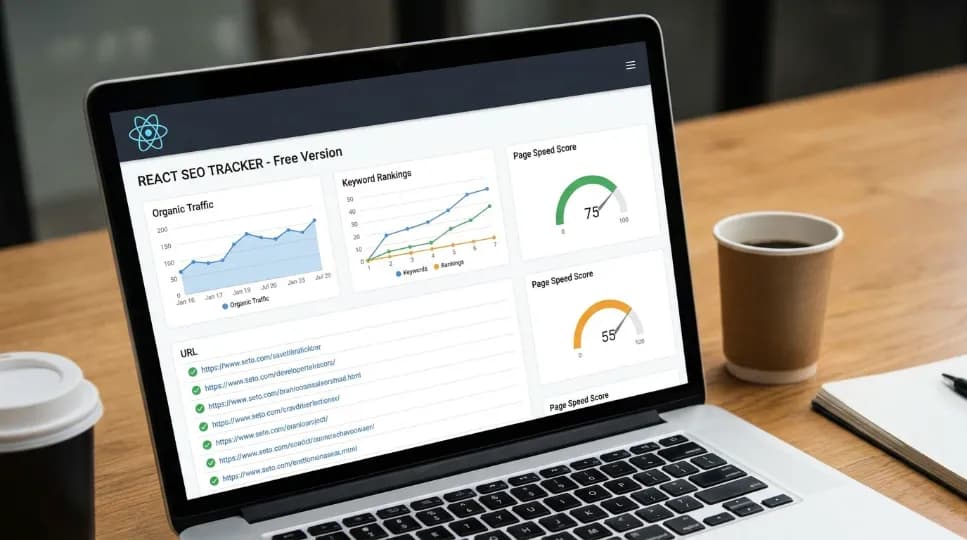
How to Find and Fix Internal Linking Gaps Programmatically

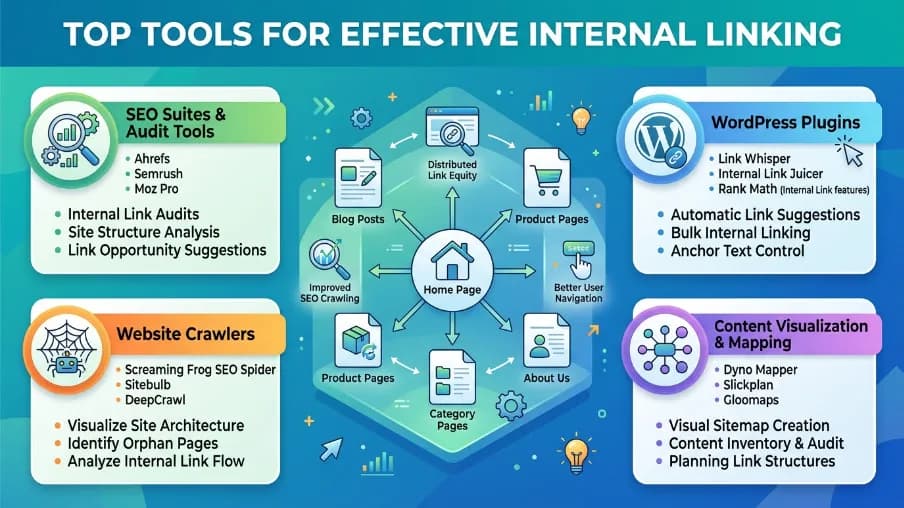
I want to be honest with you. I spent years doing SEO and ignoring internal links. I focused on backlinks, content quality, page speed, the usual checklist. But my rankings kept plateauing on pages I knew were good.
Then I started looking at internal link structure. And I found a mess.
Orphan pages. Dead-end posts. High-value content that no other page linked to. My site was quietly burying its best work.
Here's what frustrates me most: most SEO tools treat internal linking like an afterthought. You get a crawl report, maybe a suggestion or two. But there's no real intelligence behind it. No way to run it programmatically. No way to build it into your workflow.
That changed when I started thinking about internal linking as a graph problem and solving it with code.
In this article, I'll show you exactly how to find and fix internal linking gaps programmatically. You'll learn how to detect orphan pages, score link equity, and generate smart suggestions automatically. No guesswork. No manual crawling.
Let's get into it.
Why Internal Linking Gaps Kill Your SEO
Before we fix anything, let me explain why this matters so much.
Search engines like Google follow links to discover and understand content. When a page has no inbound internal links, Googlebot may never find it, even if it's in your sitemap. That page is essentially invisible to crawlers starting from your homepage.
Beyond discovery, internal links pass authority. When your high-traffic homepage links to a deep blog post, it sends equity downstream. If that blog post has no inbound links at all, it sits in a black hole, with no equity flowing in and no ranking boost.
And here's the third problem: topical relevance. Google doesn't just count links. It reads the context around them. A link from a related page signals semantic connection. This is especially important when building content clusters around topics like local SEO strategies, where internal links help search engines understand how your pages relate to one another. If your content exists in isolation, you're missing that signal entirely.
Three problems. One root cause: you don't have visibility into your link graph.
Let me show you how to build that visibility programmatically.
Step 1: Build Your Link Graph in Code
The foundation of everything is the link graph. Think of your website as a network of nodes (pages) connected by edges (links). Once you have that graph in memory, everything else follows.
Here's how buildLinkGraph() works from @power-seo/links:
import { buildLinkGraph } from '@power-seo/links';
import type { PageData, LinkGraph } from '@power-seo/links';

const pages: PageData[] = [
  {
    url: 'https://example.com/',
    links: ['https://example.com/blog', 'https://example.com/about', 'https://example.com/contact'],
  },
  {
    url: 'https://example.com/blog',
    links: [
      'https://example.com/',
      'https://example.com/blog/post-1',
      'https://example.com/blog/post-2',
    ],
  },
  {
    url: 'https://example.com/blog/post-1',
    links: ['https://example.com/blog'],
  },
  {
    url: 'https://example.com/blog/post-2',
    links: ['https://example.com/blog', 'https://example.com/blog/post-1'],
  },
  {
    url: 'https://example.com/about',
    links: ['https://example.com/'],
  },
  {
    url: 'https://example.com/contact',
    links: [],
  },
];

const graph: LinkGraph = buildLinkGraph(pages);

// Inspect a node
const blogNode = graph.nodes.get('https://example.com/blog');
console.log(blogNode?.inbound);       // ['https://example.com/']
console.log(blogNode?.inboundCount);  // 1
console.log(blogNode?.outbound);      // ['https://example.com/', ...]
You pass in your pages, each with a URL and its outbound links. The function returns a directed graph with both inbound and outbound link data for every node.
URLs are normalized automatically. No duplicate nodes from trailing slashes or case differences.
Now you have the map. Time to read it.
Step 2: Find Orphan Pages Automatically
Orphan pages are the silent killers of SEO. They're pages that exist on your site, but no other page links to them, with zero inbound links and completely unreachable through normal crawling. One of the most effective ways to prevent this issue is to fix internal linking gaps programmatically, ensuring every important page is connected to the rest of your site and discoverable by both users and search engines.
This is the code that exposes them:
import { buildLinkGraph, findOrphanPages } from '@power-seo/links';
import type { OrphanPage } from '@power-seo/links';

const graph = buildLinkGraph(pages);
const orphans: OrphanPage[] = findOrphanPages(graph);

orphans.forEach(({ url, outboundCount }) => {
  console.log(`Orphan page: ${url} (${outboundCount} outbound links)`);
});

// Example output:
// Orphan page: https://example.com/contact (0 outbound links)
findOrphanPages() iterates through every node in the graph and returns all pages with zero inbound internal links.
When I ran this on a client's site recently, we found 47 orphan pages, including a comprehensive guide that had taken weeks to write. Nobody linked to it. It ranked nowhere.
Pro tip: Cross-reference orphan pages with your sitemap. A page that appears in your sitemap but has zero inbound links is your highest-priority internal linking target. Add just one or two relevant links to it and you'll often see a ranking shift within weeks.
Step 3: Score Link Equity Across Your Site
Not all pages are equal. Some accumulate authority. Others are starved of it. Understanding which pages have high equity, and which ones need more inbound links, is the key to smart prioritization.
analyzeLinkEquity() runs a PageRank-style iterative algorithm over your graph. It assigns a normalized equity score to every page, sorted highest to lowest.
import { buildLinkGraph, analyzeLinkEquity } from '@power-seo/links';
import type { LinkEquityScore, LinkEquityOptions } from '@power-seo/links';

const graph = buildLinkGraph(pages);

const options: LinkEquityOptions = {
  damping: 0.85,   // PageRank damping factor (default: 0.85)
  iterations: 20,  // max iterations (default: 20)
};

const equityScores = analyzeLinkEquity(graph, options);

// Sort pages by equity score (highest first)
const ranked = equityScores.sort((a, b) => b.score - a.score);

ranked.forEach(({ url, score, inboundCount }) => {
  console.log(`${url}: equity=${score.toFixed(4)}, inbound=${inboundCount}`);
});
The damping factor (default 0.85) works exactly like Google's original PageRank formula. It represents the probability that a user follows a link rather than jumping to a random page.
What should you do with this data? Look for pages with high potential, strong content, high conversion value, but low equity scores. Those are the pages that most deserve new inbound links from your high-authority pages.
Step 4: Generate Contextual Link Suggestions Automatically
Here's where it gets really powerful. Once you know what pages need more links, you need to know which pages should link to them.
suggestLinks() compares page titles and content to find pairs that share strong topical overlap but don't currently link to each other. It uses a term-frequency similarity algorithm, no external NLP library needed.
import { suggestLinks } from '@power-seo/links';
import type { LinkSuggestion, LinkSuggestionOptions } from '@power-seo/links';

const pages = [
  {
    url: '/guide/react-seo',
    title: 'React SEO Guide',
    content:
      'Learn how to optimize React applications for search engines using meta tags, structured data, and server-side rendering.',
  },
  {
    url: '/guide/meta-tags',
    title: 'HTML Meta Tags Explained',
    content:
      'Meta tags control how search engines index your pages. The title tag and meta description are the most important.',
  },
  {
    url: '/guide/nextjs-setup',
    title: 'Next.js Project Setup',
    content:
      'Set up a Next.js application with TypeScript, ESLint, and Prettier for a production-ready project.',
  },
];

const options: LinkSuggestionOptions = {
  maxSuggestions: 3,   // cap suggestions per page (default: 20)
  minRelevance: 0.15,  // minimum overlap score 0–1 (default: 0.1)
};

const suggestions: LinkSuggestion[] = suggestLinks(pages, options);

suggestions.forEach(({ from, to, anchorText, relevanceScore }) => {
  console.log(`Link from ${from} to ${to}`);
  console.log(`  Suggested anchor: "${anchorText}" (score: ${relevanceScore.toFixed(2)})`);
});
The output gives you: source page, target page, suggested anchor text, and a relevance score. It's an automated first draft of your internal linking strategy.
You control the sensitivity with minRelevance. Lower it for more suggestions. Raise it for higher-confidence matches only.
Step 5: Integrate It Into Your Workflow
Here's where most guides stop. They show you the tools but not how to make them part of your daily process.
Let me give you three practical integration patterns.
Run It After Every Publish
If you're on a headless CMS like Contentful or Sanity, add a webhook that runs link analysis after every content publish. Here's the pattern:
import { buildLinkGraph, findOrphanPages, analyzeLinkEquity } from '@power-seo/links';
import { auditSite } from '@power-seo/audit';

const graph = buildLinkGraph(sitePages);
const orphans = findOrphanPages(graph);
const equityScores = analyzeLinkEquity(graph);
const equityMap = new Map(equityScores.map((eq) => [eq.url, eq]));

const auditReport = auditSite({ pages: sitePages });

// Enrich audit results with link equity data
const enrichedPages = auditReport.pages.map((page) => ({
  ...page,
  linkEquity: equityMap.get(page.url)?.score ?? 0,
  isOrphan: orphans.some((o) => o.url === page.url),
}));
Every time a page publishes, you get a fresh snapshot of orphan status and equity scores. Your editorial team sees this data inline with their content; no separate tool required.
Add It to Your CI/CD Pipeline
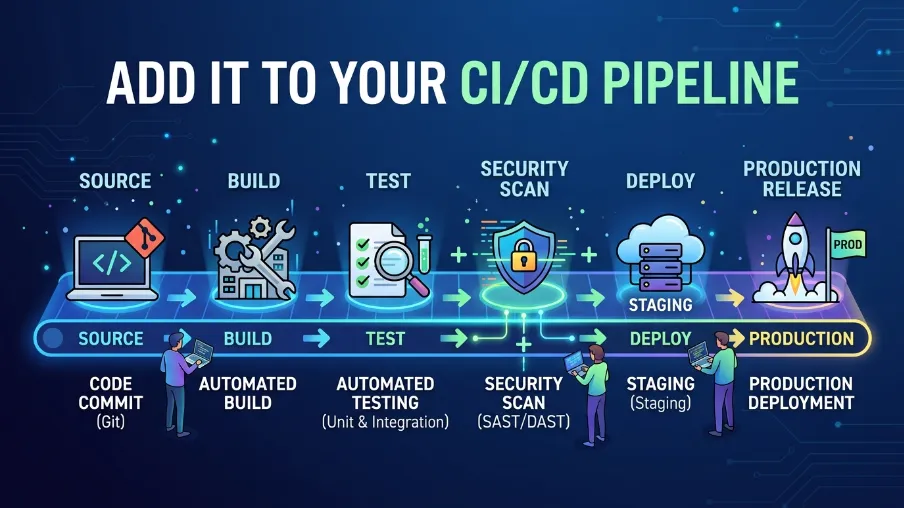
The package is designed for exactly this use case. Because it has zero dependencies and runs in any JavaScript runtime, Node.js, Edge, Deno, Cloudflare Workers, you can call buildLinkGraph() and findOrphanPages() inside any build script. The functions are pure, synchronous, and fast enough to run on every deploy.
The use case from the docs is explicit: "CI/CD pipelines, fail builds when orphan pages exceed a configurable threshold." The building blocks are the same findOrphanPages(graph) call you've already seen. You get back an array. Its length is your threshold check. The rest is standard Node.js scripting.
Build a Link Equity Dashboard
analyzeLinkEquity() returns a plain array sorted by score descending. Each item in the array is a LinkEquityScore object: { url: string; score: number; inboundCount: number }. That's clean structured data you can pipe anywhere, a JSON file, a Notion database, a Google Sheet via their API, or a custom dashboard component. No transformation needed. The sorting is already done for you.
API at a Glance
Here's a quick reference for everything covered in this article:
| Function | Input | Returns |
|---|---|---|
buildLinkGraph(pages) | PageData[] | LinkGraph — directed graph with inbound/outbound maps |
findOrphanPages(graph) | LinkGraph | OrphanPage[] — pages with zero inbound links |
suggestLinks(pages, options?) | PageData[] + options | LinkSuggestion[] — contextual link pairs |
analyzeLinkEquity(graph, options?) | LinkGraph + options | LinkEquityScore[] — sorted by equity score |
All functions are zero-dependency, fully typed, and tree-shakeable. They run in Node.js, Edge runtimes, Cloudflare Workers, and Vercel Edge. No browser APIs, no native modules.
Conclusion: Stop Guessing, Start Mapping
Internal links are one of the most controllable SEO signals you have. You own every link on your own site. You can change them anytime. And yet most teams leave their internal link structure to chance.
The fix isn't complicated. Build a graph. Find the orphans. Score the equity. Generate the suggestions. Repeat after every publish.
Once you start treating your internal links as a data problem, not a manual task, the gaps close fast. Pages start getting discovered. Equity starts flowing. Rankings start moving.
I've seen this make a real difference on sites of every size, from small blogs to enterprise content libraries. The investment is small. The compounding effect over time is not.
If you're ready to go deeper, explore the @power-seo/links package and start with buildLinkGraph(). Run it against your site today. I think you'll be surprised by what you find.
All code examples in this article use the @power-seo/links package API as documented. No code has been invented or modified beyond what the package supports.
Frequently Asked Questions About Fixing Internal Linking Gaps Programmatically
What exactly is an internal linking gap?
An internal linking gap is when a page on your site has little or no inbound links from other pages on the same domain. This makes it hard for search engines to discover and rank that page. Gaps also appear when two topically related pages don't link to each other, weakening your topical authority signals.
How is this different from using Screaming Frog or Ahrefs?
Screaming Frog can detect orphan pages. Ahrefs can show equity-like data. But neither gives you a programmatic API you can embed in your workflow. You can't run Screaming Frog in a CI/CD pipeline. You can't call Ahrefs after every CMS publish and get structured data back in milliseconds. Programmatic internal link analysis means you own the process, and you can automate it.
How accurate is the PageRank-style equity score?
It's a relative score, not an absolute one. It tells you which pages accumulate more authority based on your internal link structure. It doesn't predict Google's actual PageRank. Think of it as a proxy, useful for prioritization, not for claiming exact authority values.
Do I need to supply page content to use suggestLinks()?
You don't need full page content. A title and even a brief description is enough to generate useful suggestions. But the more content you supply (even just the first 300 words of each page), the better the overlap detection will be. Content is optional in the PageData type, the function degrades gracefully without it.
Can this run in a serverless or edge environment?
Yes. There are no Node.js-specific APIs, no browser APIs, and no runtime network calls. It runs in Cloudflare Workers, Vercel Edge Functions, Deno, and any standard JavaScript runtime. The entire computation happens in memory.

I’m Mitu Das, a JavaScript developer, ERP product architect, and SEO specialist from Bangladesh. I work at CyberCraft Bangladesh, where I help build simple, scalable software, SaaS platforms, and business solutions. My goal is to create technology that helps companies save time, automate daily tasks, and grow faster. I enjoy combining development, product ideas, and SEO strategies to create useful digital solutions for modern businesses.
Writes about
Want this done for you?
Our team builds and ships exactly what this article describes. Send a message and we will reply with a scope.