Benefits of Good UX Design for Startups: Growth Lever Most Founders Ignore


Let me ask you something. Have you ever left a website in ten seconds because you couldn't find the "sign up" button? I have. Many times. And I bet you have too.
That's UX. Or rather, that's bad UX.
I've watched startups burn months building a great product, only to lose users at the front door. Not because the idea was weak. Because the experience was confusing. This happens more than founders admit.
In this article, I'll walk you through the real benefits of good UX design for startups. No fluff. No jargon. Just plain talk about why UX matters, how it supports digital growth, drives customer retention, and what you can do about it today, even on a tight budget.
By the end, you'll know exactly why UX design for early-stage startups isn't a luxury. It's survival.
Why UX Design Matters for Startups
Here's the truth. Startups don't fail because of bad ideas. Most fail because users couldn't figure out how the product works. Or they didn't feel like sticking around long enough to find out.
Design research firms have tracked this for years. Users judge a website's credibility within milliseconds. If your site feels clunky, they leave before they even read your pitch. First impressions form fast, and a bad one is hard to undo.
That single moment decides a lot. It decides whether someone signs up, whether they trust your brand, and whether they come back.
So why does UX design matter for startups specifically? Because you don't have the marketing budget of a big company. You can't out-advertise your competitors. What you can do is make every visitor's first experience so smooth that they convert without extra convincing.
Good UX turns your product into its own marketing tool. It sells itself through ease of use.
This is exactly why UI/UX design matters for business growth, not just startups. Bigger companies protect their revenue with design teams for the same reason you need one on day one: a confusing product loses money quietly, every single day, whether you notice it or not.
The Core Benefits of Good UX Design for Startups
Let's get specific. Here are the startup UX design benefits that actually move the needle.
1. UX Design Increases Conversions and Sales
This is the big one. How good UX boosts startup sales comes down to friction. Every extra click, every confusing form field, every unclear button costs you customers.
Industry studies show that fixing basic usability issues can lift conversion rates dramatically. Some brands have seen conversion jumps of 80% or more just from cutting page load time and simplifying checkout flows. A well-designed interface alone can lift conversions significantly, and pairing it with strong UX often pushes results even higher.
I've seen this play out with small teams. One founder simplified a three-step signup form into one step. Signups nearly doubled in a month. No new marketing spend. Just better design.
Good UX increases startup sales by removing friction points that stop users from completing an action, whether that's buying, signing up, or booking a demo.
2. UX Design Reduces Development Costs
Here's something founders miss. Fixing a UX problem after launch costs far more than designing it right the first time.
Rebuilding a feature because users hated it wastes engineering hours. Every hour your dev team spends fixing confusing flows is an hour not spent building new features. Startups that invest in UX design reduces development costs because they catch problems early, during wireframes and prototypes, not after the code is written.
Think of it like building a house. It's cheap to move a wall on a blueprint. It's expensive to move it after the concrete is poured. UX design is your blueprint stage.
3. UX Design Improves Customer Satisfaction
Happy users talk. Frustrated users leave silently, and worse, they tell others.
UX design improves customer satisfaction by making the product feel effortless. When users don't have to think hard about what to click next, they enjoy the experience. That enjoyment builds an emotional connection to your brand.
I always tell founders this: satisfaction isn't a soft metric. It shows up in your reviews, your referrals, and your support tickets. Fewer confused users means fewer support emails and more five-star reviews.
4. UX Design Increases Customer Retention
Getting a user once is one thing. Keeping them is another game entirely.
UX design increases customer retention because it builds trust over time. A confusing app pushes people toward competitors. A smooth one keeps them coming back.
Research on customer retention shows something founders should tattoo on their wall: even a small lift in retention can boost profits by a large margin, sometimes as much as 25% to 95%. That's because loyal users spend more, refer more, and cost less to serve than new users you have to acquire from scratch.
For a startup, retention is survival. Acquiring new users through ads is expensive. Keeping the ones you already have is far cheaper.
5. UX Builds Trust for Fundraising and Partnerships
This one surprises founders. Investors notice UX too.
When you demo your product to investors, a polished, intuitive interface signals that your team executes well. A messy, confusing product raises doubts, even if the underlying tech is solid. Good design becomes proof of competence before a single word is spoken.
How UX Helps Startup Growth Beyond the Product

UX isn't just about your app or website. It shapes every part of your growth engine.
- Word of mouth: People share products that feel good to use. A delightful experience turns users into unpaid promoters.
- Lower acquisition costs: When your funnel converts better, your cost per customer drops. You get more value from the same ad spend.
- Faster onboarding: New users understand your value proposition quicker, which shortens the sales cycle.
- Brand reputation: Startups live and die by reputation in the early days. A frustrating experience spreads faster than you'd like on social media and review sites.
This is how UX helps startup growth in ways that go far beyond the interface itself. It touches marketing, sales, and even hiring, since a well-designed product is easier to pitch to talent too.
Common UX Mistakes Startups Make
I've seen these mistakes over and over. Let's fix them before they cost you users.
Skipping User Research
Founders often design based on gut feeling, not real user behavior. This leads to features nobody asked for and confusion nobody expected.
Overcomplicating the Onboarding Flow
Too many steps. Too many fields. Users quit before they even see your product's value.
Ignoring Mobile Users
A huge share of web traffic now comes from mobile devices. If your site isn't built mobile-first, you're losing a large chunk of visitors before they even scroll.
Copying Competitors Blindly
What works for a big company with millions of users may not fit your startup's audience. Always test with your own users, not someone else's playbook.
Treating UX as a One-Time Task
UX isn't a checkbox you tick once. It needs testing, tweaking, and updating as your product and users evolve.
UX vs UI for Startups: What's the Real Difference
People mix these up all the time. Let me clear it up simply.
UI (User Interface) is how your product looks. Colors, buttons, fonts, layout.
UX (User Experience) is how your product works and feels to use. It's the entire journey a user takes, from the first click to the final action.
Think of it this way. UI is the paint on the walls. UX is whether the house has a working floor plan people can actually live in.
The difference between UI and UX design comes down to look versus feel. UI is what a user sees. UX is what a user experiences. Startups need both. But UX design for startups often matters more early on, because a beautiful interface with a confusing flow still loses users. Get the experience right first. Polish the visuals later.
UI/UX Design Process for Startups
A clear UI/UX design process keeps your team from guessing. Here's the version I recommend to lean startup teams:
- Research: Talk to real users. Understand their goals and pain points before you sketch a single screen.
- Wireframe: Map out the basic structure of each screen. Keep it rough. This stage is about flow, not color.
- Prototype: Build a clickable mockup. Test it with users before your developers write code.
- Visual design (UI): Add colors, typography, and branding once the flow already works.
- Development handoff: Give your dev team clear specs, so nothing gets lost in translation.
- Test and launch: Release to a small group first, gather feedback, then roll out wider.
- Review and improve: Track how real users behave after launch, and keep refining.
Following this UI/UX design process doesn't slow you down. It actually speeds up development, because you catch confusing flows before they become expensive bugs to fix.
Building an Affordable UX Design Strategy for Early-Stage Startups
You don't need a huge budget to get affordable UX design for startups. Here's a simple, practical approach.
Start With User Interviews
Talk to five real users. Ask what confuses them. This costs nothing but your time and gives you gold-level insight.
Use Wireframes Before Code
Sketch your flows on paper or a free tool before your developers write a single line. This is the cheapest way to catch problems.
Test With a Small Group First
Launch to a small batch of users. Watch how they use it. Fix the biggest friction points before a wider release.
Reuse Proven Design Patterns
Familiar layouts, like a shopping cart icon or a search bar in the top right, reduce learning time. Don't reinvent basics that users already understand.
Prioritize Speed
Slow-loading pages kill conversions fast. Studies consistently show that even a few seconds of delay pushes visitors away. Fast, clean pages keep people engaged and improve better user experience for startup websites overall.
User-Centered Design for Startups: A Simple Framework
Here's a framework I recommend to every early-stage team building a startup product UX strategy.
- Understand: Talk to your users. Learn their real problems, not assumed ones.
- Design: Build simple flows around their actual behavior, not your internal org chart.
- Test: Watch real people use your product. Note where they hesitate or get stuck.
- Iterate: Fix the friction. Test again. Repeat.
This loop is what user-centered design for startups is really about. It's not a one-time design sprint. It's an ongoing habit.
UX Design Examples for Startup Success
Some of the most well-known startup success stories share one thing in common: relentless focus on simplicity.
Popular productivity and communication apps became household names largely because they made complex tasks feel simple. Search engines that became giants often started with a single, clean search bar instead of a cluttered homepage. Ride-sharing apps won users over by replacing confusing booking processes with a simple three-tap request.
The pattern is clear. The startups that scaled fastest made things easier, not flashier. That's the heart of good UX.
The ROI of UX Design for Startups
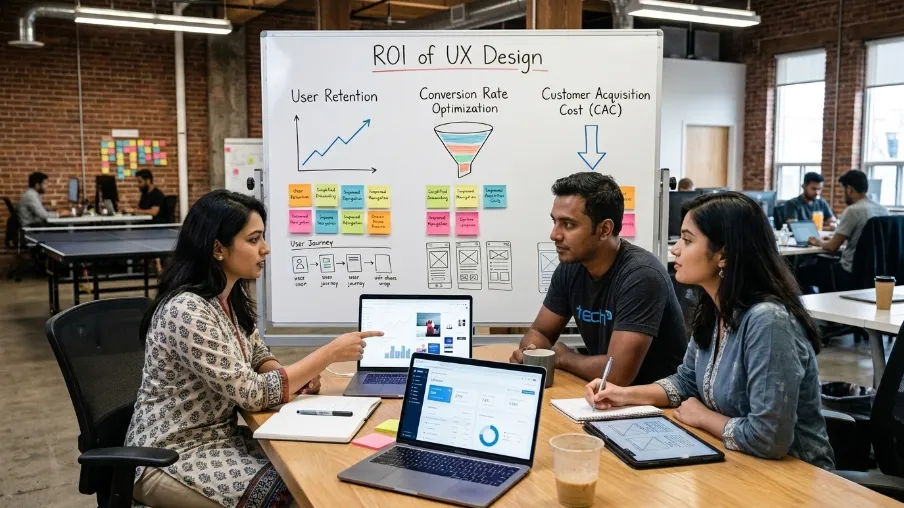
Let's talk numbers, because founders love numbers.
Design-focused research has repeatedly found that every dollar invested in UX can return many times that amount in value, sometimes cited as high as a 100-to-1 return. Design-driven companies have also been shown to outperform market averages over the long run by a wide margin.
Beyond big-picture stats, think about it practically. A better checkout flow means fewer abandoned carts. A clearer onboarding screen means fewer support tickets. A faster-loading page means more completed signups. Each of these adds up to real money saved and real money earned.
The ROI of UX design for startups isn't theoretical. It shows up in your analytics dashboard, your churn rate, and your customer support inbox.
Startup Website UX Tips You Can Apply Today
Want quick wins? Try these:
- Cut your signup form down to the fewest fields possible.
- Use one clear call-to-action per page. Not five competing buttons.
- Make your navigation menu simple enough that a stranger understands it in seconds.
- Test your site on a real phone, not just your laptop.
- Ask three friends outside your industry to use your site and watch where they get stuck.
Small fixes like these often matter more than a full redesign. If your product needs a deeper UX overhaul, our team at CyberCraft Bangladesh UI/UX Design services can help you build a strategy suited to your stage and budget.
UI/UX Audit Checklist: Is Your Startup Losing Users
Not sure where your product stands? Run through this quick UI/UX audit checklist and be honest with yourself.
- Does your homepage explain what you do in under five seconds?
- Can a new user complete signup in one minute or less?
- Does your site load in under three seconds on mobile?
- Is there only one clear call-to-action visible at a time?
- Have you tested your product on a real phone, not just a laptop?
- Do error messages tell users exactly what went wrong and how to fix it?
- Have you watched at least five real users try your product without guiding them?
- Is your navigation labeled in plain language, not internal jargon?
- Do returning users see a faster, easier path than first-time visitors?
- Have you reviewed your UX in the last three months?
If you checked "no" more than twice, that's a sign your product needs a proper UX review. This simple checklist alone can catch most of the friction points that quietly push users away.
Latest UI/UX Design Trends Startups Should Watch
UX doesn't stay still. Here are the latest UI/UX design trends shaping products right now, and why they matter for startups.
- AI-assisted personalization: Products are adjusting content and layouts based on user behavior in real time, making each visit feel more relevant.
- Voice and conversational interfaces: More users expect to interact hands-free or through chat-style flows, especially on mobile.
- Micro-interactions: Small animations and feedback cues, like a button that gently confirms a click, make products feel more responsive and alive.
- Accessibility-first design: Designing for users with different abilities isn't optional anymore. It's becoming a baseline expectation, and it widens your total addressable audience.
- Speed as a design feature: Fast-loading, lightweight interfaces are treated as a core part of UX, not just a technical afterthought.
You don't need to chase every trend. But knowing where design is heading helps you make smarter choices about where to invest your limited startup resources.
Final Thoughts
Here's my honest take after seeing this play out again and again. Good UX design isn't decoration. It's the foundation your entire startup stands on.
It shapes whether people trust you, whether they buy from you, and whether they stay. It shapes how much you spend building your product and how much you save on support and marketing. The benefits of good UX design for startups touch every part of your business, not just your app screens.
If you're building a product right now, don't wait until after launch to think about UX. Build it in from day one.
Ready to give your startup the user experience it deserves? Talk to our UI/UX design team at CyberCraft Bangladesh and let's build something your users will actually love using.
Frequently Asked Questions About Benefits of Good UX design for Startups
Q1: Why does UX design matter for startups more than for established companies?
Startups have less room for error. A confused visitor won't wait around, and you don't have the brand recognition to earn a second chance. Established companies survive a few UX slips. Startups often don't get that luxury.
Q2: Can UX design really increase startup sales?
Yes. Removing friction from your signup, checkout, or onboarding flow directly increases the number of visitors who complete an action. Small design fixes have driven measurable conversion lifts for many startups without extra ad spend.
Q3: How much should an early-stage startup spend on UX design?
There's no fixed number. Many startups start lean, using templates, in-house design, and direct user feedback, before hiring a dedicated UX designer as they grow and raise funding.
Q4: What's the difference between UX and UI for startups?
UI is how your product looks. UX is how it works and feels to use. Startups need both, but a smooth experience usually matters more than a polished look in the early days.
Q5: What are the most common UX mistakes startups make?
Skipping user research, overcomplicating onboarding, ignoring mobile users, and treating UX as a one-time task instead of an ongoing process.

I’m Mitu Das, a JavaScript developer, ERP product architect, and SEO specialist from Bangladesh. I work at CyberCraft Bangladesh, where I help build simple, scalable software, SaaS platforms, and business solutions. My goal is to create technology that helps companies save time, automate daily tasks, and grow faster. I enjoy combining development, product ideas, and SEO strategies to create useful digital solutions for modern businesses.
Writes about