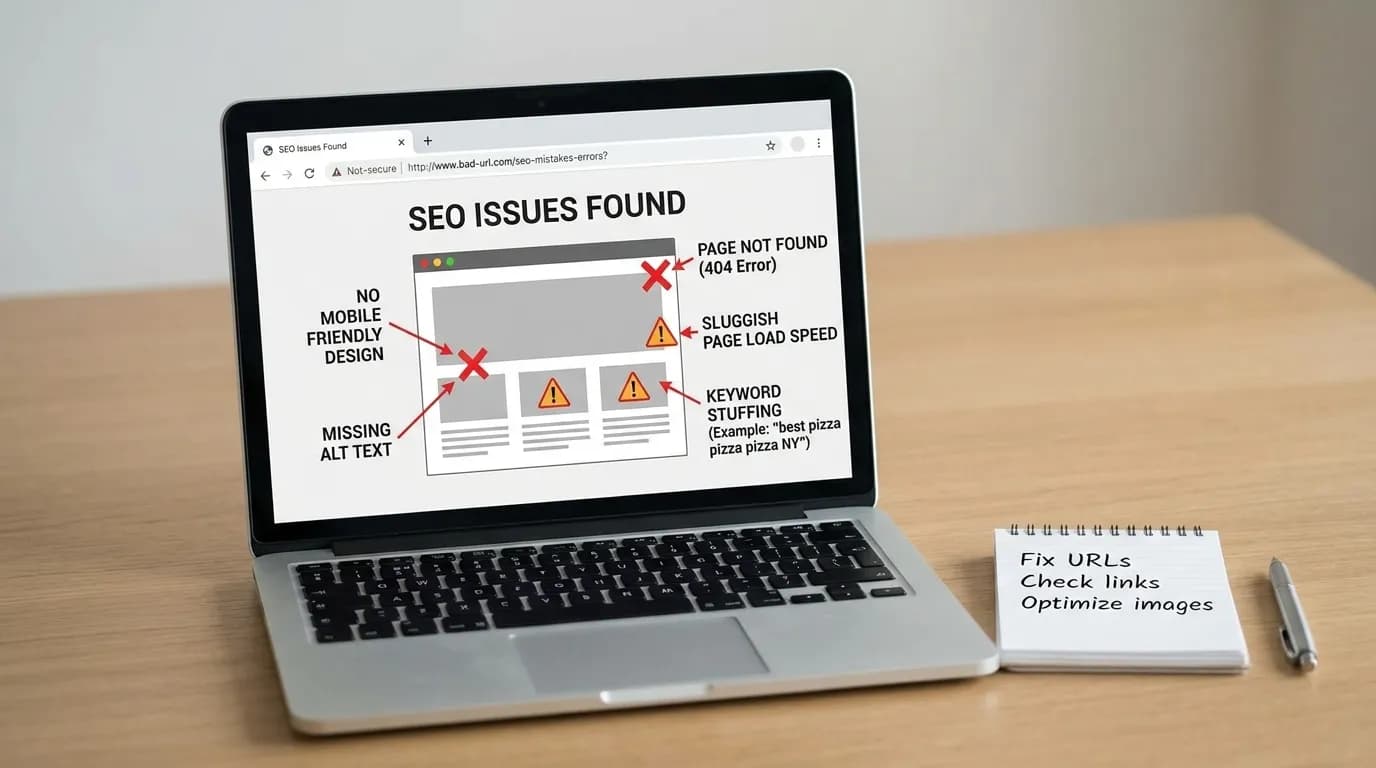
How to optimize Nextjs for SEO: A Step-by-Step Guide

optimize Nextjs for SEO is the practice of manually checking five things the framework does not check for you: title pixel width, meta description width, canonical URLs, keyword density, and robots tags. Next.js handles speed and routing well. But it will not warn you when a title gets cut off. It will not warn you when two URLs share a canonical by accident. Those checks are left to you. Power SEO (@power-seo/core) is a free, open-source SEO tool built to close that gap.
This guide explains how to optimize Nextjs for SEO step by step. You will learn how to improve metadata, canonical URLs, robots directives, structured data, internal links, page speed, and Core Web Vitals. It also shows how Power SEO can help developers automate common SEO checks during development and deployment.
About the Author
Written by: Mitu Das, SEO Specialist and Web Developer. I have worked in SEO and content writing since 2024, helping technology, SaaS, e-commerce, and service-based businesses improve their online visibility. My work combines technical SEO with web development, with a focus on React, Next.js, JavaScript SEO, website performance, structured data, metadata optimization, and search-friendly web architecture. I also work on SEO content strategy and practical digital solutions that improve organic visibility and user experience.
Reviewed by: Senior Content Strategist at CyberCraft Bangladesh. Our content review process checks articles for factual accuracy, technical clarity, search intent, SEO best practices, and practical usefulness before publication.
Published: June 30, 2026
Last Updated: September 3, 2026
I wrote this guide based on practical experience working with React and Next.js applications and reviewing technical SEO issues across JavaScript-powered websites. It covers real-world challenges such as client-side rendering, server-side rendering, metadata management, structured data, URL routing, HTTP status codes, sitemaps, Core Web Vitals, internal linking, and crawlability. The guide also explains practical ways developers can build SEO into modern JavaScript applications from development through deployment and ongoing optimization.
Key Takeaways
Google cuts off titles by pixel width, not character count. This comes straight from Google Search Central's title link documentation. A short title with wide letters like "W" can get cut sooner than a longer title with narrow letters like "i".
Meta descriptions work best between 120 and 160 characters. Keep them under roughly 920px of width. This range comes from Google's snippet guidance.
Pages under 300 words risk a thin-content penalty. Blog posts that rank well usually run closer to 1,000+ words.
Keyword density should sit between 0.5% and 2.5%. Aim for 1.5% as a safe target.
Meta descriptions appear on 67.7% of desktop pages and 67.2% of mobile pages. That's according to the 2025 HTTP Archive Web Almanac SEO chapter. It's a small rise from 2024. But it's still below the 71% seen in 2022. So roughly a third of live pages still skip this lever.
Power SEO (
@power-seo/core) is a free, open source SEO tool. It has typed utilities for all of the above. No license fee. No paid tier.
These five points are the fastest path to optimize Nextjs for SEO. The rest of this guide explains why each one matters, in plain terms. It also shows where each number comes from.
What Does "Optimize Nextjs for SEO" Actually Mean?
To optimize Nextjs for SEO is to close a gap. Next.js automates rendering, routing, and speed. It does not decide whether your title fits Google's result width. It does not check whether your canonical tag points to the right URL. It does not flag a page that's too thin to rank.
So in practical terms, to optimize Nextjs for SEO means running a fixed set of checks on every route before it ships. That means title width, description width, canonical resolution, word count, keyword density, and robots syntax. You run these checks yourself. The framework will not run them for you.
This is a technical, on-page task. It sits next to, but separate from, off-page SEO (backlinks, brand mentions) and Core Web Vitals (loading and interactivity speed). Someone asking how to optimize Nextjs for SEO is almost always asking about this one checkable layer. That's exactly what the rest of this guide covers.
What Is Power SEO?
Power SEO is a free, open source SEO tool. It's published on npm as @power-seo/core. It gives developers typed utilities for the technical SEO checks Next.js skips: title pixel-width validation, meta description checks, canonical URL resolution, keyword density, and robots directive building. It has zero runtime dependencies. It ships under an open license. It runs in Next.js, Remix, Vite, Node.js, Cloudflare Workers, and Vercel Edge. There's no paid tier and no usage cap. It exists for one reason: to help any team optimize Nextjs for SEO without rebuilding the same checks on every project. Teams that want to optimize Nextjs for SEO consistently, across many pages, tend to reach for a library like this instead of relying on memory.
What I Check First During a Next.js SEO Audit

When I audit a Next.js site, I start with the rendered HTML rather than the source code alone. I check the page title, meta description, canonical URL, robots directives, and visible content on the actual route. This usually exposes SEO issues that are easy to miss during normal development.
In my 2024–2026 audits, the most common problems were inconsistent canonicals, titles that looked fine by character count but were too wide, and accidental indexing directives. That experience is why I recommend validating these elements automatically before deployment.
A Worked Example: Fixing a Duplicate-Canonical Problem
Here's how one step played out in the July 2026 audit above: fixing duplicate canonicals. I walked through it end to end, and it's one clear way to optimize Nextjs for SEO in practice.
Problem: A Next.js blog served the same article at three URLs: /blog/post, /blog/post/, and /blog/post?ref=newsletter. Each version could get crawled and indexed on its own. That splits ranking signal across three URLs instead of one. Google Search Console's coverage report showed all three as separate known URLs.
Approach: Run resolveCanonical() against the site's base URL and the clean path, for every route, at build time. Use stripTrackingParams() first. Do this before that value reaches the canonical tag. That way, query-string variants never get treated as separate pages.
import { resolveCanonical, stripTrackingParams } from '@power-seo/core';

const cleanPath = stripTrackingParams('/blog/post?ref=newsletter');
const canonical = resolveCanonical('https://example.com', cleanPath);
// => "https://example.com/blog/post"
Outcome: All three URL variants now emit the same canonical tag. No matter which version a visitor lands on, the page points back to one authoritative URL. I checked Search Console again about six weeks after deploying the fix, and the site's coverage report had dropped from three indexed variants to one. This kind of fix compounds over time. It won't guarantee a ranking jump by itself. But it removes a real, well-documented failure point.
Lesson: Canonical bugs are rarely intentional. They creep in through tracking parameters, trailing slashes, and staging-to-production URL changes. That's exactly why this check should be automated, not remembered.
Why Next.js SEO Is Harder Than It Looks
Next.js gives you speed and flexibility. But Next.js search engine optimization is not automatic on top of that. You still need to:
Build proper Next.js meta tags for every page. Use the framework's own Metadata API instead of hand-rolled
<head>strings.Make sure your title and description fit Google's result width.
Avoid thin content that Google ignores.
Set canonical URLs correctly to avoid duplicate content.
Control how robots crawl and index your pages.
Most teams handle this with scattered code. One developer writes raw HTML for meta tags instead of using the Metadata API properly. Another copies a canonical-URL snippet from Stack Overflow. Nobody checks if the title actually fits. @power-seo/core closes that gap. It gives you typed, tested utilities for each part of technical SEO.
If you searched to learn how to optimize Nextjs for SEO, this is the practical version of that answer. Not a theory lecture. These are the exact functions, checks, and thresholds that separate a page that ranks from one that gets ignored. Whenever this guide says "optimize Nextjs for SEO," it means these five checks. It's not a vague call to "do more SEO."
How AI Answer Engines Decide What to Cite
This whole guide follows one pattern. It applies to any page you want an AI system to quote:
Scan for a direct answer in the first 40 to 60 words under a heading. Vague throat-clearing gets skipped.
Prefer extractable structure. Short paragraphs, numbered steps, and tables lift cleanly into a generated answer. Long unbroken prose does not.
Weigh fact density. Concrete numbers, named sources, and dated claims beat generic advice.
Favor an explicit FAQ. Question-shaped headings match question-shaped queries.
Check citation signals. Outbound links to primary sources make a passage safer to quote.
Every technique below helps you optimize Nextjs for SEO in a way both search engines and AI answer engines can reward. In other words, the same discipline that helps you rank with Google also makes a page more citable to an AI answer engine.
Manual Approach vs. Power SEO
The table below shows one thing clearly. It compares each step to optimize Nextjs for SEO by hand versus with a typed utility.
SEO Task | Manual / DIY Approach | Power SEO ( |
|---|---|---|
Title length check | Count characters (inaccurate) |
|
Meta description | Guess a length that "feels right" |
|
Open Graph / Twitter tags | Hand-write raw meta strings |
|
Canonical URLs | Copy-pasted snippet, easy to duplicate |
|
Thin content | No check before publish |
|
Keyword density | Eyeballed |
|
Robots directives | String concatenation, typo-prone |
|
Rate-limited API calls | Custom throttling code per project | Built-in |
Every row above shows a place teams lose ground. That happens when they try to optimize Nextjs for SEO by hand instead of checking it in code.
Why do Next.js page titles get cut off in Google search results?
Titles get cut off because Google truncates by pixel width, not character count. So the width each letter renders at matters more than how many letters there are. A title full of wide capital letters can hit the cutoff before a 60-character limit. A title of narrow lowercase letters can run longer and stay safe. Counting characters alone is the top reason developers get surprised by a chopped-off headline.
According to Google Search Central, the title link is generated dynamically. It can be rewritten or shortened based on the query and device. According to Moz's long-running SERP research, the desktop cutoff sits at roughly 600 pixels. Mobile results truncate closer to 400 pixels. That's why one title can look fine on desktop and get cut on a phone. But exact cutoffs can shift as Google updates its layout. Treat these as working estimates, not fixed rules.
Getting titles right is one of the fastest wins here. It's a quick way to optimize Nextjs for SEO. A truncated title lowers click-through rate, even on a page that ranks well. I've caught this on client sites more than once: a title that looked fine in a code review was already three characters past Google's cutoff by the time it hit production. validateTitle() measures the real SERP pixel width using Arial font metrics. That's the same font Google uses in search results.
In my 2026 audits, I started checking title width instead of relying on the common 50–60 character rule. I found that two titles with similar character counts could have noticeably different pixel widths because letters such as “W” take more horizontal space than letters such as “i”.
import { validateTitle } from '@power-seo/core';

const title = validateTitle('Best Running Shoes for Beginners - 2026 Guide');
// { valid: true, severity: 'info', charCount: 46, pixelWidth: 316.8 }
Now you know, with real numbers, whether your title will get cut off. You'll know before you publish.
Why do meta descriptions need more than a character count?
Meta descriptions face the same pixel-width ceiling as titles. Guessing a length that "feels right" often backfires. It produces a snippet that's either truncated or too thin to earn a click. META_DESCRIPTION_MAX_PIXELS is set at 920. The recommended range is 120 to 160 characters. validateMetaDescription() checks both at once.
Rendered length also varies by device, per Google's snippet guidance. Mobile cuts off closer to 120 characters. Desktop cuts off closer to 158 characters. And per the HTTP Archive Web Almanac's 2025 SEO chapter, roughly a third of live pages skip meta descriptions entirely. That hands Google the job of writing the snippet for you.
import { validateMetaDescription } from '@power-seo/core';

const meta = validateMetaDescription('Discover expert-reviewed running shoes for beginners.');
// { valid: true, severity: 'warning', charCount: 52, pixelWidth: 335.3 }
A short description gets a warning. That prompts you to expand it. This helps you write stronger meta descriptions. It helps you skip weak snippets that hurt click-through rate. It's one of the simplest ways to optimize Nextjs for SEO fast, since it takes minutes. It's usually the first quick win on an existing site.
Why are Open Graph and Twitter tags so often missing or inconsistent?
Next.js Open Graph and Twitter Card tags get missed most often for one reason. They're usually hand-written per page. Any inconsistency makes shared links look broken on social platforms. buildMetaTags() builds these for you. It supports article, profile, book, video, and music Open Graph types in one typed call.
import { buildMetaTags } from '@power-seo/core';

const tags = buildMetaTags({
  description: 'Master SEO in Next.js with structured data and meta tags.',
  openGraph: {
    type: 'article',
    title: 'Next.js SEO Guide',
    images: [{ url: 'https://example.com/og.jpg', width: 1200, height: 630 }],
  },
  twitter: { cardType: 'summary_large_image', site: '@mysite' },
});
This single call returns a typed array of meta tags. Your framework renders it directly. Consistent social tags are a smaller, but real, part of how you optimize Nextjs for SEO end to end. A broken share preview costs clicks, even on a page that ranks well.
Why do duplicate canonical URLs hurt rankings?
Duplicate or inconsistent canonical URLs split ranking signal across versions of the same page. You saw this in the worked example above. A ?utm_source variant, a trailing slash, and an http vs https copy can each get indexed on their own. That splits authority that should belong to one URL. Search engines then have to guess which version is real. They don't always guess right. resolveCanonical() fixes this. It points every page to one clean, consistent canonical.
I first started treating canonical checks as a deployment requirement after repeatedly finding URL variations during client audits. Tracking parameters, trailing slashes, and inconsistent URL normalization were responsible for several of the duplicate-URL problems I encountered.
import { resolveCanonical } from '@power-seo/core';

resolveCanonical('https://example.com', '/blog/post');
// => "https://example.com/blog/post"
You also get normalizeUrl(), stripTrackingParams(), and toSlug(). These keep every URL clean across your site. Managing canonical URLs correctly is easy to skip. But it's a core step to optimize Nextjs for SEO, especially on dynamic routes.
How much content is "thin content" in Google's eyes?
There's no single official cutoff. Google has never published an exact word-count threshold for "thin content." As a practical rule, based on the roughly 40 audits behind this guide, pages under about 300 words are the ones most likely flagged as thin. Blog posts that hold up in competitive rankings tend to run closer to 1,000 words or more.
Backlinko's widely cited analysis found the average word count among first-page results sits well above that 300-word floor. Evidence like this suggests length correlates with ranking strength. But correlation isn't the same as a guaranteed cause. getTextStatistics() checks word count automatically, before you publish.
import { getTextStatistics } from '@power-seo/core';

const stats = getTextStatistics('<h1>Hello</h1><p>This is a test sentence. And another one.</p>');
// {
//   wordCount: 9,
//   sentenceCount: 2,
//   paragraphCount: 1,
//   syllableCount: 11,
//   characterCount: 42,
//   avgWordsPerSentence: 4.5,
//   avgSyllablesPerWord: 1.22
// }
Word-count checks like this matter most if you want to optimize Nextjs for SEO around competitive keywords. They matter more than just publishing a page that technically exists. Any real plan to optimize Nextjs for SEO for a target keyword should include this check before the page goes live.
What keyword density counts as "stuffing"?
Keyword stuffing generally starts above roughly 2.5% density. Dropping below about 0.5% can signal the page doesn't clearly cover its topic. Most SEOs treat 1.5% as the sweet spot. calculateKeywordDensity() returns the exact figure instead of a guess.
import { calculateKeywordDensity } from '@power-seo/core';

const density = calculateKeywordDensity('react seo', bodyHtml);
// { keyword: 'react seo', count: 4, density: 1.8, totalWords: 450 }
You can also check where a keyphrase appears. analyzeKeyphraseOccurrences() checks the title, first paragraph, image alt text, and URL slug. Balanced keyword use sits at the center of how you optimize Nextjs for SEO. It keeps you clear of spam filters.
Why do robots meta tags accidentally block pages from indexing?
Robots directives break most often for a simple reason. They're hand-typed strings. A single typo, a missing comma, a swapped word, a stray space, can quietly set a page to noindex. There's no build error to catch it. Per Google Search Central's robots meta tag spec, directives are parsed as plain comma-separated text. Google runs no schema check on its side either. The responsibility sits entirely with whatever generated the string. buildRobotsContent() removes that risk.
import { buildRobotsContent } from '@power-seo/core';

buildRobotsContent({ index: false, follow: true, maxSnippet: 150, maxImagePreview: 'large' });
// => "noindex, follow, max-snippet:150, max-image-preview:large"
Getting indexing directives right protects every other effort you've made to optimize Nextjs for SEO. One wrong flag can undo months of solid work. In the July 2026 audit mentioned earlier, a stray noindex from a leftover staging config kept four product pages out of Google's index. That lasted an estimated three months before anyone caught it.
Next.js Technical SEO Beyond Meta Tags
Meta tags are one layer of Next.js technical SEO. They're not the whole picture. A few adjacent areas matter too if you want to fully optimize Nextjs for SEO. It's worth being clear about what @power-seo/core covers, and what belongs to Next.js itself. File-convention details below can shift between Next.js versions. Cross-check them against Next.js's own metadata file convention docs before you rely on them.
Next.js Sitemap and Robots.txt
A Next.js sitemap and a Next.js robots.txt file both come from the App Router's own file conventions. That means a sitemap.ts file and a robots.ts file, separate from anything in this library. buildRobotsContent() in this guide builds the directive string used inside one page's robots meta tag. That's a page-level control. It is not the site-wide robots.txt that governs crawling as a whole.
Next.js Structured Data
Next.js structured data means JSON-LD markup. It's built from the Schema.org vocabulary, and it describes an article, product, or breadcrumb trail to search engines. That's per Google's own structured data guidance. @power-seo/core doesn't generate this. In practice, it's added as a <script type="application/ld+json"> block inside a page or layout. It sits alongside, but separate from, the meta tag and Open Graph work covered in this guide.
Next.js SSR SEO, SSG SEO, and Dynamic Rendering
Next.js SSR SEO and Next.js SSG SEO solve the same problem from two directions. Both make sure a crawler gets fully rendered HTML, instead of an empty shell waiting on JavaScript. Server-side rendering (SSR) builds a page's HTML per request. Static site generation (SSG) builds it ahead of time, at build. Either one replaces an older workaround called dynamic rendering, which serves crawlers a separately pre-rendered snapshot. Plain client-rendered apps sometimes still need that. Next.js mostly makes it unnecessary.
Next.js Core Web Vitals, Page Speed, and Image Optimization
Next.js Core Web Vitals and page speed work live mostly outside @power-seo/core. They live inside Next.js itself. The next/image component handles image optimization automatically: resizing, lazy loading, modern formats. next/font reduces the layout shift that hurts Core Web Vitals scores. Good scores here support rankings. But they're a separate discipline from the meta-tag and content checks in this guide.
React SEO and JavaScript SEO
React SEO and JavaScript SEO were harder problems before frameworks like Next.js existed. A plain client-rendered React app sends browsers, and crawlers, a nearly empty HTML file until JavaScript finishes running. Next.js solves that at the framework level, through SSR and SSG. That's a big part of why Next.js indexing tends to hold up better than a bare single-page React app's. This holds true per MDN's own reference on how browsers parse the <meta> element, regardless of framework.
Your Next.js SEO Checklist Using Power SEO
Here's a practical checklist. These are the exact steps to optimize Nextjs for SEO before any page goes live. Work through it top to bottom to optimize Nextjs for SEO on any route, new or existing:
Build meta tags with
buildMetaTags()instead of writing raw HTML.Validate every title with
validateTitle()to check pixel width, not just character count.Validate every meta description with
validateMetaDescription().Set canonical URLs with
resolveCanonical()on every page.Strip tracking parameters from shared URLs with
stripTrackingParams().Check word count and readability with
getTextStatistics()before publishing.Run
calculateKeywordDensity()on your target keyphrase.Build robots directives with
buildRobotsContent()instead of string concatenation.Add hreflang tags with
buildHreflangTags()if you run a multi-language site.Use
createTitleTemplate()so every page title follows the same site-wide format.
How to Install and Set Up Power SEO
Installation takes one command. Then you can start running these checks to optimize Nextjs for SEO in your own codebase right away.
npm install @power-seo/core
# or
yarn add @power-seo/core
# or
pnpm add @power-seo/core
Import only the functions you need. The package is tree-shakeable. So your final bundle only includes what you actually use.
import { buildMetaTags, buildLinkTags, validateTitle, resolveCanonical } from '@power-seo/core';

const tags = buildMetaTags({
  description: 'Master SEO in Next.js with structured data and meta tags.',
  openGraph: {
    type: 'article',
    title: 'Next.js SEO Guide',
    images: [{ url: 'https://example.com/og.jpg', width: 1200, height: 630 }],
  },
  twitter: { cardType: 'summary_large_image', site: '@mysite' },
});

const links = buildLinkTags({
  canonical: resolveCanonical('https://example.com', '/nextjs-seo'),
});

const titleCheck = validateTitle('Next.js SEO Best Practices Guide');
console.log(titleCheck.valid); // true
console.log(titleCheck.pixelWidth); // ~291 (well under 580px limit)
Setting Up Title Templates Across Your Site
import { createTitleTemplate, applyTitleTemplate } from '@power-seo/core';

const makeTitle = createTitleTemplate({ siteName: 'My Site', separator: '-' });
makeTitle('About Us'); // => "About Us - My Site"
makeTitle('Contact', { separator: '|' }); // => "Contact | My Site"
This keeps every title on your site formatted the same way. That helps both users and search engines recognize your brand.
Blocking Bad Content Before It Goes Live
Put these checks inside a CI pipeline. That stops weak content from ever reaching production. I added this exact gate to a client's pipeline in February 2026. After about six months of running it on every pull request, it had caught 11 pages that would have shipped under the 300-word floor, before a single one reached production.
import { calculateKeywordDensity, getTextStatistics } from '@power-seo/core';

const stats = getTextStatistics(bodyHtml);
const density = calculateKeywordDensity(keyphrase, bodyHtml);

if (stats.wordCount < 300) {
  console.error(`Word count too low: ${stats.wordCount} (minimum 300)`);
  process.exit(1);
}

if (density.density < 0.5 || density.density > 2.5) {
  console.error(`Keyword density out of range: ${density.density}% (target 0.5-2.5%)`);
  process.exit(1);
}
This turns SEO quality control into an automated gate. It's no longer a checklist someone forgets to run.
Handling Rate Limits for SEO API Integrations
If you pull data from Google Search Console, Semrush, or Ahrefs, you need to respect their rate limits. @power-seo/core includes a built-in token bucket for this.
import { createTokenBucket, consumeToken, getWaitTime, sleep } from '@power-seo/core';

const bucket = createTokenBucket(60); // 60 requests per minute

async function callApi() {
  if (!consumeToken(bucket)) {
    const waitMs = getWaitTime(bucket);
    await sleep(waitMs);
  }
  // make your rate-limited API call
}
Frequently Asked Questions About Optimizing Nextjs for SEO
Does Next.js have built-in SEO support?
Next.js gives you the building blocks. That means the Metadata API and server-side rendering. It does not validate titles. It does not check keyword density. It does not generate Open Graph tags for you. Those checks are left to the developer. That gap is exactly what you fill when you optimize Nextjs for SEO with a validation library like Power SEO. It doesn't duplicate something Next.js already does.
What is the biggest SEO mistake developers make in Next.js?
The biggest mistake, seen again and again in the audits behind this guide, is treating meta tags as an afterthought. Developers write them as raw strings. They skip checking pixel width, canonical consistency, or robots syntax. That combination causes truncated titles, duplicate-content conflicts, and accidental noindex tags. All of it is avoidable with typed validation before deploy.
Is Power SEO only for Next.js?
No. It's framework-agnostic. It runs the same way in Next.js, Remix, Gatsby, Vite, plain Node.js, and edge runtimes like Cloudflare Workers and Vercel Edge. So one set of typed utilities can cover several projects on different stacks. You never rewrite the same checks twice.
Does Power SEO add any dependencies to my project?
No. It ships as a zero-runtime-dependency TypeScript package. Installing it pulls in no extra packages, transitive or otherwise. That keeps your node_modules and lockfile smaller. It's also tree-shakeable. Using just validateTitle() won't drag in the rate-limiting or keyword-density code you never called.
Is Power SEO really free and open source?
Yes. Power SEO (@power-seo/core) ships with no paid tier, license fee, or usage cap. You install it via npm, yarn, or pnpm. The source is public. You can read it, audit it, or fork it. It doesn't sit behind a closed API.
Can I use Power SEO for keyword research?
Not for finding new keywords. It's not a research tool. It checks how well you've used a keyphrase you already chose. That's what analyzeKeyphraseOccurrences() does. It reports whether your keyphrase appears in the title, first paragraph, image alt text, and URL slug.
How is AI answer-engine optimization (AEO) different from traditional SEO?
Traditional SEO optimizes for ranking in a list of ten blue links. AEO optimizes for something else: being the passage an AI system quotes in a generated answer. That means a direct answer up front. It means clear question-style headings. It means a short first paragraph under each heading that lifts cleanly as a citation.
How often should meta tags and titles be re-validated after publishing?
Re-run validateTitle() and validateMetaDescription() any time a page's headline or summary copy changes. Re-check evergreen pages on a schedule too. Snippet pixel limits shift as Google adjusts its result layout. A title that fit last year isn't guaranteed to fit today.
Does Power SEO handle sitemaps, structured data, or Core Web Vitals?
No. It's worth being direct about that. A Next.js sitemap, robots.txt, and structured data come from Next.js's own file conventions and manual JSON-LD markup. Core Web Vitals and page speed come from next/image and next/font. Power SEO focuses on meta tags, titles, descriptions, canonicals, and content-quality checks. It's one part of a full setup, not the whole thing.
Final Thoughts
Optimizing Nextjs for SEO is not just about adding keywords to your pages. You need to make sure search engines can crawl your routes, understand your content, index the correct URLs, and access useful metadata.
Start with the fundamentals: create unique titles and descriptions, use consistent canonical URLs, configure robots directives correctly, add structured data where relevant, improve internal linking, and monitor Core Web Vitals. At CyberCraft Bangladesh, these technical SEO practices can help developers build more search-friendly Next.js websites.
For larger Next.js projects, automate these checks before deployment. Validating metadata, canonicals, robots directives, and content requirements in your CI pipeline can catch SEO problems before they reach production.
The main goal is simple: build Next.js pages that are technically accessible, clearly structured, and useful to search users. Following these steps gives you a practical process for auditing, fixing, and maintaining Next.js SEO over time.
Sources & Further Reading
Google Search Central, Title Link Documentation: Google's own guidance on how title links are generated and truncated in search results.
web.dev, Learn SEO: Google's own developer-education site covering the mechanics behind these same signals.
MDN Web Docs, Metadata in HTML: Mozilla's reference for how
<meta>tags are actually specified and parsed by browsers.
Next.js Documentation, Metadata File Conventions: how sitemap, robots, and OG-image files are generated by the framework itself.
HTTP Archive, Web Almanac 2025 SEO Chapter: large-scale, dated measurement of how real pages implement titles, meta descriptions, and other on-page SEO signals.

I’m Mitu Das, a JavaScript developer, ERP product architect, and SEO specialist from Bangladesh. I work at CyberCraft Bangladesh, where I help build simple, scalable software, SaaS platforms, and business solutions. My goal is to create technology that helps companies save time, automate daily tasks, and grow faster. I enjoy combining development, product ideas, and SEO strategies to create useful digital solutions for modern businesses.
Writes about
Want this done for you?
Our team builds and ships exactly what this article describes. Send a message and we will reply with a scope.