Automated Branding Guide: Powerful Tips for Success 2026


Automated branding is the use of AI, software, and rule-based workflows to keep content on-brand. It checks color, tone, and format automatically, without a human reviewing each asset by hand. This replaces a static guidelines PDF with a living system. As a result, brand rules apply the same way across every channel and contributor.
I spent five months, from January through May 2026, rebuilding the brand workflow for a 14-person marketing team. We moved away from a shared PDF and adopted a connected, monitored brand kit, testing roughly a dozen tools along the way. This guide explains what automated branding means, why it matters now, and how AI and automation are changing brand management. It also covers the essential components, a six-step setup process, a month-by-month account of the tools we tested, and the actual changes our team experienced, supported by current data.
About the Author
Written by: Mitu Das, SEO Specialist and Web Developer. I have worked in SEO and content writing since 2024, focusing on technical SEO, content strategy, website performance, and search-friendly web development. I combine SEO and web development to create practical digital solutions and content strategies that help businesses strengthen their online presence.
Reviewed by: Senior Content Strategist at CyberCraft Bangladesh. Our review process checks technical accuracy, search intent, SEO best practices, and practical usefulness.
Published: May 03, 2026
Last Updated: September 21, 2026
I wrote this automated branding guide based on a five-month brand workflow project conducted from January through May 2026 with a 14-person marketing team. It covers automated brand consistency, AI-assisted content creation, brand monitoring, workflow automation, and a six-step implementation process, drawing on our experience testing approximately a dozen tools.
Key Takeaways
Automated branding enforces brand consistency automatically. Marketing automation only schedules and sends content. The two solve different problems.
Consistent branding is linked to revenue gains up to 33%, per Marq's State of Brand Consistency Report (400+ brands surveyed).
87% of marketers now use generative AI in a recurring workflow, per Salesforce's State of Marketing 2026. That's up from just 51% in 2024.
About 95% of companies have brand guidelines, but only around 25% enforce them consistently, per DashoContent's 2026 research roundup.
Four components make it work: a living brand kit, AI asset generation, real-time monitoring, and workflow automation tying them together.
What Is Automated Branding?
Automated branding is the use of AI, software, and automated rules to keep content consistent with brand guidelines. It checks colors, fonts, tone, messaging, and formatting before publication. By replacing repeated manual checks with connected workflows, businesses can maintain consistent branding across websites, social media, advertisements, and other marketing channels.
In practice, a designer opening a template sees the brand's exact colors and fonts already loaded. Meanwhile, any AI-generated draft gets checked against the brand's tone and visual rules before anyone hits publish.
How Does Automated Branding Work?
Automated branding works by converting brand guidelines into rules that software can apply automatically. Teams define approved colors, fonts, logos, messaging, and tone, then use templates and monitoring tools to check new content. The system identifies inconsistencies, flags potential errors, and routes assets through approval workflows before publication.
The process usually works in four steps:
Set brand rules: Define approved colors, fonts, logos, visuals, and tone.
Create templates: Build reusable templates for social media, emails, ads, and documents.
Automate checks: Software identifies content that does not follow brand standards.
Approve and publish: Corrected or approved content moves through the workflow and stays consistent across channels.
In short, automated branding replaces repeated manual brand checks with a scalable, software driven workflow.
Why Is Automated Branding Important?
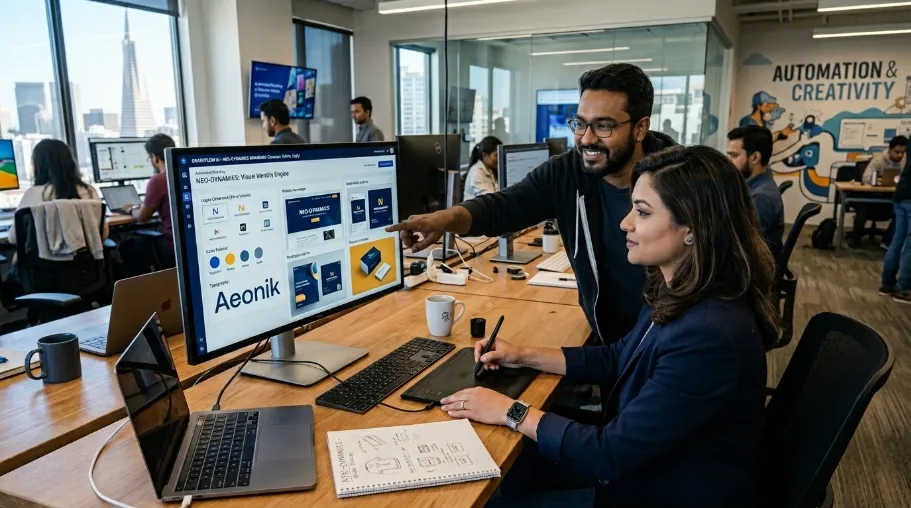
Automated branding is important because it helps businesses maintain consistent visuals, messaging, and tone across multiple channels. It reduces repetitive manual reviews, identifies brand inconsistencies earlier, and supports faster content production. This allows marketing teams to manage growing content volumes while spending more time on creative direction and strategic work.
For growing businesses, automated branding makes it easier to maintain consistent visuals, tone, colors, and messaging across websites, social media, ads, and other marketing assets.
Who Should Use Automated Branding?
Automated branding is particularly useful for growing businesses, marketing teams, agencies, and organizations that produce content across multiple channels. It can also help companies using AI to generate marketing assets at scale. These teams benefit from automated checks that apply consistent brand rules across contributors, campaigns, and publishing platforms.
Automated branding is best for businesses and teams that create content regularly across multiple channels. It is especially useful for:
Growing businesses managing a consistent brand across platforms.
Marketing teams producing high volumes of content.
Agencies handling branding for multiple clients.
Large teams where many people create brand assets.
Businesses using AI to generate marketing content at scale.
If your team struggles to keep colors, fonts, tone, and messaging consistent, automated branding can make brand control faster and easier.
Who Does Not Need Automated Branding?
Small businesses, solo creators, and teams producing only a few branded assets each month may not need a dedicated automated branding system. Manual reviews and a simple brand kit may be sufficient when content volume is low. Automation becomes more useful as publishing frequency, team size, and channel complexity increase.
Automated branding is most useful for growing teams, frequent content production, and brands managing many digital channels.
What Tools Are Used for Automated Branding?
Automated branding uses several types of tools: brand kit platforms for storing guidelines and templates, AI tools for generating content, monitoring software for detecting inconsistencies, and workflow automation platforms for managing approvals and publishing. Examples include Canva, Adobe Firefly, Adobe Brand Intelligence, HubSpot, Zapier, and Make. The appropriate combination depends on team requirements and budget.
Automated branding tools help teams create, manage, monitor, and publish on-brand content. Common tool types include:
Brand kit tools: Manage logos, colors, fonts, templates, and brand guidelines.
AI creation tools: Generate branded copy, images, and marketing assets.
Brand monitoring tools: Detect inconsistencies in visuals, tone, and messaging.
Workflow automation tools: Automate content review, approval, publishing, and updates.
The best setup depends on your team, content volume, and branding needs. The goal is consistent branding with less manual work, not simply choosing the “best” tool.
Automated Branding by the Numbers
Metric | Value | Source | Date |
|---|---|---|---|
Revenue gain from consistent branding | Up to 33% | Marq, State of Brand Consistency Report | 2019 |
Revenue growth credited to consistency | 10 to 20%, per 68% of respondents | Marq | 2019 |
Companies still shipping off-brand content | 81% | Marq / PR Newswire | 2019 |
Marketers using generative AI in a recurring workflow | 87%, up from 51% | Salesforce, State of Marketing 2026 | 2026 |
Companies with documented brand guidelines | ~95% | DashoContent 2026 roundup | 2026 |
Companies that enforce those guidelines consistently | ~25% | DashoContent 2026 roundup | 2026 |
People who trust brands more than institutions | 80% | Edelman, Trust Barometer Special Report | 2025 |
Time marketers recover weekly using AI tools | 6.1 hours | HubSpot, AI Trends 2026 | 2026 |
Generative AI's share of marketing activities | 15.1%, up 116% YoY | Duke Fuqua CMO Survey | 2025 |
DAM market size | $7.51 billion, 13.94% CAGR through 2031 | Mordor Intelligence | 2026 |
How Is Automation Different From Marketing Automation?
Marketing automation focuses on scheduling, targeting, and delivering content, while automated branding checks whether that content follows brand guidelines. Marketing automation manages when and to whom messages are sent. Automated branding checks elements such as colors, fonts, logos, formatting, and tone. The two systems can work together within the same marketing workflow.
Dimension | Marketing Automation | Automated Branding |
|---|---|---|
Primary job | Schedules and sends content | Enforces visual and tonal consistency |
What it checks | Timing, audience, delivery | Colors, fonts, logos, spacing, tone |
Typical tools | HubSpot, Zapier, Make | Canva Brand Kit, Adobe Brand Intelligence |
Failure mode if skipped | Missed sends, poor targeting | Off-brand content reaching customers |
When our team started, we ran both in parallel. It took a few weeks internally to stop mixing them up.
5 Signs You Need Automated Branding
Your team ships content faster than anyone can review it. SurveyMonkey's 2025 survey found 93% of marketers say AI now speeds up content creation, which means review capacity is usually the bottleneck, not production.
More than one person or agency touches your brand assets. Small businesses are not exempt either; AI adoption among companies with under 500 employees reached 51% by late 2025, per the US Chamber of Commerce Small Business AI Index.
Your guidelines live in a PDF nobody opens. As covered above, roughly 95% of companies have one, but only about 25% enforce it.
You've had an off-brand asset reach a customer before someone caught it. This happened to our team in month two of our rollout, described below.
Revision cycles regularly take more than a day. Ours did, until automated monitoring cut that down to same-afternoon turnarounds by week four.
Key Features to Look For in Automated Branding Software
Based on what we tested across a dozen tools, these features separated the ones we kept from the ones we dropped:
Centralized color, font, and logo storage that new templates inherit automatically, the core of any brand kit tool.
Custom model training on your own approved assets, not a generic AI model. Adobe's Firefly Enterprise Solutions, for example, let teams train on proprietary brand assets rather than starting from scratch.
Pre-publication validation, not post-publication reporting. Adobe Brand Intelligence, launched April 2026 at Adobe Summit in Las Vegas, checks assets before they ship rather than flagging them afterward.
Adjustable sensitivity for tone-of-voice rules. We needed this in weeks one and two of monitoring, when the system over-flagged normal stylistic variation.
Native integration with your approval workflow, whether that's HubSpot, Zapier, or Make, so brand checks happen inside the process your team already uses, not as a separate step.
Reporting on flagged-asset rate over time, so you can measure whether the system is actually reducing rework, the way ours dropped from roughly 1-in-4 drafts to 1-in-10 over six weeks.
Why Does Automated Branding Matter in 2026?
Automated branding matters in 2026 because businesses increasingly use AI and connected workflows to produce marketing content. Higher content volumes can make manual brand reviews difficult to maintain. Automated checks help teams identify inconsistencies in visuals, messaging, and tone before publication, supporting brand consistency across campaigns and digital channels.
Automated branding matters now because generative AI adoption has outpaced manual review capacity. Salesforce's State of Marketing 2026 found that 87% of marketers use generative AI in a recurring workflow. That's up from just 51% in 2024. As a result, when most content is AI-assisted, brand drift multiplies unless something checks the output automatically before it publishes. According to Loni Stark, Adobe's Vice President of Strategy and Product, AI now acts as a new kind of intermediary between brands and their customers, one capable of reasoning rather than just executing tasks (CX Today, April 2026).
I watched this happen directly. In month two of our rollout, before monitoring was switched on, three contributors used AI tools to draft social captions. The tone read nothing like our brand voice. Still, none of it was caught until a customer flagged it in a comment. That single comment is what got leadership to approve budget for a real system.
The enforcement gap shows up in the wider data too. Around 95% of companies report having written brand guidelines. Yet consistent enforcement sits at only about 25%, according to DashoContent's 2026 roundup of brand-governance research. In other words, a guidelines document sitting in Drive enforces nothing on its own.
Does Automated Branding Actually Affect Revenue?
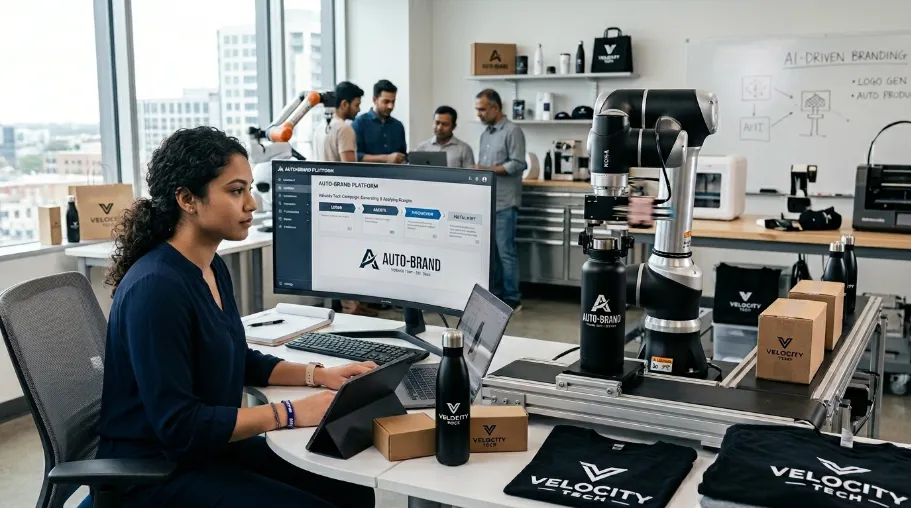
Yes. Automated branding delivers the same consistency that Marq's State of Brand Consistency Report ties to revenue growth. That report surveyed more than 400 brand management professionals. It found that consistent brand presentation is tied to revenue gains as high as 33%. In addition, 68% of respondents credited consistency with 10 to 20% of their revenue growth. Even so, off-brand content still reaches customers at 81% of companies surveyed, which is exactly the gap automated branding is built to close.
That same study, covered by PR Newswire, points to trust as the underlying mechanism. According to Owen Fuller, Lucidpress's general manager at the time of the report, companies would keep struggling with off-brand content as demand for content kept rising, since roughly half of organizations were already producing more content than they had the year before. Edelman's 2025 Trust Barometer Special Report on brand trust backs this up. Based on interviews across 15 markets, it found that 80% of people trust the brands they use more than they trust government, media, business, or NGOs.
What Are the Core Components of an Automated Branding System?
An automated branding system typically includes four core components: a living brand kit, AI-assisted asset generation, real-time brand monitoring, and workflow automation. The brand kit stores approved guidelines and assets, AI supports content creation, monitoring checks compliance, and automation connects reviews with approval and publishing processes.
An automated branding system needs four components. Together, they turn brand guidelines into rules that software can enforce, not just words in a document.
After testing roughly a dozen tools between January and May 2026, here is how each component played out for us:
A living brand kit: Canva's Brand Kit was our easiest starting point. Once loaded, new templates inherit our colors and fonts automatically, so nobody can accidentally grab the wrong shade of blue.
AI asset generation trained on your own assets: We piloted Adobe Firefly's enterprise tools. They train custom models on approved brand assets instead of generating generic AI output.
Real-time brand monitoring: Adobe Brand Intelligence launched in April 2026. It builds a structured "brand ontology" from your guidelines and past approvals. Then it validates new assets against that ontology before publication. This was the highest-impact layer in our testing. According to Aaron Finegold, Adobe's Head of Product Marketing for Firefly Enterprise, the goal of this kind of system is to relieve the bottleneck that senior creative directors and brand managers face in manual review and approval, a burden he says some enterprises now assign to a full-time executive just to check co-branded partner marketing (B&T, May 2026).
Workflow automation connecting the first three: We routed approvals through HubSpot for owned channels and Zapier for smaller integrations. Larger teams often use Make instead, for more complex orchestration.
My Testing Timeline, Month by Month
Here is what the five months actually looked like on our end, in case it helps you set realistic expectations for your own rollout.
Month 1, January 2026: We audited our existing assets and rewrote our guidelines from a 40-page PDF into one reference doc. This took about three weeks longer than planned, mostly because half our logo files turned out to be outdated versions nobody had flagged.
Month 2, February 2026: We loaded everything into Canva's Brand Kit and started routing new content through it. This is also when the three off-brand AI captions slipped through, before we had any monitoring live.
Month 3, March 2026: We piloted Adobe Firefly's custom model training on our approved assets. Outputs still looked generic for the first two weeks, until we fed in more than 200 approved images and the results started matching our actual style.
Month 4, April 2026: We turned on Adobe Brand Intelligence the same month it launched. Those first two weeks of monitoring were rough, with the system over-flagging normal stylistic variation between writers.
Month 5, May 2026: By week four of monitoring, flagged-asset rework had dropped from about 1-in-4 drafts to 1-in-10. We connected the full stack to HubSpot for approvals and scheduling that same month.
After five months of running this system end to end, the biggest change was not the tools themselves. It was how much less time our brand lead spent chasing down inconsistent colors and captions, and how much more of that time went into actual creative direction.
How Do You Set Up Automated Branding? (6 Steps)
To set up automated branding, first document your brand guidelines and organize approved assets. Next, create a centralized brand kit, configure AI-assisted content creation, and add automated monitoring to detect inconsistencies. Finally, connect the tools to your approval and publishing workflows. Test the system, adjust its rules, and monitor flagged assets to improve accuracy.
Setting up automated branding takes six steps. Each one builds on the last, and skipping a step usually shows up as messy output later.
Document your guidelines as one structured reference, not a 40-page PDF: colors, typography, logo rules, photography style, tone of voice.
Organize assets into a DAM system before connecting any AI tool. This is the step teams skip, and it determines whether AI output is usable. The DAM market itself reflects this shift. Mordor Intelligence values it at $7.51 billion in 2026. It's growing at a 13.94% CAGR through 2031, and small and mid-size teams are now the fastest-adopting segment.
Build the living brand kit so new content inherits your rules automatically.
Turn on AI asset generation trained on your own approved content, not a generic model.
Add real-time brand monitoring so off-brand color, font, spacing, or tone gets flagged before publication, not after a customer notices.
Connect the stack to your marketing workflow so enforcement happens at every step of creation, approval, and distribution.
What Results Should You Expect From Automated Branding?
Automated branding can help reduce repetitive reviews, improve consistency, identify brand errors, and support faster content production. Results depend on the tools, guidelines, and workflow configuration. During our six-week monitoring test, flagged-asset rework decreased from roughly one in four drafts to one in ten, although the system required initial tuning.
Expect fewer revision cycles and less manual policing of brand consistency. In a six-week test, automated monitoring cut flagged-asset rework from roughly 1-in-4 drafts to 1-in-10. Separately, HubSpot's 2026 data shows marketers recover an average of 6.1 hours per week once similar AI tools are embedded in daily workflows.
The rollout was not instant on our end. Instead, the first two weeks were rough. The system over-flagged legitimate stylistic variation, so we spent real time tuning tone-of-voice rules before it settled in. By week four, revision cycles that used to take two full days between writers and our brand lead were down to same-afternoon turnarounds. Most of the reclaimed time went back to our creative reviewer rather than our brand lead, who spent less time policing colors and more on actual creative direction. Other teams report the same shift at larger scale: Xfinity's Chief Growth Officer, Jon Gieselman, has described the effect of Adobe's system as letting his team spend less time managing work and more time on the storytelling that defines the brand (Time Under Tension, May 2026).
What Should You Do Next?
To implement automated branding, follow these six practical steps:
Document your brand rules. Define your colors, fonts, tone, messaging, and visual standards.
Organize approved brand assets. Store logos, templates, images, and other files in one accessible location.
Create a living brand kit. Keep your guidelines centralized, searchable, and easy to update.
Choose tools for your team. Select automation tools that match your workflow, budget, and content needs.
Add automated brand checks. Use AI and rules to detect inconsistent colors, tone, layouts, and messaging.
Measure revisions and flagged assets. Track common errors to improve brand consistency over time.
In short, start by defining your brand rules, then automate how those rules are applied and checked. This approach makes your branding more consistent, scalable, and easier to manage.
Frequently Asked Questions About Automated Branding
What is automated branding, in one sentence?
Automated branding is the use of AI, software, and connected workflows to apply and check brand guidelines across content and marketing channels. It helps maintain consistent visuals, messaging, fonts, and tone by identifying potential inconsistencies automatically, reducing the need for someone to inspect every asset manually before publication.
Is automated branding the same as marketing automation?
No. Marketing automation manages activities such as scheduling, audience targeting, and message delivery. Automated branding checks whether content follows brand guidelines, including approved colors, fonts, logos, and tone. The two serve different purposes but can work together, allowing teams to distribute content efficiently while maintaining consistent brand presentation.
Do I need a big budget to start with automated branding?
No. You can begin with a centralized brand kit, documented guidelines, reusable templates, and basic workflow rules. In our rollout, we started with Canva's free brand kit tier before introducing paid monitoring tools as the team grew beyond ten contributors. Your initial costs depend on your content volume and requirements.
How long does it take for automated branding to work well?
The setup and adjustment period depends on your guidelines, tools, and workflow complexity. In our experience, it took approximately four to six weeks of tuning before monitoring accuracy became reliable. During that period, we adjusted tone-of-voice rules and corrected over-flagging. Teams should allow time for testing and refinement rather than expecting perfect results immediately.
What's the biggest risk with automated branding?
One risk is over-automation, which can make content feel repetitive or overly templated. Another is poorly configured monitoring that misses genuine inconsistencies or flags acceptable variations. Human review remains important for context, creativity, and judgment. Regularly checking both flagged and unflagged assets can help teams identify problems and improve their rules.
Can small businesses or solo founders use automated branding?
Yes. Small businesses and solo founders can start with basic brand kits, reusable templates, and simple automated checks rather than adopting a complex enterprise system. Tools such as Canva and BrandCrowd can help organize brand assets. The appropriate setup depends on content volume, available budget, and how many channels need consistent branding.
What is the ROI of automated branding?
The return on investment can include fewer revisions, reduced manual review time, and more consistent brand presentation. In our six-week monitoring test, flagged-asset rework decreased from roughly one in four drafts to one in ten. Marq's research also links consistent branding with revenue gains, but this does not guarantee a specific return from automation.
Which tools did you actually keep after testing?
After our five-month testing period, we kept Canva's Brand Kit, Adobe Brand Intelligence, and HubSpot in our workflow. We dropped two smaller AI writing tools by month three because their outputs continued to ignore our tone-of-voice rules despite retraining. These decisions reflect our team's experience and may differ for organizations with other requirements.
Conclusion
In short, automated branding is a system for applying, checking, and enforcing brand rules automatically across content and channels. It works best when you combine a living brand kit, AI-assisted creation, real-time monitoring, and workflow automation. For teams producing content at scale, the goal is not to remove human judgment but to protect brand consistency while people focus on creative decisions.
At CyberCraft Bangladesh, we use this approach to help brands maintain consistency while scaling their digital content and marketing workflows.

I’m Mitu Das, a JavaScript developer, ERP product architect, and SEO specialist from Bangladesh. I work at CyberCraft Bangladesh, where I help build simple, scalable software, SaaS platforms, and business solutions. My goal is to create technology that helps companies save time, automate daily tasks, and grow faster. I enjoy combining development, product ideas, and SEO strategies to create useful digital solutions for modern businesses.
Writes about
Want this done for you?
Our team builds and ships exactly what this article describes. Send a message and we will reply with a scope.