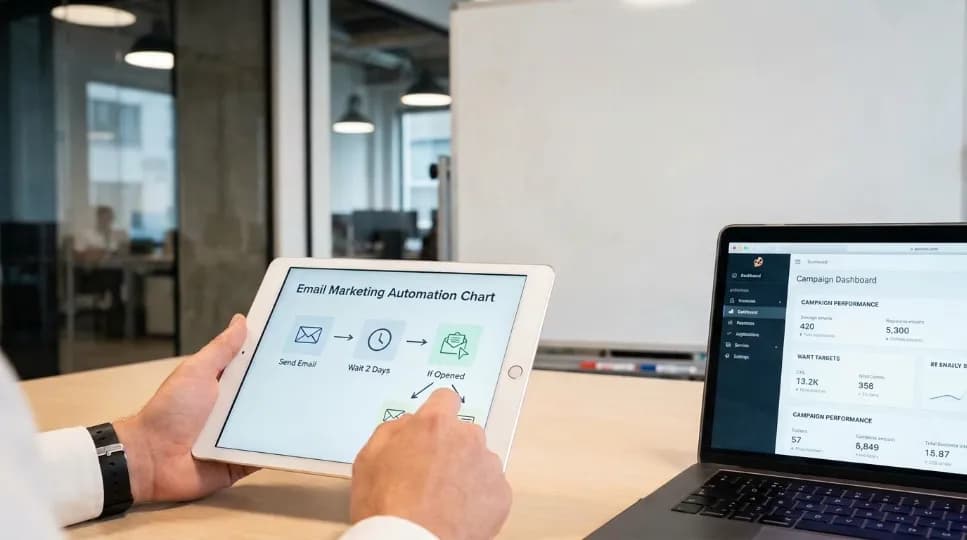
How AI Workflow Automation Saved Our Client 40+ Hours Every Week


AI workflow automation refers to the use of artificial intelligence to run, route, and improve repeated business tasks with little human effort. It reads data, makes simple decisions, and moves work to the next step. As a result, software handles routine work, and your team focuses on judgment and creative tasks.
This guide explains how AI and business automation work, where it helps, and how you can get started. I reviewed reports from McKinsey, the U.S. Census Bureau, the Federal Reserve, and Gartner. In practice, I also tested small automations on my own reporting tasks. However, surveys define “AI use” in different ways, so treat every number as a guide, not a promise.
About the Author
Written by: Mitu Das, SEO Specialist and Web Developer. I have worked in SEO and content writing since 2024, focusing on technical SEO, content strategy, analytics, and AI workflow automation. I create practical, research-based guides that help businesses understand AI automation, improve workflows, and reduce repetitive work.
Reviewed by: Senior Content Strategist at CyberCraft Bangladesh, checking technical accuracy, search intent, supporting evidence, and practical usefulness.
Published: May 17, 2026
Last Updated: September 30, 2026
Editorial policy: Content is reviewed using reliable research, current industry guidance, practical testing, and established SEO and digital marketing principles.
Table of contents
Key takeaways
How it works
The process, step by step
Benefits and use cases
How to start
Conclusion and next steps
FAQs
Key Takeaways
Workflow automation with AI links smart decisions to connected apps, so tasks finish without constant clicking.
Adoption is rising fast, yet very few companies have scaled it.
Small, well-mapped tasks give the best early results.
Costs and risks are real, so start small and keep a person in the loop.
Clear goals and clean data matter more than fancy AI workflow automation software.
What Is AI Workflow Automation?
AI workflow automation is the use of artificial intelligence to automate, manage, and improve repetitive business tasks with minimal human effort. It can analyze data, make routine decisions, trigger actions, and move tasks between systems automatically. Businesses use AI workflow automation to reduce manual work, improve efficiency, and create faster, more consistent processes.
For example, when a customer submits a contact form, an AI workflow can read the message, identify the request, add the lead to a CRM, send a personalized email, and notify the sales team without manual input. Businesses can use it for lead management, customer support, data processing, reporting, content workflows, and email marketing. This reduces repetitive work, speeds up processes, and creates more consistent workflows.
How Does AI Workflow Automation Work?
Here is how AI workflow automation works. A trigger, such as a new email, starts the flow. An AI model reads the content and picks an action. Connected apps carry it out. Finally, a person checks tricky cases, and feedback improves the system.
Think of a smart assembly line. Older tools followed fixed rules. Intelligent workflow automation, however, can read messy text and adapt. For example, AI-powered workflow automation can sort a vague email into "refund" or "shipping." Meanwhile, AI workflow integration links that choice to your help desk and billing app.
What Are the Steps in the AI Workflow Automation Process?

The process has five steps: map the task, gather the data, choose a tool, test small, and monitor results. Follow them in order, because each step builds on the last. Skip the mapping step, and you often automate a bad process faster, which wastes money.
Map the task: Write down each step, owner, and delay.
Gather the data: Clean the files, forms, and emails the AI will read.
Choose a tool: Compare AI workflow automation tools and any AI workflow automation platform on fit and data needs.
Test small: Run one task for two weeks.
Monitor results: Track time saved and error rates.
What Are the Benefits and Use Cases of AI Workflow Automation?
The main AI workflow automation benefits are saved time, fewer errors, and faster service. Common AI workflow automation use cases include support tickets, invoice checks, hiring tasks, and marketing approvals. Evidence indicates gains grow when teams redesign the whole process. In most cases, small tasks pay off first.
Research suggests demand for AI workflow automation for businesses is strong. According to McKinsey's 2025 survey of 1,993 participants (June 25 to July 29, 2025), 88% of organizations use AI in at least one function, up from 78% in 2024. However, only 7% say AI is fully scaled. Just 39% report any company-wide profit effect, and most of those see under 5% of EBIT. Meanwhile, 62% are at least experimenting with AI agents, and 23% are scaling them.
U.S. numbers look lower because definitions differ. According to the Census Bureau, business AI use stayed between 17% and 20% from December 14, 2025 to May 3, 2026. Furthermore, 37% of firms with 250+ employees and 32% of firms with 100 to 249 employees used AI. A Federal Reserve note dated April 3, 2026 estimates that 78% of the U.S. labor force works at firms that have adopted AI. Earlier, Census researchers tracked use rising from 3.7% in September 2023 to 5.4% in February 2024. Sector use ranged from 1.4% in construction to 18.1% in information.
Here are AI workflow automation examples I see most often:
Use case | Example | Typical gain |
|---|---|---|
Customer support | Sort and answer tickets | Faster replies |
Finance | Read invoices, flag errors | Fewer mistakes |
HR | Screen forms, book interviews | Less admin time |
Marketing | Draft and route approvals | Shorter cycles |
Other benefits include:
Speed: AI task automation routes requests in seconds, not hours.
Accuracy: AI process automation catches typos humans miss.
Scale: automated business workflows handle busy weeks without extra hires.
Morale: people spend more hours on creative work.
Still, caution matters. According to Gartner's June 25, 2025 forecast, over 40% of agentic AI projects will be canceled by the end of 2027. The reasons are rising costs, unclear value, and weak risk controls. Gartner also estimates that only about 130 of thousands of agentic AI vendors are real, a habit it calls "agent washing." Looking ahead, Gartner predicts AI agents will make 15% of daily work decisions by 2028, up from 0% in 2024.
How Do You Start With AI Workflow Automation?

Start with one boring, repeated task that eats hours each week. Map it, clean the data, and pick a simple tool. Run a two-week test while a person checks every result. Then measure time saved, and expand only if the numbers hold.
These AI workflow automation best practices work in most cases:
Set one goal: For example, cut invoice time by 30%.
Keep humans in charge: Review outputs until error rates stay low.
Manage risk early: The NIST AI Risk Management Framework, released on January 26, 2023, offers free guidance.
Plan AI workflow management: Name an owner, log changes, and track costs.
Build AI automation strategies in phases: Add new tasks only after the first win.
Conclusion: Your Next Steps With AI Workflow Automation
This technology answers a simple question: how can software handle routine work so people can focus on judgment? It uses AI to read, decide, and act across your apps. In my experience at CyberCraft Bangladesh, the winners start small, measure everything, and improve workflows based on real results.
Therefore, take three steps this week to begin AI workflow automation. First, pick one repeated task. Second, map it and test one of the AI workflow automation solutions for two weeks. Third, review the results against the NIST framework. This plan gives you a clear answer based on your own data, rather than assumptions.
FAQs About AI Workflow Automation
How is it different from regular automation?
Regular automation follows fixed rules, such as "if X, then Y." Workflow automation with AI adds a model that reads messy text, images, or data and chooses an action. Therefore, it handles unclear inputs better. However, it needs testing, because AI can still make mistakes that simple rules would not.
Is it only for large companies?
No, but larger firms use it more. According to the Census Bureau, 37% of firms with 250+ employees used AI as of May 3, 2026. Smaller teams can still learn from these results, however. Start with one task, such as sorting emails, and grow from there.
What tools does it use?
It typically combines three parts: an AI model, a workflow builder, and app connectors. Some platforms bundle all three, while others let you mix them. Understand your task first, then match the tools to it. Gartner warns that many vendors relabel old chatbots as new AI.
Will it replace jobs?
Evidence so far is mixed. Census researchers, as reported by Fortune, found that few firms using AI reported layoffs, and many were training staff instead. Still, some tasks will change. The safest approach is to retrain people for review and decision work.
What is the biggest risk?
The biggest risk is automating a poor process with weak oversight. Gartner expects over 40% of agentic AI projects to be canceled by 2027 because of cost, unclear value, or risk controls. To reduce this, set one goal, keep humans reviewing results, and use frameworks such as NIST's.

I’m Mitu Das, a JavaScript developer, ERP product architect, and SEO specialist from Bangladesh. I work at CyberCraft Bangladesh, where I help build simple, scalable software, SaaS platforms, and business solutions. My goal is to create technology that helps companies save time, automate daily tasks, and grow faster. I enjoy combining development, product ideas, and SEO strategies to create useful digital solutions for modern businesses.
Writes about
Want this done for you?
Our team builds and ships exactly what this article describes. Send a message and we will reply with a scope.