Dropshipping Website Development: Process, Cost & Services

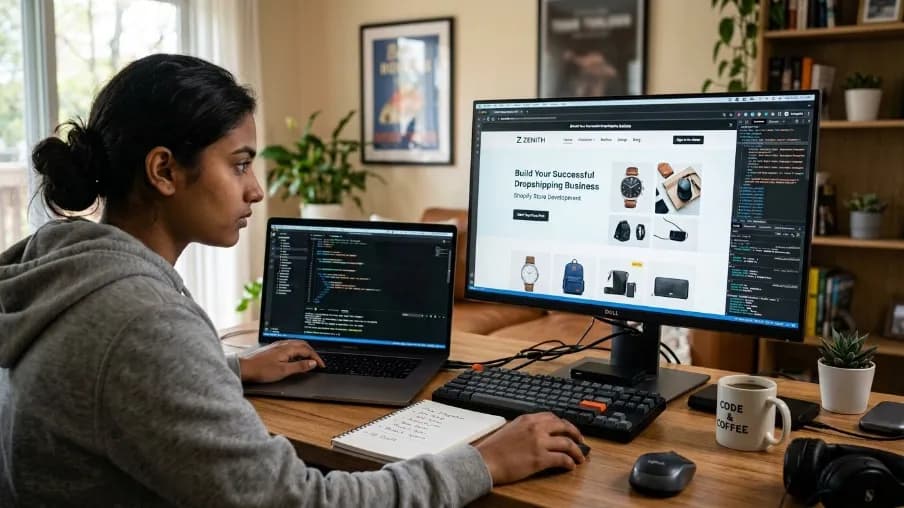
Dropshipping website development is the process of designing and building an online store that lets businesses sell products without keeping inventory. It includes website design, product management, supplier integration, payment gateways, automated order processing, mobile optimization, SEO, security, and checkout setup.
Looking for dropshipping website development? This guide takes you straight to what you need: go to the platform comparison to choose Shopify or WooCommerce, head to the process section for the exact setup steps, visit the cost breakdown to see what to expect, and find where to go next if you'd rather hire a team than build it yourself. Whether you're heading to Shopify, WooCommerce, or a custom build, you'll find the exact path here.
Written by: Mitu Das, Web Developer & SEO Specialist
Published: July 26, 2026
Last updated: August 15, 2026
Key Takeaways
Dropshipping website development can include UI/UX design, development, SEO, performance optimization, mobile responsiveness, and ongoing support.
A typical process has four stages: requirements, proposal, design and development, then testing and launch.
Shopify works well for fast setup, while WooCommerce offers more control and customization.
Custom development is useful when you need advanced features, automation, or greater scalability.
Performance and SEO should be planned from the beginning. Fixing these issues after launch can take more time and resources.
Costs vary based on the platform, design, integrations, features, and level of customization.
What Is Dropshipping Website Development?
Dropshipping website development is the process of designing, building, and configuring an online store where you sell products without holding inventory yourself. Dropshipping stores are usually dynamic because product prices, stock levels, and availability can change frequently. Therefore, platforms such as Shopify and WooCommerce are commonly used.
The website handles product displays, customer orders, payments, and communication. After an order is placed, the supplier prepares and ships the product directly to the customer. The store owner can then focus on marketing, customer service, and business growth.
How Does a Dropshipping Website Work?
A dropshipping website connects customers, products, suppliers, payments, and order fulfillment in one system. Customers browse products, place orders, and pay through the website. The order is then sent to the supplier, who packages and ships it directly to the customer. The store owner manages marketing, customer service, and website operations.
How to Get Started with Dropshipping Website Development?
To get started with dropshipping website development, choose a platform such as Shopify or WooCommerce, register your domain, select a suitable theme, and connect your supplier. Next, configure payments, shipping, mobile design, SEO, and security. Finally, test product pages, checkout, order processing, and site performance before launching your store.
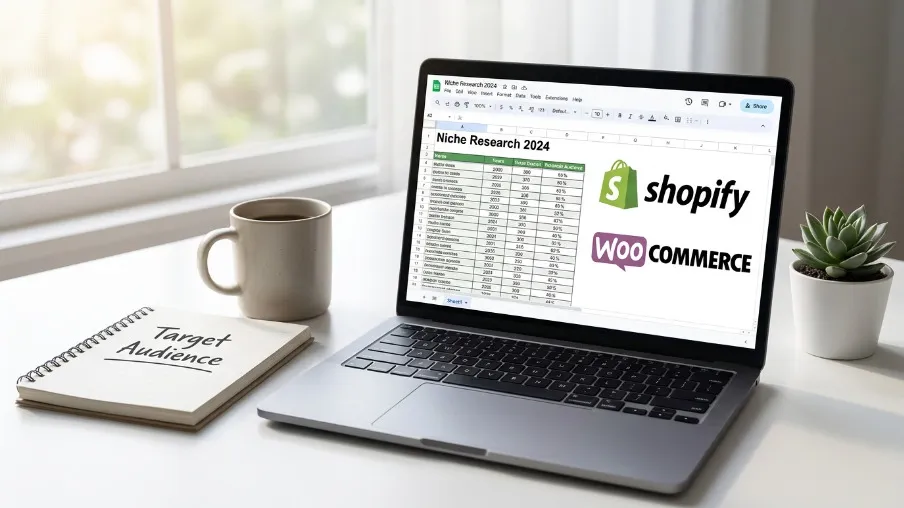
Here's exactly where to go at each stage.
Step 1: Where to Choose Your Platform
Most dropshipping store development happens on one of two types of platforms:
Shopify dropshipping website development, hosted, beginner-friendly, strong app ecosystem for supplier integrations like DSers or Zendrop. Head to shopify.com to start a trial and explore themes directly.
WooCommerce dropshipping website development, self-hosted on WordPress, more flexible and often cheaper long-term, but requires more technical setup (the WooCommerce documentation is a solid starting point if you go this route).
Custom dropshipping website development (built on a framework like Next.js or a headless commerce stack) is also an option for businesses that outgrow templated platforms, though it costs more upfront.
Step 2: Where to Set Up Product Sourcing and Automation?
This is where dropshipping automation website features come in. You'll connect your store to a supplier network (AliExpress, CJ Dropshipping, Spocket, or a private supplier) through an app from the Shopify App Store or a comparable WooCommerce plugin, so that:
Product listings sync automatically
Stock levels update in real time
Orders route to the supplier without manual entry
Step 3: Where to Configure Payments and Fulfillment?
Dropshipping payment gateway integration typically includes Stripe, PayPal, and increasingly Buy Now Pay Later options; Stripe's own payment integration documentation is worth bookmarking if your developer is setting this up from scratch. You'll also want a dropshipping product management system that tracks order status across multiple suppliers, since a single order can sometimes ship from more than one warehouse.
Step 4: Where to Focus for Mobile and Speed
Responsive dropshipping website design isn't optional anymore. A large share of dropshipping traffic comes from mobile ads on Meta and TikTok, so a slow or clunky mobile checkout directly costs sales. Running your store through Google's PageSpeed Insights periodically, and keeping an eye on Core Web Vitals, is a quick way to catch performance problems before they start costing conversions.
Good store design goes beyond appearance. Product search, filters, reviews, trust signals, clear navigation, and a simple checkout should guide visitors toward completing their purchase. Customizing fonts, colors, images, and layouts can also help create a distinct brand identity.
Step 5: Where to Go After Launch?
Dropshipping website setup doesn't end at launch. Some sellers bring in dropshipping store launch services to handle the go-live checklist, then shift focus to dropshipping website optimization, which continues after launch and includes speed testing, SEO cleanup, and conversion rate testing on product pages and checkout flow.
Why Dropshipping Website Development Matters, and Where to Focus First?
Dropshipping website development matters because your website directly affects trust, conversions, and customer experience. Focus first on mobile responsiveness, fast loading speed, simple navigation, secure checkout, clear product information, supplier integration, and SEO. A well-built store makes it easier for visitors to understand your products, complete purchases, and return for future orders.
The dropshipping market is growing rapidly. Grand View Research estimates the global market at $464.4 billion in 2025 and projects it to reach $583.5 billion in 2026 and $2.18 trillion by 2033. The research forecasts a 20.7% CAGR from 2026 to 2033, showing strong expected growth over the period.
This growth also increases competition between online stores. A professional dropshipping website therefore needs more than attractive visuals. Product pages should load quickly, display clear pricing and availability, explain shipping times, support secure checkout, and provide useful product information. These elements help turn traffic into completed purchases and give store owners measurable areas to optimize.
Benefits and Challenges: Where to Weigh Your Options
Benefits | Challenges |
|---|---|
Low upfront investment compared to holding inventory | Profit margins can be lower because supplier costs and market competition affect pricing. |
Faster to launch than a traditional ecommerce build | Site must handle constantly changing supplier stock and pricing |
Easy to test multiple product niches | Shipping times from overseas suppliers can hurt customer trust |
Scales without warehousing overhead | Higher competition means SEO and design quality matter more |
Your Roadmap: Where Each Step Leads
Pick a platform based on your technical comfort level and budget, Shopify for speed, WooCommerce for flexibility, custom development for scale.
Register a domain and hosting that fits your brand, not just the cheapest option available.
Install a clean, fast theme rather than a bloated one packed with unused features.
Integrate your supplier through a dropshipping API integration so orders flow automatically.
Set up your payment gateway and test the full checkout flow yourself, on both desktop and mobile.
Write real product descriptions instead of copying supplier text word-for-word, duplicate content hurts SEO and looks unprofessional.
Add trust elements: reviews, clear shipping timelines, a real contact page, and a return policy.
Test load speed and Core Web Vitals. Check mobile performance before and after major design, app, image, or code changes.
Launch with a small ad budget to test conversion before scaling spend.
Common Mistakes, and Where to Watch for Them
Copy-pasting supplier product descriptions, this creates duplicate content across thousands of stores selling the same item, which hurts both SEO and buyer trust.
Skipping mobile testing, a checkout button that's easy to tap on desktop can be nearly unusable on a phone.
Ignoring page speed, every extra second of load time pushes visitors toward the back button.
No clear shipping information, vague delivery windows can increase customer complaints, refund requests, and chargeback risk.
Overloading the homepage with every product at once instead of a focused, curated selection.
Forgetting legal pages, a store without a real refund policy or contact information looks untrustworthy to both customers and payment processors.
What Do Experienced Builders Focus On?
One thing I learned working on similar builds is that a focused store with a small, well-managed catalog can often outperform a store with hundreds of poorly presented products.
Keep your product management system as your single source of truth for stock and pricing, don't rely on manually checking supplier sites.
Build FAQ and shipping-time sections directly into product pages, not just a separate policy page nobody visits.
If you're using B2B dropshipping website development for wholesale-style ordering, add bulk pricing tiers and simplified reorder options, B2B buyers behave differently from casual retail shoppers.
Revisit your dropshipping website SEO every quarter; product categories and supplier catalogs change often enough that stale metadata piles up quickly.
Our Experience With Dropshipping Website Development
Based on our experience working on ecommerce website projects, we found that mobile checkout, product-page speed, supplier synchronization, and clear shipping information require particular attention during development and after launch
How Do You Choose a Dropshipping Website Development Company?
Choose a dropshipping website development company by checking its ecommerce experience, portfolio, development process, technical skills, and client reviews. Ask whether the team handles supplier integrations, payment gateways, mobile optimization, SEO, security, and ongoing maintenance. Compare pricing, timelines, deliverables, and support before selecting a company that matches your store's requirements.
Not everyone wants to build a store themselves. An experienced development team can handle platform setup, supplier integrations, payment gateways, responsive design, SEO, testing, and ongoing maintenance.
When comparing development companies, ask about their ecommerce experience, previous projects, development process, timeline, pricing, integrations, and post-launch support. Review live client stores where possible and make sure the project scope and deliverables are clearly defined before signing an agreement.
Dropshipping Website Maintenance Checklist: Where to Check First
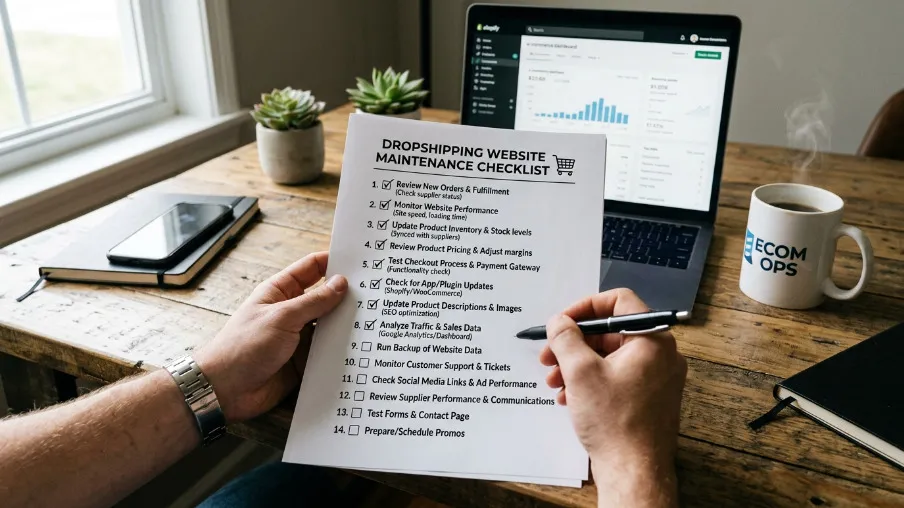
Fast and Secure Dropshipping Website Development
A store doesn't stay healthy on its own. Dropshipping website maintenance should run on a regular schedule, not just when something breaks. A simple website maintenance checklist for a dropshipping store looks like this:
Check for broken links and out-of-stock products removed by suppliers
Update plugins, themes, and apps to their latest secure versions
Re-test checkout and payment gateway integration after any platform update
Review page speed scores and image file sizes
Audit product descriptions for duplicate content
Confirm shipping times and policies are still accurate
Back up the site and database before major changes
How Much Does Dropshipping Website Development Cost?
Dropshipping website development can cost a few hundred dollars for a basic DIY store, several thousand dollars for a professionally developed website, or significantly more for custom ecommerce development. The final cost depends on the platform, design, integrations, automation, product volume, custom features, SEO requirements, and ongoing maintenance or support.
Dropshipping website cost varies a lot depending on scope:
DIY on Shopify or WooCommerce: often a few hundred dollars for theme, apps, and domain.
Freelance or agency build: commonly a few thousand dollars depending on customization.
Custom ecommerce development with bespoke design and integrations: can run well into five figures for larger catalogs or B2B features.
Affordable dropshipping website development is possible, but "affordable" and "cheap" aren't the same thing, cutting corners on speed, mobile design, or checkout security tends to cost more in lost sales than it saves upfront.
What Is the Future of Dropshipping Website Development?
The future of dropshipping website development will focus on automation, AI-assisted store management, multichannel commerce, and better supplier integration. As stores become more automated, businesses will need websites that can manage product data, inventory, orders, and customer interactions efficiently.
AI-assisted management: AI can help with product descriptions, categorization, customer support, and other repetitive tasks.
Multichannel commerce: Stores can connect websites with social platforms and online marketplaces to reach customers across multiple channels.
Supplier automation: API-based integrations can synchronize product information, inventory, pricing, and orders.
What Should You Do Next?
If you are ready to start dropshipping website development, first choose between Shopify, WooCommerce, and custom development based on your budget, technical requirements, and growth plans.
For DIY setup, follow the platform, supplier, payment, mobile, SEO, and testing steps covered in this guide. If you need professional help, visit CyberCraft Bangladesh to explore website development services and request a project proposal.
Whether you need a basic dropshipping store or a custom ecommerce solution, your next step is to define the required features, integrations, budget, and timeline before development begins.
FAQs About Dropshipping Website Development
How much does dropshipping website development cost?
Dropshipping website development costs usually range from a few hundred dollars for a basic store to several thousand dollars for a custom website with advanced features and automation.
Is Shopify or WooCommerce better for dropshipping?
Shopify is generally better for beginners who want a faster and simpler dropshipping setup, while WooCommerce is better for businesses that need greater control and customization. Shopify provides managed hosting and an extensive app ecosystem, whereas WooCommerce offers more flexibility through WordPress. The better option depends on your technical skills, budget, and business requirements.
Do I need custom dropshipping website development?
You may need custom dropshipping website development when standard Shopify or WooCommerce features cannot support your business requirements. Custom development is useful for advanced automation, unique product systems, complex supplier integrations, custom checkout experiences, high-performance requirements, or large-scale ecommerce operations. For a simple store, however, a standard platform is often sufficient.
How long does it take to build a dropshipping website?
A basic dropshipping website can take a few days to several weeks, depending on its platform, design, product count, integrations, and customization. A simple Shopify store can launch quickly, while WooCommerce and custom ecommerce projects usually require more setup and testing. Complex supplier automation, custom features, and integrations can extend the development timeline.
What features should a good dropshipping website have?
A good dropshipping website should include responsive design, fast loading speed, secure payments, supplier integration, product management, search and filtering, customer reviews, clear shipping information, and a simple checkout process. It should also support SEO, analytics, security, mobile optimization, and reliable order tracking so customers can purchase easily and store owners can manage operations efficiently.
Sources and References
Grand View Research, Dropshipping Market Size, Share & Growth Report
Global Market Insights, Dropshipping Market Share, Analysis & Forecast
SellersCommerce, Detailed Dropshipping Statistics In 2026
Ship To The Moon, 127+ Ecommerce and Dropshipping Statistics for 2026

I’m Mitu Das, a JavaScript developer, ERP product architect, and SEO specialist from Bangladesh. I work at CyberCraft Bangladesh, where I help build simple, scalable software, SaaS platforms, and business solutions. My goal is to create technology that helps companies save time, automate daily tasks, and grow faster. I enjoy combining development, product ideas, and SEO strategies to create useful digital solutions for modern businesses.
Writes about