Power SEO Analytics vs Looker Studio vs GA4: Which is the Best SEO Analytics Tool for Devs?
You've spent weeks optimizing your Next.js app. You fixed meta tags, improved audit scores, cleaned up structured data. Then you open your analytics dashboard and stare at a wall of numbers that tells you nothing useful. Clicks went up. Or down. You're not sure why, and you definitely can't tell if your SEO work actually caused it.
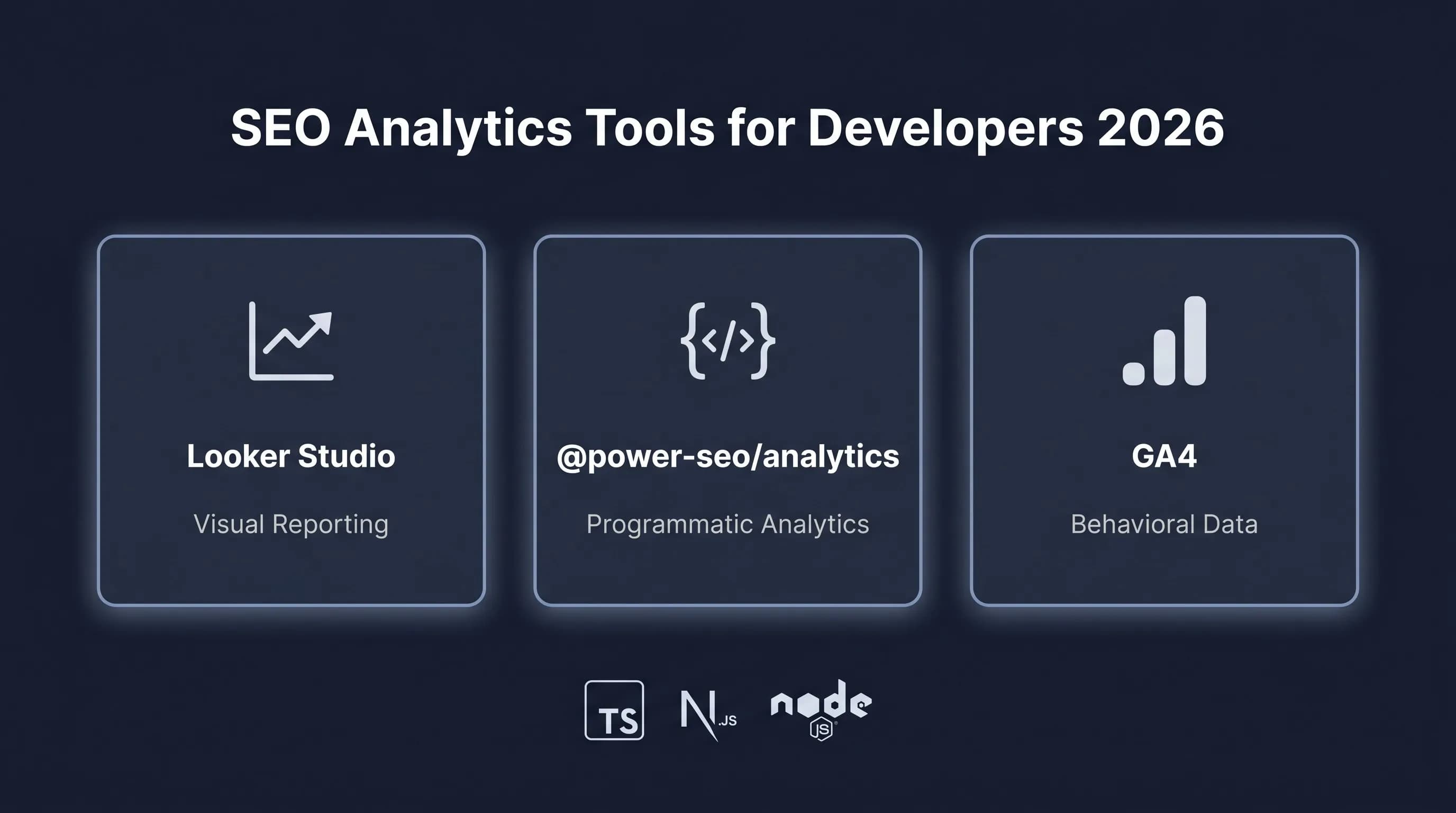
That's the real problem behind Power SEO Analytics vs Looker Studio vs GA4 in 2026. All three tools let you look at SEO data, but they answer completely different questions, in completely different ways, for completely different workflows.
I've used all three across real client projects. Here's my honest take on Power SEO Analytics vs Looker Studio vs GA4, no marketing fluff, no vague "it depends."
Disclosure: The author is a developer at CyberCraft Bangladesh, the team behind @power-seo/analytics. All three tools were tested in production projects. Where Looker Studio or GA4 is the stronger choice for a use case, we've said so.
Power SEO Analytics vs Looker Studio vs GA4 Quick Overview
| Feature | @power-seo/analytics | Looker Studio | GA4 |
|---|---|---|---|
| Bundle Size | ~6 KB gzip | N/A (web app) | N/A (web app) |
| Runtime Dependencies | 0 | N/A | N/A |
| TypeScript Support | ✅ Full .d.ts | ❌ None | ❌ None |
| SSR / Edge Safe | ✅ Yes | ❌ No | ❌ No |
| GSC + Audit Merge | ✅ Built-in | ❌ Manual connectors | ❌ Manual |
| Pearson Correlation | ✅ Built-in | ❌ None | ❌ None |
| Anomaly Detection | ✅ Statistical | ❌ None | ⚠️ Partial |
| Position Tracking | ✅ Before/after diff | ❌ Manual | ⚠️ Limited |
| Programmatic Access | ✅ npm package | ❌ UI only | ⚠️ API only |
| Learning Curve | Low | High | Medium |
| Pricing | Free / Open Source | Free (hosting costs) | Free |
| Best For | Developers, CI/CD | Agencies, reporting | Traffic & behavior |
Power SEO Analytics Deep Dive
Power SEO Analytics is a pure TypeScript package that merges Google Search Console data with SEO audit results, computes correlations, detects anomalies, and produces dashboard-ready output — all with zero runtime dependencies.
npm install @power-seo/analyticsHere's a complete working example. The question I'm answering: does my SEO audit score actually correlate with organic traffic?
// lib/seo-correlation.ts
import {
  mergeGscWithAudit,
  correlateScoreAndTraffic,
  detectAnomalies,
  buildDashboardData,
} from '@power-seo/analytics';
import type { GscPageData, TrendPoint } from '@power-seo/analytics';

// Step 1: GSC page data (from @power-seo/search-console or your own fetch)
const gscPages: GscPageData[] = [
  { url: '/blog/react-seo', clicks: 1240, impressions: 18500, ctr: 0.067, position: 4.2 },
  { url: '/blog/meta-tags', clicks: 380, impressions: 9200, ctr: 0.041, position: 8.7 },
  { url: '/blog/seo-audit', clicks: 55, impressions: 3100, ctr: 0.018, position: 19.1 },
];

// Step 2: Audit results (from @power-seo/audit or your own pipeline)
const auditResults = [
  { url: '/blog/react-seo', score: 88, issues: [] },
  { url: '/blog/meta-tags', score: 71, issues: ['Missing H2', 'Short meta description'] },
  { url: '/blog/seo-audit', score: 44, issues: ['No focus keyphrase', 'Low word count'] },
];

// Step 3: Merge + correlate — one function call
const insights = mergeGscWithAudit(gscPages, auditResults);
const correlation = correlateScoreAndTraffic(insights);

console.log(`Pearson r: ${correlation.correlation.toFixed(3)}`);
// e.g. 0.847 — strong positive: better audit scores → more clicks

// Step 4: Find quick wins — high traffic, low audit score
console.log('Fix these first:', correlation.topOpportunities.map(p => p.url));

// Step 5: Detect traffic anomalies automatically
const weeklyClicks: TrendPoint[] = [
  { date: '2026-01-05', value: 1200 },
  { date: '2026-01-12', value: 1350 },
  { date: '2026-01-19', value: 580 }, // drop — algorithm update?
  { date: '2026-01-26', value: 1480 },
];

const anomalies = detectAnomalies(weeklyClicks, 2.0);
anomalies.forEach(({ date, value }) => {
  console.log(`Anomaly detected on ${date}: value=${value}`);
});
3 Strongest Advantages of Power SEO Analytics
- Pearson correlation out of the box. I haven't found another developer-facing SEO tool that automatically computes the statistical relationship between audit scores and click data.
correlateScoreAndTraffic()gives me a coefficient and identifies my highest-opportunity pages in one call — no spreadsheet, no manual join. - Zero setup, zero UI. I install a package, import functions, and run them inside my existing Next.js pipeline or CI script. No connectors to configure, no dashboard to build from scratch.
- Programmatic anomaly detection. I wired
detectAnomalies()into a Slack notification. Now I get pinged when traffic spikes or drops statistically — without opening a dashboard. That's not something I could do with Looker Studio or GA4.
Honest Limitations of Power SEO Analytics
- You bring your own data. This package doesn't fetch GSC data for you. I use @power-seo/search-console alongside it, but that's an extra step compared to GA4 which collects data automatically once the tracking script is live.
- No visual dashboard out of the box. The package returns structured data ready for Recharts or Chart.js — but I build the UI myself. If you need a finished visual dashboard without writing frontend code, Looker Studio gets you there faster.
Power SEO Analytics-NPM — full API reference and TypeScript types.
Looker Studio Deep Dive
Looker Studio (formerly Google Data Studio) is a free web-based reporting tool from Google. It connects to data sources — including GSC and GA4 — and renders charts, tables, and dashboards through a drag-and-drop interface.
There's no npm install. You access it at Looker Studio Google, connect your GSC property, and build reports visually.
For the same task — correlating audit scores with traffic — here's what the process looks like in Looker Studio:
Step 1: Connect GSC as a data source — Data Sources → Add → Google Search Console → Select property.
Step 2: Export your audit results to Google Sheets manually. Looker Studio has no audit integration, so this step is always manual.
Step 3: Connect the Google Sheet as a second data source, then blend it with GSC data by URL. URL normalization (trailing slashes, https vs http) must be handled manually — mismatches cause silent row drops.
Step 4: Build a scatter chart with audit score on X and clicks on Y. You get a visual pattern — but no Pearson coefficient, no statistical significance flag, no quick-win list.
Step 5: Anomaly detection, not available. You scan charts manually.
3 Strongest Advantages of Looker Studio
- Polished visual dashboards without code. When I need to present SEO performance to a non-technical client, Looker Studio produces shareable, professional reports faster than any programmatic approach. The drag-and-drop interface is genuinely good for report design.
- Native GSC and GA4 integration. No API tokens, no data fetching. The connection to Google's own tools is a few clicks, faster to get started than writing code.
- Shareable and schedulable. Reports have a public URL. I can embed them in Notion, share with clients, or schedule automated email delivery. For managing multiple client accounts, this is a real operational advantage.
Honest Limitations of of Looker Studio
- No programmatic access. I can't run a Looker Studio report in a CI pipeline or trigger it from a GitHub Action. If my SEO reporting needs to be automated and embedded in code, Looker Studio simply can't do it.
- Data blending is fragile. Every time I've tried to blend GSC data with external audit results in Looker Studio, URL normalization has broken the join silently. Missing rows, no error message — exactly the kind of failure that makes SEO data unreliable.
GA4 Deep Dive
Google Analytics 4 is a behavioral analytics platform. It tracks what users do after landing on your site — pageviews, scroll depth, conversions, session duration. It's not primarily an SEO tool, which is the source of most developer frustration when trying to use it for SEO correlation analysis.
// Using GA4 Data API for organic traffic data
// Install separately: npm install @google-analytics/data

import { BetaAnalyticsDataClient } from '@google-analytics/data';

const analyticsDataClient = new BetaAnalyticsDataClient({
  credentials: JSON.parse(process.env.GOOGLE_APPLICATION_CREDENTIALS_JSON!),
});

async function getOrganicTrafficByPage(propertyId: string) {
  const [response] = await analyticsDataClient.runReport({
    property: `properties/${propertyId}`,
    dimensions: [
      { name: 'pagePath' },
      { name: 'sessionDefaultChannelGroup' },
    ],
    metrics: [
      { name: 'sessions' },
      { name: 'bounceRate' },
      { name: 'averageSessionDuration' },
    ],
    dateRanges: [{ startDate: '30daysAgo', endDate: 'today' }],
    dimensionFilter: {
      filter: {
        fieldName: 'sessionDefaultChannelGroup',
        stringFilter: { value: 'Organic Search' },
      },
    },
  });

  return response.rows?.map((row) => ({
    page: row.dimensionValues?.[0].value,
    sessions: row.metricValues?.[0].value,
    bounceRate: row.metricValues?.[1].value,
    avgDuration: row.metricValues?.[2].value,
  }));
}

// Important: GA4 has no audit score data, no search position data.
// Correlating GA4 sessions with audit scores still requires
// manual data joining — GA4 alone can't answer the SEO ROI question.
Strongest Advantages of Google Analytics 4
- Post-click behavior data. GA4 tells me what happens after someone lands from organic search — how long they stay, which pages convert, where they drop off. Neither @power-seo/analytics nor Looker Studio provides this natively.
- Automatic data collection. Once the GA4 script is installed, data collection runs continuously with no ongoing work from me. For a project where I haven't set up GSC API access yet, GA4 is the faster starting point.
- Conversion attribution. I can define conversion events and attribute them to organic traffic. If I'm measuring SEO success in leads or purchases rather than clicks, GA4 connects those dots — the other two tools in this comparison don't.
Honest Limitations of of Google Analytics 4
- No search position data. GA4 doesn't know where my pages rank in Google. It sees sessions, not positions. For actual SEO analysis — which keywords are ranking, how positions are changing — I still need GSC on top of GA4.
- Data sampling on large sites. GA4 samples data on high-traffic properties. When I've tried to compute correlations on sampled data, the numbers drift from reality. On large sites, this matters more than most people realize.
Real-World Scenario 1: I Connected GA4 and GSC — But Still Can't Tell If My SEO Work Is Actually Driving Traffic
The situation: I spent a month improving SEO audit scores across 30 blog posts — fixing meta descriptions, adding structured data, improving heading structure. Average audit score went from 55 to 74. Now I wanted to know: did that actually drive more organic clicks? Or did traffic change for unrelated reasons?
This is the SEO ROI measurement problem I face on every client project.
With Looker Studio: I exported audit scores to Google Sheets, connected it as a data source, attempted a URL blend with GSC data, spent 30 minutes fixing URL normalization issues, built a scatter chart, and eyeballed whether there was a pattern. No Pearson coefficient. No statistical significance. No quick-win list. Total time: about 2.5 hours — and I still wasn't confident the data was joined correctly.
With GA4: GA4 has no audit score data at all. I'd need to export organic sessions from GA4, export audit scores separately, join them in a spreadsheet with VLOOKUP, and compute correlation manually. Time: 1–2 hours, and the result goes stale the moment I update my audit scores.
With Power SEO Analytics:
import { mergeGscWithAudit, correlateScoreAndTraffic } from '@power-seo/analytics';

// Runs in my CI pipeline, Next.js API route, or a cron job
const insights = mergeGscWithAudit(gscPages, auditResults);
const { correlation, topOpportunities } = correlateScoreAndTraffic(insights);

// correlation.correlation: 0.741 — strong positive relationship confirmed
// topOpportunities: pages with high traffic but low audit score
// These are my highest-ROI pages to fix next sprint
Three lines. The Pearson coefficient tells me whether improving audit scores correlates with more clicks across my site. topOpportunities tells me exactly which pages to prioritize next.
Power SEO Analytics is the only tool here that answers this question directly and programmatically — without manual data work or visual guesswork.
Real-World Scenario 2: I Spent 3 Hours Setting Up Looker Studio — And Still Missed Why My Traffic Dropped
The situation: Weekly organic clicks dropped 35% between Monday and Tuesday on a client project. I had a Looker Studio dashboard set up. I opened it, confirmed the drop on the line chart, and then... stared at it. Looker Studio showed me something happened. It didn't tell me which pages were affected, how statistically significant the drop was, or whether it was a one-time anomaly or the start of a decline.
With Looker Studio: I filtered by page, scrolled through tables looking for the biggest drops, sorted by clicks, compared manually to last week. It took about an hour and I still couldn't tell if it was an algorithm update (many pages drop together) or a technical issue (specific pages disappear). No statistical significance. Just manual pattern-matching.
With GA4: GA4's Insights feature does flag anomalies — but it's trained on behavioral metrics like sessions and bounce rate, not GSC click data. A 35% drop in organic clicks from GSC didn't trigger any GA4 insight. I was still investigating manually.
With Power SEO Analytics:
import { detectAnomalies, trackPositionChanges } from '@power-seo/analytics';
import type { TrendPoint } from '@power-seo/analytics';

// Daily click data from GSC
const dailyClicks: TrendPoint[] = [
  { date: '2026-04-21', value: 1840 },
  { date: '2026-04-22', value: 1790 },
  { date: '2026-04-23', value: 1810 },
  { date: '2026-04-24', value: 1200 },
  { date: '2026-04-25', value: 780 }, // statistically significant drop
  { date: '2026-04-26', value: 1750 },
];

// Flag anomalies at 2 standard deviations from mean
const anomalies = detectAnomalies(dailyClicks, 2.0);
// Returns: [{ date: '2026-04-25', value: 780 }] — confirmed anomaly

// Find which queries actually moved
const positionChanges = trackPositionChanges(currentQueries, previousQueries);
const significantDrops = positionChanges.filter(c => c.change < -5);
// Returns: queries that dropped more than 5 positions — narrowing the cause
The statistical flagging removed the guesswork. I had a confirmed anomaly with an exact date, and trackPositionChanges narrowed it down to three queries that dropped simultaneously — pointing to an algorithm update, not a technical issue.
Power SEO Analytics gave me this answer in minutes. Looker Studio gave me a chart I had to interpret myself.
Power SEO Analytics vs Looker Studio vs GA4: Performance Comparison
Bundle size isn't relevant for Looker Studio and GA4 since they're web apps. But for developers adding Power SEO Analytics to a Next.js project, the numbers matter.
// Benchmarking dashboard computation time
const start = performance.now();

const dashboard = buildDashboardData({
  gscPages: Array.from({ length: 1000 }, (_, i) => ({
    url: `/page-${i}`,
    clicks: Math.floor(Math.random() * 500),
    impressions: Math.floor(Math.random() * 5000),
    ctr: Math.random() * 0.1,
    position: Math.random() * 50 + 1,
  })),
  gscQueries: [],
  auditResults: Array.from({ length: 1000 }, (_, i) => ({
    url: `/page-${i}`,
    score: Math.floor(Math.random() * 100),
    issues: [],
  })),
});

const end = performance.now();
console.log(`Dashboard built in: ${(end - start).toFixed(2)}ms`);
// Typical result: 8–15ms for 1,000 pages| Metric | @power-seo/analytics | Looker Studio | GA4 |
|---|---|---|---|
| Package size | ~6 KB gzip | N/A | N/A |
| Runtime deps | 0 | N/A | N/A |
| Computation (1k pages) | ~10ms | N/A | N/A |
| Cold start overhead | None | Browser load | Browser load |
| Edge runtime safe | ✅ Yes | ❌ No | ❌ No |
| TTFB impact | 0ms (server-side) | N/A | ~150ms (script tag) |
The GA4 tracking script adds roughly 150ms to page load on slow connections. Power SEO Analytics runs entirely server-side, zero client-side impact.
Migration Guide
Understanding Power SEO Analytics vs Looker Studio vs GA4 is one thing. Actually switching is another. Here's how I'd move from a manual or visual workflow to a programmatic one.
Moving from Looker Studio / Manual Spreadsheet to Power SEO Analytics
Step 1 — Install
npm install @power-seo/analyticsStep 2 — Replace manual data join
// BEFORE: Export GSC → Export audit scores → VLOOKUP in Google Sheets
// AFTER: One function call handles the join and normalization

import { mergeGscWithAudit, correlateScoreAndTraffic } from '@power-seo/analytics';

const insights = mergeGscWithAudit(gscPages, auditResults);
const { correlation, topOpportunities } = correlateScoreAndTraffic(insights);
Step 3 — Replace manual anomaly review
// BEFORE: Opening Looker Studio and scanning charts
// AFTER: Statistical flagging runs automatically

import { detectAnomalies } from '@power-seo/analytics';

const anomalies = detectAnomalies(weeklyClicks, 2.0);
// Only statistically significant events come back — no manual scanning
Step 4 — Run in CI
# .github/workflows/seo-check.yml
- name: SEO Health Check
  run: npx ts-node scripts/seo-health.ts
Breaking changes to watch for: If your GSC URLs are absolute (https://example.com/page) and your audit results use relative paths (/page), the package normalizes internally — but verify with a small dataset before running across your full catalog.
Moving back to Looker Studio
Delete the package. Reconnect your GSC property in Looker Studio. Accept that correlation analysis will be manual again.
If you want to explore the full implementation before migrating? Full API reference and source: Power SEO Repo.
Verdict: Power SEO Analytics vs Looker Studio vs GA4 — Which Should You Choose?
Choose Power SEO Analytics if:
- You want to answer "does better SEO actually drive more traffic?" with a real Pearson coefficient, not a visual guess
- Your SEO reporting needs to run in CI, a cron job, or a Next.js API route
- You want anomaly detection that fires automatically, not after you remember to open a dashboard
- You're already in the Power SEO Ecosystem
Choose Looker Studio if:
- You need polished, shareable reports for clients or non-technical stakeholders
- Your reporting is monthly and manual, not automated and continuous
- You don't need statistical correlation, trend charts and tables are enough
Choose GA4 if:
- You need post-click behavioral data, what users do after landing from organic search
- You're measuring SEO success in conversions, not clicks and positions
- You want automatic data collection with no ongoing setup work
Personally, I run Power SEO Analytics for developer-side SEO reporting and keep GA4 active for behavioral data. The two aren't competing, they answer different questions. What I stopped using Looker Studio for is correlation analysis, because the manual data blending kept producing wrong results due to URL normalization failures.
Frequently Asked Questions
Is Power SEO Analytics vs Looker Studio vs GA4 a fair comparison given they serve different purposes?
Fair in the context of what developers actually do, try to measure whether their SEO work is having an effect. All three get used for this, and the comparison is "best tool for programmatic SEO reporting," not "best analytics platform overall."
Can I use Power SEO Analytics with GA4 at the same time?
Yes — and I do. GA4 handles post-click behavior, Power SEO Analytics handles search performance correlation. They solve different problems and don't conflict.
Q: How accurate is the Pearson correlation?
Mathematically exact. Practically, you need 50+ pages for the coefficient to be statistically meaningful. With fewer than 20 pages, treat the number as directional, not definitive.
Q: Is Looker Studio actually free?
The tool and Google's native connectors (GSC, GA4) are free. Third-party connectors for non-Google data sources often cost $20–$50/month. For most developers using only GSC and GA4, it's genuinely free.
Q: Does Power SEO Analytics run on Vercel Edge Functions?
Yes. Zero Node.js-specific APIs — no fs, no path, no crypto. It runs on Cloudflare Workers, Vercel Edge, and Deno without any changes.
Q: How does Power SEO Analytics vs Looker Studio vs GA4 handle sites with 100,000+ pages?
Power SEO Analytics processes synchronously in memory — 10,000 pages typically completes in under 200ms. For 100,000+ pages, batch processing is recommended. Looker Studio slows on large datasets. GA4 samples data on high-traffic properties, which reduces correlation accuracy at scale.
Want this done for you?
Our team builds and ships exactly what this article describes. Send a message and we will reply with a scope.