What Is the Page Speed Impact on SEO? A Guide to Understanding Core Web Vitals and Rankings

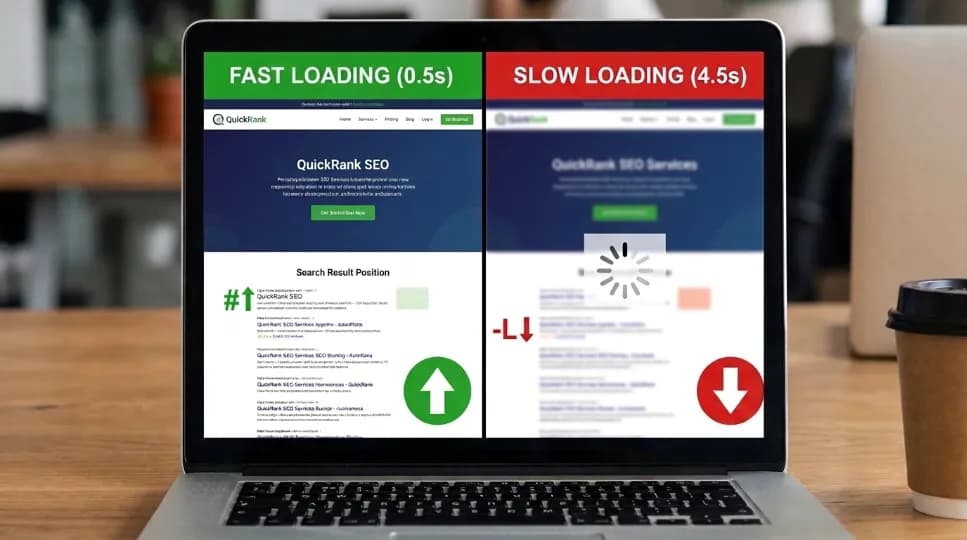
Page speed impact on SEO refers to how a webpage's loading time and responsiveness, measured through Google's three Core Web Vitals (LCP, INP, and CLS), affects that page's ranking position in search results. Google has used speed as a confirmed ranking factor since 2010 on desktop and since 2018 on mobile.
Pages that meet all three Core Web Vitals thresholds tend to see measurably lower bounce rates and higher organic traffic than pages that don't. In short, the page speed impact on SEO is significant, making website speed optimization (also called website loading speed or page load time optimization) a core part of both SEO performance and overall website performance.
Key Takeaways
Speed is a confirmed ranking factor, not a rumor: Google added it for desktop in 2010, extended it to mobile in 2018, and made Core Web Vitals official ranking signals in 2021.
Three metrics matter most: LCP (loading, under 2.5s), INP (responsiveness, under 200ms), and CLS (visual stability, under 0.1). Mobile scores are what Google evaluates, not desktop.
Revenue is directly affected: industry research commonly cites a ~20% drop in conversions per one second of added mobile load time, with further degradation per additional second.
Google's own Vodafone case study showed an LCP improvement from ~4s to ~2s alongside an 8% increase in sales and a 15% lift in visit-to-lead conversion.
Fixing it doesn't require a developer: image compression, a CDN, deferred JavaScript, browser caching, and better hosting resolve most Core Web Vitals failures.
Have you ever clicked a link, watched a spinner for a few seconds, and simply hit back? That moment shows why page speed impact on SEO matters. Slow pages can frustrate visitors, hurt user experience, and make it harder for your website to perform well in search. In today’s digital marketing landscape, website speed also plays an important role in keeping visitors engaged.
I’ve been running Core Web Vitals audits for client websites for several years. In that time, the hit-back moment has remained one of the most common issues site owners mention when their rankings stop growing. This guide explains how page speed affects SEO, what Google measures, and what you can do to make your website faster.
Methodology note: The explanations below are drawn from Google's published documentation on Core Web Vitals, the HTTP Archive's field-data research, and case studies published by the companies involved, cross-checked against my own audit notes from client work. This guide treats Core Web Vitals SEO as a subset of technical SEO and website performance optimization more broadly. Where audit examples are referenced, they follow the same three-step method I use on every project: check a lab-based speed score, check real-user field data, and diagnose which specific metric is failing before recommending a fix.
What Is Page Speed, and Why Does It Matter for SEO?
Page speed means how quickly a web page loads and becomes ready for visitors to use. Simply put, it is the time between clicking a link and being able to see and interact with the page. The page speed impact on SEO is important because Google considers page experience and Core Web Vitals when evaluating websites. These include LCP, INP, and CLS, which measure loading speed, responsiveness, and visual stability. Google also uses mobile-first indexing, so your mobile website should load fast and work well on smaller screens. A fast website gives visitors a better experience while also supporting your SEO performance.
Google breaks this into three specific measurements:
LCP (Largest Contentful Paint): how fast your main content appears. Threshold for "good": under 2.5 seconds.
INP (Interaction to Next Paint): how quickly your page responds to a click or scroll. Threshold: under 200 milliseconds.
CLS (Cumulative Layout Shift): how stable your layout is while loading. Threshold: under 0.1.
Here's how those three thresholds break down at a glance:
Metric | What It Measures | Good | Needs Improvement | Poor |
|---|---|---|---|---|
LCP (Largest Contentful Paint) | Load speed of main content | Under 2.5s | 2.5s – 4.0s | Over 4.0s |
INP (Interaction to Next Paint) | Responsiveness to interaction | Under 200ms | 200ms – 500ms | Over 500ms |
CLS (Cumulative Layout Shift) | Visual layout stability | Under 0.1 | 0.1 – 0.25 | Over 0.25 |
According to Google Search Central, Core Web Vitals are used by Google’s ranking systems. These metrics are part of the wider page experience that Google considers in Search. However, good Core Web Vitals do not guarantee higher rankings. Google still gives priority to relevant and helpful content.
This explains the page speed impact on SEO. When two pages offer similar value, a better page experience can help one page perform better in Search. Google has also stated that pages with similar content can benefit more from strong page experience signals.
I have seen this in my own SEO audits. Two client pages targeted the same keyword and had similar content quality. The page that passed all three Core Web Vitals thresholds stayed in the higher position during several months of tracking. This showed me that page speed can make a real difference when competing pages have similar content and relevance.
How Does Page Speed Impact SEO Rankings, Exactly?
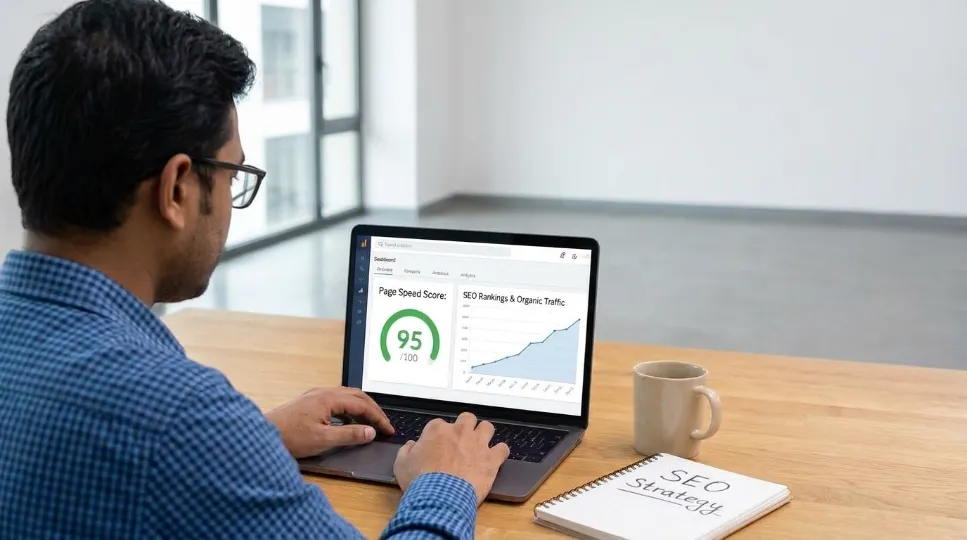
The page speed impact on SEO comes from three key factors. First, Core Web Vitals are part of Google’s page experience signals. Second, very slow pages can make crawling less efficient, especially on large websites. Third, slow pages can frustrate visitors and lead to higher bounce rates. Together, these factors can affect user experience, crawling, and overall search performance.
Google Has Been Raising the Bar for Over a Decade
The relationship between page speed and rankings has tightened on a clear timeline: in 2010, Google added page speed as a desktop ranking signal; in 2018, the "Speed Update" extended it to mobile; in 2021, Core Web Vitals became official ranking signals via the Page Experience Update; and in March 2024, Google replaced the older FID metric with the stricter INP metric.
Industry analyses (not Google-published figures, worth flagging that distinction) have associated passing all three Core Web Vitals thresholds with roughly a 24% decrease in bounce rate and a 23% increase in organic traffic compared to pages that fail one or more thresholds. Treat this as directional, correlational evidence rather than a guaranteed outcome for any specific site.
Slow Pages Can Drain Your Crawl Budget
Crawl budget means the limited number of pages a search engine's bot will process on your site during a single visit before moving on. Consequently, when pages load slowly, fewer get crawled per visit, which can delay indexing of new content by days or weeks on large sites. However, this effect is far less pronounced on small sites with only a handful of pages.
High Bounce Rate Sends Negative Signals
When a site is slow, visitors tend to leave before it finishes loading. For instance, a 1-to-3-second increase in mobile load time has been associated with a roughly 32% jump in bounce rate in commonly cited industry data. That said, Google doesn't treat bounce rate as a confirmed direct ranking factor on its own, but the underlying user-engagement signals it feeds into are believed to inform broader quality evaluation.
Why Does a Slow Website Hurt Revenue and Conversions?
A slow website can hurt revenue because visitors may leave before the page loads. This shows the clear page speed impact on SEO and conversions. Industry research suggests that mobile conversion rates can drop by around 20% with each extra second of load time. Overall, conversions may fall by about 4.42% for every additional second of delay.
What a One-Second Delay Actually Means
That 20% figure isn't linear. Delays compound quickly, and in fact, 70% of online shoppers say a site's loading speed directly factors into their decision to buy, according to commonly cited e-commerce research. Still, actual impact varies by traffic source, price point, and audience intent, so treat these as illustrative industry ranges rather than a guaranteed prediction for any specific business.
To put that in perspective: a site earning $15,000 a month in revenue could plausibly lose several thousand dollars a month to even a single second of added mobile delay, depending on how closely its own traffic matches these industry averages.
A Real-World Example: What Happened When Vodafone Fixed Its LCP
Problem: Vodafone's landing pages had an LCP of roughly 4 seconds, outside Google's "good" threshold, on a business where mobile conversion is central to revenue.
Approach: According to Google's published case study, Vodafone's team focused specifically on reducing LCP through image and resource-loading optimizations, not a full site rebuild, but rather a targeted fix aimed at the single worst-performing metric.
Result: LCP dropped from about 4 seconds to about 2 seconds, alongside a reported 8% increase in sales and a 15% boost in site-visit-to-lead conversion.
Limitation worth noting: This is one company, in one industry, with one type of traffic. It's a useful proof of concept rather than a guarantee of similar percentage gains elsewhere.
Why Does Mobile Page Speed Matter More Than Desktop for SEO?
Mobile page speed matters more than desktop speed because Google’s real-world data comes from actual mobile users and devices. These users may have slow or unstable connections. This makes mobile performance a key part of the page speed impact on SEO.
A page may load quickly on a fast office connection but feel slow on weak 4G or busy 5G. This can hurt user experience and increase the chance that visitors leave.
For context, published benchmarks show that the top 10 U.S. e-commerce sites have an average load time of about 1.96 seconds. Use this as a useful competitive benchmark, not as a strict pass-or-fail target.
What Do LCP, INP, and CLS Actually Measure?
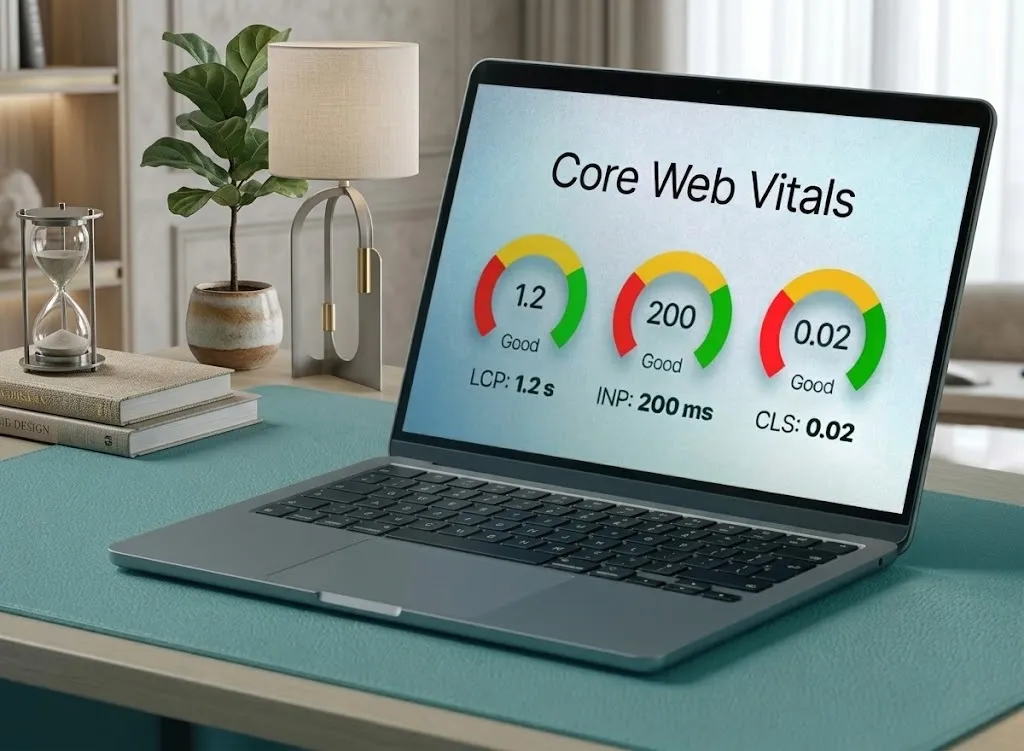
LCP, INP, and CLS each measure a different part of the user experience. Largest Contentful Paint (LCP) measures how fast the main content loads. Interaction to Next Paint (INP) measures how quickly a page responds to user actions. Cumulative Layout Shift (CLS) measures how stable the page layout is while loading. Google evaluates each metric separately, so a page can pass two while failing the third. Together, these metrics show the page speed impact on SEO and form the technical foundation of website performance.
LCP: Does Your Main Content Show Up Fast?
LCP measures when the largest visible element on a page (usually a hero image or headline) finishes rendering. Specifically, good is under 2.5 seconds; Google considers anything above 4 seconds poor. Typically, a slow LCP is caused by unoptimized images, render-blocking CSS, or slow server response time.
INP: Does the Page Feel Responsive?
INP measures how quickly a page responds after a click, tap, or keypress, and it replaced the older FID metric in March 2024. Good is under 200 milliseconds; over 500ms feels sluggish to most users. In most audits, the leading cause of poor INP is stacked third-party scripts (analytics tags, chat widgets, and ad trackers) rather than first-party code.
CLS: Does Your Layout Stay Still?
CLS measures how much visible content shifts position while a page is still loading. For example, the moment an ad loads above a button you were about to tap. Good is under 0.1. Generally, the fix is mechanical: set explicit width and height on images and reserve space for dynamically injected content before it loads.
How to Improve Page Speed: 6 Steps Explained
This is the sequence typically followed when auditing a site for page speed optimization, ordered by effort and impact. These steps help identify the main factors affecting the page speed impact on SEO. Together, they form a practical website speed optimization checklist that works across most platforms.
Diagnose before you fix: Test your URL with Google PageSpeed Insights or a similar lab-based speed-testing tool, and check the mobile score specifically, since that's the version evaluated for ranking. This tells you which metric is actually failing before you spend time on the wrong fix.
Compress and optimize every image: Unoptimized images are, in most audits, the single largest contributor to poor LCP: a large uncompressed PNG can add 2 to 3 seconds on mobile alone. Convert to WebP or AVIF, set explicit width/height, and lazy-load anything below the fold.
Distribute your content geographically: A content delivery network (CDN) caches copies of your site on servers closer to each visitor, reducing both LCP and server response time.
Reduce and defer JavaScript: Audit every third-party script and ask whether it needs to run on every page, then defer what can't be removed.
Enable browser caching: Returning visitors load previously-downloaded assets from their own device instead of re-downloading them; most managed hosting handles this automatically.
Reassess your hosting environment: If earlier steps don't move the needle, the bottleneck may be shared server resources. Moving to a dedicated or managed host can meaningfully improve response time.
Which Fix Should You Prioritize First? A Quick Comparison
Fix | Typical Effort | Typical Impact | Best For |
|---|---|---|---|
Image compression | Low | High (LCP) | Almost every site |
CDN setup | Low | Medium–High (LCP, TTFB) | Global or high-traffic audiences |
Reduce/defer JavaScript | Medium | High (INP) | Sites with many third-party scripts |
Browser caching | Low | Medium (repeat visits) | Sites with returning visitors |
Hosting upgrade | Medium–High | High (TTFB, LCP) | Sites on cheap shared hosting |
What Does a Fully Optimized Page Look Like?
A page that passes all three Core Web Vitals usually has strong technical performance. These features work together to improve the page speed impact on SEO and user experience. In practice, well-optimized pages often share these key characteristics:
Compressed, correctly-sized images in WebP or AVIF format
A CDN serving cached assets close to the visitor
Minimal render-blocking JavaScript and deferred third-party scripts
Explicit width/height set on every image and embed
Browser caching enabled for returning visitors
A hosting environment with headroom, not shared resources maxed out by neighbors
What Are the Warning Signs That Page Speed Is Hurting Your SEO?
The warning signs are often visible before you run a technical audit: a mobile PageSpeed score consistently below 50, a higher mobile bounce rate, new pages taking longer to appear in search results, and Search Console reports showing pages as “Poor” or “Needs Improvement.” These signs clearly show the page speed impact on SEO and user experience.
Your mobile PageSpeed score falls consistently below 50.
Bounce rate is noticeably higher on mobile than desktop.
New pages take longer than usual to appear in search results.
Your Search Console Core Web Vitals report shows pages marked "Poor" or "Needs Improvement."
Visitors report the page "feels slow" even though desktop seems fine.
Conversion rate drops during high-traffic periods when server load increases.
Conclusion: How Page Speed Impacts SEO
Page speed impacts SEO through Core Web Vitals, user experience, crawl efficiency, and conversions. Google evaluates LCP, INP, and CLS, with recommended targets of LCP under 2.5 seconds, INP under 200 milliseconds, and CLS under 0.1.
From my experience at CyberCraft Bangladesh, improving page speed starts with finding the real performance bottleneck. Check mobile Core Web Vitals and fix the failing metrics. Compress images to improve LCP, reduce unnecessary JavaScript for better INP, and reserve space for content to reduce CLS. Use caching, CDNs, and reliable hosting when needed. Ultimately, a fast website supports SEO, but quality, relevant content remains essential.
Next Steps: Where to Go From Here
Once you understand why the page speed impact on SEO matters, the natural next step is choosing how to fix it for your specific setup:
If your biggest bottleneck is server response time, compare managed hosting options built for speed before committing to a plan.
When images are your main issue, see options for image-compression and CDN tools and weigh free versus paid tiers.
For WordPress or a similar CMS, review the best caching plugins for your platform rather than guessing which one to install.
Alternatively, if you're unsure which fix to prioritize, compare a lab-based audit against a full technical SEO review to decide which one fits your budget and timeline.
FAQs About Page Speed Impact on SEO
Does page speed affect SEO rankings?
Yes. Google confirmed page speed as a desktop ranking factor in 2010 and extended it to mobile in 2018; Core Web Vitals became official page-experience ranking signals in 2021. That said, Google has said content relevance typically outweighs speed when the two are in tension, so speed tends to matter most as a differentiator between otherwise comparable pages.
What is a good page speed score for SEO?
A "good" score means passing all three Core Web Vitals (LCP under 2.5 seconds, INP under 200 milliseconds, and CLS under 0.1) measured on mobile. A composite lab score of 90 or above is generally considered good, though the individual Core Web Vitals pass/fail status matters more to rankings than that single composite number.
How much does a slow website hurt conversions?
Industry studies commonly cite a roughly 20% conversion drop per second of added mobile load time, with an average further decline of about 4.42% per additional second. Roughly 70% of online shoppers say load speed directly affects their purchase decisions. These are aggregate figures; actual impact varies by industry, price point, and traffic source.
How do I check the page speed impact on my SEO?
Check two different types of data: a lab-based speed score from a tool like Google PageSpeed Insights for a quick diagnostic, and a field-data report (like the Core Web Vitals report in Search Console) for how your site performs for real visitors. In either case, always check the mobile version first, since that's the version used for ranking evaluation.
Can page speed be improved without writing code?
Yes, largely. Most content management platforms offer built-in or plugin-based caching and image-optimization tools that require no coding. Compression, caching, and deferred scripts can often be applied through settings alone, and a CDN like Cloudflare's free tier typically takes under 10 minutes to enable.
What is the difference between LCP, INP, and CLS?
LCP measures how fast your main content visually loads (good: under 2.5s), INP measures how quickly the page responds to interaction (good: under 200ms), and CLS measures how stable the layout stays while loading (good: under 0.1). Together they form Google's Core Web Vitals, and a page needs to pass all three to be considered fully optimized.
How long does it take to see SEO results after improving page speed?
Based on commonly reported audit timelines, ranking and traffic effects from Core Web Vitals fixes tend to become measurable within a few weeks of Google recrawling and reprocessing the affected pages, though the exact timeline depends on your site's crawl frequency and the size of the improvement made.
Is the page speed impact on SEO the same for every industry?
Not exactly. The page speed impact on SEO follows the same Core Web Vitals thresholds across industries, but the size of the effect on conversions and rankings varies by traffic source, competition level, and how price-sensitive or time-sensitive visitors are. E-commerce and lead-generation sites tend to see the clearest revenue impact, while informational or brand sites may see effects concentrated more in rankings and crawl efficiency than in immediate conversions.
Limitations and Scope of This Guide
The revenue figures cited (20% conversion drop per second, 4.42% per additional second, 70% of shoppers citing speed as a factor) come from widely circulated industry studies, not a controlled experiment run for this guide. Treat them as illustrative ranges, not precise predictions for any single site.
Core Web Vitals thresholds and the INP rollout are current as of this update (September 2026); Google updates its guidance periodically, so check web.dev directly before making major infrastructure decisions.
This guide focuses on technical page speed. It doesn't cover content quality, backlinks, or other ranking factors, which matter just as much and interact with speed rather than being replaced by it.
References
Google Search Central: Understanding Core Web Vitals and Google search results
Google/Vodafone case study: How Vodafone improved conversion by optimizing Core Web Vitals
HTTP Archive: Core Web Vitals Technology Report
Chrome UX Report (CrUX): Real-world field data on Core Web Vitals
Think with Google: Mobile page speed benchmarks and consumer behavior research

I’m Mitu Das, a JavaScript developer, ERP product architect, and SEO specialist from Bangladesh. I work at CyberCraft Bangladesh, where I help build simple, scalable software, SaaS platforms, and business solutions. My goal is to create technology that helps companies save time, automate daily tasks, and grow faster. I enjoy combining development, product ideas, and SEO strategies to create useful digital solutions for modern businesses.
Writes about