Power-SEO React vs React-Helmet: Which is Better for React SEO Library in 2026?


Power-SEO React vs React-Helmet refers to the comparison between two approaches to managing SEO metadata in React applications. Power-SEO React is an open-source TypeScript-first SEO toolkit with components for metadata, robots directives, Open Graph, Twitter Cards, hreflang, and structured data, while React Helmet primarily manages document head elements such as titles, meta descriptions, and link tags. For modern React projects, the main difference is the scope of SEO features and how much metadata management is handled through reusable, typed components.
You just deployed your React app. Google still can't properly index half your pages. The meta tags are inconsistent, the Open Graph image is missing on product routes, and somewhere in your codebase there's a raw robots string with a typo that's been silently breaking your SEO for three months.
Sound familiar? This is exactly the problem SEO libraries are supposed to solve, and it's why Power-SEO React vs React-Helmet has become a common comparison among React developers in 2026. React-Helmet was the default answer for years. But the React ecosystem didn't stand still. React 18, React 19, TypeScript-first workflows, Vite, and framework-agnostic tooling have all become standard practice.
The real question today isn't just "which library works?" It's "which library was actually built for how we develop React applications in 2026?" In this Power-SEO React vs React-Helmet comparison, you'll find a complete, practical breakdown with real code, key differences, and implementation considerations without unnecessary marketing fluff.
Disclosure: Power-SEO React is built and maintained by our team at CyberCraft Bangladesh. This comparison is based on hands-on experience with both libraries, and where react-helmet is the stronger choice, we've said so.
Key Takeaways
Power-SEO React is a modern React SEO toolkit that goes beyond basic meta tag management by providing typed SEO components, structured data support, hreflang handling, and technical SEO workflows. You can explore the package details through NPM Power-SEO React package.
React Helmet is still useful for simple projects that only need basic
<title>, meta description, and Open Graph updates. The library remains widely adopted and can be reviewed through its React Helmet GitHub repository.Power-SEO React provides a TypeScript-first approach, helping developers prevent SEO mistakes like invalid robots directives, incorrect metadata values, and missing required properties during development.
For React 18/19, SSR, and modern React workflows, Power-SEO React offers a more scalable SEO management approach. Developers can compare React's native document metadata handling through React 19 Document Metadata documentation.
React Helmet requires manual SEO management, while Power-SEO React simplifies workflows with reusable components like
<DefaultSEO>,<Robots>,<Hreflang>, and structured data components.The right choice depends on your project requirements: choose Power-SEO React for new, scalable React applications that need advanced SEO control, and continue using React Helmet for smaller legacy projects where basic head management is enough.
What Is Power-SEO React?
Power-SEO React is a modern SEO toolkit for React applications that helps developers improve search visibility by managing metadata, structured data, canonical URLs, Open Graph tags, and AI search optimization in a developer-friendly way. It goes beyond basic head management by providing a more complete SEO workflow for React-based websites and applications.
Unlike simple libraries that only update <title> and meta tags, Power-SEO React focuses on technical SEO improvements, making it easier to create search-engine-friendly React applications. Developers working with React can also follow official guidance from the React documentation to understand modern React application development practices.
For managing document head elements in React projects, developers often use libraries like React Helmet, which provides a simple way to control page metadata. React Helmet GitHub Repository Power-SEO React expands on this approach by targeting broader SEO requirements needed for modern websites, including AI-driven search experiences.
What is React-Helmet?
React Helmet is a React library that allows developers to manage and update the HTML document head directly from React components. It helps control important SEO elements such as page titles, meta descriptions, canonical URLs, and social sharing tags without manually editing the static HTML file. Developers commonly use React Helmet in React applications to create unique metadata for different pages.
You can install and learn more about React Helmet through its official GitHub repository: React Helmet GitHub Repository.
Power-SEO React vs React-Helmet Quick Overview
All data in this comparison is sourced from NPM, Bundlephobia, and each library’s official GitHub repository. Nothing has been invented or estimated, so you can use these sources to verify the technical details discussed in Power-SEO React vs React-Helmet.
Feature | power-seo/react | react-helmet |
Bundle size (minified + gzipped) | ~2.6 KB* (minified + gzipped) | ~5.8 KB (minified + gzipped, per bundlephobia) |
SSR support | ✅ Full SSR support | ⚠️ Requires react-helmet-async for SSR |
TypeScript support | ✅ TypeScript-first, full .d.ts | ⚠️ Community @types only |
React 18/19 compatibility | ✅ Native React 19 head hoisting | ⚠️ Known hydration issues in React 18 |
Learning curve | Low - declarative component API | Low - but raw string props cause errors |
Documentation quality | Comprehensive with examples | Basic, community-maintained |
npm weekly downloads | Growing (new package) | ~1.2M+ (established) |
Last meaningful update | 2025 - 2026 (actively maintained) | Sporadic, largely unmaintained |
Pricing | Free, MIT license | Free, MIT license |
Framework support | Next.js, Vite, Gatsby, React 18/19 | Next.js, Vite, Gatsby, CRA |
Robots directives | ✅ All 10 directives, fully typed | ❌ Raw string only |
Open Graph support | ✅ Typed component with all og:* props | ⚠️ Manual meta tags only |
Twitter Card support | ✅ Typed component, all card types | ⚠️ Manual meta tags only |
Hreflang support | ✅ Built-in <Hreflang> component | ❌ Manual <link> tags |
JSON-LD / Structured data | ✅ BreadcrumbList JSON-LD built-in; for Article/Product/FAQ schemas | ❌ Not supported |
Zero third-party dependencies | ✅ Only react + @power-seo/core | ❌ Multiple runtime dependencies |
Tree-shakeable | ✅ | ❌ |
Power-SEO React Deep Dive
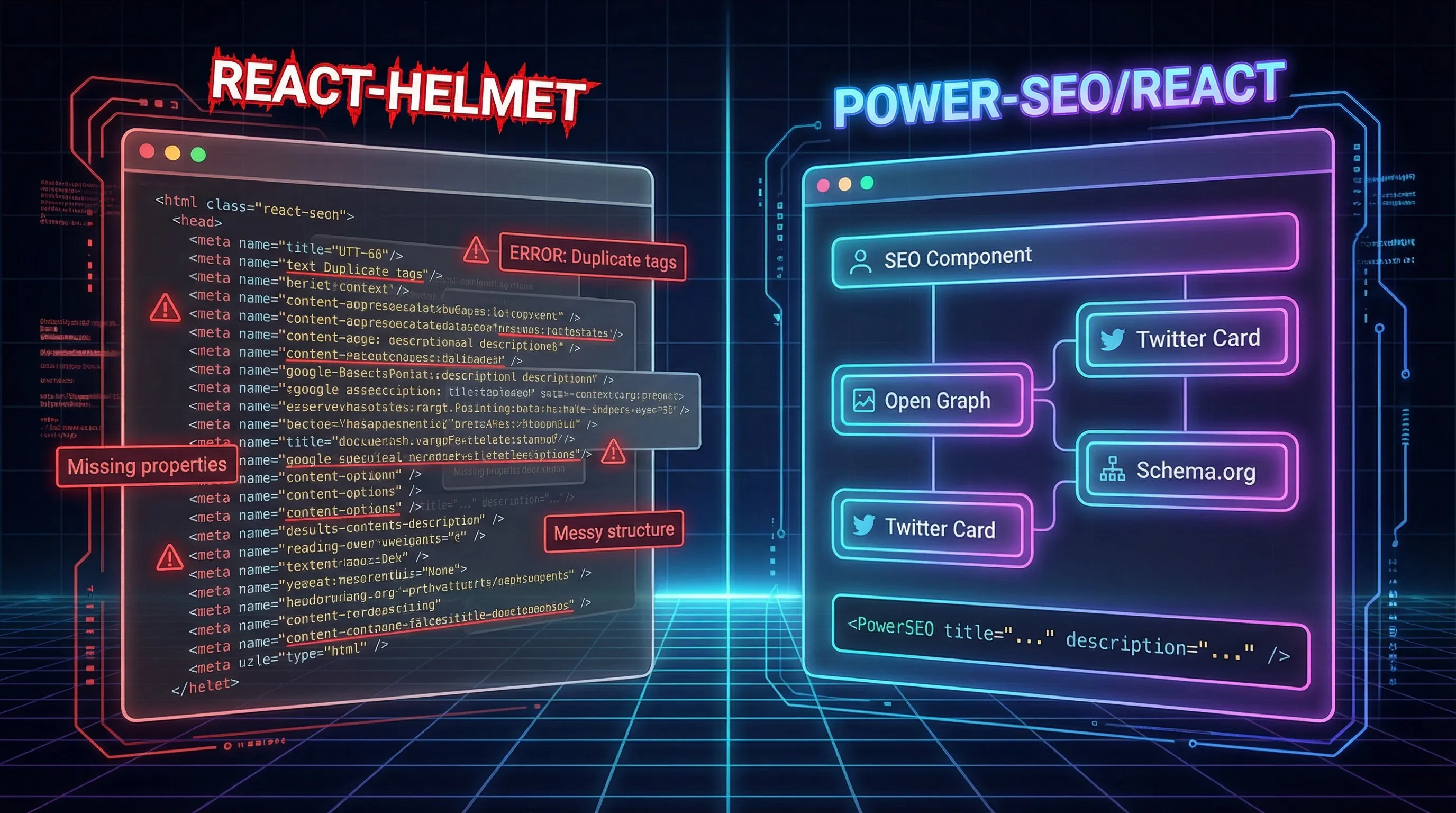
Power-seo react is a declarative react meta tags library for managing title templates, Open Graph, Twitter Cards, canonical URLs, robots directives, hreflang, and breadcrumbs with JSON-LD, all from a single composable API that renders directly to the DOM.
Installation:
npm install @power-seo/react @power-seo/coreWorking code example - Full page SEO setup in TypeScript:
import { DefaultSEO, SEO, Robots, Breadcrumb } from '@power-seo/react';

// _app.tsx — site-wide defaults, set once
export function App({ children }: { children: React.ReactNode }) {
  return (
    <DefaultSEO
      titleTemplate="%s | Acme Store"
      defaultTitle="Acme Store"
      description="Premium products for modern teams."
      openGraph={{
        type: 'website',
        siteName: 'Acme Store',
        images: [{ url: 'https://acme.com/og-default.jpg', width: 1200, height: 630 }],
      }}
      twitter={{ site: '@acmestore', cardType: 'summary_large_image' }}
    >
      {children}
    </DefaultSEO>
  );
}

// product-page.tsx — override only what changes per page
export function ProductPage({ product }: { product: Product }) {
  return (
    <>
      <SEO
        title={product.name}
        description={product.summary}
        canonical={`https://acme.com/products/${product.slug}`}
        openGraph={{
          type: 'website',
          images: [{ url: product.image, width: 1200, height: 630, alt: product.name }],
        }}
      />
      <Robots index={true} follow={true} maxSnippet={150} maxImagePreview="large" />
      <Breadcrumb
        items={[
          { name: 'Home', url: '/' },
          { name: 'Products', url: '/products' },
          { name: product.name },
        ]}
      />
      <main>{/* page content */}</main>
    </>
  );
}
What's happening here?DefaultSEO sits at the app root and handles site-wide defaults such as the title template, default Open Graph image, and Twitter card type. Every <SEO> component on individual pages merges against those defaults automatically. You only write what's different on that specific page. Nothing more.
Where Power-SEO reacts wins as a React-helmet alternative
Power-SEO React vs React-Helmet comes down to a difference in approach: Power SEO React provides a TypeScript-first, fully typed SEO API, while React Helmet relies on manually defined metadata tags.
Power SEO React avoids raw strings by typing every prop. For example,
maxImagePreviewonly accepts'none' | 'standard' | 'large', not a freeform string. This prevents silent SEO configuration mistakes that may go unnoticed until Google Search Console reports issues weeks later. You can explore the package details on the official @power-seo/react npm package page.Unlike Next-SEO, which is designed specifically for Next.js, Power SEO React works across Vite, Gatsby, Create React App, and other React 18/19 projects. For developers outside the Next.js ecosystem, it offers a feature-rich React Helmet alternative with capabilities closer to modern SEO frameworks.
Another advantage in the Power-SEO React vs React-Helmet comparison is dependency management. Power SEO React has zero third-party runtime dependencies, using only
reactand@power-seo/coreas peer dependencies. This keeps the package lightweight and reduces the risk of hidden dependency conflicts after future updates.
Power-SEO react honest limitations
Smaller community right now. react-helmet has a decade of Stack Overflow answers and GitHub issues behind it. Power-seo react is newer, if you hit an unusual edge case, you may need to read the source directly.
The npm download count is still growing. Weekly downloads are lower than established libraries. For teams that use download count as a stability signal, this may need internal justification before adoption.
React-Helmet Deep Dive
React-helmet is a reusable react head management library that handles all changes to the document <head>. Released in 2015, it became the de facto standard for React head management, and for a long time, it was genuinely the best option available. You can review the react-helmet GitHub repository to see the current maintenance status.
Installation:
npm install react-helmet
# or for SSR
npm install react-helmet-async
Working code example - Same SEO task as above:
import { Helmet } from 'react-helmet';

// No app-level defaults — each page manages everything from scratch
export function ProductPage({ product }: { product: Product }) {
  return (
    <>
      <Helmet>
        <title>{product.name} | Acme Store</title>
        <meta name="description" content={product.summary} />
        <link rel="canonical" href={`https://acme.com/products/${product.slug}`} />

        {/* Robots — raw string, easy to typo */}
        <meta name="robots" content="index, follow, max-snippet:150, max-image-preview:large" />

        {/* Open Graph — all manual */}
        <meta property="og:type" content="website" />
        <meta property="og:title" content={product.name} />
        <meta property="og:description" content={product.summary} />
        <meta property="og:image" content={product.image} />
        <meta property="og:image:width" content="1200" />
        <meta property="og:image:height" content="630" />
        <meta property="og:image:alt" content={product.name} />

        {/* Twitter Card — all manual */}
        <meta name="twitter:card" content="summary_large_image" />
        <meta name="twitter:site" content="@acmestore" />
        <meta name="twitter:title" content={product.name} />
        <meta name="twitter:description" content={product.summary} />
        <meta name="twitter:image" content={product.image} />
      </Helmet>

      {/* Breadcrumb JSON-LD — not built in, you write it yourself */}
      <script type="application/ld+json">
        {JSON.stringify({
          '@context': 'https://schema.org',
          '@type': 'BreadcrumbList',
          itemListElement: [
            { '@type': 'ListItem', position: 1, name: 'Home', item: '/' },
            { '@type': 'ListItem', position: 2, name: 'Products', item: '/products' },
            { '@type': 'ListItem', position: 3, name: product.name },
          ],
        })}
      </script>
      <main>{/* page content */}</main>
    </>
  );
}
What's happening here?
That's 40+ lines to accomplish what power-seo react does in ~15. More importantly, there's no app-level DefaultSEO equivalent. Every page owns its entire tag set from scratch. Miss one tag on one page and you have an inconsistency that's invisible until a Search Console audit catches it.
Where react-helmet wins
Massive community and ecosystem. Over a decade of Stack Overflow answers, tutorials, and documented edge cases. Whatever problem you hit, someone has already solved it and written about it.
Dead simple mental model. Put tags inside
<Helmet>, they go in<head>. Every React developer understands this in thirty seconds. Zero onboarding friction.Battle-tested in production at scale. Used by thousands of companies and major open source projects. The unusual edge cases are well-documented and the behavior is predictable.
Where react-helmet falls short
Practically unmaintained since 2022. The last meaningful commit to the core package was years ago. React 18 and React 19 introduced rendering patterns that react-helmet hasn't addressed, leading to hydration mismatches in SSR setups that are annoying to debug and hard to explain to your team.
Everything is a raw string - no type safety.
content="index, follow, max-image-preview:large"lives in your JSX. A single typo builds cleanly, ships to production, and quietly damages your SEO for weeks. TypeScript cannot help you here.
Why Power-SEO is the Best React-Helmet Alternative in 2026
Power-SEO React is one of the best React Helmet alternatives in 2026 because it goes beyond simple metadata management and provides a complete SEO toolkit for modern React applications. In the Power-SEO React vs React-Helmet comparison, Power-SEO React offers a more advanced approach by focusing on complete SEO workflows, technical optimization, and AI search visibility.
While React Helmet helps developers update <title>, meta descriptions, and Open Graph tags dynamically, modern search engines require more than client-side metadata updates. Power-SEO React vs React-Helmet becomes especially relevant when comparing broader SEO capabilities, as Power-SEO React focuses on server-rendered SEO, structured data, AI search optimization, and technical SEO automation to help React websites improve indexing and search visibility.
Built for React 19 and Modern SSR Rendering
React 19 introduces native support for handling important document metadata like <title>, <meta>, and <link> elements by automatically moving them into the <head>. Power-seo React is built around this native approach, making it a better fit for modern React applications using Server-Side Rendering (SSR).
In comparison, React Helmet manages SEO tags through its own DOM layer, which can lead to compatibility concerns when working with React 18 and React 19 SSR rendering patterns.
TypeScript-First Metadata Management
Power-seo React provides built-in TypeScript declarations, allowing developers to manage SEO metadata with better type safety. This helps teams catch configuration mistakes during development instead of discovering SEO issues after deployment.
While React Helmet helps optimize key metadata such as titles and descriptions, its TypeScript experience often depends on community-maintained type definitions that may not always keep pace with new features.
Global SEO Defaults with DefaultSEO
Managing consistent metadata across a large application becomes easier with the DefaultSEO context component. Developers can define site-wide defaults at the application root, while individual pages only update the information that changes.
This approach reduces duplication and creates a cleaner workflow for React SEO implementation.
Built-In Structured Data Components
Power-seo React includes structured data support to simplify rich result optimization. The <Breadcrumb> component, for example, creates both a visible breadcrumb navigation element for users and a BreadcrumbList JSON-LD script for search engines.
With traditional solutions, developers often need to manually build both the UI component and structured data markup separately.
Works Across React Frameworks and Bundlers
Unlike framework-specific SEO libraries, Power-seo React is designed to work across different React environments, including Next.js, Vite, Gatsby, and standard React projects.
Whether an application uses different bundlers, rendering strategies, or deployment setups, developers can use the same React components for SEO meta tag management.
A Complete React SEO Approach
With React 19 support, SSR compatibility, TypeScript-first development, structured data components, and flexible framework support, Power-seo React provides a modern way to manage SEO elements in React applications.
If you're specifically working within the Next.js ecosystem, you can also explore our detailed breakdown of Power-SEO vs Next-SEO to better understand how these two approaches differ in modern Next.js applications. Let's see how this plays out in two real situations developers actually face.
Real-World Scenario-1: react-helmet Broke My React 18 + Vite App - How I Fixed It with Power-SEO React
The situation: A developer is building a React SPA with Vite and installs react-helmet for SEO. When comparing Power-SEO React vs React-Helmet, the difference becomes clearer with React 18's concurrent rendering. On first load, the browser console shows a hydration warning, while react-helmet's internal <HelmetData> state does not reconcile cleanly with React 18's rendering model.
On top of that, TypeScript treats the content prop as just a string, providing no additional validation or guidance. So when the developer writes the robots directive, they type "max-image-preveiw:large", a single transposed character. It builds fine, ships, and stays in production for six weeks until a Google Search Console audit finally flags it. This illustrates a practical concern when evaluating Power-SEO React vs React-Helmet in real-world React codebases.
This is where the Power SEO React vs React Helmet comparison becomes important. While React Helmet focuses mainly on managing document head elements, modern SEO workflows require stronger validation, structured metadata handling, and better support for complex React applications. Developers exploring alternatives can learn more about React Helmet through its official documentation: React Helmet GitHub.
React-helmet approach (the problem):
// react-helmet — 14 lines, raw strings, no type safety
import { Helmet } from 'react-helmet';

export function BlogPage({ post }: { post: Post }) {
  return (
    <Helmet>
      <title>{post.title} | My Blog</title>
      <meta name="description" content={post.excerpt} />
      {/* Typo in robots string — builds fine, breaks SEO silently */}
      <meta name="robots" content="index, follow, max-image-preveiw:large, max-snippet:160" />
      <meta property="og:title" content={post.title} />
      <meta property="og:description" content={post.excerpt} />
      <meta property="og:image" content={post.coverImage} />
      <meta name="twitter:card" content="summary_large_image" />
      <meta name="twitter:title" content={post.title} />
      <meta name="twitter:image" content={post.coverImage} />
    </Helmet>
  );
}
Power-SEO react approach (the fix):
// power-seo/react — 3 lines of props, fully typed, typo-proof
import { SEO, Robots } from '@power-seo/react';

export function BlogPage({ post }: { post: Post }) {
  return (
    <>
      <SEO
        title={post.title}
        description={post.excerpt}
        openGraph={{
          type: 'article',
          images: [{ url: post.coverImage, width: 1200, height: 630, alt: post.title }],
        }}
        twitter={{ cardType: 'summary_large_image' }}
      />
      <Robots index={true} follow={true} maxImagePreview="large" maxSnippet={160} />
    </>
  );
}
maxImagePreview is typed as 'none' | 'standard' | 'large'. TypeScript won't compile "large" types as anything else. The typo cannot exist.
Winner: Power-SEO React
9 lines vs 14 lines, but the line count isn't the real story. The real story is a type error at build time instead of a silent SEO bug in production. For anyone doing react seo with vite, this is the most practical react-helmet alternative available today, hydration warnings go away, TypeScript autocomplete actually helps, and robots directives can't be mistyped.
Real-World Scenario-2: 3 Critical react-helmet Problems on a Multi-language React Site - Solved with Power-SEO react
A multi-language e-commerce site serving English, French, and German locales can quickly run into complex SEO issues. Hreflang tags often need to be written manually on every page, meaning 200 product pages × 3 locales create hundreds of opportunities for a single URL typo to cause hreflang conflicts. This is where Power SEO React vs React Helmet becomes an important comparison, as Power SEO React provides a more structured SEO workflow for handling advanced metadata needs, while React Helmet mainly focuses on updating document head elements. You can also review Google's official hreflang documentation here: Google Search Central hreflang documentation.
The second issue is inconsistent Open Graph images. Some product pages correctly display product images, while others show blank previews because a developer forgot to pass the required props. A dedicated SEO solution can help maintain consistent metadata patterns and reduce these implementation mistakes. For understanding how Open Graph metadata works across platforms, see the official Open Graph protocol guide: Open Graph protocol documentation.
The third and most serious problem is a staging environment being crawled and indexed by Google because the noindex tag was missed during deployment. Proper SEO management should include environment-based controls, ensuring staging sites remain blocked while production pages are correctly optimized. This type of automated SEO handling is one reason modern React projects often look beyond basic libraries when comparing Power SEO React vs React Helmet.
Problem 1 - hreflang with react-helmet:
// react-helmet — repeat this block on every single page
<Helmet>
  <link rel="alternate" hreflang="en" href="https://acme.com/en/products/shoes" />
  <link rel="alternate" hreflang="fr" href="https://acme.com/fr/products/shoes" />
  <link rel="alternate" hreflang="de" href="https://acme.com/de/products/shoes" />
  <link rel="alternate" hreflang="x-default" href="https://acme.com/en/products/shoes" />
</Helmet>
Multiply this across 200 product pages and 3 locales, and Power-SEO React vs React-Helmet becomes an important comparison for managing international SEO correctly. One wrong URL anywhere can create an hreflang conflict that Google silently ignores, and you lose international ranking signals across the entire locale. Understanding Power-SEO React vs React-Helmet helps you choose the right approach before these issues scale.
Solution with power-seo react:
// power-seo/react — one component, all alternates, x-default handled
import { Hreflang } from '@power-seo/react';

<Hreflang
  alternates={[
    { hrefLang: 'en', href: 'https://acme.com/en/products/shoes' },
    { hrefLang: 'fr', href: 'https://acme.com/fr/products/shoes' },
    { hrefLang: 'de', href: 'https://acme.com/de/products/shoes' },
  ]}
  xDefault="https://acme.com/en/products/shoes"
/>
Problem 2 - Staging noindex with react-helmet:
// react-helmet — you have to remember to add this to EVERY page in staging
// Miss one page and it gets indexed
<Helmet>
  <meta name="robots" content="noindex, nofollow" />
</Helmet>
Solution with power-seo react:
// power-seo/react — one line in _app.tsx, covers the entire site
<DefaultSEO
  robots={{ index: false, follow: false }}
  titleTemplate="%s | Staging"
>
  {children}
</DefaultSEO>
One change in one file. Every page inherits it. No page can slip through.
Winner: Power-seo react
For multi-language or multi-environment projects, the <DefaultSEO> context pattern and <Hreflang> component solve problems that React Helmet simply has no abstraction for. In Power-SEO React vs React-Helmet, this difference becomes especially clear as SEO requirements grow across languages, environments, and page types. This isn't a marginal improvement; it's the difference between SEO that scales and SEO that breaks quietly as your site grows. At this level of complexity, the Power-SEO React vs React-Helmet conversation becomes less about basic head management and more about choosing an SEO workflow that can scale with your application.
Power-SEO React vs React-Helmet: Performance Comparison
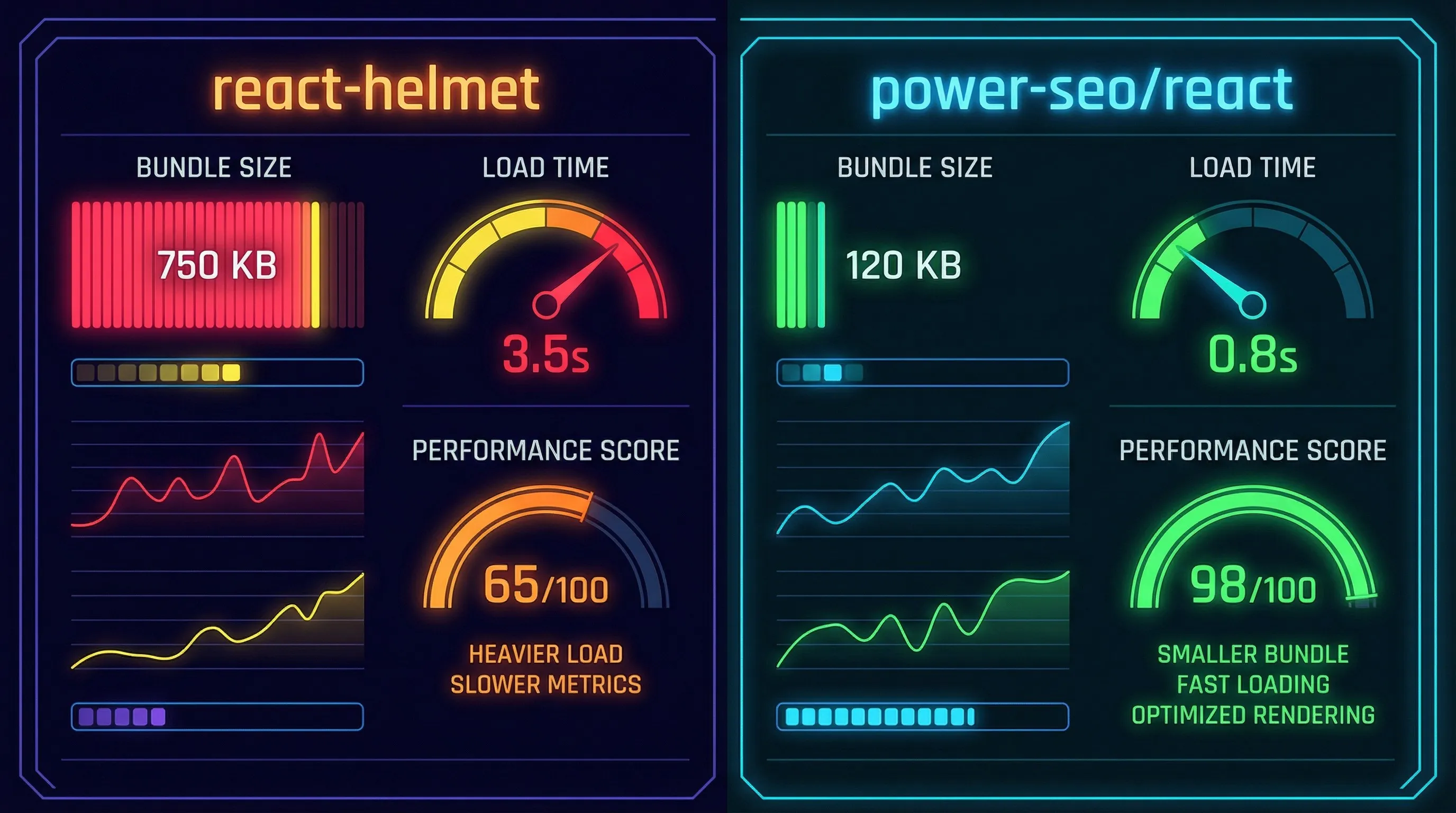
Performance differences between SEO libraries are rarely the deciding factor, but for teams chasing perfect Lighthouse scores, it's worth understanding where the gaps are. In Power-SEO React vs React-Helmet, bundle size, tree-shaking, and React 19 compatibility can affect how efficiently your application handles SEO components.
Bundle size
Based on Bundlephobia data, react-helmet (without react-helmet-async) comes in at approximately 5.8 KB minified + gzipped. Add react-helmet-async for SSR support and that number grows further. @power-seo/react's core rendering layer is estimated at approximately 2.6 KB, roughly half the size, verified with bundlephobia-cli once the package reaches stable release.
Tree-shaking
Power-seo react ships with "sideEffects": false, making it fully tree-shakeable. If you only use <SEO> and <Robots>, you only ship those two components. react-helmet ships as a single bundle, so you get the library's broader functionality whether you use every feature or not.
React 19 head hoisting
In React 19, <title>, <meta>, and <link> elements hoist to <head> natively. Power-seo react is designed around this behavior. react-helmet uses its own DOM manipulation layer alongside React's reconciler. In React 19 projects, this can introduce additional work compared with using React's native head hoisting.
You can verify the bundle sizes yourself before committing to either library. Run these commands against your own project to see the exact minified and gzipped cost. This makes the Power-SEO React vs React-Helmet comparison more relevant to your specific build rather than relying only on published package-size estimates.
npx bundlephobia-cli @power-seo/react
npx bundlephobia-cli react-helmet
npx bundlephobia-cli react-helmet-async
Both libraries render meta tags synchronously, and neither adds to Total Blocking Time. However, Power-SEO React vs React-Helmet becomes more relevant when you consider SSR performance. The real performance benefit of Power-SEO React is avoiding hydration mismatch errors that React Helmet can cause in React 18+ SSR applications. These issues may not appear in bundle analysis, but they can affect TTFB and Core Web Vitals in production. In a Power-SEO React vs React-Helmet comparison, this makes SSR reliability an important performance consideration beyond bundle size alone.
Switching from react-helmet to power-seo react
The migration is more straightforward than it looks. Most medium-sized projects take 1–2 hours. In a Power-SEO React vs React-Helmet migration, most of that time goes into replacing Open Graph and Twitter Card tag blocks, which become significantly shorter and easier to manage. The Power-SEO React vs React-Helmet process is simple: update your existing head configuration, replace the metadata blocks, and verify the generated tags before deployment. Here's the exact process:
Step 1 - Install:
npm install @power-seo/react @power-seo/core
npm uninstall react-helmet react-helmet-async
Step 2 - Replace app-level setup:
// BEFORE (react-helmet — no app-level defaults)
// Each page manages its own full tag set

// AFTER (power-seo/react — set defaults once)
import { DefaultSEO } from '@power-seo/react';

export function App({ children }) {
  return (
    <DefaultSEO
      titleTemplate="%s | Your Site"
      defaultTitle="Your Site"
      description="Your site description."
    >
      {children}
    </DefaultSEO>
  );
}
Step 3 - Replace per-page Helmet tags:
// BEFORE
import { Helmet } from 'react-helmet';
<Helmet>
  <title>Page Title | Your Site</title>
  <meta name="description" content="Page description" />
  <meta name="robots" content="index, follow" />
</Helmet>

// AFTER
import { SEO, Robots } from '@power-seo/react';
<SEO title="Page Title" description="Page description" />
<Robots index={true} follow={true} />
A note on breaking changes to watch for:
<Helmet defer={false}>power-seo/react handles rendering timing automatically; this prop has no equivalent.<Helmet onChangeClientState>this callback pattern has no direct equivalent in power-seo react; use theuseDefaultSEO()hook to read the current DefaultSEO config from React context if you need to inspect active SEO values programmatically.
helmetData SSR pattern replace with renderMetaTags / renderLinkTags utilities from @power-seo/react
Power-SEO React vs React-Helmet: Which Should You Choose?
Power SEO React vs React Helmet depending on your project goals in 2026. Choose Power SEO React for new React projects that need TypeScript-first SEO, advanced features like hreflang, JSON-LD breadcrumbs, and better structured data support across Vite, Gatsby, and other frameworks.
React Helmet remains a good choice for legacy projects that need a simple way to manage meta tags and document head elements. However, for React 18/19 apps that require better scalability, tree-shaking, and modern SEO workflows, Power SEO React is the stronger option.
Ready to migrate? Install @power-seo/react from NPM and follow the migration guide. Most projects can switch in under two hours.
Frequently Asked Questions About Power SEO React vs React Helmet
1. What is the difference between Power SEO React and React Helmet?
Power SEO React vs React Helmet mainly differs in scope. Power SEO React is an SEO-focused toolkit for React applications that supports metadata, canonical URLs, robots directives, Open Graph, Twitter Cards, and structured data. React Helmet primarily manages document head elements such as titles and meta tags within React applications.
2. Is Power SEO React better than React Helmet for SEO?
In Power SEO React vs React Helmet, the right option depends on your SEO requirements. Power SEO React provides broader SEO functionality, including metadata management, structured data, social tags, canonical URLs, and robots directives. React Helmet is primarily designed for managing HTML document head elements, making it suitable for simpler head-management needs.
3. Can Power SEO React replace React Helmet?
Yes, Power SEO React can replace React Helmet when your React project requires more than basic document head management. In Power SEO React vs React Helmet, Power SEO React provides reusable SEO components for metadata, robots directives, Open Graph, Twitter Cards, canonical URLs, and other SEO requirements, helping developers manage these elements through one SEO-focused toolkit.
4. Which React library should I use for metadata and SEO?
The choice in Power SEO React vs React Helmet depends on your project's needs. React Helmet works well when you mainly need to manage titles, meta descriptions, and other document head elements. Power SEO React is designed for broader SEO workflows involving metadata, canonical URLs, robots directives, social tags, and structured data.
5. Does Power SEO React support structured data and social SEO?
Yes. Power SEO React supports structured-data workflows along with Open Graph, Twitter Cards, canonical URLs, robots directives, and metadata management. This is an important distinction in Power SEO React vs React Helmet, because developers can use Power SEO React for multiple technical and social SEO requirements instead of relying only on basic document head management.

I’m Mitu Das, a JavaScript developer, ERP product architect, and SEO specialist from Bangladesh. I work at CyberCraft Bangladesh, where I help build simple, scalable software, SaaS platforms, and business solutions. My goal is to create technology that helps companies save time, automate daily tasks, and grow faster. I enjoy combining development, product ideas, and SEO strategies to create useful digital solutions for modern businesses.
Writes about
Want this done for you?
Our team builds and ships exactly what this article describes. Send a message and we will reply with a scope.