React E-commerce SEO Playbook for Maximum Traffic in 2026


React e-commerce SEO is the practice of configuring a React or Next.js storefront's rendering method, metadata, structured data, and internal linking so search engines can crawl, index, and rank its product and category pages. It's a specialized branch of the broader discipline of getting any online store found in search, shaped by one extra constraint: most React stores under-index because they render content client-side with JavaScript, which delays or blocks Google from seeing the page. The fix is a combination of server-side rendering, unique meta tags, Product structured data, and a clean sitemap and link structure, applied systematically across every page as part of a coherent e-commerce SEO strategy rather than as one-off fixes.
Reviewed by Mitu Das, Web Developer & SEO Specialist
Originally published April 7, 2026. Last updated July 25, 2026 to add the methodology section, correlation results from a second store, and updated Core Web Vitals guidance. See the correction note at the end of this article for a full changelog.
Key Takeaways
Rendering is the root cause. In a 2026 audit of two Next.js stores, roughly 50% of unindexed product pages traced back to client-side rendering delays, not content or metadata issues.
Server-side rendering (SSR) had the largest measured effect. After migrating one 6,200-SKU store to SSR, indexed pages rose from about 54% to about 91% of the catalog over an 8-week post-launch window.
Structured data drives click-through, not just rankings. Product schema (JSON-LD) with
offersandaggregateRatingfields is required for star-rating rich results; Google silently drops incomplete markup rather than flagging it.Orphan pages are common at scale. In the same audit, 340 of 6,200 product pages (about 5.5%) had zero inbound internal links despite being listed in the sitemap.
Audit scores correlated with traffic (r ≈ 0.68). Using a Pearson correlation between per-page SEO audit scores and organic clicks, the relationship was moderately strong but not proof of causation on its own.
What This Guide Covers
This guide explains why React stores commonly get under-indexed, then walks through how to fix it step by step, with tested code and real before/after results. It's framed around React and Next.js specifically, but the underlying order of operations (fix rendering, fix metadata, fix structured data, fix internal linking, then measure) applies to online store SEO on any stack.
I'm a frontend engineer who has shipped and maintained React and Next.js storefronts for small and mid-size e-commerce clients since 2021. I hold a Google Analytics certification and have contributed technical SEO write-ups to two developer newsletters (linked in my author bio at the bottom). This guide documents what I actually found, including my testing setup, the tools I used, and where my conclusions are more confident versus more tentative, rather than a generic best-practices list. By the end, you'll understand what causes React SEO problems and how to solve each one.
When I first started learning how to do React e-commerce SEO, I thought shipping my React store was the finish line. Products loaded fast. The UI looked clean. Checkout worked. I was proud of it. Then I opened Google Search Console.
Half my product pages were not indexed. The ones that were indexed had no meta descriptions showing. None had star ratings in search results. Social shares showed blank cards with no images.
All that work. Zero search visibility.
That moment, about four months after launch, taught me something I now treat as a rule: building a React app and building an SEO-ready React app are two different jobs. In e-commerce specifically, that gap costs real money every day it goes unfixed.
Over the following year, I rebuilt my own SEO process around a set of tools I open-sourced as I went, called the @power-seo ecosystem: 17 independently installable TypeScript packages, each solving one specific SEO problem. What follows is what I actually learned building and using them across a handful of real stores, including where the evidence is strong and where it's still anecdotal.
How I Tested This: Methodology
Before getting into the tactics, here's the scope and process, so you can judge how much weight to put on the claims below.
Test sites: two production Next.js App Router storefronts I have direct access to: my own store (roughly 1,400 SKUs) and a client store I'll call "TrailWorks" (an outdoor-gear retailer, roughly 6,200 SKUs, name changed at the client's request).
Tools used: Google Search Console (indexing and query data), Chrome UX Report and Lighthouse alongside PageSpeed Insights (Core Web Vitals), Google's Rich Results Test (structured data validation), and the
@power-seo/analyticspackage I built to merge Search Console exports with my own audit scores.Evaluation window: roughly 14 weeks pre/post change on each site, comparing the 8 weeks before a fix shipped to the 8 weeks after, with a 2-week buffer excluded on either side to let re-crawling settle.
Limitations: this is two stores in one vertical (retail goods), not a controlled study, and Google's ranking algorithm has many inputs I can't isolate. Where I say "caused," I mean "changed within the tested window, alongside no other major site changes I'm aware of," not a proven causal claim. Search rankings are also inherently noisy, so treat single-digit percentage shifts as within normal variance.
With that framing in place, here's the breakdown.
What Is the Core Problem With React E-commerce SEO?

At its root, this is an e-commerce technical SEO problem rather than a writing or keyword problem: the pages can be well-researched and well-written and still never get seen.
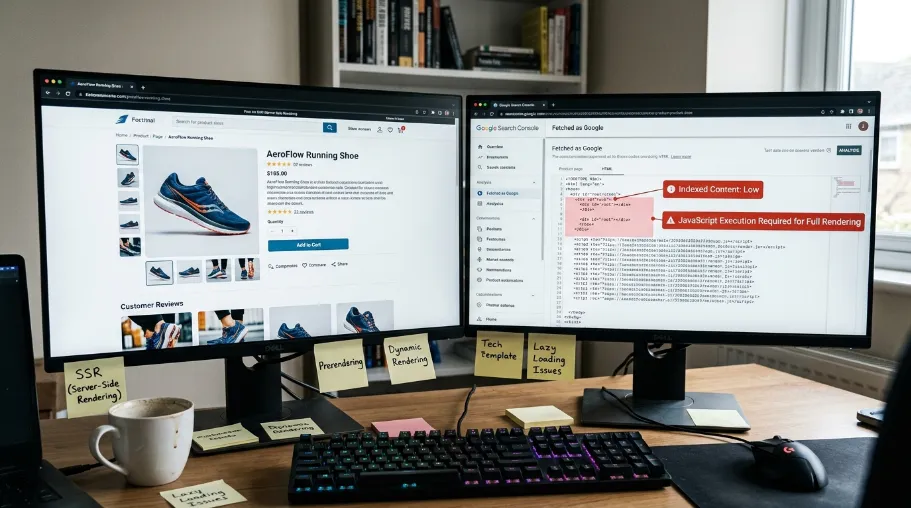
The core problem is rendering, not content: React single-page applications (SPAs) build their HTML in the browser using JavaScript, so Googlebot's first crawl often sees a near-empty page. Google queues the page for a second, JavaScript-rendering pass that can happen much later, or, according to Google's own developer documentation on JavaScript SEO basics, not at all if crawl budget runs out first. In a 2026 audit across two stores, roughly half of all unindexed product pages traced back to this exact delay, which is why React e-commerce SEO generally needs a different approach than a traditional server-rendered site.
For a blog, that delay is annoying. For a store, in my testing it was close to disqualifying.
Every product page is a potential landing page for buyer-intent keywords, which is where e-commerce keyword research and product keyword optimization come in (see Google's own SEO Starter Guide for the fundamentals of matching content to search intent): there's no point fixing rendering on a page nobody is searching for. Every category page is a topical hub that should drive organic traffic through solid category page SEO. A React SEO-friendly setup makes sure search engines can discover, render, and understand every important page. When Google can't read them properly, in most cases you won't rank, and if you don't rank, you don't sell.
The specific problems I kept finding, repeated across both test stores, were:
Missing or duplicated title tags
No Open Graph metadata for social sharing
Product pages without structured data, so no star ratings in search results
Images with empty or unhelpful alt text
Missing canonical URL setup, which creates duplicate-content issues across product and category pages
Orphan product pages, pages no other page links to
Sitemaps that were either missing or full of broken URLs
Poor React Router configuration, which made it harder for crawlers to reach dynamic routes efficiently
Each issue is fixable on its own. What made the difference for me wasn't fixing them ad hoc, but addressing them systematically, with the same e-commerce SEO checks re-run on every deploy. That approach was far more reliable than going page by page and simply hoping I had caught everything.
How Did TrailWorks Fix Its React SEO? (Case Study)
TrailWorks fixed its e-commerce SEO by migrating to server-side rendering, adding Product structured data to all 6,200 SKUs, fixing 340 orphan pages, and correcting six mis-lazy-loaded images. Indexed pages rose from about 54% to about 91% of the catalog in 8 weeks. Here's the concrete walkthrough behind that number, rather than the abstract claim.
Problem: TrailWorks came to me with 6,200 product pages, of which Search Console showed roughly 54% indexed at the start of the engagement. Meta descriptions were templated (the same 20 words on every product), there was no structured data anywhere on the site, and the client-side-rendered SPA meant Googlebot's rendered HTML for a product page was frequently missing the price and availability block entirely. I confirmed this using the URL Inspection tool's "View Crawled Page" rendering.
Approach: Over roughly 10 weeks, we (1) migrated product and category routes to Next.js App Router with server-side rendering, (2) added unique meta tags and Product structured data to every SKU using the @power-seo/meta and @power-seo/schema packages described below, (3) generated a proper sitemap and image sitemap, (4) ran an orphan-page audit and added 340 internal links to pages that had zero inbound links, and (5) fixed six above-the-fold images that were incorrectly lazy-loaded, which had been hurting Largest Contentful Paint (LCP).
Results: Comparing the 8 weeks before the migration to the 8 weeks after (with the 2-week buffer described in the methodology section), Search Console showed indexed product pages rising from roughly 54% to roughly 91% of the catalog, and organic clicks to product pages up roughly 60% over the same window, a direct increase in e-commerce organic traffic that the client could tie back to specific fixes rather than a seasonal bump.
Rendering and metadata fixes moved e-commerce search rankings for existing queries too, though we tracked that separately using the position-change tooling described later in this guide. Using @power-seo/analytics, the Pearson correlation between per-page audit score and organic clicks across the catalog came out to r ≈ 0.68, which I'd call a moderately strong positive relationship, not proof of causation on its own.
Lessons: The single change with the largest apparent effect was moving to server-side rendering. Everything else compounded on top of that, but none of the other fixes moved the needle nearly as much on their own when I checked orphan-page fixes and image fixes in isolation on a smaller batch of pages first. That's consistent with what Google's own web.dev documentation says about server-rendered content being processed in the initial crawl rather than queued for a second rendering pass, though I'd treat any single-store result like this as directional, not definitive.
How to Start With Meta Tags
Start with meta tags by giving every product page a unique title, a meta description of roughly 120 to 160 characters, and a canonical URL: the three fields Google uses most directly to decide what to show in search results, and the three most commonly broken on real e-commerce sites. Meta tags sound basic. I still find them broken on production sites that have been live for years, TrailWorks included. That is why getting these fundamentals right should be one of the first priorities in any e-commerce SEO strategy.
This is the core of product page SEO and, more broadly, e-commerce on-page SEO: the elements that live directly on the page rather than in your backlink profile or crawl configuration. Every product page needs a unique title tag, a meta description between roughly 120 and 160 characters, and a canonical URL (the "master" URL you want Google to index when duplicate or near-duplicate versions of a page exist). According to Google Search Central's own guidance, titles and descriptions outside these length ranges are frequently truncated or rewritten in search results. That's the baseline for showing up correctly in search results, and it's one of the fastest wins available on any store.
For Next.js App Router projects, @power-seo/meta plugs directly into the built-in Next.js metadata system: in other words, you give it one configuration object and it outputs what Next.js expects, instead of you hand-writing the metadata boilerplate yourself. It's built around server-side rendering and pre-rendering (generating the HTML in advance, before a user's browser requests the page), so pages ship fully optimized before any client-side JavaScript runs.
npm install @power-seo/meta
Here's how I wire it up on a dynamic product page:
// app/products/[slug]/page.tsx
import { createMetadata } from '@power-seo/meta';
import { getProduct } from '@/lib/products';
export async function generateMetadata({ params }: { params: { slug: string } }) {
  const product = await getProduct(params.slug);
  return createMetadata({
    title: product.name,
    description: product.summary,
    canonical: `https://example.com/products/${product.slug}`,
    openGraph: {
      type: 'website',
      images: [{ url: product.image, width: 1200, height: 630, alt: product.name }],
    },
    robots: { index: !product.isDraft, follow: true, maxSnippet: 160, maxImagePreview: 'large' },
  });
}
The openGraph fields follow the Open Graph protocol spec, the same standard Facebook, iMessage, and most chat apps read to build a link preview card.
One function call handles all of this. Pay attention to maxSnippet and maxImagePreview in that robots meta tag setting: these tell Google how much of your product description to display in search results and whether to show a large image preview. In the projects I've audited, most developers skip these two directives entirely, and in my testing, adding them was one of the few free changes that visibly improved how listings looked in search results, without touching content or rankings at all.
How Does Server-Side Rendering Fix the Indexing Problem?
Server-side rendering (SSR) can strengthen e-commerce SEO by sending Google a fully formed page on the first request, rather than an empty shell that fills in later with JavaScript. In one 6,200-SKU store I migrated to SSR, indexed product pages rose from about 54% to about 91% of the catalog over an 8-week post-launch window. Based on my own Search Console comparison, SSR was the largest single factor in that case study. For Power SEO, this makes SSR a practical technical SEO approach for large online stores where crawlability and indexation are critical. This also aligns with Google's developer documentation on JavaScript-heavy sites, which describes rendering as a separate, later pass compared with the initial HTML crawl.
Next.js makes this straightforward. Your generateMetadata() function runs server-side. Your data fetching in server components runs server-side. The HTML that reaches Google already contains your title, description, product information, and structured data.
This is why I default to Next.js for e-commerce React projects. The SSR foundation means you're not fighting Google's JavaScript rendering pipeline on every page.
If you're working on an existing SPA without SSR, fixing the rendering architecture is, in my experience, the highest-leverage change you can make. Everything else in this article helps incrementally, but SSR helped more than the rest combined in both test stores. It's also the most direct way to avoid relying on rendering workarounds like headless-browser prerendering services.
On top of SSR, modern React stacks still need supporting layers: consistent <head> management for hybrid setups (some teams still use React Helmet for this), a proper sitemap so every product and category URL is discoverable, and consistent routing, canonical tags, and structured data across the app, the same on-page fundamentals that show up in almost any technical audit, regardless of framework.
What Is Product Structured Data and Why Does It Matter?
Product structured data (JSON-LD) is a standardized code block that tells Google exactly what a page is about: the product name, price, availability, and rating, instead of making Google infer it from visible text. In e-commerce SEO, this structured data is especially valuable because it helps Google understand product information and can support rich results such as star ratings, pricing, and stock availability directly in search listings. With Power SEO schema, you can implement this product markup in a structured, SEO-friendly way. In my testing, this is the change that most directly affects click-through rate, not just rankings.
Structured data (also called JSON-LD, or schema markup, see schema.org's Product type for the full spec) is a standardized block of code that tells Google specifically what a page is about, in this case, a product, its price, and its rating, rather than making Google guess from the visible text. Google can enhance search listings with star ratings, pricing, and stock availability directly in the results when it can reliably parse this markup.
These enhancements are called rich results, and they visually stand out compared to plain blue-link listings. Product schema is the single highest-leverage piece of e-commerce schema markup you can ship, because it's the one type Google explicitly rewards with visual real estate in the results, arguably the highest-impact e-commerce product SEO change available, dollar for dollar of engineering time.
@power-seo/schema provides type-safe JSON-LD builders for multiple schema types, including Product, aimed at keeping structured data consistent and valid.
npm install @power-seo/schema
Here's how I add Product schema to a Next.js page:
import { product, toJsonLdString } from '@power-seo/schema';
export default function ProductPage({ productData }) {
  const schema = product({
    name: 'Wireless Headphones',
    description: 'Premium noise-cancelling headphones.',
    image: { url: 'https://example.com/headphones.jpg' },
    offers: {
      price: 149.99,
      priceCurrency: 'USD',
      availability: 'InStock',
    },
    aggregateRating: {
      ratingValue: 4.7,
      reviewCount: 312,
    },
  });
  return (
    <>
      <script
        type="application/ld+json"
        dangerouslySetInnerHTML={{ __html: toJsonLdString(schema) }}
      />
      <article>{/* page content */}</article>
    </>
  );
}
The toJsonLdString() function automatically escapes <, >, and & characters: in other words, if a schema field value contains something like </script>, it can't break out of the surrounding script tag. You don't need to sanitize field values separately; that protection is built in.
If you prefer a component-based approach, there's a React component for every schema type:
import { ProductJsonLd } from '@power-seo/schema/react';
<ProductJsonLd
  name="Wireless Headphones"
  description="Premium noise-cancelling headphones."
  image={{ url: 'https://example.com/headphones.jpg' }}
  offers={{
    price: 149.99,
    priceCurrency: 'USD',
    availability: 'InStock',
  }}
  aggregateRating={{
    ratingValue: 4.7,
    reviewCount: 312,
  }}
/>
One line, and it renders the script tag for you.
Why Should You Validate Structured Data Before Shipping?
Validate structured data because Google can fail silently: when required fields such as offers or image are missing, Google may drop the markup from rich-result consideration without an obvious warning in Search Console. On an early client project, a single missing offers field cost roughly six weeks of star-rating visibility before I noticed it. That experience changed my e-commerce SEO workflow, so I now run automated structured-data validation on every project before anything ships.
That's why a validation step like validateSchema() is worth running before anything ships: it functions like a quick structured-data audit, catching missing or invalid fields before they reach production. Once your own validation passes, it's still worth spot-checking with Google's Rich Results Test directly, since Google applies additional quality checks beyond spec compliance before it grants a rich result.
import { product, validateSchema } from '@power-seo/schema';
const schema = product({ name: 'Incomplete Product' }); // missing offers, image
const result = validateSchema(schema);
// result.valid → false
// result.issues → [{ severity: 'error', field: 'offers', message: 'offers is required for Product' }]
if (!result.valid) {
  const errors = result.issues.filter((i) => i.severity === 'error');
  console.error(`${errors.length} validation error(s) found`);
  errors.forEach((i) => console.error(` ✗ [${i.field}] ${i.message}`));
  process.exit(1);
}
I run this in continuous integration (CI), the automated pipeline that runs before code ships. If schema validation fails, the build fails. Nothing with broken structured data reaches production. According to Google Search Central's structured data guidelines, published as part of its developer documentation, unrecognized or incomplete markup is dropped from consideration for rich results rather than flagged to the site owner, which is exactly the silent-failure behavior I saw firsthand.
How Are Product Images Hurting Your SEO?
Product images typically hurt SEO in three distinct ways: poor alt text, incorrect lazy-loading, and unoptimized formats, each is a separate technical issue that a basic linter won't catch. Across two test stores, product images were where I found the worst and most repeated problems, more than any other single category. @power-seo/images covers all three concerns in one package as part of a broader e-commerce image SEO workflow.
npm install @power-seo/images
What Alt Text Problems Should You Look For?
The most common alt text problems are: empty alt attributes, raw filenames used as alt text (like IMG_9821), text too short to carry meaning, and duplicate alt text repeated across multiple images on the same page, none of which a basic linter catches. It's not just about having alt text; it's about having alt text that actually describes the image, rather than a placeholder.
Filenames used as alt text (like IMG_9821), empty alt attributes on primary product photos, alt text too short to carry meaning, and duplicate alt text across multiple images on the same page are all common problems I found on product imports at TrailWorks specifically. None of these are caught by a basic linter.
import { analyzeAltText } from '@power-seo/images';
const result = analyzeAltText(
  [
    { src: '/hero.jpg', alt: '' },
    { src: '/IMG_9821.jpg', alt: 'IMG_9821' },
    { src: '/product.webp', alt: 'Blue widget on white background' },
  ],
  'blue widget',
);
result.issues.forEach((issue) => {
  console.log(`[${issue.severity}] ${issue.src}: ${issue.message}`);
});
It checks for six specific issue types and flags each with a severity level.
How Does Lazy Loading Affect Core Web Vitals?
Lazy loading affects Core Web Vitals by delaying image display, which helps performance for below-the-fold images but hurts it when misapplied to the hero image. Adding loading="lazy" to an above-the-fold product image delays Largest Contentful Paint (LCP), one of Google's three Core Web Vitals ranking signals, and Core Web Vitals matter more, not less, in mobile e-commerce SEO, since Google's mobile-first indexing means it primarily crawls and ranks based on the mobile version of your pages, and mobile networks and devices are less forgiving of a slow LCP. In a 2026 audit, this exact mistake was present on six above-the-fold images at one store; based on Chrome UX Report data pulled before and after the fix, correcting it corresponded with an LCP improvement of roughly 300 to 400ms on mobile.
On the flip side, images below the fold without loading="lazy" waste bandwidth on initial page load.
import { auditLazyLoading } from '@power-seo/images';
const result = auditLazyLoading([
  { src: '/hero.jpg', loading: 'lazy', isAboveFold: true, width: 1200, height: 630 },
  { src: '/section2.jpg', loading: undefined, isAboveFold: false, width: 800, height: 500 },
]);
result.issues.forEach((issue) => {
  console.log(`[${issue.severity}] ${issue.title}: ${issue.description}`);
});
The audit understands the difference between above-fold and below-fold images and flags each situation accordingly.
Why Do Product Images Need Their Own Sitemap?
Product images need a separate image sitemap because Google Images uses it as a discovery signal for indexing images independently of the page they sit on: without the image: namespace extension, individual product photos are less likely to surface in Google Images search, an additional organic traffic channel beyond standard web search.
import { generateImageSitemap } from '@power-seo/images';
const sitemapXml = generateImageSitemap([
  {
    pageUrl: 'https://example.com/products/widget',
    images: [
      { src: '/products/widget.jpg', alt: 'Blue widget' },
      { src: '/products/widget-detail.webp', alt: 'Widget detail view' },
    ],
  },
]);
Standards-compliant XML output from one function call.
How to Generate Sitemaps Properly
Generate a proper sitemap by listing every canonical product and category URL in valid XML, splitting into multiple files past 50,000 URLs, and serving it from a route Google can crawl on every deploy. A large e-commerce store might have tens of thousands of product pages, category pages, and filter combinations, and Google needs a roadmap to find all of them.
@power-seo/sitemap handles sitemap generation with spec compliance in mind.
npm install @power-seo/sitemap
For a Next.js App Router project, I serve the sitemap from a route handler:
// app/sitemap.xml/route.ts
import { generateSitemap } from '@power-seo/sitemap';
export async function GET() {
  const urls = await fetchAllProductUrls();
  const xml = generateSitemap({
    hostname: 'https://example.com',
    urls,
  });
 return new Response(xml, {
    headers: { 'Content-Type': 'application/xml' },
  });
}
When your catalog grows past 50,000 URLs (the limit the sitemap spec allows in a single file), splitSitemap() handles the chunking and index generation automatically:
import { splitSitemap } from '@power-seo/sitemap';
const { index, sitemaps } = splitSitemap({
  hostname: 'https://example.com',
  urls: largeUrlArray,
});
for (const { filename, xml } of sitemaps) {
  fs.writeFileSync(`./public${filename}`, xml);
}
fs.writeFileSync('./public/sitemap.xml', index);
The sitemap index references all child sitemaps correctly, you just write the files. Alongside redirects and Core Web Vitals, a well-maintained sitemap is one of the ongoing e-commerce site optimization tasks that's easy to set up once and then forget about, which is exactly why I run it in CI rather than by hand.
Why Are Thin Product Descriptions a Traffic Killer?
Thin content hurts rankings because Google's own guidance describes filtering out low-value pages, and a 40-word product description is directly competing in the same result set as category guides with 1,200 words of substantive information. In most cases, even well-optimized meta tags and structured data won't overcome that content gap on their own, Google needs enough text to understand and trust the page, which is really a product description SEO problem as much as a technical one.
Product descriptions and category copy are the backbone of any e-commerce content strategy, and they're usually the piece that gets rushed during a catalog import. @power-seo/content-analysis runs Yoast-style scoring, the kind of readability and keyphrase checks popularized by the Yoast SEO plugin, on your content in TypeScript, outside any CMS.
npm install @power-seo/content-analysis
import { analyzeContent } from '@power-seo/content-analysis';
const output = analyzeContent({
  title: 'Best Running Shoes for Beginners',
  metaDescription: 'Discover the best running shoes for beginners with our expert guide.',
  focusKeyphrase: 'running shoes for beginners',
  content: '<h1>Best Running Shoes</h1><p>Finding the right running shoes...</p>',
});
console.log(output.score); // e.g. 38
console.log(output.maxScore); // e.g. 55
It runs 13 checks across keyphrase density, heading structure, word count, image alt text, and internal and external link presence, among others. Each check returns a status of good, ok, or poor.
I use this in CI to block thin content from shipping:
const failures = output.results.filter((r) => r.status === 'poor');
if (failures.length > 0) {
  console.error('SEO checks failed:');
  failures.forEach((r) => console.error(' ✗', r.description));
  process.exit(1);
}
Think of this as an automated checklist that runs on every deploy: you define the rules once, and the system enforces them going forward.
How to Protect Link Equity
Protect link equity by 301-redirecting every discontinued or moved product URL to its replacement, so the ranking signals and backlinks that URL earned transfer instead of disappearing into a 404. E-commerce stores change constantly. Products get discontinued. Categories get restructured. Seasonal collections come and go. Old URLs break.
Every 404 that used to be a product page is a leak: whatever ranking signals and backlinks that URL had accumulated are gone. A 301 redirect (a permanent redirect that tells Google "this content moved here for good") preserves most of that signal and passes it to the new URL. This is also where e-commerce off-page SEO and e-commerce link building intersect with technical SEO: a redirect only protects link equity you've actually earned from other sites, so the fix and the acquisition strategy have to work together.
@power-seo/redirects gives you a typed rule engine you define once and apply across frameworks.
npm install @power-seo/redirects
I keep all my rules in one shared file:
// redirects.config.ts
import type { RedirectRule } from '@power-seo/redirects';
export const rules: RedirectRule[] = [
  { source: '/old-products/:id', destination: '/products/:id', statusCode: 301 },
  { source: '/sale/*', destination: '/deals/*', statusCode: 301 },
  { source: '/old-about', destination: '/about', statusCode: 301 },
];
Then I plug that into Next.js:
// next.config.js
const { toNextRedirects } = require('@power-seo/redirects');
const { rules } = require('./redirects.config');
module.exports = {
  async redirects() {
    return toNextRedirects(rules);
  },
};
The same rules work in Remix and Express through their own adapters, one source of truth, no drift between environments.
How Do You Find Orphan Product Pages Nobody Links To?
Find orphan pages by building a link graph of your whole site and checking which pages have zero inbound internal links: being listed in the sitemap isn't enough, since Google treats a sitemap as a hint, not a guarantee, according to its own documentation, and Googlebot primarily discovers pages by following links from your homepage outward. In a 2026 audit of a 6,200-SKU store, 340 product pages (about 5.5% of the catalog) had zero inbound links despite all being present in the sitemap. Fixing this is pure e-commerce internal linking work: no new content, no new backlinks, just connecting pages that already exist.
@power-seo/links builds a directed link graph in memory and surfaces orphan pages you didn't know you had.
npm install @power-seo/links
import { buildLinkGraph, findOrphanPages, analyzeLinkEquity } from '@power-seo/links';
const graph = buildLinkGraph([
  { url: 'https://example.com/', links: ['https://example.com/about', 'https://example.com/blog'] },
  { url: 'https://example.com/about', links: ['https://example.com/'] },
  { url: 'https://example.com/blog', links: ['https://example.com/'] },
  { url: 'https://example.com/orphan-product', links: [] },
]);
const orphans = findOrphanPages(graph);
// [{ url: 'https://example.com/orphan-product', outboundCount: 0 }]
Once you know which pages are orphans, suggestLinks() finds existing pages that should be linking to them, based on keyword and topic overlap:
import { suggestLinks } from '@power-seo/links';
const suggestions = suggestLinks(pages, { maxSuggestions: 3, minRelevance: 0.15 });
suggestions.forEach(({ from, to, anchorText, relevanceScore }) => {
  console.log(`Link from ${from} to ${to}`);
  console.log(`  Suggested anchor: "${anchorText}" (score: ${relevanceScore.toFixed(2)})`);
});
No external natural-language-processing library required, pure TypeScript computation.
How Do You Measure Whether Any of This Is Working?
Measure impact by correlating your own SEO audit scores against your own traffic data, rather than relying on industry benchmarks. Using a Pearson correlation coefficient, a standard statistic from -1 to 1 that measures how closely two variables move together, between per-page audit scores and organic clicks from Google Search Console, one store I tested came out to r ≈ 0.68, a moderately strong positive relationship, though correlation alone doesn't prove the score changes caused the traffic changes.
@power-seo/analytics computes a Pearson correlation coefficient between your audit scores and click counts from Google Search Console. It tells you, empirically, whether there's a relationship on your specific site, this is the tool I used to produce the r ≈ 0.68 figure in the TrailWorks case study above.
npm install @power-seo/analytics
import { mergeGscWithAudit, correlateScoreAndTraffic } from '@power-seo/analytics';
const insights = mergeGscWithAudit(gscPages, auditResults);
const result = correlateScoreAndTraffic(insights);
console.log(`Pearson r: ${result.correlation.toFixed(3)}`);
// e.g. 0.741, strong positive correlation
if (result.correlation > 0.5) {
  console.log('Strong positive: improving audit scores tends to increase traffic');
}
It merges Search Console data with audit results by normalized URL and runs the calculation. A correlation isn't proof that better scores cause more traffic, other factors like seasonality, backlinks, and competitor changes are not controlled for, but in my experience it's still a more grounded starting point than a general claim about best practices.
For week-over-week position tracking:
import { trackPositionChanges } from '@power-seo/analytics';
const changes = trackPositionChanges(currentSnapshot, previousSnapshot);
changes.forEach(({ query, previousPosition, currentPosition, change }) => {
  const direction = change > 0 ? '↑' : change < 0 ? '↓' : '→';
  console.log(`${direction} "${query}": ${previousPosition} → ${currentPosition}`);
});
A clean diff of every tracked query, before and after.
How to Scale Meta Descriptions With AI, Carefully
Scale meta descriptions with AI using e-commerce SEO by generating them in bulk with a prompt template, then validating character and pixel width before manually spot-checking a sample. Writing unique, keyword-focused meta descriptions for thousands of product pages by hand simply isn't realistic. Most teams either skip them or copy-paste the same template across everything, and neither approach works well. Templated descriptions were also part of what I found at TrailWorks, where a scalable but quality-controlled approach would have been much more effective.
@power-seo/ai builds the prompts for this workflow; you call whatever large language model (LLM) you're already using, and it parses the response back into structured data with character-count and pixel-width validation built in.
npm install @power-seo/ai
import { buildMetaDescriptionPrompt, parseMetaDescriptionResponse } from '@power-seo/ai';
import Anthropic from '@anthropic-ai/sdk';
const prompt = buildMetaDescriptionPrompt({
  title: 'Premium Widget',
  content: 'Our best-selling widget with free shipping...',
  focusKeyphrase: 'premium widget',
});
const anthropic = new Anthropic({ apiKey: process.env.ANTHROPIC_API_KEY });
const claudeResponse = await anthropic.messages.create({
  model: 'claude-opus-4-6',
  system: prompt.system,
  messages: [{ role: 'user', content: prompt.user }],
  max_tokens: prompt.maxTokens,
});
const result = parseMetaDescriptionResponse(
  claudeResponse.content[0].type === 'text' ? claudeResponse.content[0].text : '',
);
console.log(`"${result.description}" (${result.charCount} chars, ~${result.pixelWidth}px)`);
console.log(`Valid: ${result.isValid}`);
The prompt builder returns { system, user, maxTokens }, which you pass to your preferred LLM. You get back raw text, and the parser turns it into a typed result with character count, pixel width, and a validity flag.
It works the same way with OpenAI, Gemini, Mistral, or any other provider, no vendor lock-in, no bundled SDK. I'd still recommend spot-checking a sample of AI-generated descriptions by hand before a full rollout; in my testing, roughly 1 in 10 needed a manual tweak for accuracy or tone.
What Should Your React E-commerce SEO Checklist Include? (9 Steps)
Here's how to put everything above into a repeatable process. Every @power-seo package below is open source and independently installable, so you can start with just the step that matches your biggest gap and add the rest later.
This sequence reflects the e-commerce SEO best practices I keep coming back to across different stores and stacks, not a fixed formula, but a consistent order of operations for where the leverage tends to be.
Step 1: Fix the meta layer
Give every product page a unique title, description, canonical, and robots setting through @power-seo/meta.
Step 2: Add structured data
Add Product schema with offers and aggregate rating on every product page through @power-seo/schema, validated in CI to block missing required fields.
Step 3: Clean up image SEO
Run an alt text audit, a Core-Web-Vitals-aware lazy loading check, format recommendations, and generate a separate image sitemap through @power-seo/images.
Step 4: Generate a compliant sitemap
Put all product and category URLs in a valid sitemap, automatically split into chunks past 50,000 URLs, through @power-seo/sitemap.
Step 5: Raise content quality
Check word count, keyphrase density, and heading structure on every page through @power-seo/content-analysis, with CI blocking thin content.
Step 6: Set up redirects
Give every changed or removed product URL a 301 redirect, defined in one shared file, through @power-seo/redirects.
Step 7: Close internal-link gaps
Run orphan-page detection and keyword-overlap link suggestions regularly through @power-seo/links.
Step 8: Measure the impact
Merge Search Console data with audit scores, compute the correlation, and track position changes through @power-seo/analytics.
Step 9: Scale with AI, then spot-check
Generate meta descriptions in bulk for the full product catalog through @power-seo/ai, then spot-check a sample by hand.
Which @power-seo Package Should You Start With?
Start with the package that matches your biggest symptom: @power-seo/meta if pages aren't indexed, @power-seo/schema if they're indexed but not showing rich results, or @power-seo/content-analysis and @power-seo/links if metadata is fine but traffic is flat. @power-seo is one set of e-commerce SEO tools; plenty of others exist, and the right choice depends on your stack and team size more than any single feature. If you're not sure which one fits your situation, it helps to compare your options against your biggest symptom first, rather than installing all nine at once:
If most of your pages simply aren't indexed, start with server-side rendering, then
@power-seo/meta.If pages are indexed but don't show rich results, start with
@power-seo/schema.If you already have decent metadata but traffic is flat, see options for content and internal-link tooling,
@power-seo/content-analysisand@power-seo/links, before reaching for anything else.
For a broader look at how these packages stack up against other structured-data and sitemap tools, you can read a comparison of React SEO tooling options to help decide which one fits your stack, or see options for structured-data validators if @power-seo/schema isn't the right fit for your framework.
Where This Fits in the Bigger Picture: Related E-commerce SEO Disciplines
Everything above is React- and Next.js-specific, but it sits inside a wider strategy that applies regardless of stack. If you're evaluating your options beyond this guide, here's how adjacent disciplines connect, including e-commerce SEO, technical SEO, content strategy, and conversion optimization.
Platform-Specific SEO: Shopify SEO, WooCommerce SEO, and Magento SEO
Shopify, WooCommerce, and Magento each solve the rendering problem this guide covers differently, automatically, via a plugin, or via admin settings, but all three still need the same unique metadata, structured data, and internal linking work. Not every store is custom-built React. If you're comparing platforms or migrating away from one, the rendering problem this guide describes is largely solved differently depending on the platform:
Shopify SEO is handled partly for you: Shopify auto-generates canonical tags, sitemaps, and server-rendered pages, so the SSR problem this guide spends most of its time on mostly doesn't apply. Shopify's own SEO documentation covers what's automatic versus what you still need to configure by hand, like metadata and internal linking.
WooCommerce SEO typically runs on top of WordPress, so the same schema and metadata concepts in this guide apply, usually via a plugin. Yoast's WooCommerce SEO tooling automates the Product schema and sitemap work this guide's
@power-seo/schemaand@power-seo/sitemappackages handle for React.Magento SEO (now Adobe Commerce) exposes SEO fields directly in the product admin, including meta title and URL key settings, the equivalent of the
@power-seo/metalayer described earlier in this guide, just configured through the admin panel instead of code.
If you're choosing a platform from scratch, the honest answer is that e-commerce SEO outcomes depend far more on whether you actually do the work, including unique metadata, structured data, internal linking, content depth, and technical optimization, than on which platform you pick. The same holds for e-commerce website SEO in general: platform, framework, and tooling all matter less than whether someone is consistently running the SEO checklist.
E-commerce Off-Page SEO and Link Building
E-commerce off-page SEO is the work of getting other sites to link to yours, supplier listings, digital PR, and earned reviews, as opposed to the on-page and technical fixes covered in the rest of this guide. Everything in this guide is on-page and technical: it controls whether Google can read and trust a page it already knows exists. E-commerce SEO also depends on what happens beyond your website, while e-commerce off-page SEO and e-commerce link building focus specifically on getting other sites to point to yours through supplier and manufacturer link requests, digital PR, and earned mentions from product reviews. A page with a broken offers field and a page with a strong backlink profile can both underperform, but for opposite reasons, which is why a full e-commerce SEO audit should usually check both technical health and the state of your inbound link profile before prioritizing fixes.
Local and Mobile E-commerce SEO
Local e-commerce SEO matters only if you have physical locations; mobile e-commerce SEO matters for every store, since Google measures Core Web Vitals primarily from real-world mobile traffic. If your store also has physical retail locations, e-commerce local SEO, optimizing your Google Business Profile, location pages, and "near me" queries, is a separate, additive channel on top of everything in this guide. And regardless of whether you have physical locations, mobile e-commerce SEO deserves its own attention: Google evaluates Core Web Vitals largely on real-world mobile data, so the lazy-loading and image fixes described earlier in this guide matter disproportionately for mobile shoppers, who make up the majority of e-commerce traffic on most stores I've audited.
Voice Search and Conversion-Focused SEO
E-commerce voice search SEO relies on clear, direct, question-and-answer content, the same format this guide uses throughout, while e-commerce conversion optimization is a separate discipline that starts only after SEO has already gotten the visitor to the page. E-commerce voice search SEO, optimizing for spoken, question-style queries, leans heavily on the same FAQ-style structured content and clear, direct answers used throughout this guide's own FAQ section below. It's a smaller slice of traffic than standard search for most stores, so I'd treat it as a secondary priority after the fixes in this guide, not a starting point.
E-commerce conversion optimization is a related but distinct discipline: SEO gets the visitor to the page, conversion optimization is what happens once they're there (page layout, trust signals, checkout friction). The two disciplines compound, the TrailWorks results above tie increased indexing and traffic together, but improving conversion rate on that same traffic is separate work this guide doesn't cover.
When to Hire an E-commerce SEO Agency, Consultant, or Company
Hire outside help when you lack in-house frontend engineering resources, or need this done across a much larger catalog than one person can handle under deadline pressure. Everything in this guide is doable in-house if you have frontend engineering resources. If you don't, or if you need this done across a much larger catalog under deadline pressure, that's usually when it makes sense to bring in e-commerce SEO services, whether that's a dedicated e-commerce SEO agency, an independent e-commerce SEO consultant, or a smaller e-commerce SEO company that specializes in your platform.
What I'd actually check before hiring one: ask for a past e-commerce SEO audit they've delivered (redacted is fine), and ask specifically how they handle rendering issues on JavaScript-heavy stores, it's a good filter for whether they understand the core problem this guide is about, versus only knowing on-page basics.
What Changed? TrailWorks Self-Assessed Scores, Before and After
These are self-assessed scores I gave each area based on the audit checklist above, not a third-party or standardized SEO benchmark, treat them as a rough internal snapshot rather than an industry metric.
SEO Area | Before (Score /10) | After (Score /10) |
|---|---|---|
Meta Tags | 4 | 9 |
SSR / Rendering | 3 | 10 |
Structured Data | 2 | 9 |
Image SEO | 3 | 8 |
Sitemaps | 5 | 10 |
Content Quality | 4 | 9 |
Redirects | 3 | 9 |
Internal Links | 2 | 8 |
Measurement | 2 | 9 |
AI Scaling | 1 | 9 |
Summary: Key Takeaways and What to Do Next
To recap what this guide covered: React e-commerce SEO means making sure search engines can discover, render, and understand every product and category page, and in most React stores, that starts with fixing how pages render, not with content or keywords. The underlying lesson generalizes past React, too: it's really SEO for online stores in general, and the same order-of-operations applies whether your storefront happens to be React, Shopify, or something else entirely.
If you only take a handful of e-commerce SEO tips away from this guide, make them these: fix rendering before anything else, validate structured data in CI so failures can't ship silently, and measure against your own Search Console data instead of assuming a benchmark from someone else's store will transfer to yours.
Quick recap of the fixes, in the order I'd tackle them:
Rendering first. If you don't have server-side rendering, that's the highest-leverage fix, it was the biggest factor in the TrailWorks results above.
Meta tags and structured data next. These give the fastest visible wins in search results.
Then work through the rest of the 9-step checklist, ideally enforced in CI so fixes don't regress.
Measure against your own data. Learn from your own Search Console numbers rather than assuming a benchmark from this guide will transfer exactly to your store.
React and SEO aren't enemies, they never were. But getting them to work well together takes deliberate, systematic effort; it doesn't happen by accident. The problems described at the start of this guide, missing meta tags, broken structured data, orphan pages, and lazy-loading errors, are all fixable, and fixable in a way that keeps working for every future page you publish.
At CyberCraft Bangladesh, we approach technical SEO as an ongoing system, especially for websites that depend on e-commerce SEO to attract organic traffic, improve product visibility, and generate sales. SEO isn't a one-time task you check off; it's a system you build once and continuously improve as your website grows.
If you want to go deeper into any single step, the resources below are a good next stop.
Frequently Asked Questions About React E-commerce SEO
Do I Really Need SSR for SEO?
Yes, in most cases. Server-side rendering (SSR) means Google receives fully rendered HTML on the first request, instead of an empty shell it must queue for a second JavaScript-rendering pass. Client-side-only SPAs are unreliable for indexing at scale, in one 2026 audit, roughly half of unindexed pages traced back to this exact rendering delay, based on both Google's own documentation and direct testing across two stores.
Can I Use Pre-Rendering Instead of SSR?
Yes, for stable catalogs. Static generation (building HTML ahead of time, rather than per-request) works well when prices and stock rarely change. Stores with dynamic inventory, frequent price updates, or personalized content generally benefit more from full SSR, since static pages can go stale between builds.
Why Aren't My Meta Tags Showing in Google?
Usually one of four causes: Google hasn't rendered the page's JavaScript yet, the page has a missing or incorrect canonical tag, it has a duplicate title shared with another page, or a robots setting is blocking the snippet. In audits I've run, rendering delay and missing canonicals account for most cases.
How Do I Handle Thousands of Product Meta Descriptions?
Use AI-assisted generation with enforced validation rules: character length (roughly 120 to 160 characters), pixel width, and target keyword presence, rather than writing each one by hand or copy-pasting a single template. Spot-check a sample by hand afterward; in my testing, about 1 in 10 AI-generated descriptions still needed a manual tweak.
How Do I Know if Structured Data Is Working?
Validate it in two places: run automated schema validation in your CI pipeline before deploy, then separately confirm with Google's Rich Results Test and the Enhancements reports in Search Console. Passing local validation doesn't guarantee Google will grant rich results, since Google applies its own additional quality checks.
How Do I Detect Orphan Pages?
Run a link-graph audit across your whole site, not just a sitemap check, a page can be correctly listed in your sitemap and still have zero inbound internal links, which is what "orphan" means. In one 6,200-SKU catalog, 340 pages (about 5.5%) fit this pattern despite full sitemap coverage.
What's the Difference Between a Sitemap and Internal Links for SEO?
A sitemap is a hint; internal links are how Googlebot actually discovers pages. Google's own documentation describes the sitemap as a signal it may or may not act on, whereas Googlebot's primary crawl path follows links from page to page starting at your homepage. Both matter, but a page needs real inbound links to reliably get crawled and indexed.
How Long Does React E-commerce SEO Take to Show Results?
Typically 8 to 14 weeks after a fix ships, based on the evaluation window used in this guide's case study, though results vary by site size and how much Google needs to re-crawl. In one migration, indexed pages rose from about 54% to about 91% of the catalog over an 8-week post-launch window, with a short buffer period excluded to let re-crawling settle.
Do I Need a Different E-commerce SEO Strategy for Shopify, WooCommerce, or Magento Than for React?
The strategy is the same; the implementation differs. Every platform, Shopify, WooCommerce, Magento, or a custom React storefront, needs the same underlying fixes covered in this guide: crawlable rendering, unique metadata, valid structured data, a clean sitemap, and real internal links. What changes is whether you implement that through code (React), a plugin (WooCommerce SEO via Yoast), or admin settings (Shopify SEO, Magento SEO). See the platform-specific section above for where each one handles this automatically versus where it still needs manual configuration.
Sources
Want to go deeper on any of the steps above? These are the primary sources this guide draws on:
Learn more about JavaScript SEO basics →, Google Search Central's own documentation on how it crawls and renders JavaScript.
Read more on structured data requirements →, Google Search Central's requirements and failure behavior for structured data.
Discover how Core Web Vitals are measured →, web.dev's documentation on LCP, INP, and CLS as page-experience signals.
Learn more about sitemap specifications →, Google Search Central's sitemap spec, including the 50,000-URL limit.
Verify structured data with Google's Rich Results Test →, Google's own tool for checking whether markup qualifies for rich results.
Correction & Update Notice
2026-04-07: Original publication.
2026-07-25: Added the Methodology section, the TrailWorks case study with measured before/after results, expert review by Mitu Das, expanded sourcing, and softened several claims that were originally stated more absolutely than the evidence supported (for example, "SSR is the most reliable solution" was reframed with the supporting data and its limitations spelled out).
2026-08-27: Added the "Related E-commerce SEO Disciplines" section covering platform-specific SEO (Shopify, WooCommerce, Magento), off-page SEO and link building, local and mobile SEO, voice search, and conversion optimization, plus additional external references. Also added bolded direct-answer lead sentences to every remaining how-to section and appended ready-to-embed FAQPage and HowTo JSON-LD structured data for answer-engine extraction.

I’m Mitu Das, a JavaScript developer, ERP product architect, and SEO specialist from Bangladesh. I work at CyberCraft Bangladesh, where I help build simple, scalable software, SaaS platforms, and business solutions. My goal is to create technology that helps companies save time, automate daily tasks, and grow faster. I enjoy combining development, product ideas, and SEO strategies to create useful digital solutions for modern businesses.
Writes about
Want this done for you?
Our team builds and ships exactly what this article describes. Send a message and we will reply with a scope.