How to Fix Crawlability and Indexation Issues: Complete Guide (2026)

You published a great page. You waited. And Google still won't show it. I've been there too. It's one of the most frustrating parts of SEO. Your content quality is good. Your site works. But Google acts like the page doesn't exist.
Here's the truth: this almost never happens by accident. Something is blocking Google from crawling your page, or something is telling Google not to index it. Once you find that "something," the fix is usually simple.
In this guide, I'll walk you through how to fix crawlability and indexation issues, one step at a time. No jargon. No fluff. Just what works.
By the end, you'll know:
- Why Google isn't crawling or indexing your pages
- How to check your site's index status
- How to fix robots.txt, sitemap, and canonical tag problems
- How to solve "crawled - currently not indexed" and "discovered - currently not indexed"
- How to improve your crawl budget
- How to get your pages indexed faster
Let's fix this.
What Do Crawlability and Indexation Actually Mean
Before you fix anything, you need to know the difference between these two problems. They sound similar. They are not the same.
Crawlability is about access. Can Googlebot even reach your page? If your robots.txt file blocks it, or your server returns errors, or your links are broken, Googlebot can't get in. No crawl means no index. No index means no ranking.
Indexation is about approval. Google crawled your page. It read the content. Then it decided not to add the page to its search index. This usually comes down to quality, duplication, or a technical tag telling Google to stay away.
Think of it like a restaurant. Crawlability is whether the door is unlocked. Indexation is whether the health inspector approves the kitchen once they walk in. You need both to serve customers.
This difference matters even more now because AI Overviews are changing SEO strategy. Search visibility is no longer only about getting a page indexed and ranking in traditional results. Your content also needs to be accessible, trustworthy, and valuable enough to be selected as a reliable source for AI-generated answers. That means fixing crawlability and indexation issues is still the foundation, but content quality and authority now play an even bigger role in how users discover your brand.
Why Is Google Not Indexing My Website? Common Causes
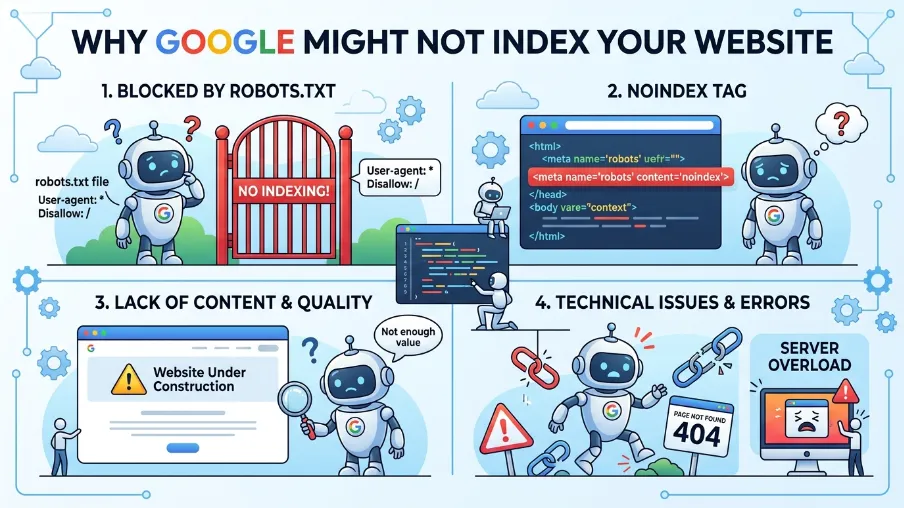
Most indexing problems fall into a short list of causes. Let's go through them.
1. Robots.txt Is Blocking Crawling
This is the most common crawlability issue in SEO. One wrong line in your robots.txt file can block your entire site from Googlebot. I've seen agencies launch a new site, forget to remove a "Disallow: /" line from staging, and lose weeks of indexing time.
2. Noindex Tags Left on Live Pages
Developers often add a noindex tag during development. It's easy to forget to remove it before launch. This single tag tells Google, "please don't index this page," even if everything else is perfect.
3. Poor Internal Linking and Site Architecture
If a page has no internal links pointing to it, Google may never find it. Deep, orphaned pages buried five clicks from your homepage often get skipped.
4. Thin or Duplicate Content
Google won't index pages that add no real value. If your content copies another page, or barely says anything new, it may get crawled but never indexed. This is the top reason behind the dreaded "crawled - currently not indexed" status.
5. Canonical Tag Conflicts
A wrong canonical tag can point Google to a different URL entirely. Google may then index that other page instead of the one you actually want ranked.
6. JavaScript Rendering Problems
If your main content loads only through JavaScript, and Google struggles to render it, your page may look empty to Googlebot. This is a well-known technical SEO crawlability issue for modern, JavaScript-heavy websites.
7. Server Errors and Slow Response Times
If your server returns 5xx errors or takes too long to respond, Googlebot backs off. Repeated errors waste your crawl budget and delay indexing.
8. Sitemap Issues
An outdated or broken XML sitemap can confuse Google about which pages matter. If your sitemap lists dead URLs or excludes new ones, indexing slows down.
How to Check If a Website Is Indexed by Google
Before fixing anything, confirm the actual problem. Here's how.
Method 1: Site search. Type site:yourdomain.com/page-url into Google. If it shows up, the page is indexed. If nothing appears, it likely isn't.
Method 2: URL Inspection Tool. Open Google Search Console. Paste your URL into the URL Inspection Tool at the top. It tells you the exact index status, plus the reason if it's not indexed.
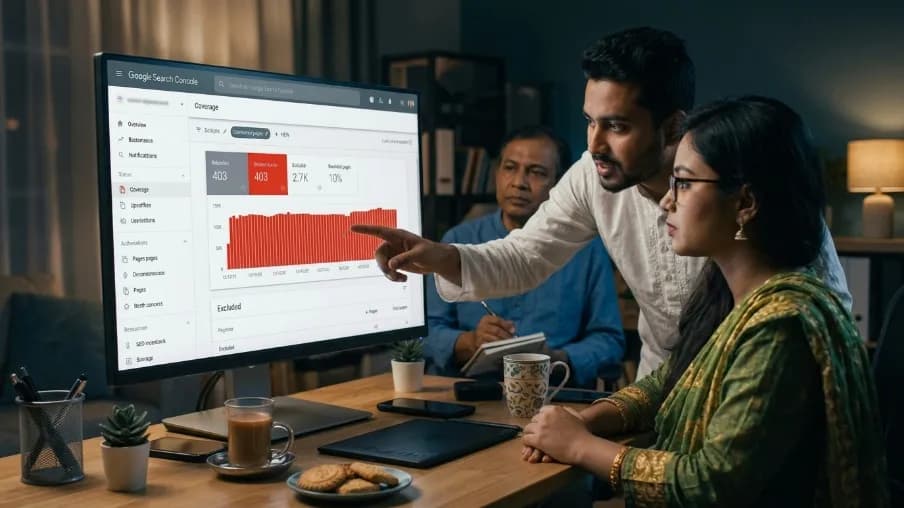
Method 3: Coverage report. In Search Console, go to Indexing > Pages. This shows every reason pages aren't indexed, grouped by issue. This is your map for what to fix first.
I always start here. Guessing wastes time. The report tells you exactly where to look.
How to Fix Crawlability Issues
Now let's fix the access problem first. Google can't index what it can't crawl.
Fix Your Robots.txt File
Open yourdomain.com/robots.txt. Check for any "Disallow" line blocking important sections of your site. A common mistake looks like this:
User-agent: *
Disallow: /
That single line blocks your entire website. Remove any rule blocking pages you want indexed. Then test the fixed file using the robots.txt tester inside Search Console.
Improve Your Internal Linking
Every important page needs at least one internal link from another page on your site. Add links from your homepage, category pages, or related blog posts. Strong internal linking helps Google discover new pages faster and passes authority to deeper content.
Fix Broken Links and Redirect Chains
Run a crawl audit using a tool like Screaming Frog. Look for 404 errors and long redirect chains. Fix broken links immediately. Replace multi-step redirects with a single, direct 301 redirect.
Improve Site Speed and Server Response
A slow server eats into your crawl budget. Compress images, use caching, and choose reliable hosting. Faster response times mean Googlebot can crawl more pages in the same visit.
Fix JavaScript SEO Issues
If your content loads through JavaScript, test how Google actually sees it as part of your javascript SEO strategy. Use the URL Inspection Tool to check the rendered HTML and confirm that your main content is being properly indexed. If important content is missing from the rendered version, consider implementing server-side rendering or pre-rendering for critical pages to improve search visibility and user experience.
Optimize Your Crawl Budget
Crawl budget matters most for large websites. To improve it:
- Block low-value pages (filters, duplicate parameters) in robots.txt
- Remove or consolidate thin pages
- Fix crawl traps like infinite calendar pages
- Keep your sitemap clean and current
A smaller, cleaner site gets crawled more completely than a bloated one.
How to Fix Indexation Issues
Once Google can crawl your site, focus on getting pages approved into the index.
Remove Accidental Noindex Tags
Check your page's HTML head for this tag:
<meta name="robots" content="noindex">
If it's there and shouldn't be, remove it. Also check your CMS settings. Some platforms add noindex automatically to certain page types.
Fix Canonical Tag Problems
Make sure each page's canonical tag points to itself, unless you deliberately want it to point elsewhere. Conflicting or self-defeating canonical tags confuse Google about which version to index.
Solve Duplicate Content Indexing Problems
If two pages say almost the same thing, merge them into one strong page. Or use a canonical tag to tell Google which version matters. Duplicate, thin, or auto-generated pages are the biggest driver of unindexed content today.
Fix "Crawled - Currently Not Indexed"
This status means Google visited your page and chose not to index it. It's a quality signal, not a technical error. To fix it:
- Compare your page against the top 5 ranking results for your keyword
- Add real depth, examples, and original insight
- Remove filler sentences that say nothing new
- Strengthen internal links pointing to that page
Fix "Discovered - Currently Not Indexed"
This means Google knows the URL exists but hasn't crawled it yet. This usually points to a crawl budget or priority issue. Add stronger internal links, and make sure the page is included in your sitemap.
Fix Hreflang Issues
If you run multiple language versions of a page, incorrect hreflang tags can cause Google to index the wrong regional version, or none at all. Validate your hreflang setup with Search Console's International Targeting report.
How to Fix Crawl Errors in Google Search Console
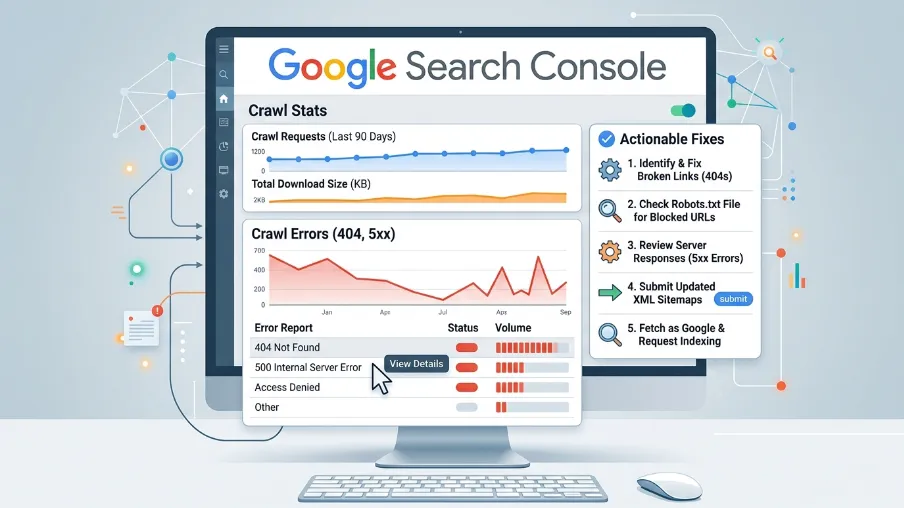
Search Console is your main dashboard for this whole process. Here's how to use it well.
- Open Indexing > Pages. Review every category listed under "Why pages aren't indexed."
- Click each issue type to see sample URLs.
- Fix the underlying cause for that group of pages.
- Use the URL Inspection Tool to confirm the fix on a specific page.
- Click Request Indexing to ask Google to recrawl that page.
Search Console also flags server errors, redirect issues, and soft 404s. Check this report weekly if your site publishes content often.
How to Request Google to Crawl a Page (And Force Indexing)
You can't force Google to index a page. But you can ask it to take another look.
- Open the URL Inspection Tool in Search Console
- Paste in the exact URL
- Click Request Indexing
This works best after you've actually fixed the underlying issue. Requesting indexing on a low-quality or blocked page won't help. Fix first, then request.
For faster overall discovery, also submit an updated XML sitemap through Search Console. This gives Google a clear list of every page you want crawled and indexed.
How Long Does Google Take to Index a Website
There's no fixed number. A new site with strong internal links and a clean sitemap can get indexed within days. A site with thin content or crawl errors can take weeks or longer.
From what I've seen across different projects, most healthy pages get indexed within 3 to 14 days after publishing. If it's been over a month with no movement, treat that as a signal something is genuinely broken.
Content Quality Is the Real Fix Behind Most Indexation Problems
Here's something I tell every client. You can fix every technical setting on your site. Clean robots.txt. Perfect sitemap. Fast server. And pages can still sit unindexed.
Why? Because indexing is, at its core, a quality decision. Google is really asking one question: is this page worth showing someone? That's where SEO-friendly content writing comes in. It's not just about keywords. It's about structure, clarity, and real answers to real questions, the exact things Google looks for before it indexes a page.
Quality content writing does more than get you indexed once. It keeps you indexed. Thin, repetitive, or copied content tends to lose its spot over time, even after it ranks for a while. Strong content earns trust and holds its place.
Trust signals go beyond the page itself, too. Your online reputation feeds into how both users and Google view your site. This is where customer review writing and how you respond to negative reviews start to matter for SEO, not just customer service. A business that writes thoughtful, honest responses to negative reviews shows real experience and accountability, two things Google's quality systems actively reward. Ignored or poorly handled negative reviews send the opposite signal.
Put simply: technical fixes open the door. Quality content and a well-managed reputation are what convince Google, and your readers, to stay.
Final Thoughts
Crawlability and indexation problems feel scary at first. They're not. Most of the time, the fix is one of a handful of things: a robots.txt rule, a noindex tag, a weak sitemap, or content that needs more depth.
Start with Search Console. Find the real cause. Fix it directly. Then request indexing and give Google time to respond.
If your pages keep getting stuck in "crawled - currently not indexed," the root cause is often the content itself. That's where a proper content review can make the real difference. Our SEO services team audits your existing pages, finds the gaps competitors are covering better, and rewrites them with SEO-friendly content writing that meets the quality bar Google expects today.
If you're ready to stop guessing and start fixing, reach out to us today. Let's get your pages indexed, your content trusted, and your reviews working for you, not against you.
Frequently Asked Questions About How to Fix Crawlability and Indexation Issues
Why are my pages not indexed even though there are no errors in Search Console?
Often, it's a quality issue, not a technical one. Google can crawl a page perfectly and still choose not to index it if the content is thin or too similar to existing pages.
Can a good XML sitemap fix indexing on its own?
No. A sitemap helps Google discover pages faster. It doesn't override a noindex tag, a robots.txt block, or a quality decision.
Does internal linking really affect indexing?
Yes. Pages with strong internal links get crawled more often and are seen as more important. Orphaned pages, with no internal links, are the slowest to get indexed.
Is mobile-first indexing something I need to worry about?
Yes. Google mostly uses the mobile version of your page to crawl and index content. If your mobile page is missing content that's on desktop, that content may not get indexed at all.
How do I know if robots.txt is blocking a specific page?
Check yourdomain.com/robots.txt directly, or use the robots.txt tester in Search Console. It shows exactly which rule is blocking a given URL.

I’m Mitu Das, a JavaScript developer, ERP product architect, and SEO specialist from Bangladesh. I work at CyberCraft Bangladesh, where I help build simple, scalable software, SaaS platforms, and business solutions. My goal is to create technology that helps companies save time, automate daily tasks, and grow faster. I enjoy combining development, product ideas, and SEO strategies to create useful digital solutions for modern businesses.
Writes about
Want this done for you?
Our team builds and ships exactly what this article describes. Send a message and we will reply with a scope.