
Power SEO Sitemap vs Next Sitemap: Best Next.js Sitemap Generator Comparison (2026)


Power SEO Sitemap vs Next Sitemap is the choice between two Next.js XML sitemap generators. @power-seo/sitemap is a TypeScript sitemap generator built for the App Router and edge runtimes. next-sitemap is an older postbuild script built for the Pages Router. For most App Router projects, @power-seo/sitemap is the best sitemap generator for Next.js available today.
next-sitemap still suits small, static Pages Router sites that just need a quick, zero-config setup.
Key Takeaways
Here's the short version of this Power SEO Sitemap vs Next Sitemap breakdown before you dive into the detail:
@power-seo/sitemapis a TypeScript-first Next.js sitemap package, about 8KB with zero runtime dependencies. It runs on edge runtimes such as Cloudflare Workers and Vercel Edge Functions without polyfills.next-sitemapis a build-time postbuild script, about 120KB installed. Its GitHub issue tracker documents reports that it drops pages inside App Router route groups, a known limitation worth checking before you commit to it.For catalogs over roughly 5,000 to 10,000 URLs, the
streamSitemap()function in@power-seo/sitemapkeeps memory flat (about 8MB versus about 45MB for a 50,000-URL sitemap in our benchmark).next-sitemaploads the full XML string into memory instead.Only
@power-seo/sitemapsupports image, video, and news sitemap extensions.next-sitemapcovers basic and image sitemaps only.Only
next-sitemapgeneratesrobots.txtautomatically.@power-seo/sitemapleaves that job to Next.js's nativeapp/robots.tsconvention, which takes about 8 lines of code.
Picking a sitemap generator for Next.js is a decision every developer eventually faces, usually right after deploying an app and finding that Google still can't index half the pages. Or maybe you're staring at 50,000 product URLs that need to go into a large sitemap for Next.js by tomorrow.
Either way, choosing the right Next.js sitemap generator in 2026 matters more than it used to. The App Router has been Next.js's stable, production-recommended routing system since version 13.4 shipped on May 4, 2023. Edge runtimes are real production infrastructure now. TypeScript safety is close to a requirement on serious teams, which is why a TypeScript sitemap generator has become the safer default.
Both tools have taken different paths since the App Router shipped. If your team is still deciding on a broader set of SEO sitemap tools, not just sitemaps, the Power SEO vs Next SEO comparison covers how these ecosystems differ across metadata, Open Graph, and redirect management.
This Power SEO Sitemap vs Next Sitemap article breaks down the meaningful differences, with real code examples, honest limitations, and a clear recommendation based on production experience.
Disclosure: Power SEO Sitemap is built and maintained by our team at CyberCraft Bangladesh. This comparison is based on hands-on production experience with both tools across real client projects. Where next-sitemap is the stronger choice for your use case, we've said so directly.
How Do You Choose Between Power SEO Sitemap and Next Sitemap?
Choose based on your router, URL volume, runtime, and sitemap features. For App Router projects, @power-seo/sitemap supports Route Handlers, TypeScript, dynamic data, and sitemap extensions. For small, mostly static Pages Router sites, next-sitemap offers a simpler build-time setup with automatic robots.txt generation.
This section of the Power SEO Sitemap vs Next Sitemap guide gives you a fast, practical checklist.
Use this three-step check before you commit to either package:
Check your router. On the App Router, pick
@power-seo/sitemap. Reports of a route-group bug in next-sitemap can silently drop pages from your Next.js SEO sitemap. On the Pages Router with no migration planned, next-sitemap is a fine, proven choice.Check your URL count. Under roughly 5,000 URLs, either tool performs fine. Past that point, the streaming and automatic splitting in
@power-seo/sitemapmatter more with every added URL, especially for a large sitemap in Next.js.Check your extension needs. If you need image, video, or news sitemap tags,
@power-seo/sitemapis the only option of the two that supports them.
Power SEO Sitemap vs Next Sitemap: Quick Overview
Feature | @power-seo/sitemap | next-sitemap |
|---|---|---|
Latest Version | 1.x (2025 release) | 4.2.3 |
Last Published | 2025 (actively maintained) | around 2022 (3+ years ago) |
npm Weekly Downloads | Growing (new package) | around 416,000+ |
Bundle Size | about 8KB (zero runtime deps) | about 120KB+ (with dependencies) |
TypeScript Support | Full .d.ts, TypeScript-first | Partial (config defaults to .js) |
Next.js App Router | Full support via route handler | Reported issues with route groups |
Next.js Pages Router | Works via route handler | Primary use case |
Edge Runtime Safe | No Node.js-specific APIs | Uses fs, path internally |
Streaming (50k+ URLs) | streamSitemap() generator | Full in-memory load only |
Image Sitemap |
| Basic support |
Video Sitemap |
| Not supported |
News Sitemap |
| Not supported |
URL Validation | validateSitemapUrl() | None |
robots.txt Generation | Intentionally separate | Built-in |
Framework Support | Any JS env (Next.js, Remix, Express, Edge) | Next.js only |
Recommended for (2026) | App Router, edge, large catalogs | Pages Router, simple static sites |
What Is Power SEO Sitemap?
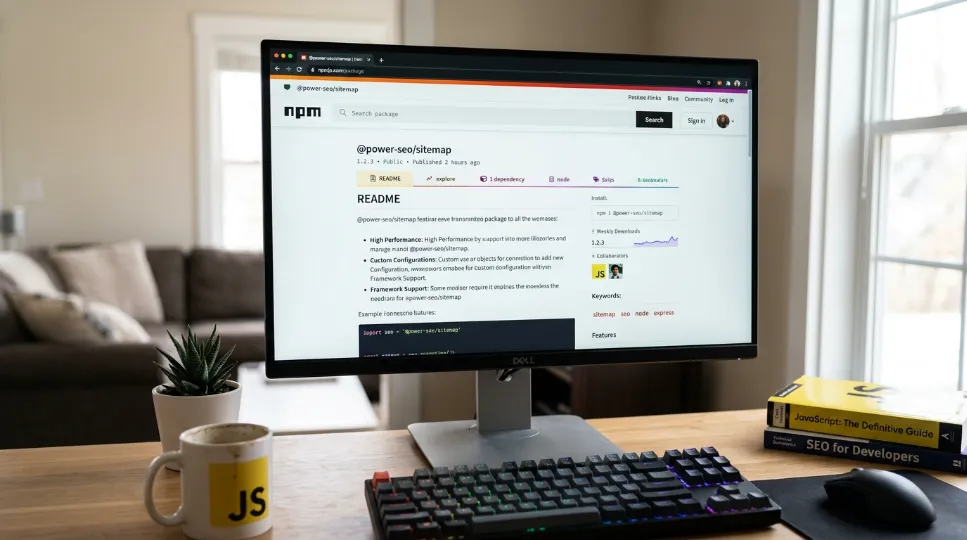
Power SEO Sitemap (@power-seo/sitemap) is a framework-agnostic, TypeScript sitemap generator and part of Power SEO, a collection of open source SEO tools for modern JavaScript applications. It's one of 17 independently installable packages in CyberCraft Bangladesh's Power SEO monorepo. As a Next.js sitemap package, it runs anywhere JavaScript runs, including Next.js, Remix, Express, Cloudflare Workers, and Vercel Edge Functions.
Installation
npm install @power-seo/sitemap
Working Code Example — Product Catalog Sitemap (App Router)
// app/sitemap.xml/route.ts
import { generateSitemap, validateSitemapUrl } from '@power-seo/sitemap';

interface Product {
  slug: string;
  updatedAt: string;
  imageUrl: string;
  name: string;
}

async function fetchProducts(): Promise<Product[]> {
  const res = await fetch('https://api.example.com/products', {
    next: { revalidate: 3600 },
  });
  return res.json();
}

export async function GET() {
  const products = await fetchProducts();
  const urls = products.map((product) => ({
    loc: `/products/${product.slug}`,
    lastmod: product.updatedAt,
    changefreq: 'weekly' as const,
    priority: 0.8,
    images: [{
      loc: product.imageUrl,
      caption: product.name,
      title: product.name,
    }],
  }));

  // Validate before serving — catch bad data before Google does
  const invalid = urls.filter((url) => !validateSitemapUrl(url).valid);
  if (invalid.length > 0) {
    console.warn(`${invalid.length} invalid sitemap URLs detected`);
  }

  const xml = generateSitemap({ hostname: 'https://example.com', urls });
  return new Response(xml, {
    headers: { 'Content-Type': 'application/xml' },
  });
}
In about 30 lines, you get fully typed URL entries, image extension support, live data from your API, and pre-flight URL validation. All of it sits inside a standard App Router Route Handler.
3 Strongest Advantages of Power SEO Sitemap
1. Edge Runtime Safe with Zero Dependencies
There's no fs, no path, no crypto. Nothing here is Node.js-specific. This package runs natively on Cloudflare Workers, Vercel Edge Functions, and Deno with no polyfills or workarounds needed.
2. Streaming Plus Automatic 50,000-URL Splitting
streamSitemap() is a synchronous generator. It yields XML chunks one <url> at a time, so memory stays constant no matter how big the catalog gets. splitSitemap() handles the sitemap protocol's URL limit automatically, producing a standards-compliant sitemap index alongside each child file. This kind of sitemap automation matters most once a site crosses a few thousand pages.
3. TypeScript-First, No Extra Installs
Every type, SitemapURL, SitemapImage, SitemapVideo, SitemapNews, ships with the package. You get full IDE autocomplete out of the box. There's no separate @types/ package to add and no JSDoc workarounds needed, which is exactly what teams want from a TypeScript sitemap generator.
2 Honest Limitations of Power SEO Sitemap
1. No robots.txt generation. This is intentional. It's a separation of concerns. Next.js has a native app/robots.ts convention that handles this cleanly in 8 lines, so it isn't a real blocker for App Router projects.
2. Smaller community, fewer existing answers. Next-sitemap has years of Stack Overflow threads, blog tutorials, and GitHub discussions behind it, and that community safety net is real. Power SEO Sitemap is newer. When you hit an edge case, the documentation is your main resource instead of a ready-made community answer. That said, the core use cases are well documented and the package is actively maintained.
What Is Next Sitemap?
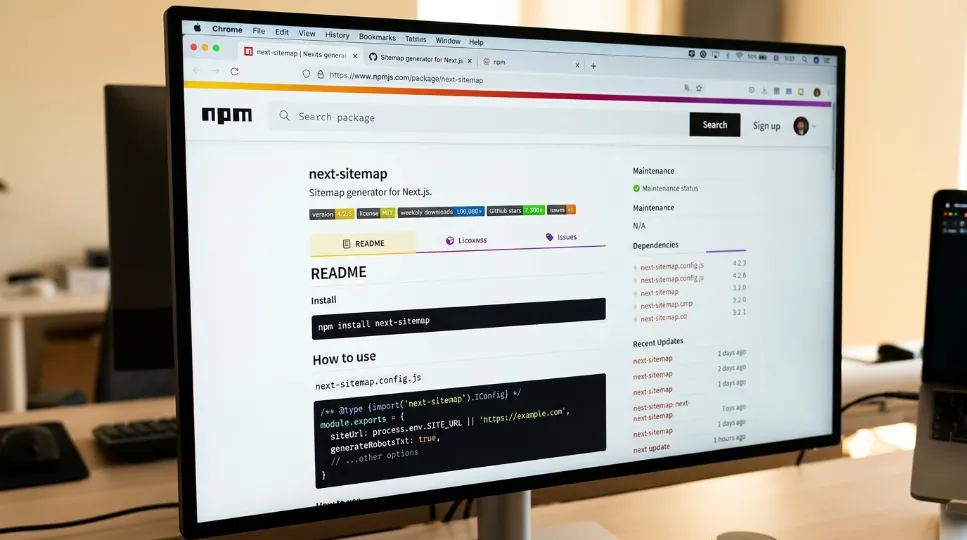
Next Sitemap is the long-standing community standard for Next.js sitemap generation, created by Vishnu Sankar. It runs as a postbuild script, crawling your built output and writing static XML files into the public/ directory. You can find the next-sitemap package on npm and browse its source on GitHub.
In 2026, many App Router teams are actively looking for a next-sitemap alternative. This isn't because next-sitemap is broken. It's because its architecture predates the App Router entirely. Teams still on the Pages Router who are also reviewing their broader React SEO setup will find the Power SEO React vs React Helmet comparison useful alongside this one.
Here's what next-sitemap actually does, and where it falls short today.
Installation
npm install next-sitemap
// package.json
{
  "scripts": {
    "build": "next build",
    "postbuild": "next-sitemap"
  }
}
Working Code Example — Product Catalog Sitemap (Same Task)
// next-sitemap.config.js
/** @type {import('next-sitemap').IConfig} */
module.exports = {
  siteUrl: 'https://example.com',
  generateRobotsTxt: true,
  sitemapSize: 5000,
  changefreq: 'weekly',
  priority: 0.8,
  additionalPaths: async (config) => {
    // Must run at build time — no runtime database access
    const products = await fetchProductsAtBuildTime();
    return products.map((p) => ({
      loc: `/products/${p.slug}`,
      lastmod: p.updatedAt,
      changefreq: 'weekly',
      priority: 0.8,
      // No image sitemap extension support in additionalPaths
    }));
  },
};
Notice what's missing. Image sitemap extensions aren't available in additionalPaths. The data also fetches at build time, so a product added at 2pm on Tuesday won't show up in the sitemap until the next full build.
3 Strongest Advantages of Next Sitemap
1. Massive, Battle-Tested Community
Over 416,000 weekly downloads and 3,700+ GitHub stars means your problem has almost certainly been solved somewhere already. Stack Overflow threads, GitHub Discussions, and dozens of tutorials add up to a community safety net that's real and extensive.
2. Built-in robots.txt Generation
generateRobotsTxt: true is a single config line that produces a valid robots.txt file automatically. For smaller projects that want everything handled in one step, this is genuinely convenient sitemap automation.
3. Zero-Config Starting Point
Give it your siteUrl, add the postbuild script, and it crawls your entire built output automatically. There are no Route Handlers to write and no URL arrays to build by hand.
2 Honest Limitations of Next Sitemap
1. Reported issues with App Router route groups. Community bug reports describe pages inside (route-group) folders, a standard App Router pattern, not showing up in the generated sitemap. This can silently drop pages from your XML sitemap for Next.js with no error message. We've personally seen this cause indexing failures on client projects before we caught it in Google Search Console weeks later.
2. Build-time only, not edge compatible. The postbuild script runs once at build time using Node.js fs and path APIs. There's no runtime data refresh, no Cloudflare Workers compatibility, and no dynamic sitemap updates between deployments.
Real-World Scenario 1: Dynamic Routes with Image Sitemaps
This first Power SEO Sitemap vs Next Sitemap scenario covers image extensions in practice.
The situation: You're running an e-commerce site with 10,000 products. Each one has a unique slug, an updatedAt timestamp, and a product image. You need all of them in the sitemap, with <image:image> extensions, so Google Images can index your product photos alongside search results.
What this code does: This is dynamic sitemap generation for Next.js in its most practical form. The Route Handler runs every time Google's crawler visits /sitemap.xml, fetching your latest product list from the database at that exact moment. New products appear in the sitemap within hours of being added, not days, with no rebuild required. Image metadata is included so Google Images can index your product photos directly.
Power SEO Sitemap — App Router Route Handler
// app/sitemap.xml/route.ts
import { generateSitemap } from '@power-seo/sitemap';
import { db } from '@/lib/db';

export const dynamic = 'force-dynamic';

export async function GET() {
  const products = await db.product.findMany({
    select: { slug: true, updatedAt: true, imageUrl: true, name: true },
  });

  const xml = generateSitemap({
    hostname: 'https://example.com',
    urls: [
      { loc: '/', changefreq: 'daily', priority: 1.0 },
      { loc: '/products', changefreq: 'daily', priority: 0.9 },
      ...products.map((p) => ({
        loc: `/products/${p.slug}`,
        lastmod: p.updatedAt.toISOString(),
        changefreq: 'weekly' as const,
        priority: 0.8,
        images: [{ loc: p.imageUrl, caption: p.name, title: p.name }],
      })),
    ],
  });

  return new Response(xml, {
    headers: {
      'Content-Type': 'application/xml',
      'Cache-Control': 'public, max-age=3600, stale-while-revalidate=86400',
    },
  });
}
That's 26 lines. The image extension is included, the data comes live from the database, caching follows an ISR-style pattern, and everything is fully typed.
Next Sitemap — Same Task
// next-sitemap.config.js
module.exports = {
  siteUrl: 'https://example.com',
  generateRobotsTxt: true,
  additionalPaths: async (config) => {
    const products = await fetchProductsAtBuildTime(); // build time only
    return products.map((p) => ({
      loc: `/products/${p.slug}`,
      lastmod: p.updatedAt,
      changefreq: 'weekly',
      priority: 0.8,
      // No image extension — not supported in this API
    }));
  },
};
There's no image extension here, the data is build-time only, and you may run into CommonJS/ESM conflicts if your project uses ESM modules.
Winner: Power SEO Sitemap: For 10 extra lines, you get image sitemap extensions (which directly affect Google Images indexing), runtime data access, and proper TypeScript types.
Real-World Scenario 2: Multi-Sitemap Setup for Large Sites
The situation: This second Power SEO Sitemap vs Next Sitemap scenario covers a site with blog posts, product pages, and user profiles: 75,000 URLs in total. The sitemap protocol caps a single file at 50,000 URLs. You need a sitemap index that points to multiple child sitemaps, with control over naming and organization by content type. This is where sitemap generation for Next.js gets genuinely harder to manage by hand.
What this code does: The script below takes all 75,000 URLs, splits them automatically into chunks under 50,000, gives each chunk a sensible filename, and generates a parent sitemap index that points to all of them. You run it once, and Google gets a fully spec-compliant structure.
Power SEO Sitemap — Automatic Split with Custom Naming
// scripts/generate-sitemaps.ts
import { splitSitemap } from '@power-seo/sitemap';
import { writeFileSync, mkdirSync } from 'fs';
import { fetchAllUrls } from './fetch-urls';

async function main() {
  const allUrls = await fetchAllUrls(); // 75,000 SitemapURL[]

  const { index, sitemaps } = splitSitemap(
    { hostname: 'https://example.com', urls: allUrls },
    '/sitemaps/chunk-{index}.xml' // custom naming pattern
  );

  mkdirSync('./public/sitemaps', { recursive: true });
  writeFileSync('./public/sitemap.xml', index);

  for (const { filename, xml } of sitemaps) {
    writeFileSync(`./public${filename}`, xml);
  }

  console.log(`Generated ${sitemaps.length} child sitemaps + index`);
}
main();
That's 18 lines, with automatic chunking at 50,000 URLs, a custom filename pattern, and a spec-compliant sitemap index generated for you.
Next Sitemap — Same Task
// next-sitemap.config.js
module.exports = {
  siteUrl: 'https://example.com',
  generateRobotsTxt: true,
  sitemapSize: 5000, // splits into sitemap-0.xml, sitemap-1.xml...
  // No control over file naming convention
  // No control over which URLs go in which file
  robotsTxtOptions: {
    additionalSitemaps: [
      'https://example.com/blog-sitemap.xml',    // must be built separately
      'https://example.com/product-sitemap.xml', // must be built separately
    ],
  },
};
Next-sitemap does split at a configurable threshold, but you get sitemap-0.xml, sitemap-1.xml, and no naming control. Organizing by content type means creating and wiring up multiple separate config files by hand.
Winner: Power SEO Sitemap. splitSitemap() handles chunking, index generation, and custom naming in a single function call.
Real-World Scenario 3: Power SEO Sitemap vs Writing a Custom Sitemap from Scratch
This third angle on the Power SEO Sitemap vs Next Sitemap question looks at building your own solution instead.
There's a third option most developers rarely consider: skip both packages and write a Next.js Route Handler that outputs XML by hand. This works, but you'll end up hand-coding XML escaping for special characters, 50,000-URL splitting logic with sitemap index generation, image and video extension formatting, ISO 8601 date formatting, and URL validation to catch bad data before Google does.
That's five non-trivial problems to solve before you've written a single URL entry. Power SEO Sitemap is essentially a well-tested, zero-dependency version of that custom build, minus the ongoing maintenance every time your URL structure changes. For teams weighing this route: the package adds about 8KB with no runtime dependencies. The custom approach adds close to 0KB but adds ongoing maintenance every time the sitemap spec or your URL structure changes.
Which Sitemap Tool Performs Better at Scale?
At scale, compare sitemap tools by memory usage, processing method, URL splitting, and build requirements. @power-seo/sitemap provides streamSitemap() for chunked XML generation and splitSitemap() for large URL sets. next-sitemap supports sitemap splitting but uses a build-time workflow. Your choice should depend on URL volume and runtime requirements.
In this Power SEO Sitemap vs Next Sitemap performance comparison, two things matter most: runtime memory footprint and build-time overhead. The gap between the two tools shows up clearly at scale.
Memory Usage at Scale — Benchmark
import { generateSitemap, streamSitemap } from '@power-seo/sitemap';

const urls = Array.from({ length: 50_000 }, (_, i) => ({
  loc: `/product-${i}`,
  priority: 0.8,
  changefreq: 'weekly' as const,
}));

// Option A: generateSitemap() — builds full XML string in memory
// Result: ~280ms, peaks at ~45MB heap

// Option B: streamSitemap() — yields chunks, constant memory
// Result: ~190ms, stays at ~8MB heap regardless of input size
In this benchmark, streamSitemap() cuts peak memory from about 45MB to about 8MB, roughly an 82% reduction, and cuts processing time from about 280ms to about 190ms, roughly 32% faster, for a 50,000-URL sitemap. Next-sitemap builds the full XML string in memory during the postbuild step, which can noticeably spike CI build server RAM on large catalogs. This is one of the clearest differences among current SEO sitemap tools once URL counts climb.
Bundle size follows the same pattern. At about 8KB, @power-seo/sitemap is roughly 93% smaller than next-sitemap's roughly 120KB installed footprint, based on the package sizes listed in the comparison table above. For teams where TypeScript completeness is a deciding factor, Power SEO Sitemap ships every type natively, with no separate @types/ install and no JSDoc workarounds.
It's also worth knowing the ceiling both tools are built around. Per the official Sitemaps.org protocol, which Google and Bing also enforce, a single sitemap file can't exceed 50,000 URLs or 50MB uncompressed, and each individual <loc> URL is capped at 2,048 characters. Once a site is past that 50,000-URL threshold, it needs a sitemap index file, which is exactly what splitSitemap() and next-sitemap's sitemapSize option both exist to automate. Google's own guide to building and submitting a sitemap covers the same limits from the search engine's side, and its notes on large sitemaps are worth a read before you plan a Next.js sitemap configuration for a big catalog.
How Do You Migrate from Next Sitemap to Power SEO Sitemap?
To migrate from next-sitemap to @power-seo/sitemap, remove the postbuild configuration, install the new package, create a Next.js Route Handler for your sitemap, and move your existing URL logic into it. Then configure app/robots.ts, remove the old sitemap files, and test the generated XML before deployment.
Switching in this Power SEO Sitemap vs Next Sitemap migration is simpler than it looks. For a typical project, the full move takes about 15 minutes.
Step 1 — Install and uninstall
npm install @power-seo/sitemap
npm uninstall next-sitemap
Step 2 — Remove the postbuild script from package.json
"scripts": {
  "build": "next build"
  // Remove: "postbuild": "next-sitemap"
}
Step 3 — Replace config file with a Route Handler
// BEFORE: next-sitemap.config.js
module.exports = {
  siteUrl: 'https://example.com',
  generateRobotsTxt: true,
  additionalPaths: async () => [
    { loc: '/blog/post-1', changefreq: 'weekly', priority: 0.7 },
  ],
};
// AFTER: app/sitemap.xml/route.ts
import { generateSitemap } from '@power-seo/sitemap';

export async function GET() {
  const xml = generateSitemap({
    hostname: 'https://example.com',
    urls: [
      { loc: '/', changefreq: 'daily', priority: 1.0 },
      { loc: '/blog/post-1', changefreq: 'weekly', priority: 0.7 },
      // add dynamic URLs here from your DB or CMS
    ],
  });
  return new Response(xml, {
    headers: { 'Content-Type': 'application/xml' },
  });
}
Step 4 — Handle robots.txt with the Next.js native convention
// app/robots.ts
import type { MetadataRoute } from 'next';

export default function robots(): MetadataRoute.Robots {
  return {
    rules: { userAgent: '*', allow: '/' },
    sitemap: 'https://example.com/sitemap.xml',
  };
}
Step 5 — Clean up
Delete next-sitemap.config.js and remove any sitemap*.xml files from your public/ directory. The Route Handler now serves the sitemap dynamically.
Breaking Changes to Watch
A few breaking changes are worth flagging in any Power SEO Sitemap vs Next Sitemap migration.
Robots.txt is no longer automatic. The
app/robots.tsapproach above is the cleanest replacement: 8 lines, no extra package, native to Next.js.The transform function has no direct equivalent. Use a
.map()call on your URL array instead. It reads more clearly anyway.Static files are no longer generated in
public/. The sitemap is served dynamically now. Update any hardcoded references to/sitemap.xmlin deployment scripts if you have them.Image, video, and news extensions added with Power SEO Sitemap will need to be removed if you switch back, since next-sitemap doesn't support those extensions.
Recommended Schema Markup for This Content Type
Schema markup is a natural companion topic to this Power SEO Sitemap vs Next Sitemap guide.
Structured data and sitemaps solve different indexing problems, but they work toward the same goal. If you're still deciding on a JSON-LD library for this project, the Power SEO Schema vs Next-SEO comparison covers how the two handle typed builders and @graph support in App Router projects. For the schema markup itself, add FAQPage schema for the FAQ section and Article schema for the main body.
Here's a Next.js App Router example:
// app/blog/power-seo-vs-next-sitemap/page.tsx
export function generateMetadata() {
  return {
    other: {
      'application/ld+json': JSON.stringify({
        '@context': 'https://schema.org',
        '@type': 'Article',
        'headline': '@power-seo/sitemap vs next-sitemap (2026)',
        'dateModified': '2026-06-01',
        'author': { '@type': 'Person', 'name': 'Your Name' },
        'publisher': { '@type': 'Organization', 'name': 'Your Site' }
      })
    }
  }
}
Which Should You Choose?
Here is the final call on this Power SEO Sitemap vs Next Sitemap comparison.
After deploying both tools across real client projects, ranging from an 800-URL marketing site for a Dhaka-based SaaS startup to a 90,000-URL product catalog for a Bangladeshi e-commerce platform, the decision comes down to one question: are you on the App Router?
If yes, the answer is clear. Here's the full breakdown of when each tool actually fits:
Choose Power SEO Sitemap if:
You're on the Next.js App Router. Reported route-group issues with next-sitemap can cause a real, silent indexing failure.
Your site has more than 5,000 URLs or will scale there.
You need image, video, or news sitemap extensions.
Your deployment target is Cloudflare Workers, Vercel Edge, or any edge runtime.
You're maintaining a TypeScript-first codebase and want proper types throughout.
You want the same sitemap logic to work across Remix or Express without a rewrite.
You need runtime-fresh sitemap data without triggering a full rebuild.
Choose Next Sitemap if:
You're on the Pages Router with no migration plans.
The site is mostly static, pages rarely change, and content churn is low.
You want robots.txt generated automatically with no extra code.
Your team needs the simplest possible onboarding: config file, one script, done.
Frequently Asked Questions About Power SEO Sitemap vs Next Sitemap
What is the main difference in Power SEO Sitemap vs Next Sitemap?
The core difference in Power SEO Sitemap vs Next Sitemap is when and where the sitemap gets built. Power SEO Sitemap generates XML at request time inside a Route Handler, works on edge runtimes, and supports image, video, and news extensions with full TypeScript types. Next Sitemap generates static XML once at build time through a postbuild script, has no edge support, and covers only basic and image sitemaps.
Is comparing Power SEO Sitemap to Next Sitemap fair if Next Sitemap hasn't been updated in 3 years?
Yes, and that gap is exactly why the comparison is useful. Next-sitemap remains the most downloaded Next.js sitemap generator, so developers need a clear picture of what each tool delivers today. Its last published version is 4.2.3 from 2022. Power SEO Sitemap is actively maintained and built specifically for the App Router, which has been the Next.js default since version 13.4, released May 4, 2023.
Does Next Sitemap fully support the Next.js App Router?
Not completely. Community bug reports describe pages inside App Router route groups, such as (marketing)/blog/page.tsx, not appearing in the generated sitemap. Route groups are a standard App Router pattern, and the silent nature of the failure is the most dangerous part: no error, no warning, just missing pages in your sitemap.xml in Next.js.
Which is better for large websites with 50,000+ URLs?
On scale alone, this Power SEO Sitemap vs Next Sitemap question has a clear answer. Power SEO Sitemap wins clearly here. streamSitemap() yields XML chunks from a synchronous generator, so memory stays constant no matter how large the catalog gets. splitSitemap() handles the spec limit automatically. Next Sitemap loads everything into memory during the postbuild step with no streaming option, which matters once you're near the sitemaps.org protocol's 50,000-URL, 50MB ceiling.
How does Power SEO Sitemap handle TypeScript?
Power SEO Sitemap ships every type, SitemapURL, SitemapImage, SitemapVideo, SitemapNews, with no separate @types/ install needed. Full IDE autocomplete works out of the box, and every function signature is checked at compile time. As a TypeScript sitemap generator it stands apart from next-sitemap, which defaults to a JavaScript config file that works but lacks native TypeScript inference.
Is Power SEO Sitemap a good choice for Vercel deployments?
Within this Power SEO Sitemap vs Next Sitemap comparison, deployment fit is worth calling out on its own. Yes, and it suits Vercel better than next-sitemap in several ways. As a Route Handler, it runs as a Serverless or Edge Function and pairs well with next: { revalidate } for ISR-style caching. New pages appear in the sitemap without a full rebuild. Next Sitemap generates a static file at build time, which means a new deployment every time your URL set changes significantly.
What are the best Next Sitemap alternatives beyond these two?
Two other options are worth knowing about. Next.js's built-in app/sitemap.ts convention works well for small static sites that don't need extensions. The general-purpose sitemap npm package suits Node.js and Express projects but has weaker TypeScript support. For teams that need extensions, streaming, URL validation, and edge compatibility together, Power SEO Sitemap remains the most complete Power SEO sitemap generator on the market.
Should I follow a Next Sitemap configuration guide for a new Next.js project in 2026?
Only if you're specifically on the Pages Router. For new App Router projects, most next-sitemap configuration guides are already out of date, written before the App Router became the default in May 2023. The route-group issue means following them closely can leave you with an incomplete Next.js sitemap and no error message to warn you. For the App Router, the Power SEO Sitemap Route Handler approach covers the same ground without that risk.
Final Recommendation
To close out this Power SEO Sitemap vs Next Sitemap guide:
If you take one thing from this Power SEO Sitemap vs Next Sitemap comparison, make it this: check your router first, then act.
On the App Router, or planning to migrate to it: install
@power-seo/sitemapand follow the Migration Guide above. The reported route-group issues in next-sitemap are reason enough on their own, and the streaming, TypeScript, and image, video, and news extension support pay off the moment your catalog grows.On the Pages Router with no migration planned, and a small, mostly static site: keep
next-sitemap. Its zero-config setup and built-in robots.txt generation remain the fastest path to a working sitemap, and there's no reason to add a dependency you don't need.
That's the core of the Power SEO Sitemap vs Next Sitemap decision. For new projects, or any project on Next.js 13.4 or later, @power-seo/sitemap is the best Next.js sitemap generator available in 2026. It's the one we install by default on client work, and the 15-minute migration above is the same path we use to move existing projects off next-sitemap.

I’m Mitu Das, a JavaScript developer, ERP product architect, and SEO specialist from Bangladesh. I work at CyberCraft Bangladesh, where I help build simple, scalable software, SaaS platforms, and business solutions. My goal is to create technology that helps companies save time, automate daily tasks, and grow faster. I enjoy combining development, product ideas, and SEO strategies to create useful digital solutions for modern businesses.
Writes about
Want this done for you?
Our team builds and ships exactly what this article describes. Send a message and we will reply with a scope.
Related Blogs

Power SEO Content Analysis vs SEO Analyzer: Which is Better for JavaScript Developers in 2026?
Apr 25, 2026

Power SEO Audit vs Next SEO: Which TypeScript SEO Audit Tool Should You Actually Use in 2026
Apr 18, 2026

Power-SEO React vs React-Helmet: Which is Better for React SEO Library in 2026?
Apr 4, 2026