
React vs WordPress SEO: 90% People Choose Wrong in 2026

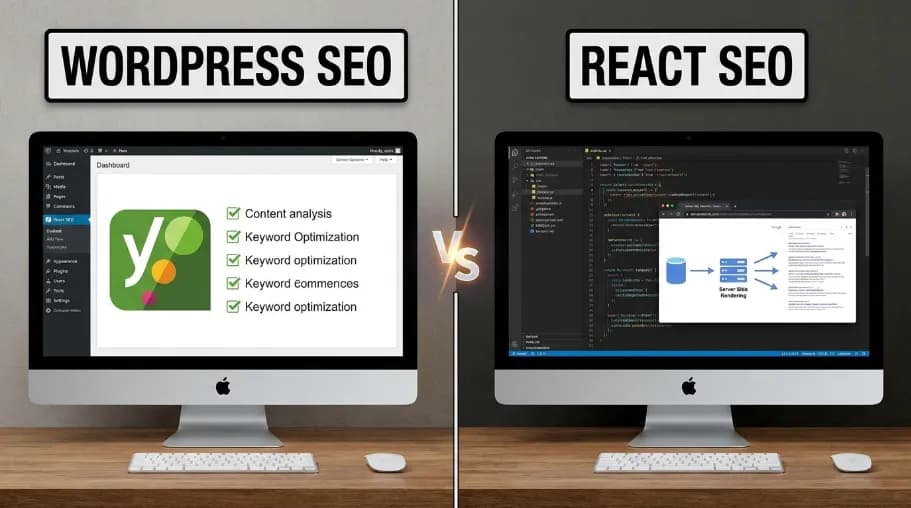
React vs WordPress SEO refers to how each platform's rendering method, page speed, and structured data support affect organic search rankings. This guide compares React SEO and WordPress SEO side by side, so you can judge an SEO-friendly React website against an SEO-friendly WordPress website before you commit to a build. WordPress ships server-rendered HTML by default, so it indexes predictably out of the box. React needs a framework like Next.js to do the same. In short: rendering speed, Core Web Vitals, and structured data are what decide the winner, not brand loyalty.
WordPress is a PHP-based content system built for non-developers. It's made for teams that publish often. React (usually paired with Next.js) is a JavaScript library for custom, high-performance web apps used for React website SEO projects that need real developer involvement.
WordPress powers roughly 43% of all websites, around 835 million sites worldwide, according to W3Techs. React remains the most-used JavaScript UI library among professional developers, per the State of JS survey. Neither tool is the best platform for SEO in every case. Whether React or WordPress is better for SEO depends on your team's skills, your content volume, your budget, and your performance needs.
Key Takeaways
Choose WordPress if you want fast, no-code publishing, a huge plugin library (54,000+ plugins), and no in-house developer.
Choose React (Next.js) if you're building a SaaS product, custom app, or e-commerce platform. Pick this when speed, security, and scale matter most.
Choose Headless WordPress if you want WordPress's editor with a React front end. This setup is common at large media and enterprise sites.
Performance: Next.js on Vercel Edge averages 50–80ms TTFB. WordPress ranges from 100–800ms, depending on hosting and plugin load.
Security: WordPress sites make up over 90% of CMS-based hacks (Sucuri). Old plugins and themes are the main cause.
Cost over 3 years: WordPress ($3,000–$15,000+) and Next.js ($3,000–$11,000) often end up close. WordPress is cheaper to start. React is cheaper to maintain.
What Is React (and Why Developers Love It)?

React is a JavaScript UI library. Meta (then Facebook) released it in 2013. React only handles the interface layer, so React JavaScript SEO always depends on the framework wrapped around it. Most production sites pair React with a framework. Next.js, released by Vercel (then Zeit) in 2016, is the most popular choice: it handles server-side rendering, static generation, and API routes. Gatsby is built for static, content-heavy sites. Remix is a newer, edge-first option.
React's biggest strength is its component model. A developer writes one component, like <ProductCard />, and reuses it across thousands of pages. The trade-off, and the root of most React SEO challenges, is that React has no built-in content editor, no default SEO layer, and no visual dashboard for marketers. This is where Power-SEO free open source SEO tools can help developers add essential SEO features without adding unnecessary complexity. Every workflow must be custom-built. If that trade-off works for you, try Next.js free on Vercel before you commit.
What Is WordPress (and Why It Still Powers 43% of the Web)?

WordPress is a PHP-based content management system. It launched in 2003 as a blogging tool. Today it runs an estimated 835 million websites as a full publishing and e-commerce platform.
The biggest WordPress SEO benefits come from how little setup they require, which is also why WordPress SEO optimization rarely needs a developer. A no-code Gutenberg block editor, introduced in 2018. Over 54,000 plugins for SEO, e-commerce, and analytics. Thousands of ready-made themes. WooCommerce, a free store plugin launched in 2011. And easy SEO tools like Yoast and RankMath that don't need a developer.
The trade-off is technical debt. PHP adds rendering overhead. Plugins can conflict with each other. Sites slow down as they age and add more plugins. If WordPress sounds right for you, you can start with a managed WordPress plan in under an hour.
How Does React Compare to WordPress Side-by-Side in 2026?
React offers more control over performance and technical SEO, while WordPress is easier to manage and publish content with. For React vs WordPress SEO, React with Next.js can provide a higher performance and scalability ceiling, but WordPress has a stronger out-of-the-box content and SEO workflow. Google can render JavaScript, but server-side or pre-rendering remains recommended for speed and crawler accessibility.
Factor | React (Next.js) | WordPress | Winner |
|---|---|---|---|
Setup time | Days to weeks | Hours to days | WordPress |
Content editing | Custom admin UI required | Built-in Gutenberg editor | WordPress |
SEO out of the box | Manual setup (high ceiling) | Yoast/RankMath (easy floor) | Tie |
TypeScript support | Native | No | React |
Performance (TTFB) | 50–80ms (Vercel Edge) | 100–800ms | React |
Core Web Vitals | Consistently green | Varies by plugin load | React |
Security | Minimal attack surface | 90%+ of CMS hacks target WP | React |
Plugins / ecosystem | npm (1M+ packages) | 54,000+ WP plugins | WordPress |
Hosting cost (3 yr) | ~$0–$50/mo (Vercel/Netlify) | $20–$200/mo + maintenance | React |
Non-dev friendly | Requires a developer | Anyone can manage | WordPress |
Scalability | Virtually unlimited | Requires caching + tuning | React |
Best for | SaaS, apps, custom stores | Blogs, news, SMB sites | Depends |
Does React Rendering Hurt SEO?
No, not by default in 2026, but rendering method matters. This is where React SEO optimization actually happens: at the rendering layer, before any content or metadata work begins.
Plain client-side rendering (Vite or Create React App) is where most React SEO mistakes start. It can show Googlebot a blank page on first crawl, which creates real React indexing issues and slows crawlability. React server-side rendering SEO, using Next.js SSR, and React client-side rendering SEO are not the same thing: SSR sends full HTML immediately, just like WordPress, so it avoids the crawlability and indexing problems that plague client-only setups.
WordPress indexing and WordPress crawlability rarely have this problem, since PHP renders full HTML on every request by default. Google's Page Experience update made Core Web Vitals an official ranking factor in June 2021, which is why rendering method still carries SEO weight today.
Rendering Method | Googlebot Sees HTML? | Indexing Speed | Recommendation |
|---|---|---|---|
WordPress (PHP) | Immediately | Fast | Good baseline |
Next.js SSR | Immediately | Fast | Best of both worlds |
Next.js SSG | Pre-built HTML | Fastest | Best for content sites |
Client-side React (CRA) | Blank page initially | Slow/inconsistent | Avoid for SEO |
Gatsby | Pre-built HTML | Fastest | Strong for blogs |
React Core Web Vitals vs WordPress Core Web Vitals
When people ask about React vs WordPress performance, they're usually really asking about React vs WordPress speed on this exact metric. React wins in most real-world tests. Next.js on Vercel Edge usually hits LCP under 1.2s and INP under 100ms, both comfortably inside Google's "good" thresholds of 2.5s and 200ms. Optimized WordPress on managed hosting lands at an LCP of 1.5–2.5s. Unoptimized WordPress on shared hosting can hit LCP of 3–6s, which can hurt Core Web Vitals and overall React vs WordPress SEO performance.
Plugin bloat is the main culprit behind weak WordPress Core Web Vitals scores. Sites with 30+ plugins struggle to hit green scores, even with caching turned on.
React Technical SEO vs WordPress Technical SEO
Technical SEO covers everything crawlers and search engines need before they can even read your content: sitemaps, crawlability, indexing, and site architecture. In the React vs WordPress SEO comparison, these technical factors can make a major difference in how easily search engines discover and index your pages.
React sitemap SEO setups need manual work. Next.js has no built-in sitemap generator, so developers add one (via next-sitemap or a custom API route) and submit it to Search Console by hand. WordPress sitemap generation is automatic: Yoast, RankMath, and even WordPress core (since version 5.5) generate and update an XML sitemap on every publish, with zero developer input.
React crawlability depends entirely on rendering method, covered above: SSR and SSG are crawlable by default, client-side-only React is not. WordPress crawlability is reliable out of the box, since PHP always serves complete HTML.
React indexing issues typically trace back to slow TTFB, unhandled redirects, or missing canonical tags on dynamic routes. WordPress indexing issues more often come from duplicate content across tags, categories, and archive pages, since Gutenberg encourages heavy taxonomy use. Both are fixable, but they're different problems requiring different fixes.
How Do the Two Handle Meta Tags and Structured Data?
WordPress handles meta tags and schema through no-code plugins, while React requires a developer-built solution. In React vs WordPress SEO, this is one of WordPress’s biggest advantages. With Yoast or Rank Math, marketers can set title templates, meta descriptions, and focus keywords without writing code. WordPress metadata SEO is handled directly inside the dashboard, while structured data such as Article, Product, and Organization schema can be added automatically when content is published.
React metadata SEO works differently. A dedicated SEO library, coded by a developer, produces the JSON-LD, hreflang, and Open Graph output that makes up React structured data. There's no dashboard field to fill in: every tag is a code change, reviewed and deployed like any other feature.
One WordPress catch: running two SEO plugins at once can create duplicate meta tags. One React catch: without that visual dashboard, marketers can't touch metadata without a developer.
React SEO vs WordPress SEO Tools
WordPress SEO plugins cover almost every need without custom code. Yoast SEO and RankMath handle on-page metadata, sitemaps, and schema. Redirection manages 301s. WP Rocket and W3 Total Cache handle the caching that WordPress Core Web Vitals scores depend on. These WordPress SEO tools are why non-developers can run a fully optimized site solo.
React SEO tools work more like developer infrastructure than plugins. next-seo and next-sitemap are the closest React developer SEO tool equivalents to Yoast, handling meta tags and sitemap generation in code. Lighthouse and PageSpeed Insights audit Core Web Vitals for both platforms. Screaming Frog and Ahrefs work as universal crawlers regardless of which stack you're auditing.
React vs WordPress SEO Best Practices
A short React SEO checklist:
Use SSR or SSG, never client-side-only rendering, for any page that needs to rank.
Set canonical tags on every dynamic route to avoid duplicate-content indexing issues.
Generate and submit an XML sitemap; Next.js doesn't ship one by default.
Add structured data (JSON-LD) through a dedicated SEO library, not hand-rolled script tags.
Test Core Web Vitals on every deploy, since a single unoptimized image can undo SSR's speed advantage.
A short WordPress SEO checklist:
Run one SEO plugin, not two, to avoid duplicate meta tags.
Keep plugins updated and remove unused ones; outdated plugins are the top cause of WordPress hacks.
Use a caching plugin and a CDN to offset PHP's rendering overhead.
Set canonical URLs on tag and category archive pages to avoid duplicate-content penalties.
Compress images before upload; unoptimized media is the most common WordPress Core Web Vitals killer.
Is WordPress Less Secure Than React?
Yes, in aggregate. WordPress sites account for over 90% of all CMS-related hacks, per Sucuri's annual security report, mainly from outdated plugins, nulled themes, and brute-force attacks on wp-admin. This is another factor to consider when comparing React vs WordPress SEO, especially for businesses that prioritize long-term site security and performance. React and Next.js sites carry a smaller attack surface (no PHP core, no wp-admin, no exposed database), though API routes still need proper authentication like any backend.
Which Costs Less Over 3 Years?
For a clear React vs WordPress SEO cost comparison, here are the approximate figures in BDT:
Cost Factor | WordPress (3-Year) | Next.js (3-Year) |
|---|---|---|
Initial build | ৳3.5–10 lakh | ৳3.5–9.5 lakh |
Managed hosting | ৳33,000–৳2 lakh | ৳0–৳86,000 |
Premium plugins | ৳22,000–৳65,000 | Minimal |
Developer maintenance | ৳65,000–৳2.6 lakh | ৳0–৳65,000 |
Potential security incident | ৳55,000–৳3.3 lakh | Lower risk |
Estimated 3-year total | ৳3.3–16.5+ lakh | ৳3.3–12.1 lakh |
What Is Headless WordPress?
Headless WordPress is a setup where WordPress runs only as a backend CMS while a separate React or Next.js app renders the front end. It connects through the WordPress REST API (merged into WordPress core in version 4.7, released December 2016) or WPGraphQL. Editors keep their familiar dashboard; visitors get React-level speed.
This setup fits teams publishing 10+ posts a week. In a React vs WordPress SEO comparison, the trade-off is clear: it roughly doubles hosting costs and requires both a WordPress developer and a React developer.
Which One Should You Choose?
For React vs WordPress SEO, Choose WordPress to launch fast without a developer; choose React (Next.js) when performance and control matter more than launch speed; choose Headless WordPress when you need both.
Choose React (Next.js or Gatsby) if you're building a SaaS app with logins, or if you need multi-language SEO. It's also a fit if you want SEO checks in your deploy pipeline, or if you pull content from APIs. Try Next.js on Vercel to test the developer experience yourself.
Choose WordPress if your team has non-technical editors, or if you need to launch fast on a tight budget. It also fits blogs, small business sites, and stores that use WooCommerce. See WordPress hosting pricing and go live today.
Choose Headless WordPress if your editors love the WordPress dashboard but your site needs React-level speed. This also fits WooCommerce stores that want a custom, high-converting front end. Get a headless WordPress quote to scope the build.
What Should You Know Before Migrating from WordPress to React?
Before migrating from WordPress to React, understand that React vs WordPress SEO is mainly a trade-off between flexibility and built-in SEO features. React gives you more control over performance, architecture, and technical SEO, but you must manually handle metadata, structured data, sitemaps, routing, rendering, and redirects. Plan these SEO elements before migration to avoid losing rankings or traffic.
Audit your plugins first: Contact forms, membership tools, and WooCommerce have no direct React match. Plan to rebuild these by hand.
Export your SEO data before you touch anything: Log every indexed URL, title tag, meta description, and canonical URL. A crawler like Screaming Frog can do this for you.
Set up redirects the right way: Use Ahrefs or SEMrush to find URLs with outside backlinks. Point them to 301 redirects, not 404 errors.
Pick a headless CMS in advance: Good options include Sanity, Contentful, Payload CMS, or Ghost. A pure React site has no built-in editor.
Expect 3–6 months for rankings to settle: Even a technically clean React SEO optimization effort temporarily disrupts rankings, since Google re-checks your page quality signals.
Bottom Line: React vs WordPress SEO: The Best Choice
Here's the short answer for React vs WordPress SEO: Next.js (SSR or SSG) matches or beats WordPress's SEO floor, and it offers a higher performance ceiling. But you need a developer to build and maintain that rendering and metadata layer. WordPress with Yoast or RankMath gives you a safe, easy SEO floor with zero developer work.
Here's the short answer overall, if you're still deciding React or WordPress for SEO: Pick WordPress if you want to launch this week without hiring a developer. Pick React (Next.js) if you're building a product where performance and control matter more than launch speed. Pick Headless WordPress if you need both.
Most teams can decide using just budget and in-house skills. If you have a developer on staff or on retainer, React's long-term cost and speed usually win. If you don't, WordPress gets you live and ranking fastest.
Next step: Pick your top priority: speed to launch, long-term performance, or ease of editing. Match it to the advice above. If you need help evaluating the technical or SEO trade-offs, CyberCraft Bangladesh provides website development and SEO services to help scope the right approach. Start scoping your build against that platform this week. More reading rarely changes this comparison.
Frequently Asked Questions About React vs WordPress SEO
1. Is React vs WordPress better for SEO?
WordPress is generally easier for SEO, while React offers more development flexibility. WordPress provides built-in content management and many SEO plugins. React can perform equally well when properly configured with server-side rendering, metadata, structured data, sitemaps, and crawlable HTML.
2. Is React bad for SEO?
No, React is not bad for SEO. The main SEO challenge is how the application renders content. Client-side rendering can create indexing and performance issues if important content, metadata, or links are unavailable in the initial HTML.
3. Which is faster for SEO: React or WordPress?
Neither is automatically faster. A well-optimized React site can achieve excellent Core Web Vitals, while a lightweight WordPress site can also be very fast. Hosting, JavaScript, images, caching, themes, plugins, and rendering methods usually matter more than the platform itself.
4. Can React websites rank as well as WordPress websites?
Yes. React websites can rank as well as WordPress websites when they provide crawlable content, unique metadata, internal links, structured data, XML sitemaps, and strong Core Web Vitals. Search engines evaluate the resulting webpage rather than simply rewarding a specific framework.
5. Which should you choose for SEO: React or WordPress?
Choose WordPress for easier content management and faster SEO implementation. Choose React for highly customized applications and greater development control. The best choice depends on your technical resources, content workflow, performance requirements, and long-term SEO strategy.

I’m Mitu Das, a JavaScript developer, ERP product architect, and SEO specialist from Bangladesh. I work at CyberCraft Bangladesh, where I help build simple, scalable software, SaaS platforms, and business solutions. My goal is to create technology that helps companies save time, automate daily tasks, and grow faster. I enjoy combining development, product ideas, and SEO strategies to create useful digital solutions for modern businesses.
Writes about